


Mount Sheet Sync
- By
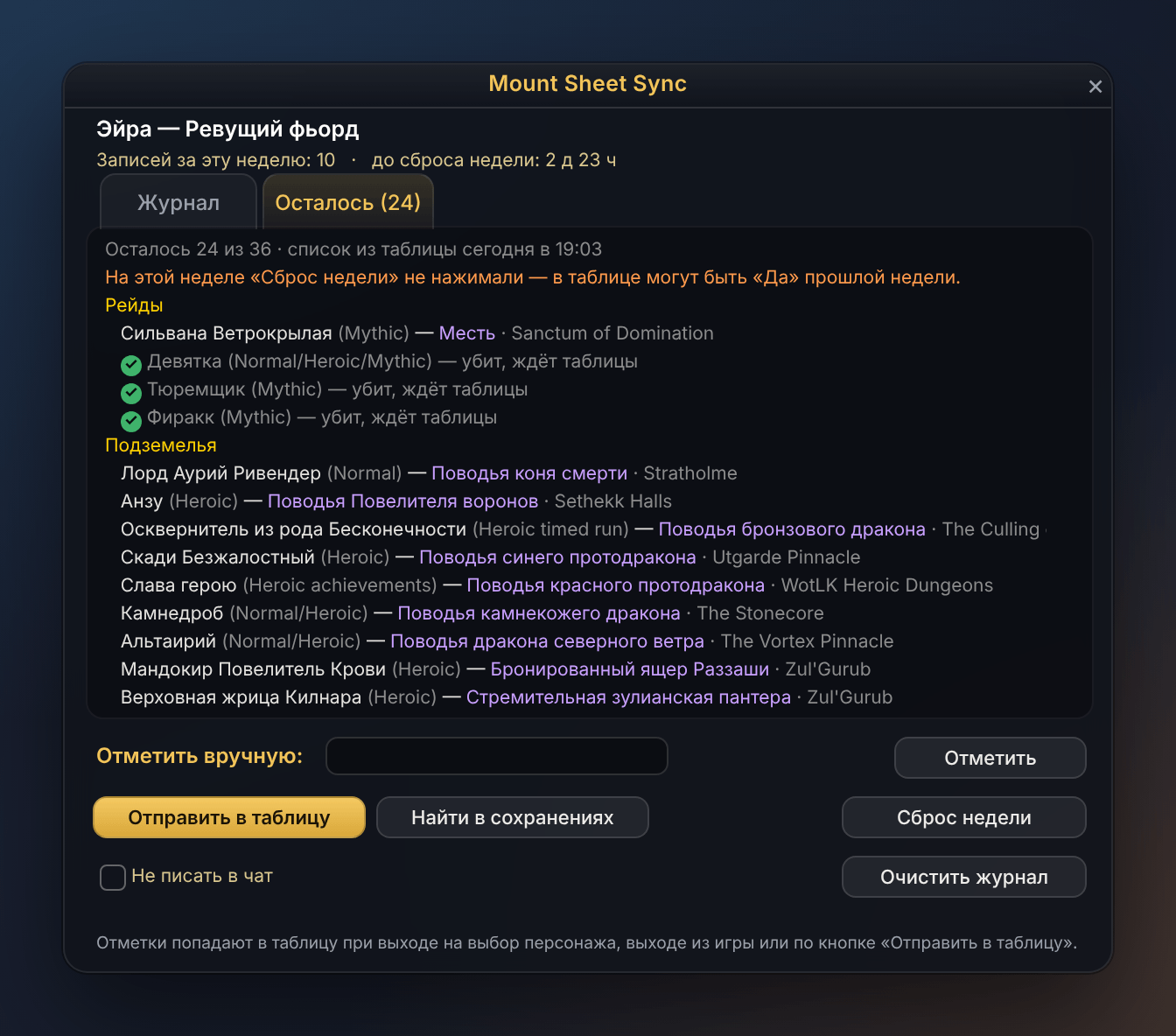
What is still left for the current character this week: bosses not killed yet whose mount you don't own. A kill is ticked off at once.
Description
Mount Sheet Sync
Farm mounts on all your alts without losing track. The addon records every boss kill of every character and shows, right in the game, what is still worth killing this week — only the bosses whose mount you don't have yet. A free companion program keeps it all in a Google Sheet for you.
Why it's handy
- "Remaining" list in the game. Log in on an alt and see at once which raid, dungeon and world bosses are still worth a run this week. Kills are ticked off as they happen.
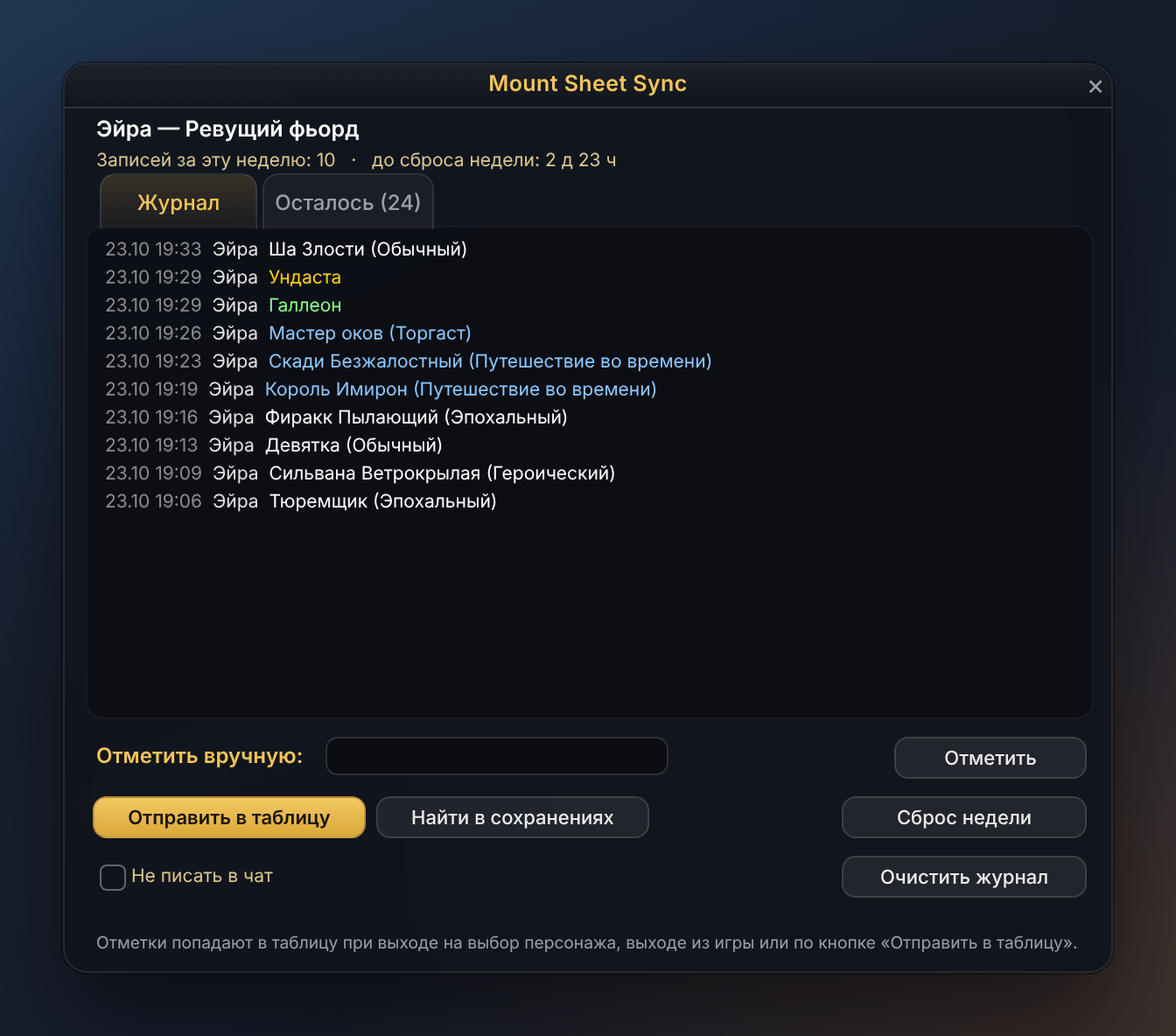
- Nothing to type. Kills are recorded automatically, with difficulty. New mounts are noticed the moment you learn them. Kills from before you installed the addon are picked up from your lockouts with one click.
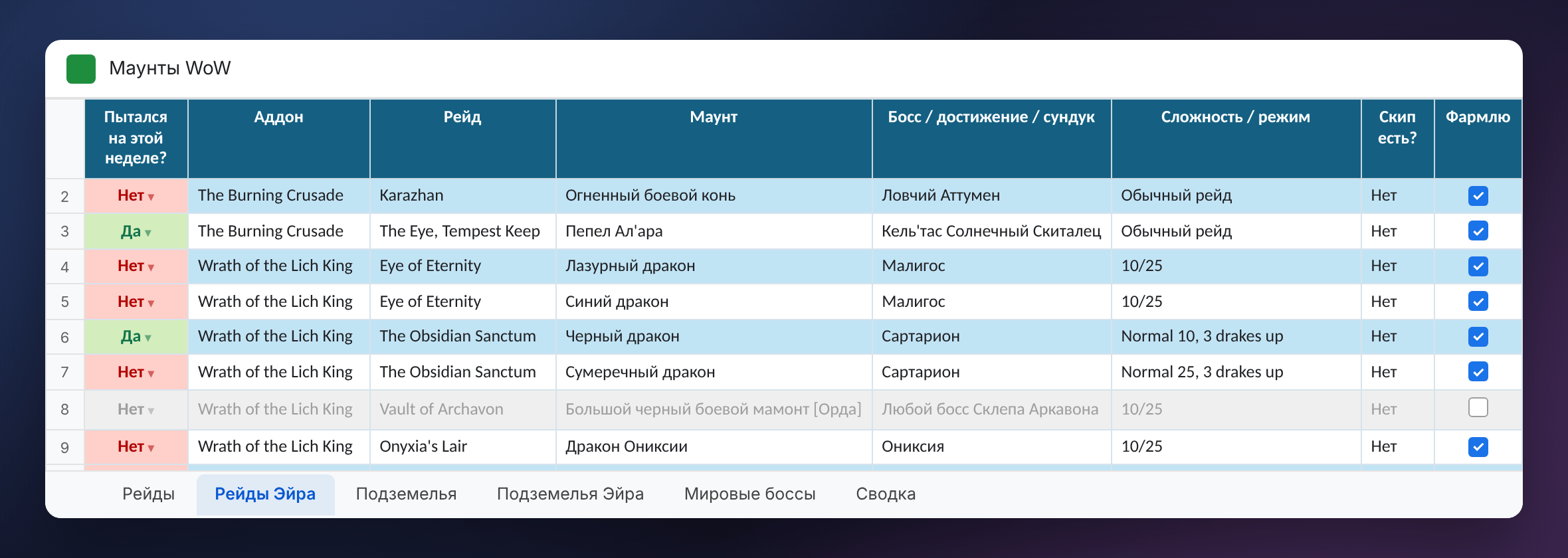
- A spreadsheet that fills itself. With the companion Windows program: a sheet per character in your own Google Drive, about 165 mounts from raids, dungeons and world bosses with skip and farming tips. A kill turns "Yes" on its own, collected mounts drop off the list.
- Six languages. English, Russian, German, French, Spanish and Portuguese — the addon, the program and the spreadsheet.
- Light and private. The addon never sends anything anywhere (WoW addons can't). The program can open only the spreadsheets it created itself.
Getting started
- Install the addon and log in. Kill a boss, or press Find in lockouts in the
/msswindow. - For the spreadsheet, get the free companion program for Windows 10/11 from the project website (link at the bottom of this page; the addon shows the address too), install it, sign in with Google and press Create spreadsheet…
- Play as usual. Back at character select the sheet is updated, and the "Remaining" list comes back into the game.
Without the program the addon still records kills, characters and mounts; the "Remaining" list and the spreadsheet need the program.
Commands
/mss opens the window, /mss help lists the commands. Right-click the minimap or Data Broker button for the settings: language, chat messages, the minimap button.
Open source, MIT license · Get the Windows program — project website · Privacy policy · Source code
Mount Sheet Sync Team
