


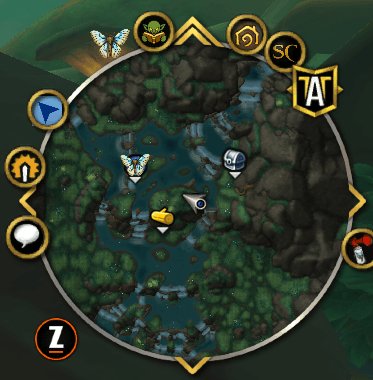
mothView.png
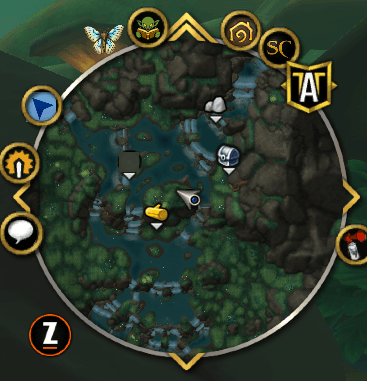
shadowView.png
Description
MothBane
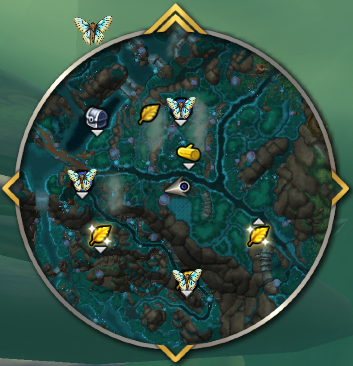
In Harandar, Glowing Moth treasures share the same minimap sparkle as lots of other treasures. That makes it easy to waste time chasing the wrong dot—or miss what you actually wanted. MothBane keeps those moths readable by swapping Blizzard’s usual treasure ping for something you choose: a clear shadow overlay or a dedicated moth icon.
Lightweight, no dependencies, World of Warcraft Retail.
Why use this?
- Spot moth treasures without confusing them with unrelated treasures on the minimap.
- Pick the visual that fits how you navigate the zone—shadow or moth icon.
- Toggle everything off anytime with Enable MothBane or /mothbane off if you want vanilla behaviour back.
Features
- Two minimap styles – Replace the default treasure vignette with a shadow tint or your moth artwork so moths stand out from other treasure pins.
- Adjustable icon scale – Small / Medium / Large so the overlay matches your minimap setup.
- Minimap launcher – Optional button on the minimap (hide it and use /mothbane only if you prefer a clean rim).
- In-game settings – Enable/disable, style, scale, and minimap button visibility from one panel.
Slash commands
/mothbane              Open or close the settings window (handy when the minimap button is hidden).
/mothbane on           Enable MothBane (same as /mothbane 1).
/mothbane off          Disable MothBane (same as /mothbane 0).
Opening the UI
- Minimap: Left-click the moth icon for options. Right-click and drag to move the icon.
- Slash: Type /mothbane to toggle the settings window.
Settings
- Enable MothBane – Master on/off for all minimap behaviour.
- Show minimap button – Shows or hides the moth launcher on the minimap rim.
- Replace Blizzard treasure with – Shadow or Moth over each Glowing Moth on the minimap; default is Moth.
- Icon scale – Small, Medium, or Large overlay size.
Installation
- Download the latest zip from CurseForge or clone from GitHub.
- Extract so the MothBane folder (with
MothBane.toc,MothBane.lua, etc.) sits insideWorld of Warcraft\_retail_\Interface\AddOns\. - Restart WoW or run /reload.
Bugs & suggestions
Use CurseForge comments or GitHub Issues.
Source: github.com/flexxall/MothBane
MothBane Team
