
0.png
1.png
2.png
4.png
Description
Moonscarlet's Chat Scanner
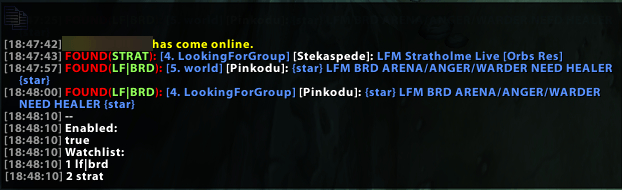
Chat Scanner watches chat for you and alerts you only when someone posts something you are waiting for, with a sound and a clickable class-colored player name so you can whisper/invite right away.
How I use it
I keep Trade, LFG and World in a separate chat tab, so my main tab stays clean. When I'm looking for something, I add it to the watch list and get an alert in my main tab only when it shows up.
Features
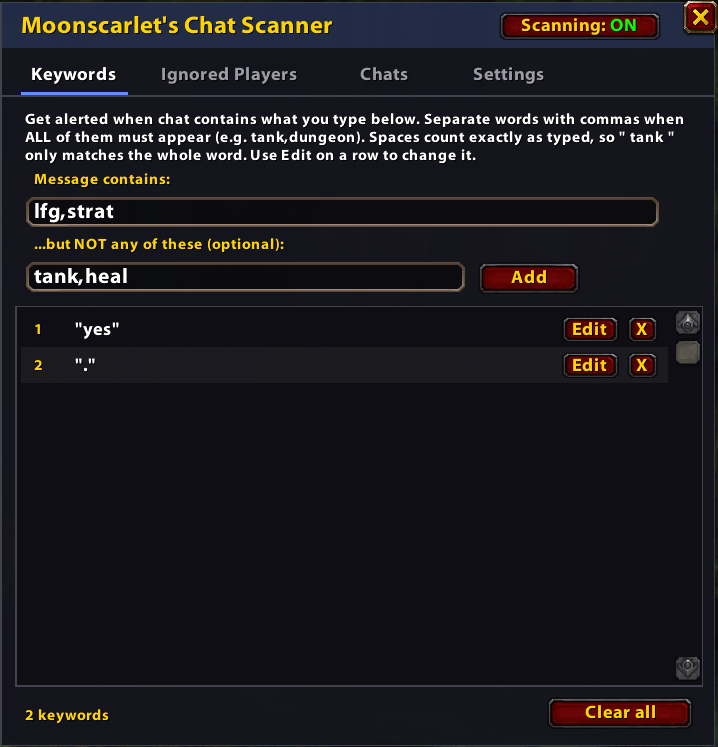
- Simple in-game window. Type
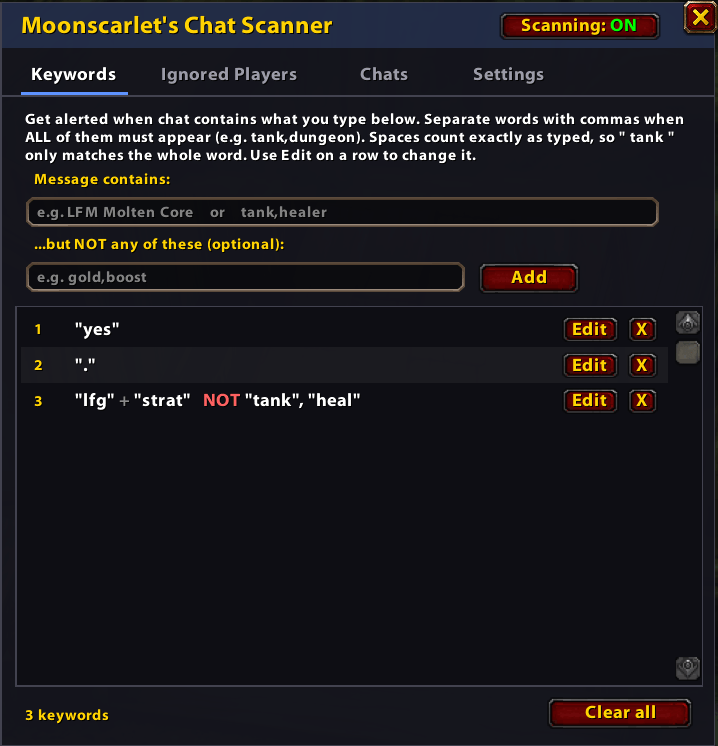
/csor click the minimap button. No commands needed. - Smart keywords. Match a word or phrase, require several words at once, or skip messages containing words you don't want (for example, find "LFM Molten Core" but skip "gold").
- Edit anytime. Change a keyword in place with one click.
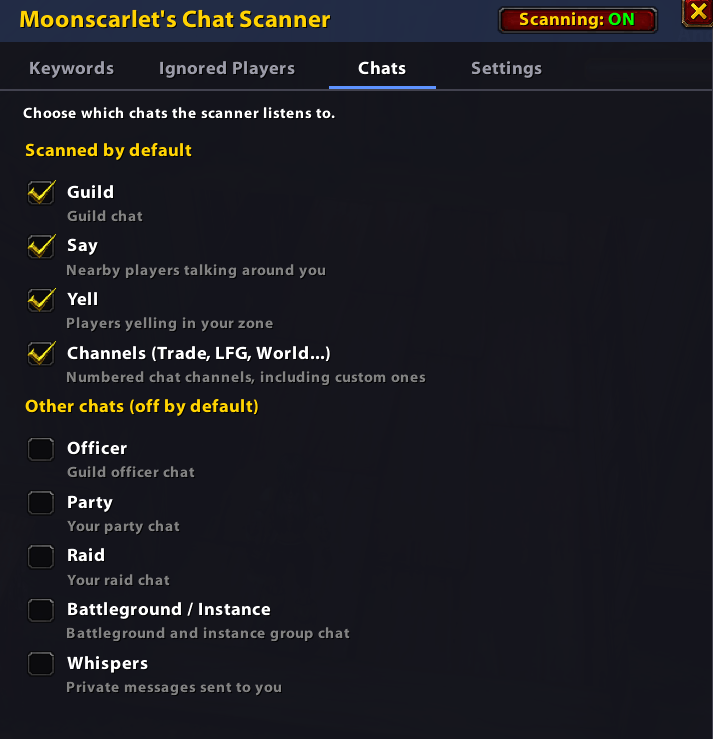
- Choose your chats. Guild, Say, Yell and channels are on by default. Party, Raid, Battleground, Officer and Whispers are optional.
- Ignore list. Silence spammers in the scanner without touching your normal ignore list.
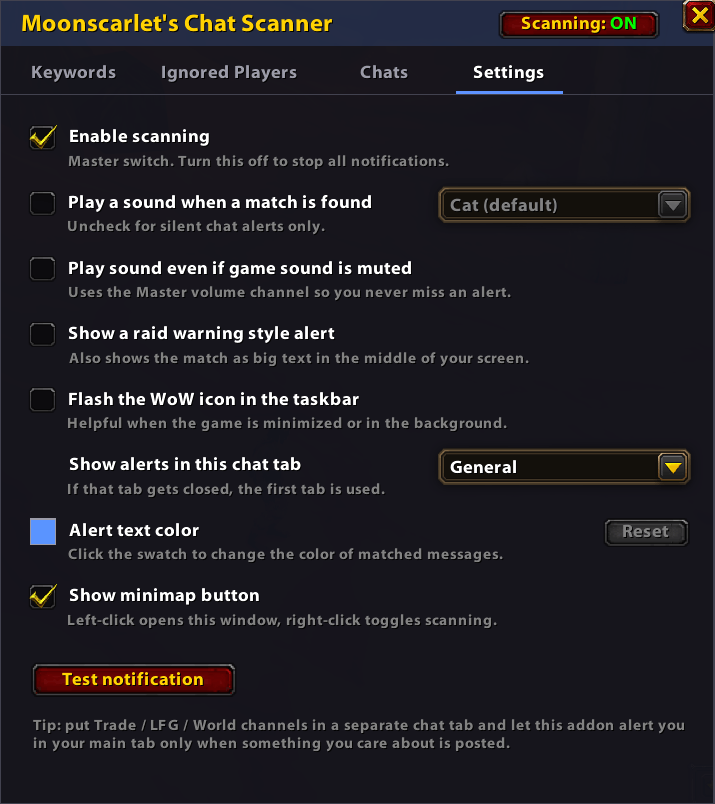
- Pick your sound. Choose the alert sound from a list and hear each one as you pick it. It can play even if game sound is muted.
- Pick your color. Choose the color of the alert text, with a Reset button to get the default blue back.
- Pick your chat tab. Send alerts to any of your chat tabs, not just the first one.
- Raid warning style alert (optional). Also show the match as big text in the middle of your screen.
- Taskbar flash (optional) when the game is in the background.
- Class-colored, clickable player names in every alert.
- Your own messages and repeated messages are skipped, and everything is saved between sessions.
Getting started
- Type
/cs(or click the minimap button). - On the Keywords tab, type what you're looking for and press Enter.
- Check the Chats tab to choose where to listen.
- Open the Settings tab to choose your sound, color, chat tab and alert style, then click Test notification to try it.
Keywords
| You type | It matches |
|---|---|
LFM Molten Core |
messages containing that phrase |
tank,dungeon (commas) |
messages containing both words |
Message contains: LFM MC + but NOT: gold,boost |
LFM MC, but not if it mentions gold or boost |
Spaces count exactly as typed, so " tank " only matches the whole word "tank" and not "tanked".
Slash commands (optional)
| Command | What it does |
|---|---|
/cs |
Open or close the window |
/cs add [text] |
Add a keyword (_ = space, | = all must match, - = exclude) |
/cs del [number] |
Remove a keyword |
/cs list |
Show your keywords and settings |
/cs clear |
Clear all keywords |
/cs addplayer [name] |
Ignore a player |
/cs delplayer [number] |
Stop ignoring a player |
/cs players |
Show ignored players |
/cs clearplayers |
Clear the ignore list |
/cs enable / /cs disable |
Turn scanning on or off |
/cs mute / /cs master / /cs flash |
Toggle sound / play when muted / taskbar flash |
/cs help |
Show all commands |
MoonscarletsChatScanner Team
