


MogWai Reborn
2026-03-24 00_32_45-World of Warcraft.jpg
2026-03-24 00_31_37-World of Warcraft.jpg
mogwai-reborn.png
Description
[ Notice: My apologies, but this project is no longer supported at this point as I've stopped playing WoW. ]
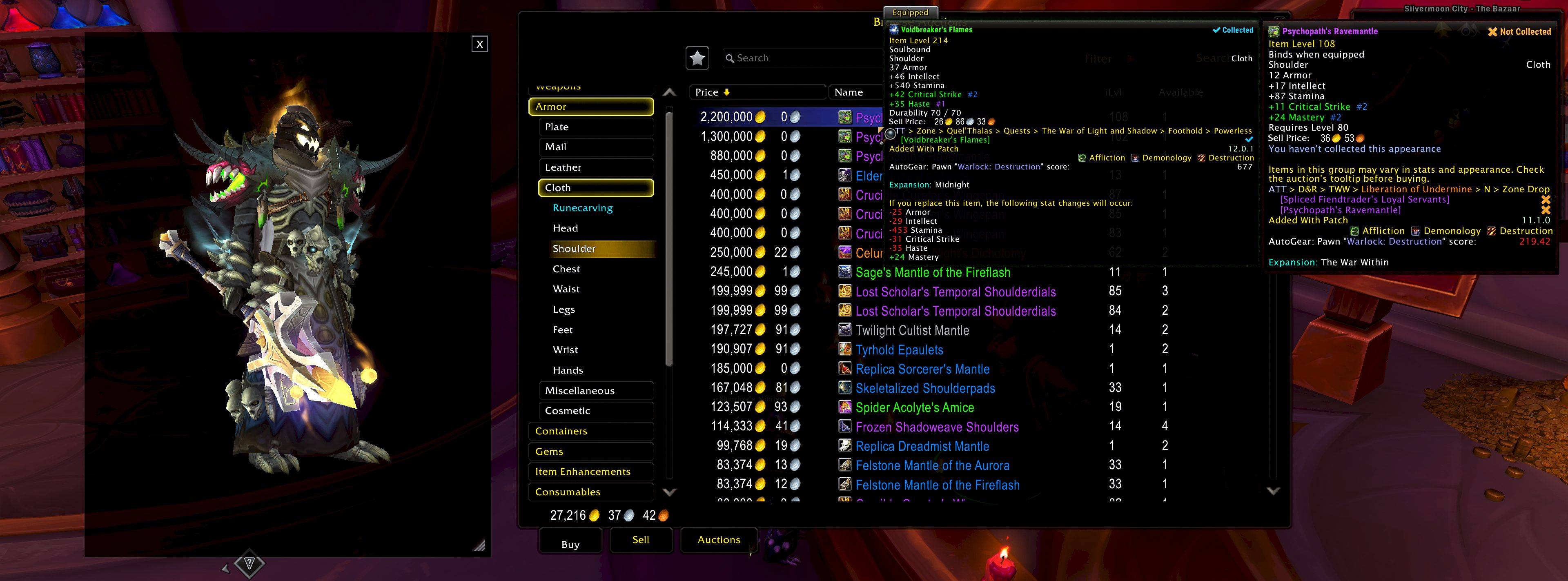
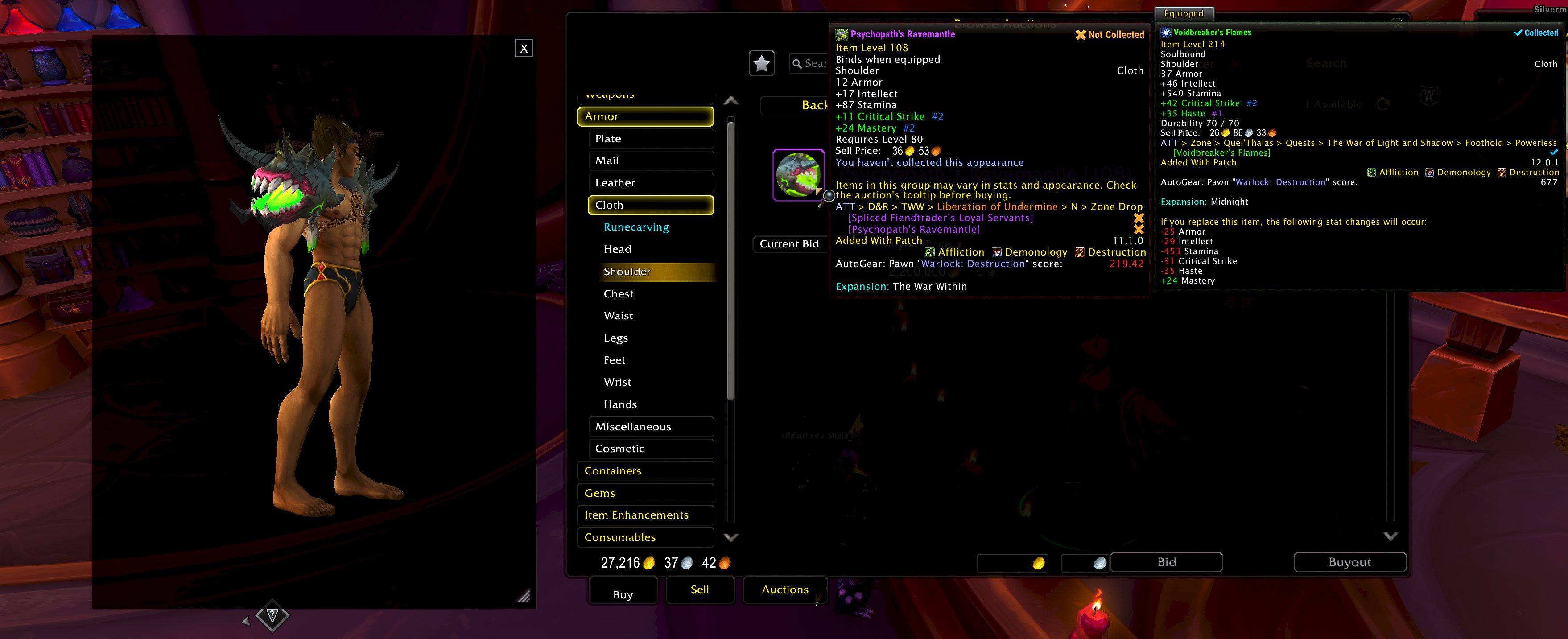
* Get a Gorgeous, closer look at any Gear / Companion Pets / Mounts! Hover your mouse over them to instantly preview them on your character through a fast, clean, dressing-room-style window. View any gear with your currently equipped items, or without. It beats that plain ol' WoW Dresser.
- 3D Controls: Scroll Wheel to Zoom in/out. Click/drag rotates your character. In Unlocked mode, click/drag moves the window.
- Supported Items: 100% of Gear (Weapons + Armors) + All Mounts + All Companion Pets. Housing Decor & Battle Pets cannot technically be displayed.
- Full Dark Mode Support: Near Black Dresser by default. Options for White / Dark / Near Black Text/Buttons. Buttons Auto-Hiding option: they appear solely on button hover.
- Permanent Zoom + Brightness Options: Make the model itself as dark or as bright as you want or re-use the same zoom level on all items. Both options automatically saved.
- Lockable Window: Found the Perfect Spot? Lock the window to prevent its accident move. When the dresser window is locked, the model can be rotated freely. Window position is automatically saved.
- Fully Resizable: Drag the bottom-right corner to scale the window from a Compact 200×300 view to a Chunky 800×1000 display. Window size is automatically saved. There's also an optional manual size adjustment in the addon settings.
- Key Combos: Items are previewed automatically. Optionally, use any of the Shift Ctrl Alt keys individually or as combos to view items. So 2-3 keys combos are possible to guarantee compatibility w/other Tooltip addons. When pressing one or more of these keys, the dresser can also be Moved / Resized / Rotated + all window options can be used.
- Smart Item Filters: Customize what you preview. Toggle Armor, Weapons, Shields/Off-Hands, etc. independently in the options menu.
- Sticky Mode: Comparing Gear or planning your Killer Outfit? Turn Sticky Mode on to keep the window open after hovering. It stays on screen until you close it by clicking the “X” button.
- Sticky Mode/Reset: Option to add [R] button to reset zoom/rotation in Sticky Mode.
- Sticky Mode/Naked off-on: Option to add [N] button to turn your current equipment off-on.
- Sticky Mode Key: Option to add [S] to turn sticky mode off-on from the dresser itself.
- Config: Use game addon menu to configure or /mr or /mogwai to bring up that menu.
- MogwaiReborn is inspired by the great Mogwai addon by Ploinks. It was rebuilt from scratch as a new project while preserving the spirit and functionality of the original.
- MogwaiReborn is now open-source software licensed under the GNU General Public License v3.0 (GPLv3). You are free to modify, redistribute, and maintain this addon under the terms of the license.
- The original Mogwai addon remains the work of its original author and is not relicensed by this project.
* Superbly Reimagined by Khorrhxe through Vibe-Coding.
MogWai Reborn Team
