


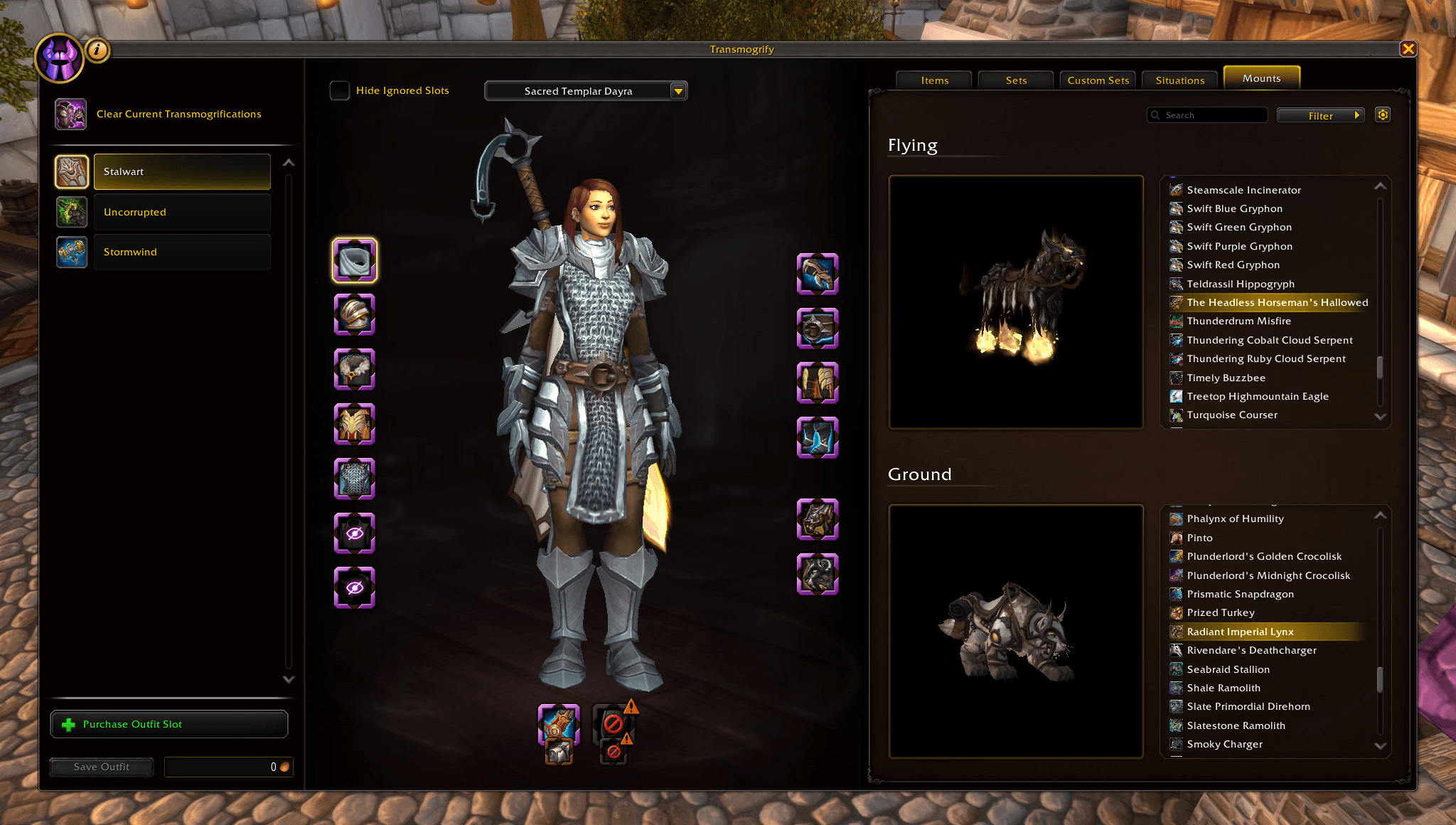
Select flying and ground mounts from the new mount tab.
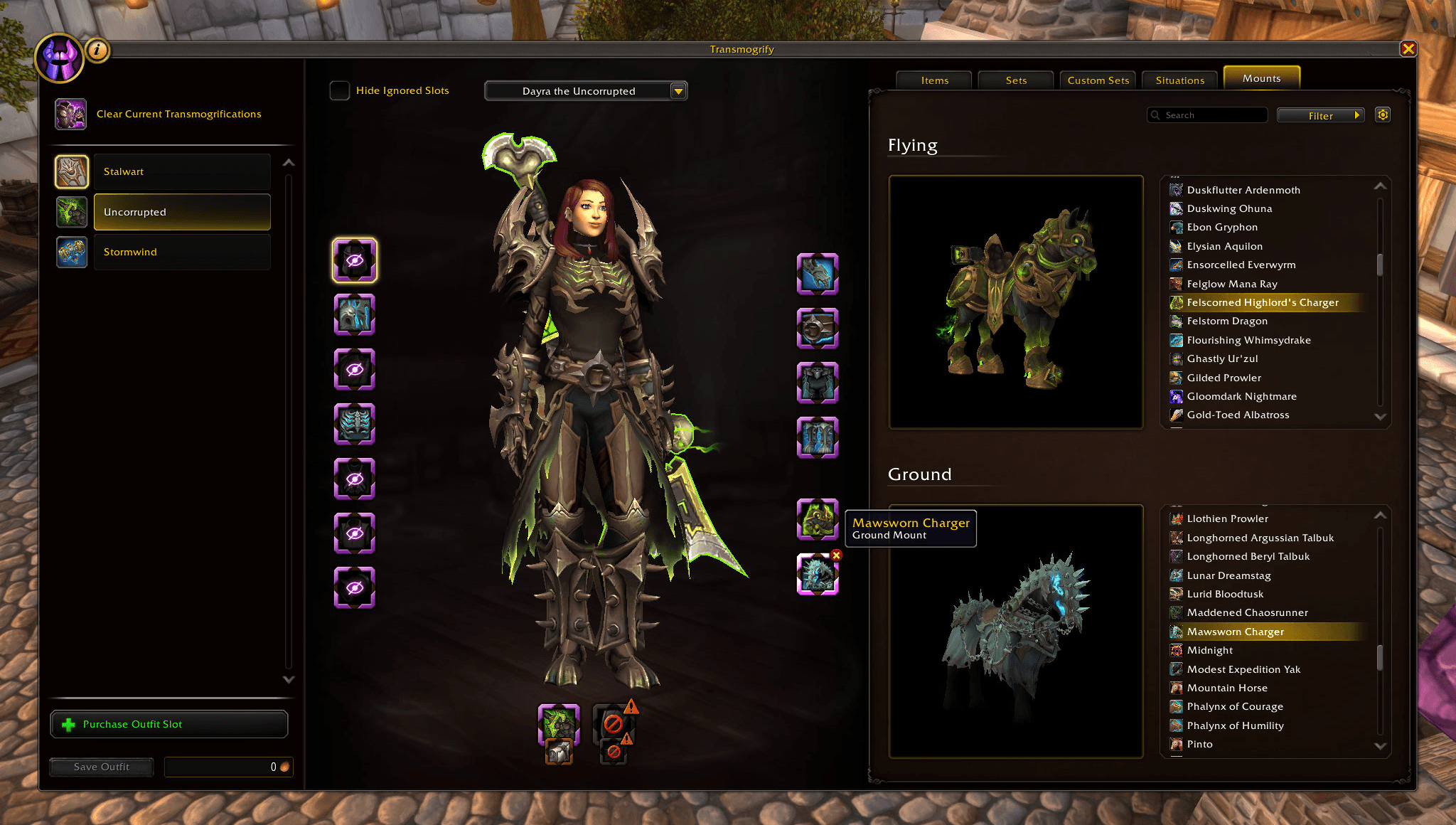
Select different mounts to match your outfit.
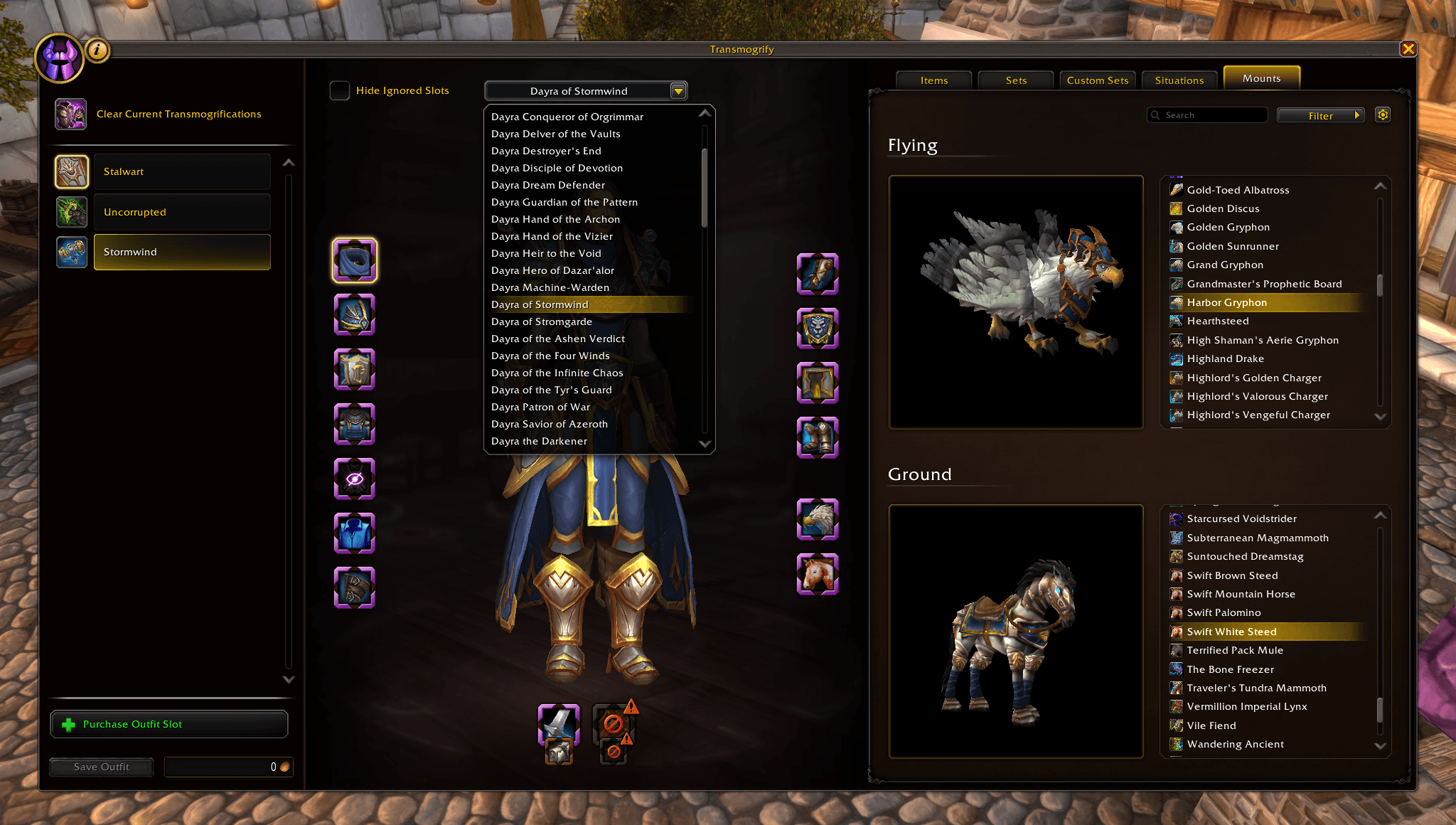
Select which title to use with each outfit.
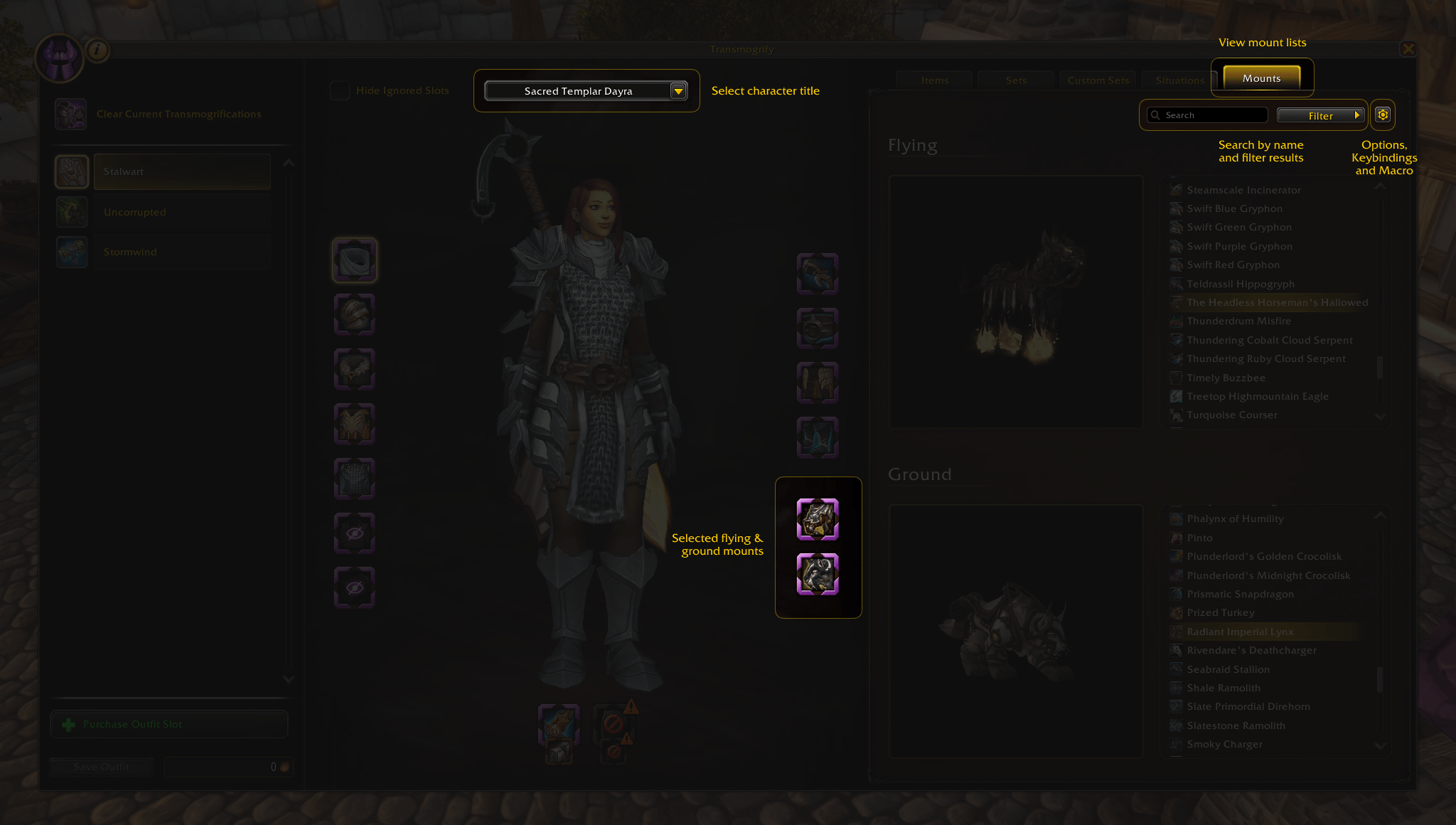
Everything is integrated into the Transmogrify window
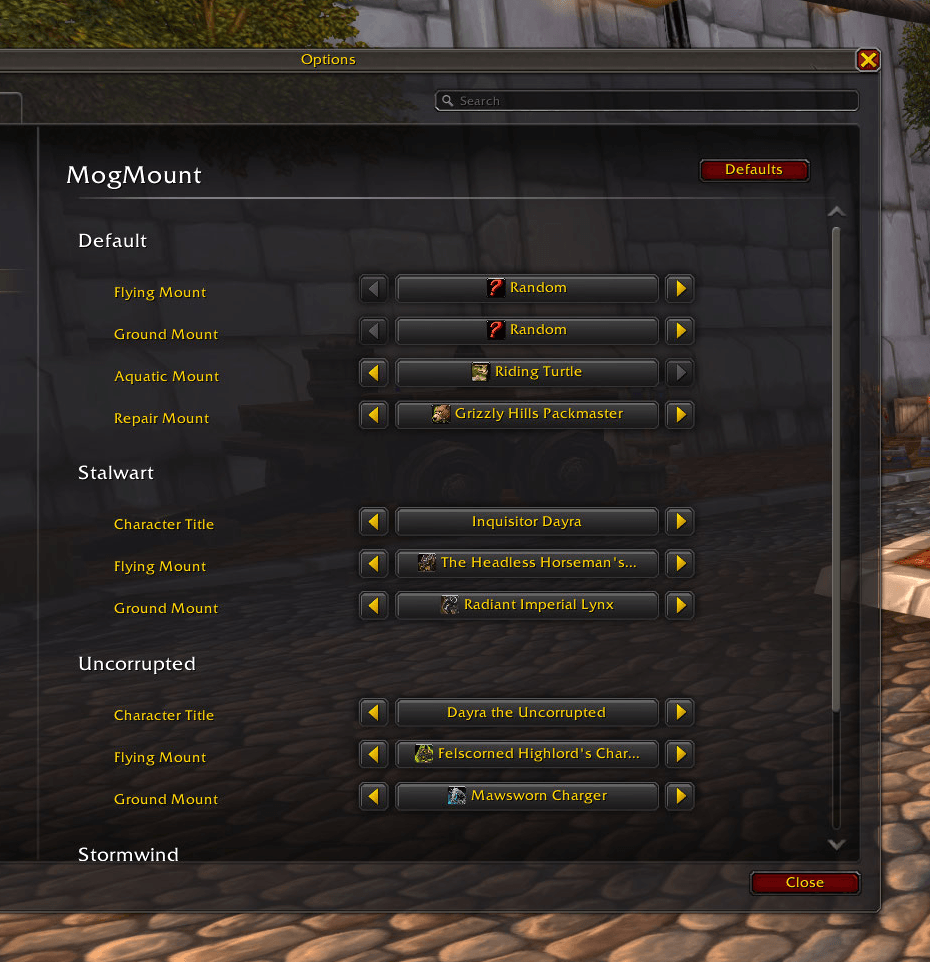
Set your default mounts, include an aquatic and repair mount in the options panel.
Description
MogMount
MogMount allows you to choose which flying and ground mounts you summon based on your active outfit.
Simply visit a transmogrifier to choose your mounts just like you would the appearance of gear. No need to save, the mount selection is updated instantly. While you're there, you can also choose which character title to use with each outfit.
Away from a transmogrifier? You can also select the mounts and character title for each of your character's outfits from the MogMount Options panel.
Getting Started
Part 1: Set up the keybind
- Open the Keybind section in Options
- Expand the MogMount section and add a keybind to the "Mount/Dismount" action
- You can also create a macro with the code
/run MogMountSummon();if you want instead
Part 2: Choose the mounts
- Visit a transmogrifier
- Select the outfit you want to customize
- Click on the new "Mounts" tab on the right side, or click on the new Flying and Ground mount slots
- Select the flying and ground mount that matches that outfit
- Press your "Mount/Dismount" keybind or macro and you're off!
- Repeat for each outfit now or whenever you'd like
Part 3: Choose the character titles
- Visit a transmogrifier
- Select the outfit you want to customize
- At the top of the character preview there is a dropdown to select your character title
- The title will automatically apply whenever you mount for the first time after equiping that outfit
Tips
Holding [Shift] while pressing the keybind or macro will summon your repair mount
Holding [Control] while pressing the keybind or macro will summon the ground mount instead of the flying mount
Holding [Control] while pressing the keybind or macro will summon the aquatic mount if you're swimming
Holding [Alt] while pressing the keybind or macro will summon any mount you want after you set it up in the Options
The MogMount Team
