Mog to Impress
- By
Dressing room for WoW Forever: browse every item your class can wear, try it on your own character and see where to find it.
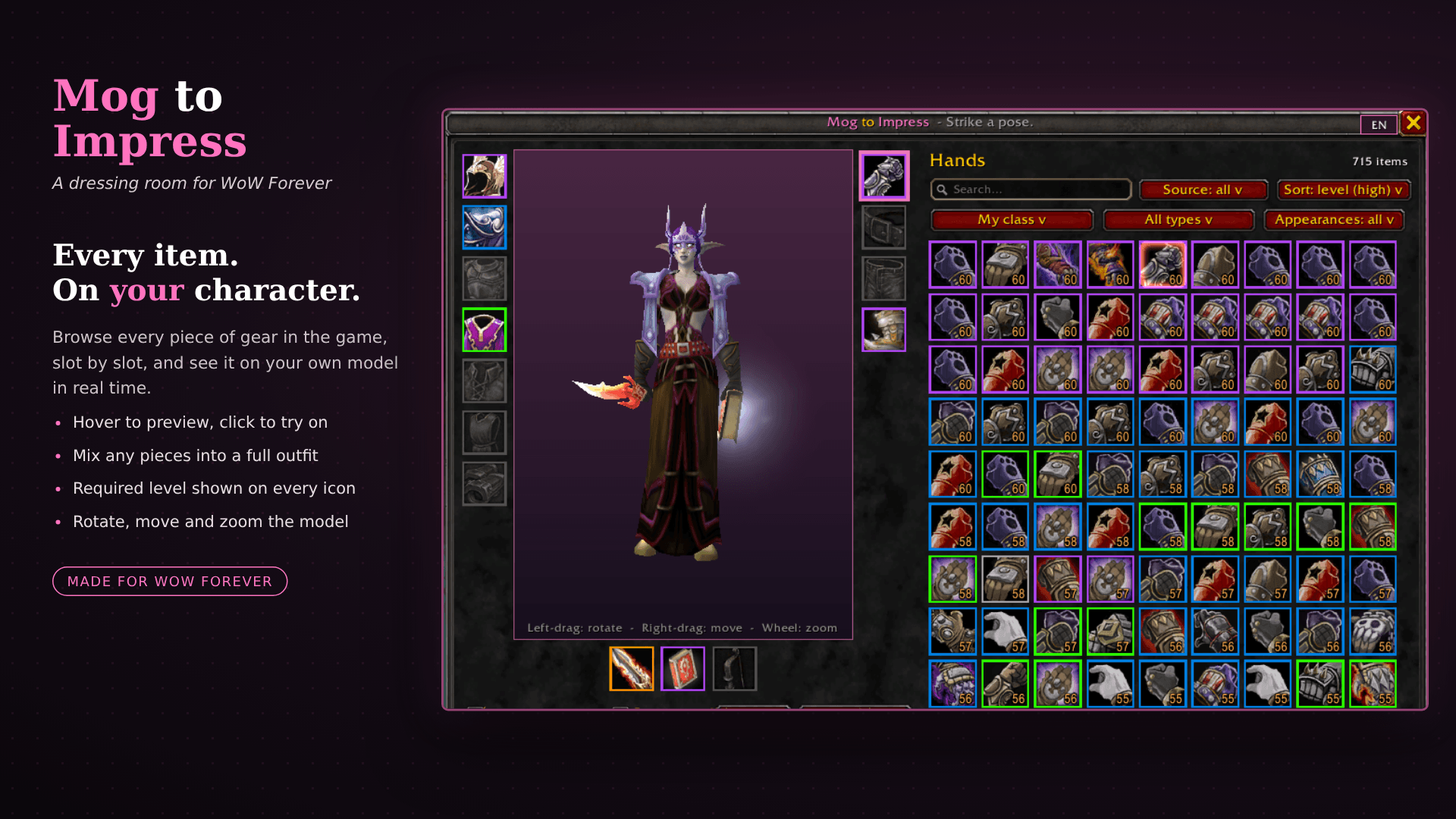
MogToImpress_1_overview.png
MogToImpress_2_can_i_wear_it.png
MogToImpress_3_where_to_find_it.png
MogToImpress_4_languages.png
Description
# Mog to Impress
### A dressing room for WoW Forever. Strike a pose.
Ever wondered what that robe would look like on **your** character? Mog to Impress opens a full wardrobe with every wearable item in the game, lets you try anything on your own 3D model, and tells you where to get it.
---
## ✨ Features
**👗 Try on everything**
- Browse every visible item in the game, slot by slot (head, shoulders, back, chest, shirt, tabard, wrists, hands, waist, legs, feet, weapons, off-hand, ranged)
- **Hover** an item to preview it instantly on your character, **click** to add it to your outfit
- Rotate, move and zoom the model
- Show or hide your current gear under the outfit, sheathe your weapons
**✅ Can I wear it?**
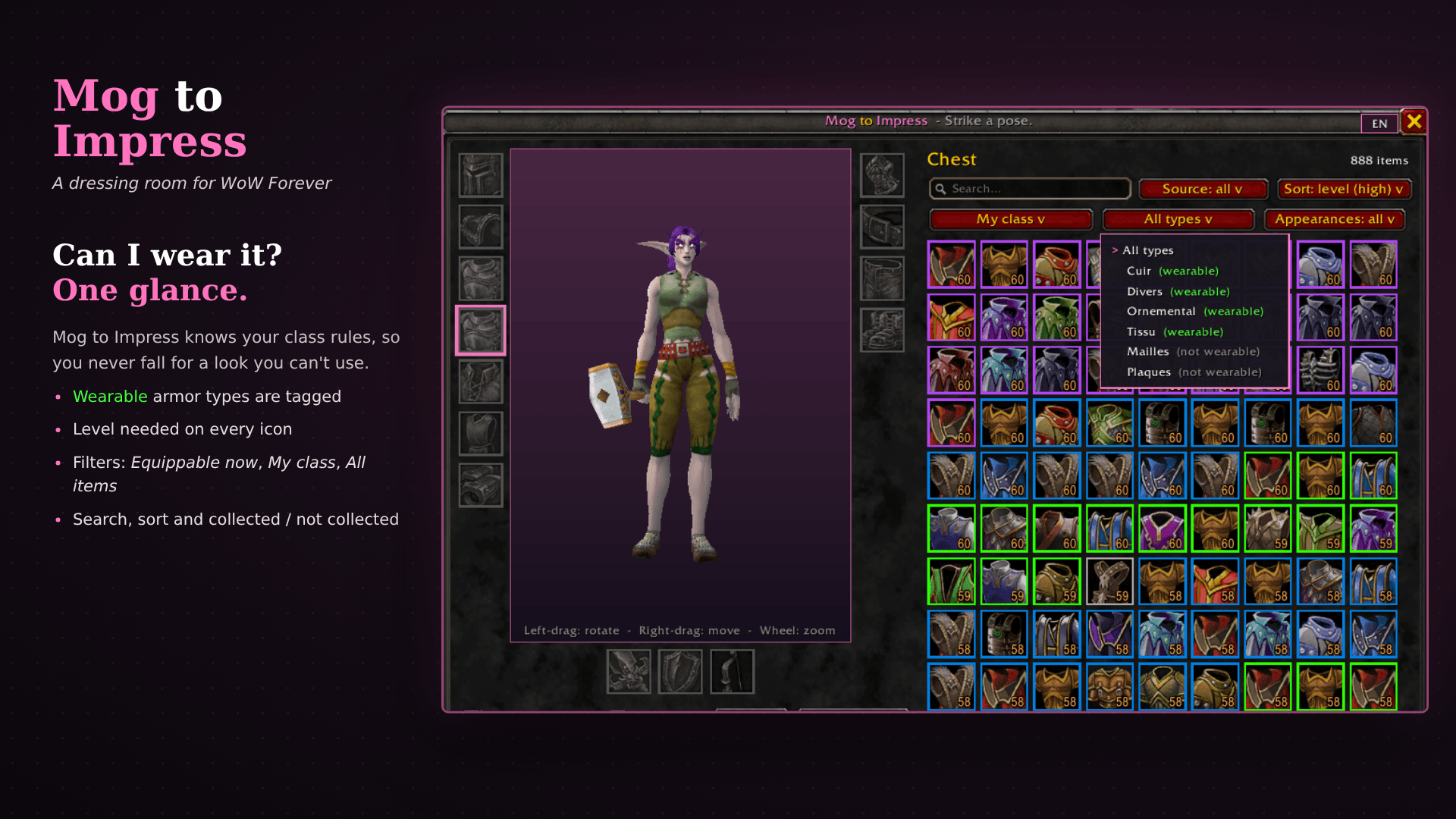
- Three filters: *Equippable now* (your class and level), *My class* (everything your class can ever wear) and *All items*
- Armor and weapon types are tagged **wearable**, **level 40** or **not wearable** for your class
- The required level is shown on every icon
**📍 Where to find it**
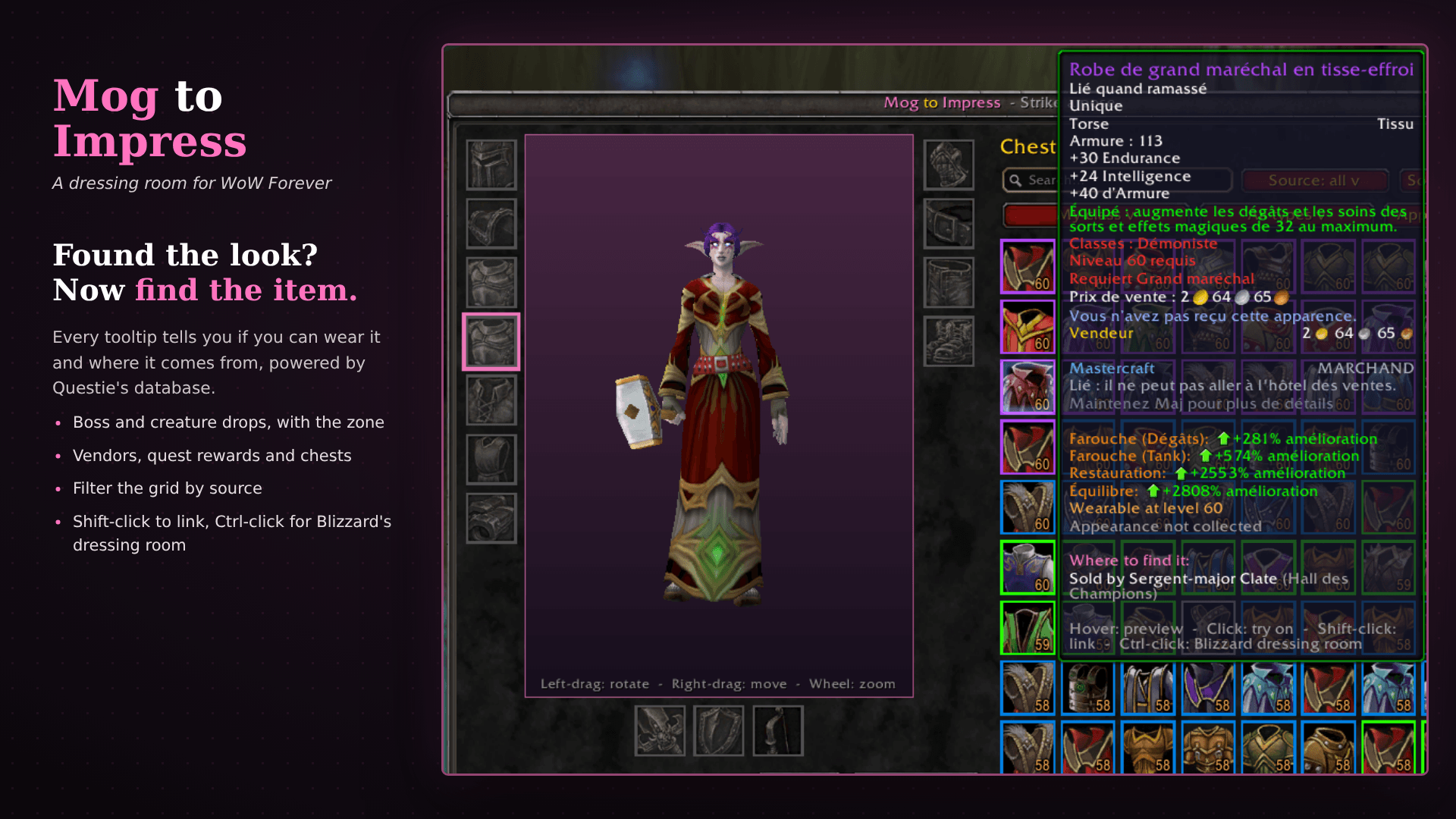
- Every tooltip shows where the item comes from: **boss and creature drops** (with the zone), **vendors**, **quest rewards** and **chests**
- Filter the list by source: drops, quests, vendors
- *Uses Questie's database. Install Questie to get this feature.*
**💾 Outfits**
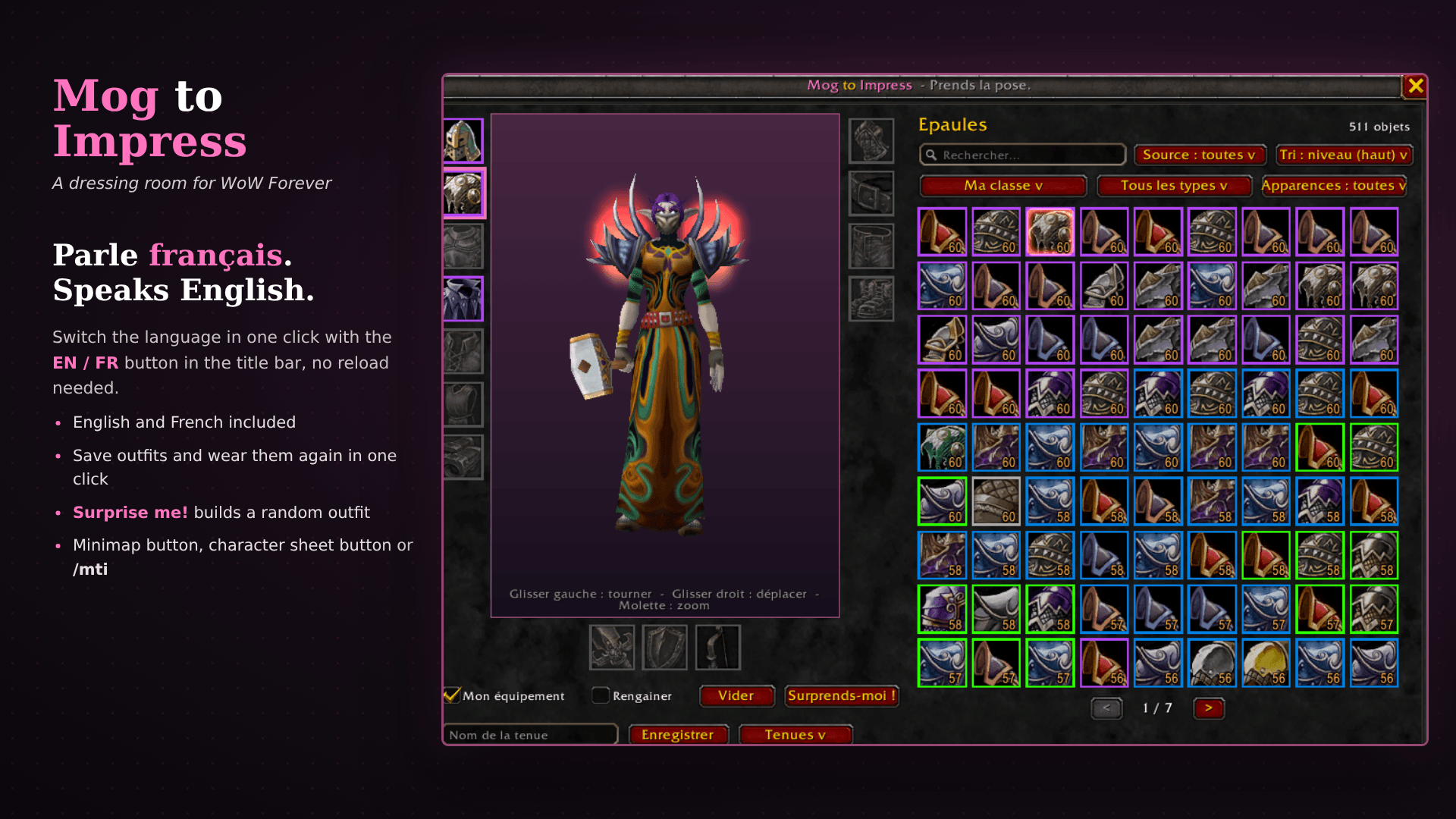
- Name and save as many outfits as you like, then put them back on in one click
- Outfits are shared by all your characters
- **Surprise me!** builds a random outfit from your current filters
**🔍 And more**
- Search by name or item ID, sort by level, name or quality
- Show collected / not collected appearances
- Shift-click to link an item in chat, Ctrl-click to open it in Blizzard's dressing room
- **English and French**, switch in one click with the EN / FR button (no reload)
---
## 🎮 How to open it
- The **minimap button**
- The button next to your **character sheet**
- The **AddOns menu** (compartment)
- Or type **/mti**
## ⌨️ Commands
| Command | Effect |
|---|---|
| `/mti` | Open / close the wardrobe |
| `/mti lang en` / `fr` / `auto` | Change the language |
| `/mti rescan` | Rebuild the item list |
| `/mti reset` | Re-center the window |
Options: *Esc > Options > AddOns > Mog to Impress*
---
## 📝 Notes
- The first time you open it, Mog to Impress catalogues the game's items (a few seconds). The list is then kept until the next game patch.
- Item names and types are shown in your game's language.
- Mog to Impress only **previews** looks. To actually transmogrify, visit a Transmogrifier NPC as usual.
## 🐞 Feedback
Found a bug or have an idea? Leave a comment, I read them all!
*Made by Zoulou.*
Mog to Impress Team