


Modern UI
- By
A complete, flat, modern replacement for the default WoW interface, built for WoW Forever.
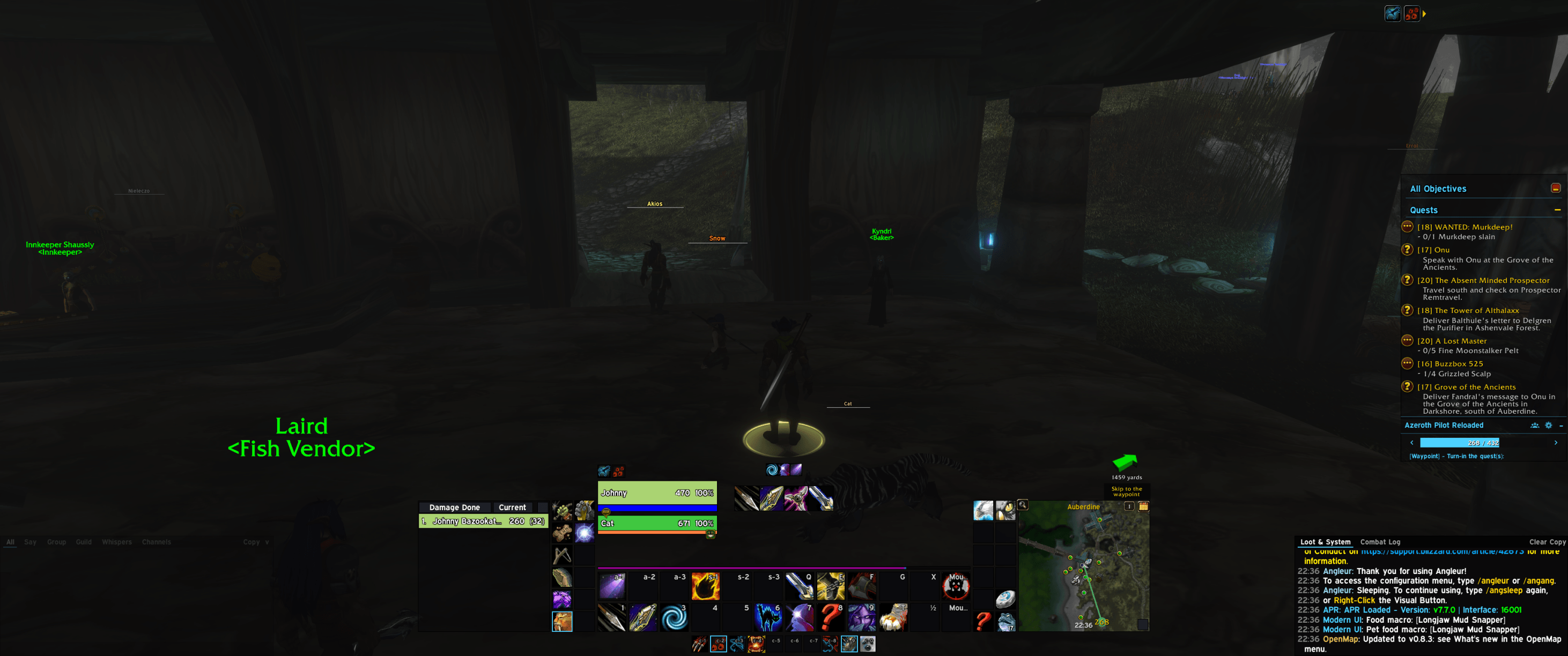
Screenshot_20261110_223643.png
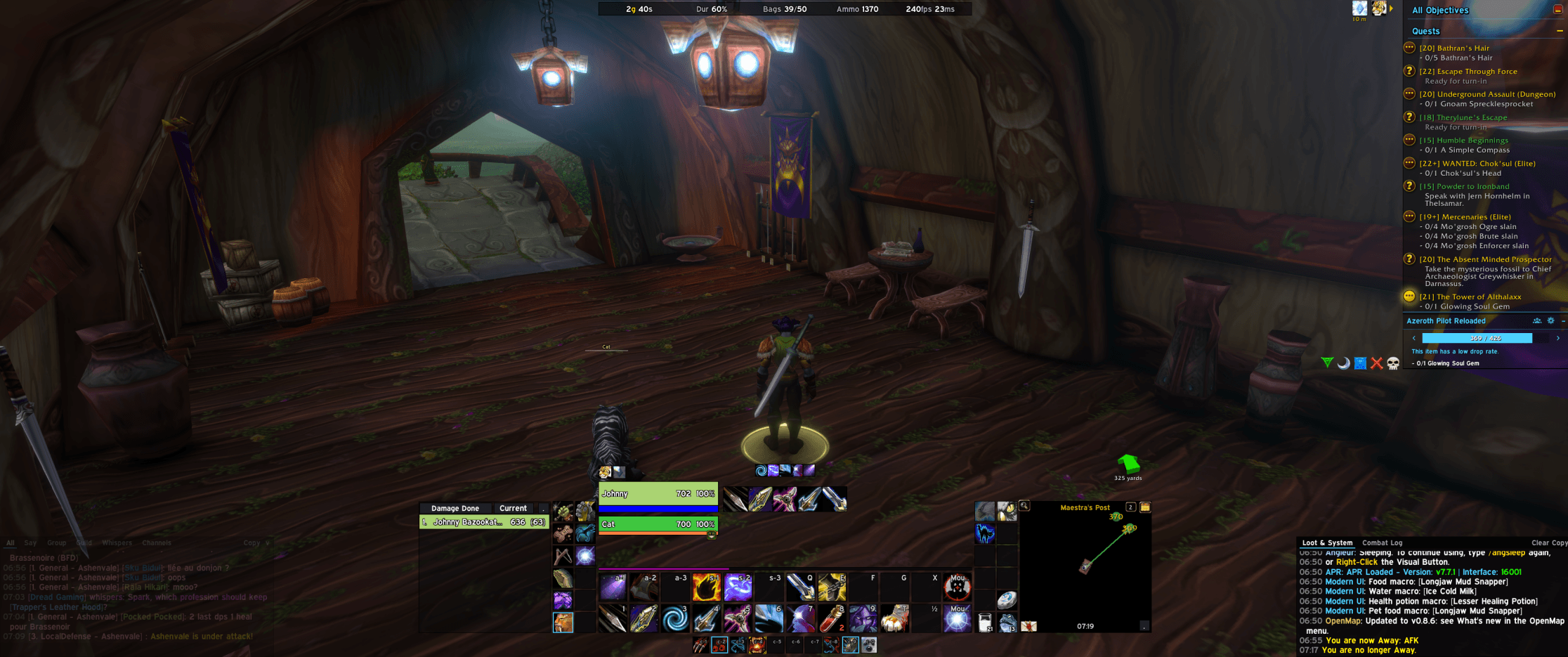
Screenshot_20261113_071923.png
Description
Modern UI
A complete, flat, modern replacement for the default WoW interface, built for WoW Forever.
⚠️ Made for ultrawide monitors
Modern UI uses one fixed layout designed around an ultrawide display (21:9 and wider). Action bars, unit frames, damage meter, minimap, chat and tracker are spread across the full screen width. On a 16:9 or narrower screen, expect overlapping or cramped elements. You can drag every element around with
/mui unlock, but the defaults assume lots of horizontal space.
What it replaces
- Action bars: centered at the bottom, with pet and stance bars below bar 1. Bars 3 and 4 sit at the sides. Blizzard's own buttons are re-skinned, so bindings, flyouts, cooldowns and drag-and-drop keep working.
- Unit frames: player and target, with combo points on the target frame, and a player cast bar.
- Cooldown manager: Blizzard's viewers, positioned and skinned.
- Damage meter: your own window, left of the bars, drawn from Blizzard's damage meter data.
- Minimap: square or round, to the right of the bars.
- Objective tracker, XP and reputation bars.
- Chat: a Modern UI window with its own tabs at the bottom left, with the combat log mirrored at the bottom right.
- Micro menu and bag bar: their own bars, with fade and custom positions.
- Flat skin for Blizzard windows: character, spellbook and talents, map, game menu, quest, gossip, merchant, loot, friends, bank, group finder, achievements, collections, professions, mail, trade and auction house.
Extras
- Setup wizard on first load. Pick which parts of the UI Modern UI takes over.
- Full settings window (
/mui) and profiles that can be shared between characters. - Move anything:
/mui unlocklets you drag frames, nudge them with the arrow keys, and right-click to reset one. - Smart bags and vendor tools: a Trash button deletes gray items below a price you set, and it asks first and skips protected items.
- Food & Water macros: keeps
FoodandWatermacros on the best consumable in your bags, ranked by a stat priority you choose. Raw fish and crafting reagents are ignored. - Optional LibSharedMedia support for extra fonts and textures.
Commands
| Command | Action |
|---|---|
/mui |
Settings window |
/mui wizard |
Setup wizard |
/mui unlock / lock |
Move frames |
/mui reset |
Reset the active profile |
/mui food |
Show what the food and water macros would pick |
Modern UI Team
