


Mob Compendium Reforge
- By
Screenshot_1.png
Screenshot_2.png
Screenshot_3.png
Description
Mob Compendium Reforge
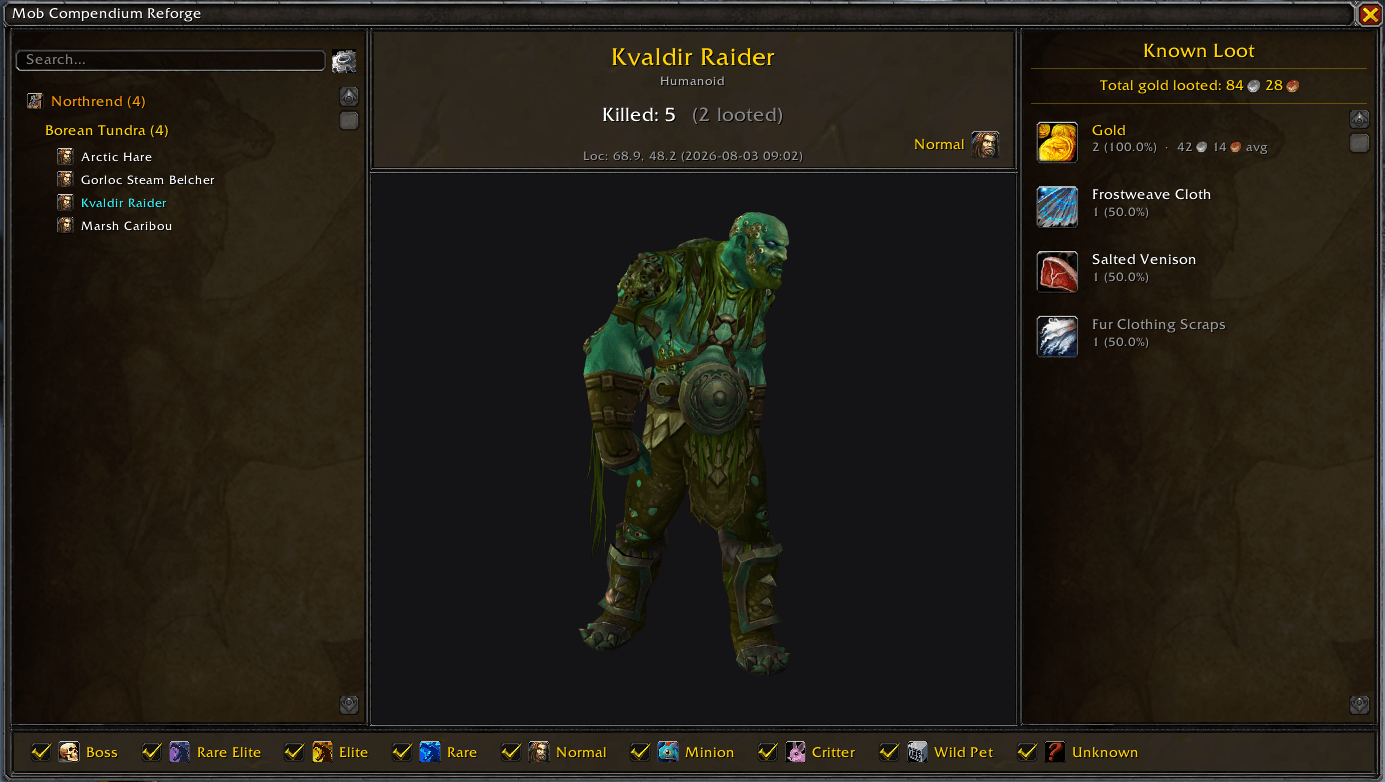
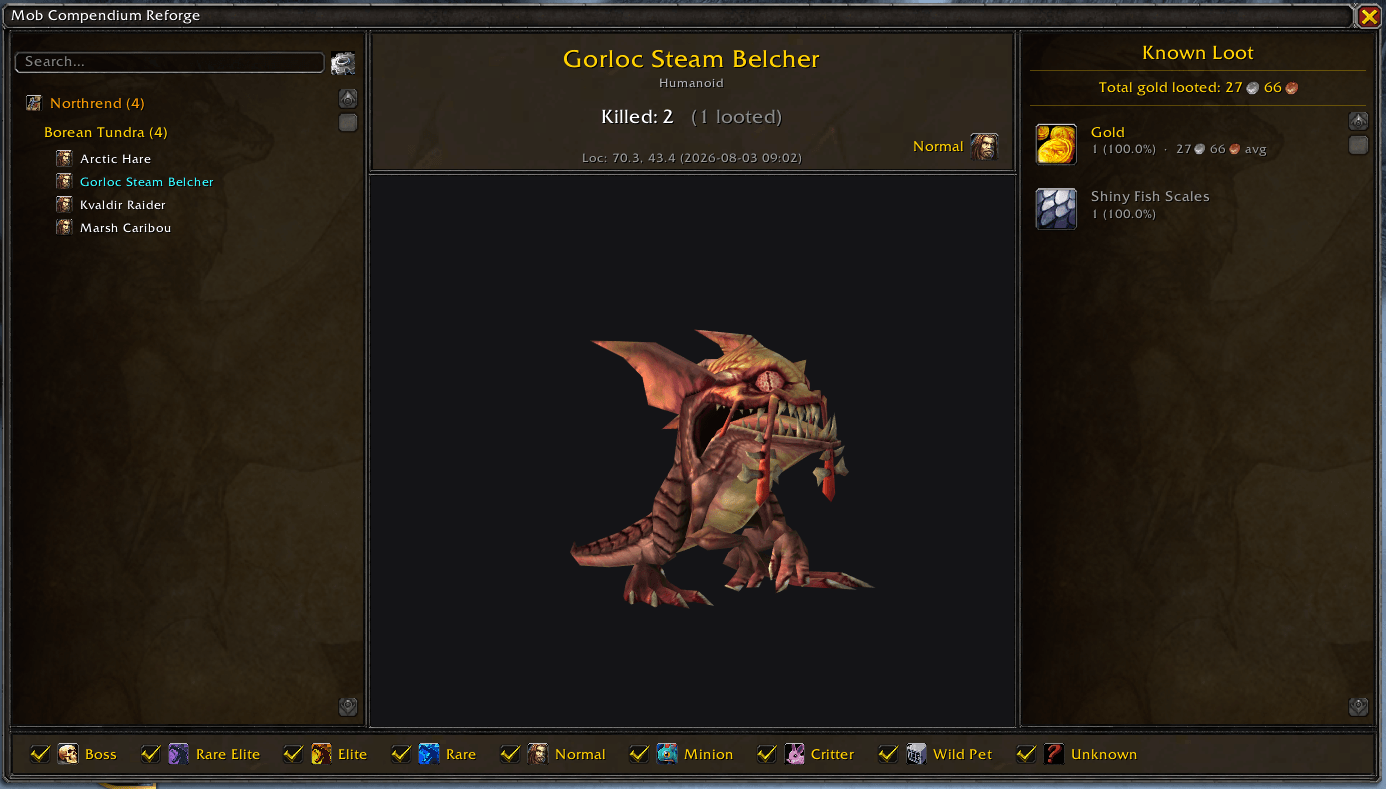
A living compendium of every mob you kill: kill counts, real drop rates, gold and currency, last known location, and a 3D model viewer.
Rebuilt for Midnight (12.0), where Blizzard removed addon access to the combat log and broke kill tracking in addons that relied on it.
Features
- Kill tracking that survives 12.0 — from
UNIT_DIED/PARTY_KILL/UNIT_LOOTplus nameplate observation. Pre-12.0 clients keep the old combat-log path automatically. - Real drop rates —
7 (7.3%), not "this dropped once". Measured against corpses you actually looted, not kills. - Gold, currency and stack sizes, with a running total and an average per corpse.
- Per zone and per difficulty. The same mob in two zones keeps two separate loot tables; the tree groups region → zone and every rate follows your selection.
- 3D model viewer with per-skin browsing. Framing is adjustable and remembered per mob.
- Search across mob names, zones, regions and loot — find what drops that item.
- Nine rank filters (boss → critter → unknown), three sort orders (name, kills, NPC ID), optional NPC ID for pasting into Wowhead.
- Minimap button and addon-compartment entry. English and Spanish (esMX / esES).
It refuses to guess
Loot chat lines carry no source information, so most addons attribute them to whatever you killed last. That is how a chest opened two seconds after a kill ends up in a mob's drop table.
Here every loot window is classified by the GUID of its source before anything is recorded:
- Creature loot is attributed exactly — per slot, per corpse, AoE looting a whole pile included.
- A window holding a chest, gathering node or container is marked non-mob, and the chat lines it produces are refused, not passed to the last kill.
- Professions are detected by spell ID, so archaeology, herbing, mining and fishing loot never lands on a nearby corpse.
- Skinned loot keeps its own denominator — counting leather as a kill drop would drag every real rate down.
- Quest items are not recorded at all. They only drop while their quest is active, so a rate for them means nothing.
It will not invent numbers either: imported drops read "rate pending" until fresh kills give them a denominator, rather than showing a plausible-looking lie.
Limitations — please read these
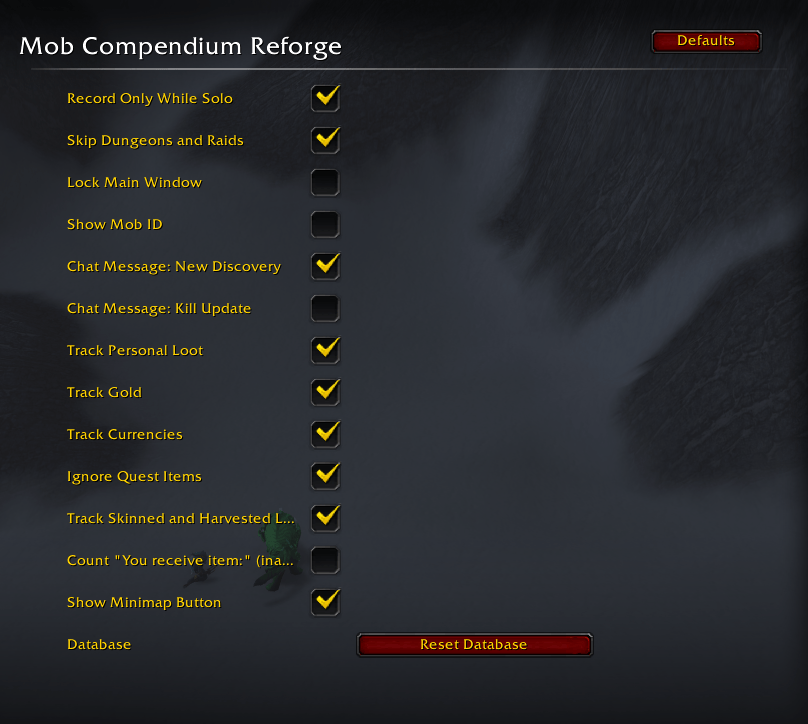
- Dungeons, raids and Mythic+ are unreliable on Midnight. Unit identities are secret values there, so most mobs can only be recorded as "Unknown". There is a Skip Dungeons and Raids option for exactly this. Open world, delves and scenarios are unaffected.
- Drop rates need volume. Ten kills gives a percentage with an error bar the size of the number. Hover any row for the raw count.
- It records what you loot — not your group's loot, not what dropped for someone else.
- Personal loot opens no window, so it goes to your most recent kill within a short window, and only when nothing else could explain it. Some is skipped rather than guessed at.
- Some models open badly framed. A
PlayerModelcannot be measured, so the camera cannot be fitted automatically. Drag to rotate, right-drag to pan, wheel to zoom, ctrl-wheel to resize — saved per mob. - Some NPCs will not render.
SetCreaturefails for many; target a live one and run/mcr model. - The settings panel may not open from the addon. Midnight protects
C_SettingsUtil.OpenSettingsPanel. Use Esc → Options → AddOns. - Gathered-loot detection uses a spell ID list. An unrecognised profession spell means that loot counts as ordinary kill loot.
- Retail only (Interface 120000 / 110207). Per account; no import/export.
Commands
| Command | What it does |
|---|---|
/mcr |
Toggle the window |
/mcr id |
Print the NPC ID of your target |
/mcr stats <npcID> |
Print aggregated drop rates as text |
/mcr dump <npcID> |
Dump the raw database entry |
/mcr window <1-60> |
Seconds after a kill that loot can still be attributed |
/mcr status |
Tracking mode, and why recording is paused if it is |
/mcr model |
Diagnose the 3D viewer for your target and capture its skin |
/mcr model reset |
Forget everything captured for that mob |
/mcr verbose |
Log every capture and attribution decision |
/mcrreset |
Erase the database — asks for confirmation |
Everything else is right-click: mobs, zones, regions and loot rows all have a delete menu, and every prompt states the exact record count first.
Credits and license
A continuation of MobCompendium by Mumb0 (Michael Zauchinger) — the mob-tracking model, the zone tree and the model viewer are his work. Republished with his permission, given publicly:
Feel free to publish your working version on CurseForge and once it is up I will link it here at the top of the Addon page so people can find it too.
I stopped playing WoW altogether, that's why there were no updates :(
— Mumb0
Maintained by NarcisoRojo under the GNU General Public License v3.0 or
later, inherited from the original. Full text in the LICENSE file.
Copyright (C) 2024-2025  Mumb0 (Michael Zauchinger)   — original MobCompendium
Copyright (C) 2026       NarcisoRojo                  — Mob Compendium Reforge
GPLv3 already granted the right to fork, so the permission above was a courtesy rather than a requirement — recorded here because it was kindly given. A later offer to relicense under MIT was declined on purpose: staying copyleft keeps this addon open for whoever picks it up next.
Forking is welcome. GPLv3 asks only that you keep both copyright lines, ship the
LICENSE file, say what you changed, and release under GPLv3 too.
The Mob Compendium Reforge Team
