


MinimalistUI
- By
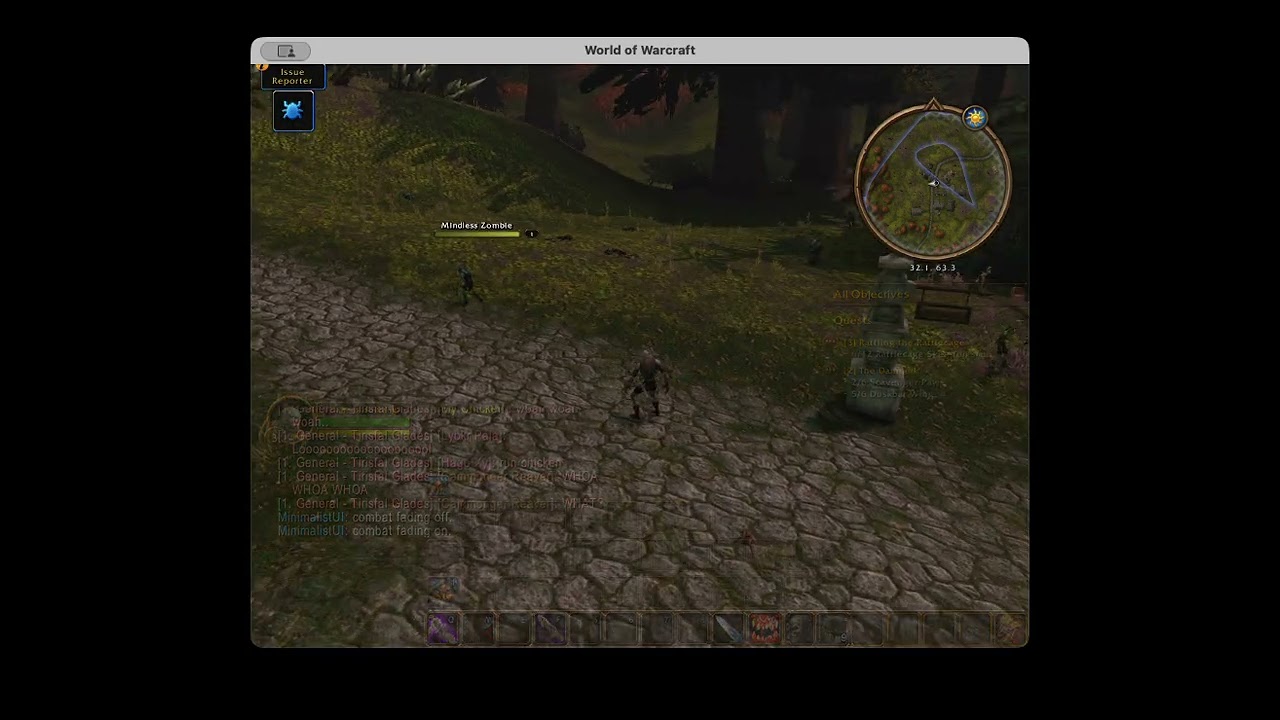
Description
MinimalistUI for World of Warcraft Forever
Hide the HUD. See the world.
MinimalistUI strips your screen down to the world, the characters in it, and you. Everything else stays out of sight until it's actually useful, then fades away again.
What you see, and when
Action bars, player and target frames, and buffs fade in when any of these happen:
- You enter combat
- You target something
- You eat or drink
- You cast or channel a spell on yourself (heals, bandages, buffs)
When that ends, they wait 3 seconds, then fade out over 2. Hovering over any of them out of combat brings them all back.
Everything else appears on hover:
- Chat: hover to read it. New messages float in on their own (no background or tabs) for 5 seconds, then fade. Chat stays hidden in combat unless you're typing, and the input bar only shows while you type.
- Party frames: visible in combat, on hover otherwise.
- Bags: on hover, out of combat.
- Quest tracker: on hover, out of combat.
Always visible: the minimap. Only while casting: your cast bar.
Always hidden
- Micro menu, XP and reputation bars, possess bar, and action bar end caps
- Focus frame, target of target, and raid frame manager
- Minimap clutter: zoom buttons, tracking, clock, mail, zone text
- Floating combat text, floating character names, and portrait damage numbers
- XP, reputation, honor, and loot messages in chat
Works with your bar addon
MinimalistUI fades Bartender4, Dominos, and ElvUI action bars (including their stance, pet, and bag bars) along with Blizzard's. It only changes transparency, so your bar addon's own mouseover fading still works.
If your bar addon also hides bars out of combat, use either that or MinimalistUI's fading, not both.
Commands
/minimalistor/mini: toggle fading. With it off, everything stays fully visible./minimalist on/off: enable or disable the addon (reloads your UI).
Good to know
- Floating combat text and floating names are turned off in your game settings at every login. They stay off if you uninstall; turn them back on in the game's options.
- Eating and drinking are detected by buff name, so that trigger only works on English clients.
- Hidden chat messages (XP, reputation, honor, loot) come back if you disable the addon. Your chat settings aren't changed.
For addon authors
Add your own frames to a fade group with MinimalistUI.RegisterFrame(frame, "core"). Groups: core, party, chat, chatInput, bags, quest. Add ## OptionalDeps: MinimalistUI to your .toc.
MinimalistUI Team
