


Midnight Weekly Checklist
- By
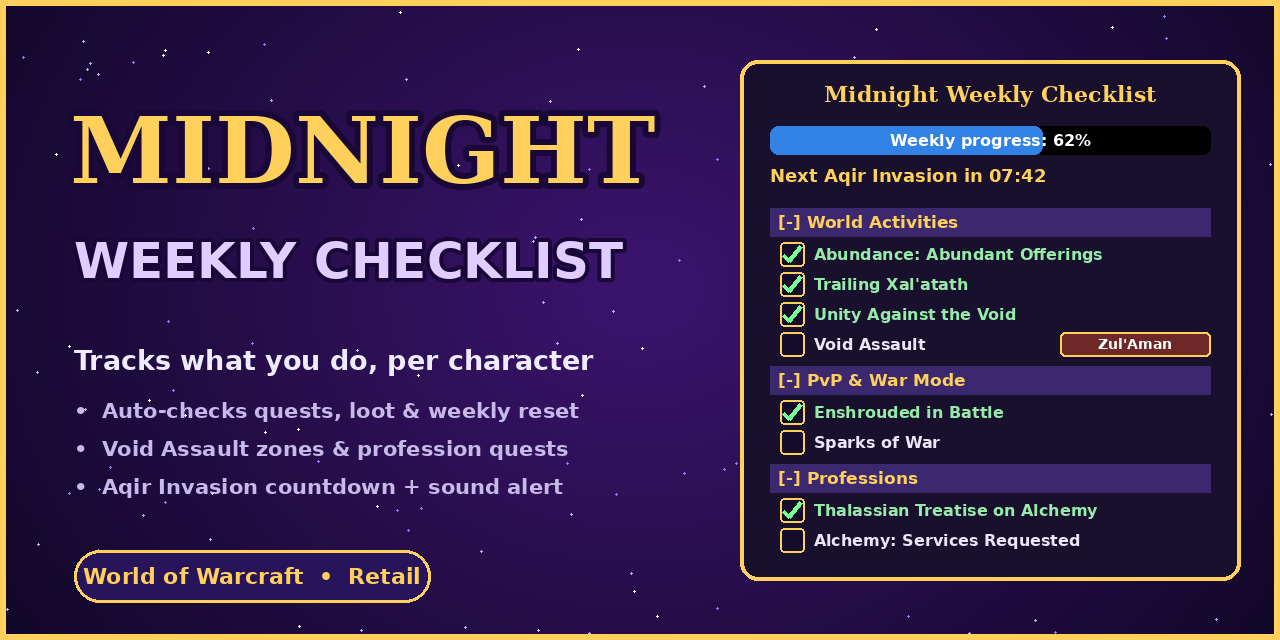
Per-character weekly checklist for WoW Midnight. Auto-ticks quests, loot and treatises, finds Void Assault and Special Assignment zones, resets every Tuesday, and adds Aqir Invasion and Stormarion Assault timers. Movable, resizable window.
MidnightWeeklyChecklist_Banner_1280x640.png
MidnightWeeklyChecklist_Logo_256.png
Description
Midnight Weekly Checklist
A weekly checklist for World of Warcraft: Midnight, with a separate list for every character. It watches what you do in the game and ticks the boxes for you, then clears itself at the weekly reset.
What it tracks
- Weekly quests: Abundant Offerings, Favor of the Court, Fortify the Runestones, Special Assignments, Trailing Xal’atath, Unity Against the Void and Void Assault
- PvP: Enshrouded in Battle and Sparks of War
- Professions: the Services Requested quests and Thalassian Treatises, only for the professions each character actually has
- Gathering: the weekly Skinning, Herbalism and Mining collections
Smart detection
- Ticks rows as you complete the quests, loot the items or study the treatises
- Shows which zone, faction or activity you picked, such as your Sparks of War zone or your Unity Against the Void choice
- Detects the active Void Assault zone and the zones with a Special Assignment this week
- Picks up quests you finished before you installed it, where the quest is known
Timers
- Aqir Invasion countdown, with an optional sound alert
- Stormarion Assault countdown and a weekly reward status
Your window, your way
- Move it, lock it, and resize it by dragging the corner. The text stays the same size
- Hide completed rows, so you only see what’s left
- Collapse categories once they’re done
- A minimap button you can show, hide or move
Commands
/gwcopens or closes the window/gwc settingsopens the settings/gwc scanand/gwc debugshow what the addon sees, which helps when reporting a problem
Notes
- Some weekly activities change each week. If one doesn’t tick or show up, report it on the Issues tab with a screenshot of
/gwc scan, and it can be fixed. - Your progress is saved per character and for the whole account.
Midnight Weekly Checklist Team
