ezgif-5048b6c9f99404e7.gif
2.png
3.png
1.png
Description
MeterDock
Snap, dock & enhance Blizzard's built-in damage meter.
MeterDock is a lightweight addon for WoW Midnight (12.0+) that adds quality-of-life features to the default Blizzard damage meter — without replacing it or changing its look.
Features
Snap & Dock
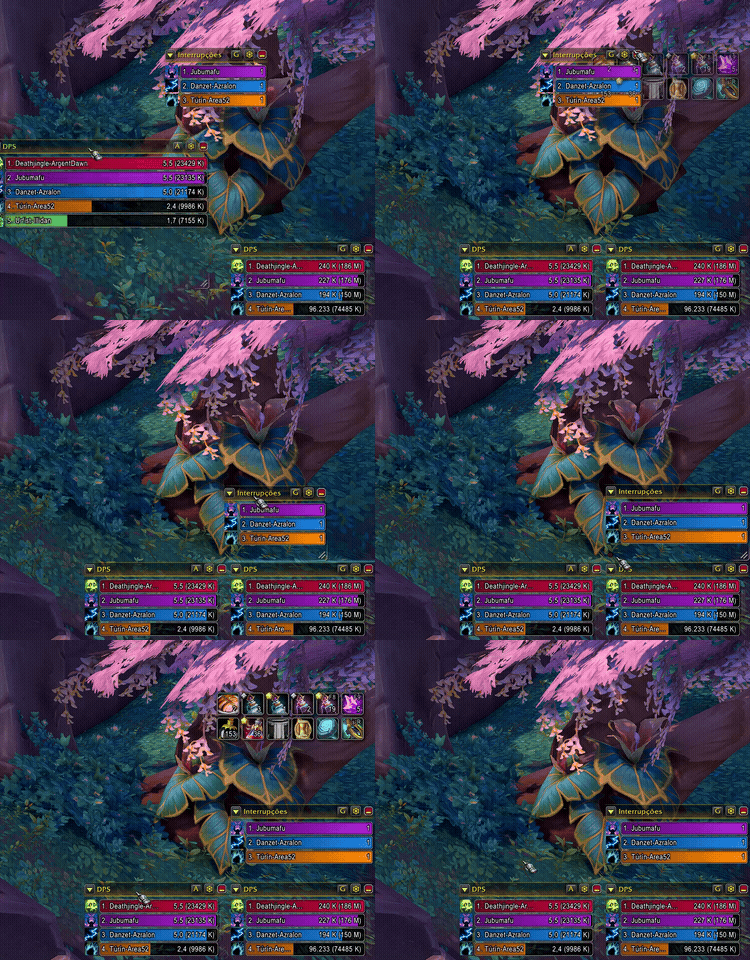
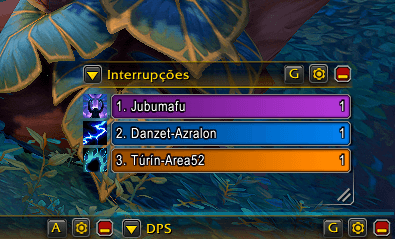
Drag a secondary meter window near the main one (or another docked window) and it snaps into place — left, right, above, or below. A pulsing blue indicator shows where it will dock.
Synced Resize
When the main meter resizes (via Edit Mode), all docked windows follow automatically. Same width, same height — always aligned.
Locked When Docked
Docked windows stay put. No accidental moves. A discrete undock button appears on hover (bottom-left corner) to detach when needed.
Peek Expand
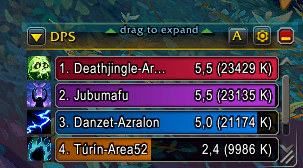
Hover the top edge of any meter window and drag upward to temporarily expand it — see more bars without permanently resizing. Release to snap back smoothly.
No Conflicts
One side, one window. MeterDock prevents stacking — you can't dock two windows on the same side of the same target.
Right-Click Menu
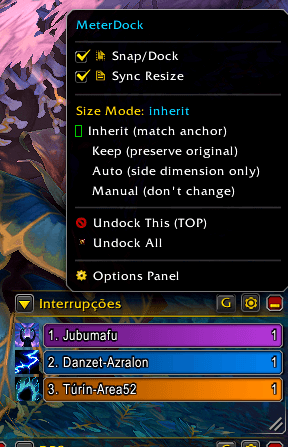
Right-click any meter window for quick access to toggle snap, sync resize, undock, or open the options panel.
Commands
| Command | Action |
|---|---|
/md |
Open options panel |
/md snap |
Toggle snap/dock |
/md sync |
Toggle synced resize |
/md undock |
Undock all windows |
/md find |
Re-scan for meter windows |
/md status |
Show current dock state |
Installation
- Download from CurseForge or copy the
MeterDockfolder toInterface/AddOns/ - Enable the Blizzard damage meter in Edit Mode (required)
- Log in and the addon works automatically
Requirements
- World of Warcraft: Midnight (12.0.7+)
- Blizzard damage meter enabled (Edit Mode → Show Damage Meter)
FAQ
Q: Does it change how the meter looks? A: No. MeterDock only adds docking/snapping behavior. The visual style is 100% Blizzard default.
Q: What's the "anchor" window? A: The first meter window (#1), the one you position in Edit Mode. MeterDock never moves or resizes it — everything docks relative to it.
Q: Can I dock window #2 to window #3? A: Yes. Secondary windows can dock to any other visible window (the anchor or another docked secondary).
License
MIT
MeterDock Team