


Mercury
- By
Send items to your alts in one click and take everything from your mailbox with a grouped, filterable item view.
Screenshot 2026-10-18 003322.png
Description
Mercury
Stop dragging the same items into the same mails. Mercury lets you set up mailing lists once, send them with one click, and gives you a proper overview of everything waiting in your mailbox.
Sending
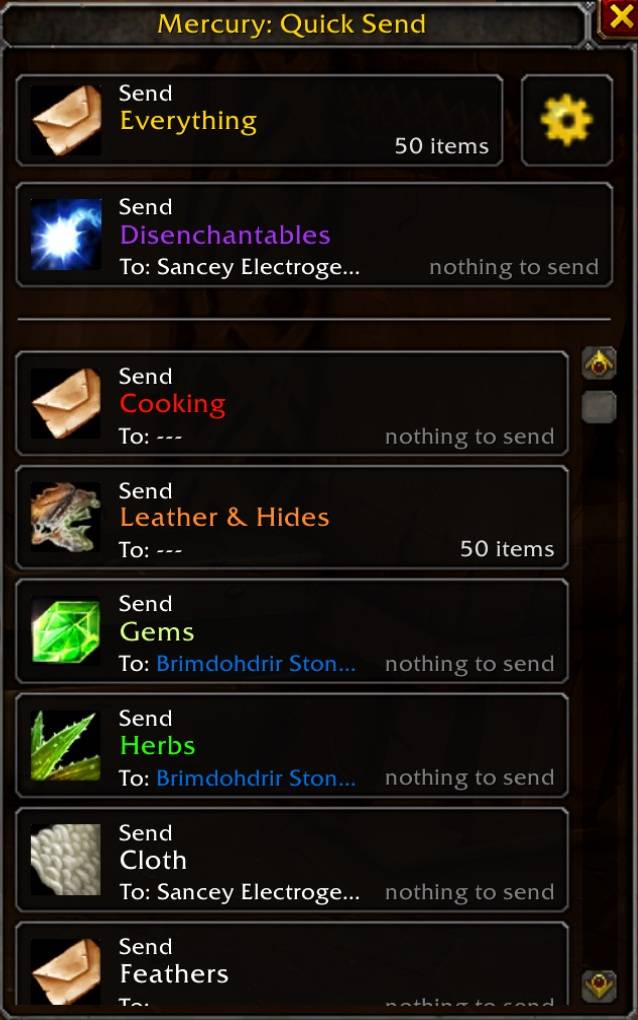
- Mailing lists: create lists of items, each with a recipient and assigned color.
- One-click send: on the Send Mail tab every list gets a button. A click attaches the matching items from your bags and mails them, repeating until nothing is left.
- Drag and drop: add items to a list by dragging them from your bags into the list. You can also type an item name or ID.
- Alt suggestions: pick the recipient from a dropdown of your characters, color-coded by class. Characters appear after you log into them once with the addon.
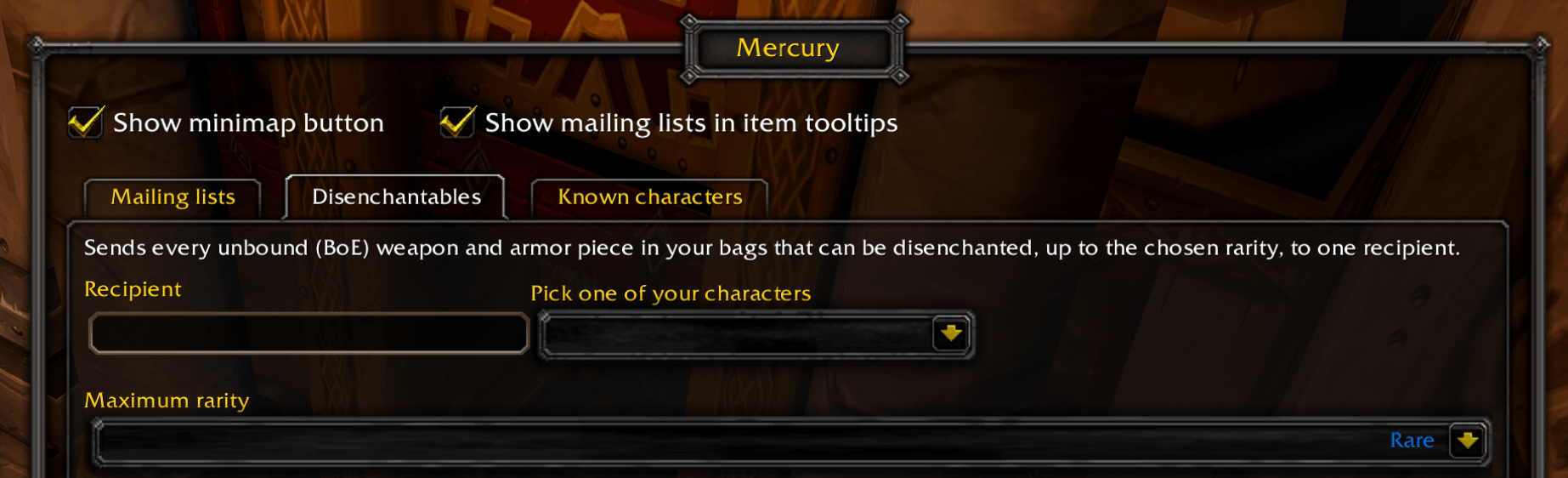
- Disenchantables: a special list for unbound (BoE) gear that can be disenchanted. Set one recipient and a maximum rarity (uncommon, rare or epic), and send it all at once.
Inbox items window
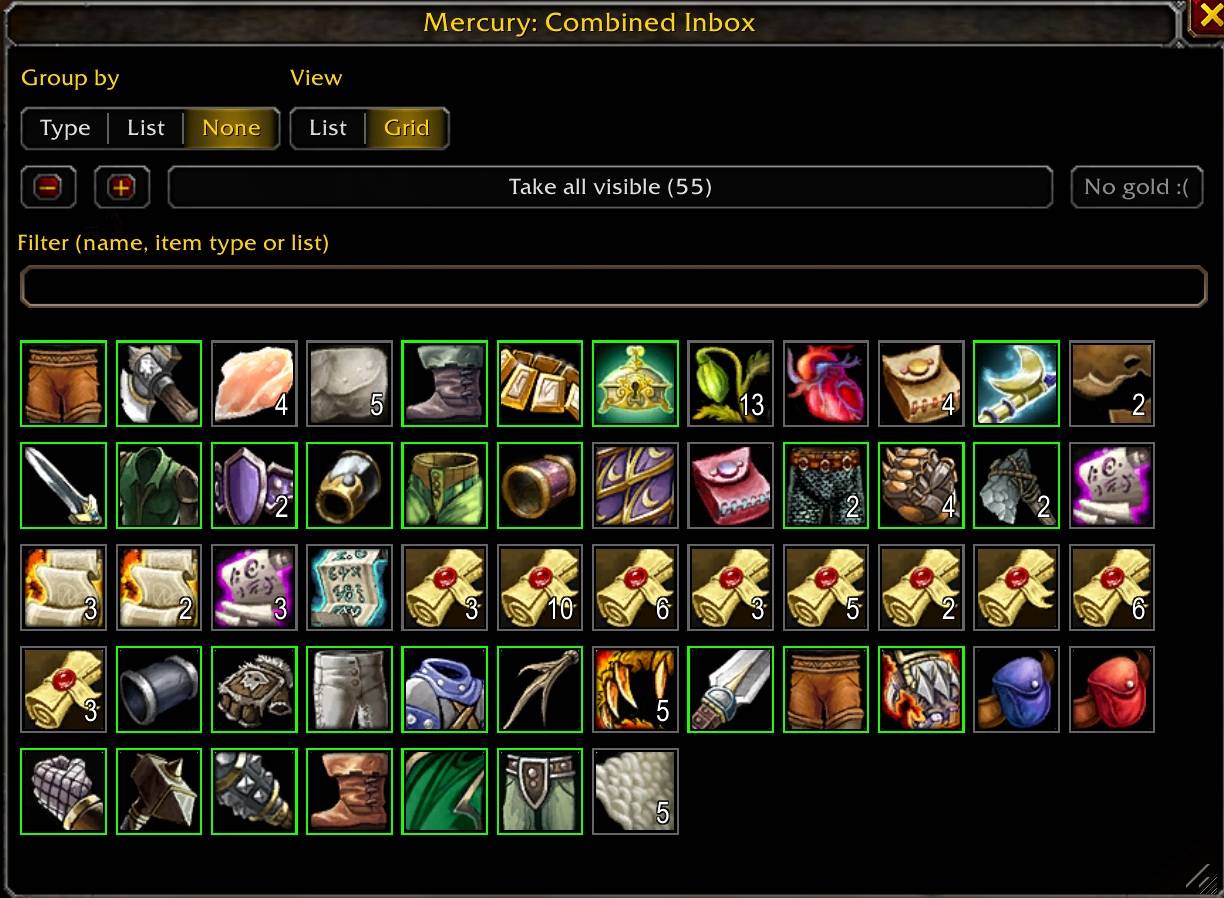
An Items button at the top of the inbox opens a combined view of every item in your mail, merged across all mails.
- Grouping: by item type, where BoE disenchantable gear gets its own "Disenchantables" group split by rarity, or by your mailing lists.
- Filter: search by item name, item type, or the name of a mailing list.
- Two views: a classic list or bag-style cells.
- Take buttons: click an item to take it from all mails, take a whole group, or take everything the current filter shows. Take all the gold with one button that shows the total.
Extras
- Item tooltips show which of your mailing lists contain the item. You can turn this off in the settings.
Commands
/mercuryopens the configuration.
Notes
- Forever.
- Mail with cash-on-delivery is skipped.
- Items that can't be mailed (such as soulbound items) are skipped automatically.
Feedback
Found a bug or have an idea? Please drop a comment.
Mercury Team
