Screenshot 2026-05-24 001536.png

Screenshot 2026-05-24 001510.png
Screenshot 2026-05-24 001544.png
Description
Meower
What this addon does?
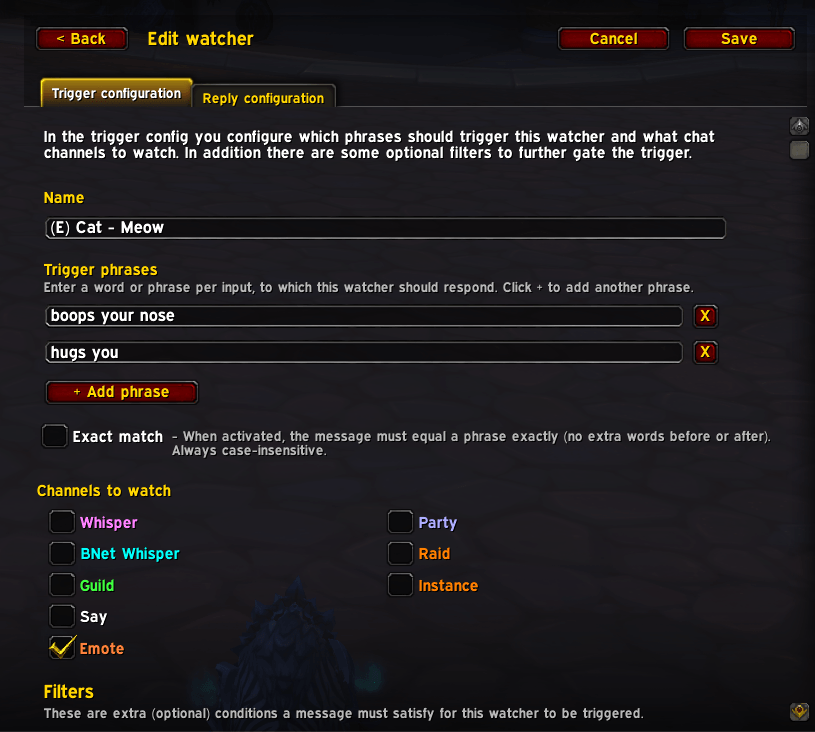
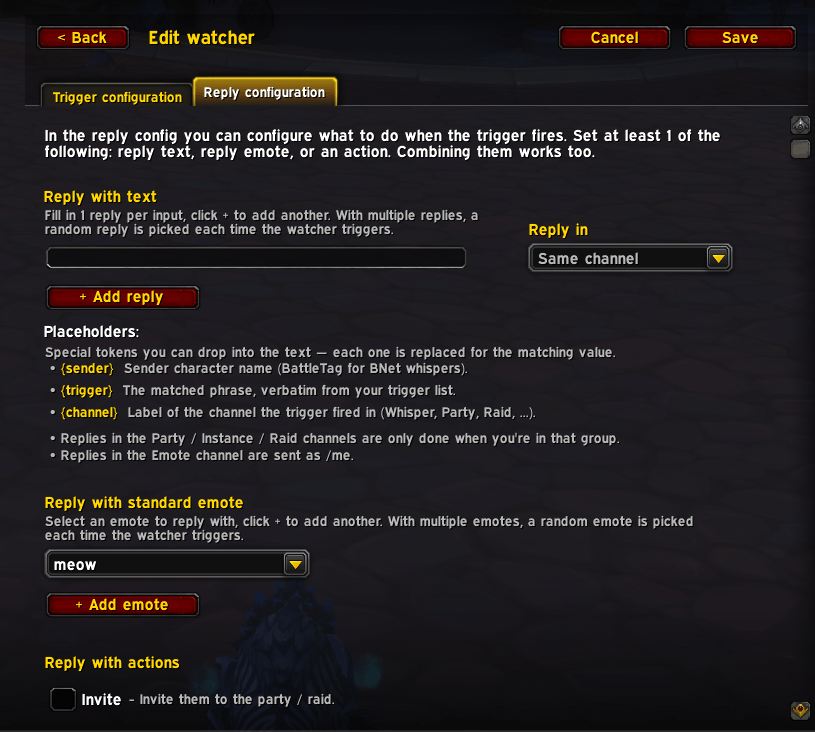
World of Warcraft addon that auto-replies to chat. Set up watchers — each one matches phrases in chat and fires a response: a text reply, a standard emote, a group invite, a kick popup, or any combination.
Built with roleplay in mind. Give your druid form-specific reactions (your cat purrs when petted, your bear growls when poked), wire up greetings or flirts for any character, or use the same rules outside RP to auto-invite friends who whisper a keyword and propose kicks for offensive language in a pug group.
If you have questions, suggestions or encountering issues - feel free to reach out on CurseForge or the Github project
It will:
👉 Watch one of the many chat channels
👉 React to phrases you define
👉 Reply with custom text, standard in-game emotes or special actions like inviting to group, or even kick them from your group!
Additionally
👉 Randomize replies by adding multiple, so your character doesn't repeat itself.
👉 Gate the trigger with optional filters (such as): Current zone, Friends only, Time of day, Day of week, Druid shapeshift form.
👉 Get a heads-up when a watcher matches — play a sound, pop an icon on screen, or color-highlight the matched phrase right in chat.
👉 Keep separate watcher sets per character with Profiles — and share a profile (or a single watcher) with another player via import / export.
👉 Become an all time professional cat.
It will not:
❌ Do your laundry; you really have to do it yourself.
❌ Get you the best loot in game, pff who needs that anyway.
❌ Telling you the winning lottery numbers (we want to keep those secret for now).
Settings
Open the settings via either:
/mwor/mw settingsin chat- WoW's Options → AddOns → Meower
You can configure:
- Watchers — add, edit, activate / deactivate, or delete watchers.
- Profiles — keep different watcher sets per character. Switch the active profile via the dropdown at the top of the Profiles page, or copy / export / import a profile to share it.
- Movers — reposition every on-screen display frame from one place.
- Stats — see how often each watcher fires, who triggers them most, and which replies and emotes you send the most.
- Additional settings — change the display or protect you from spamming chat.
- Get a draggable macro button from the settings page — drop it onto any action bar for a one-click shortcut.
Have a look at my other addons!
Meower Team