mDPS Uptime
- By
mDPS Uptime gives real time large format warnings for inactive auto attack, too far, wrong way and no target
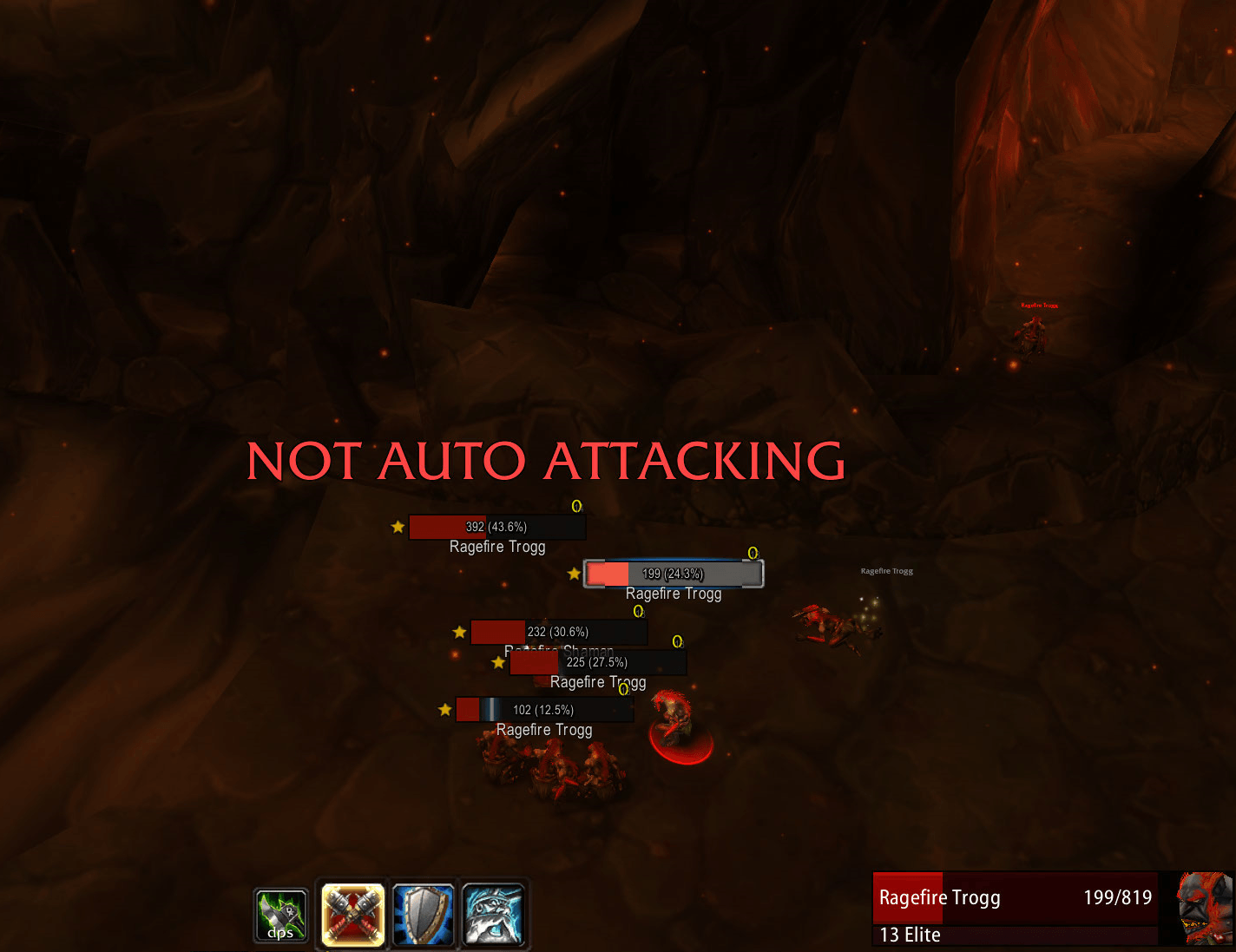
not attacking.png
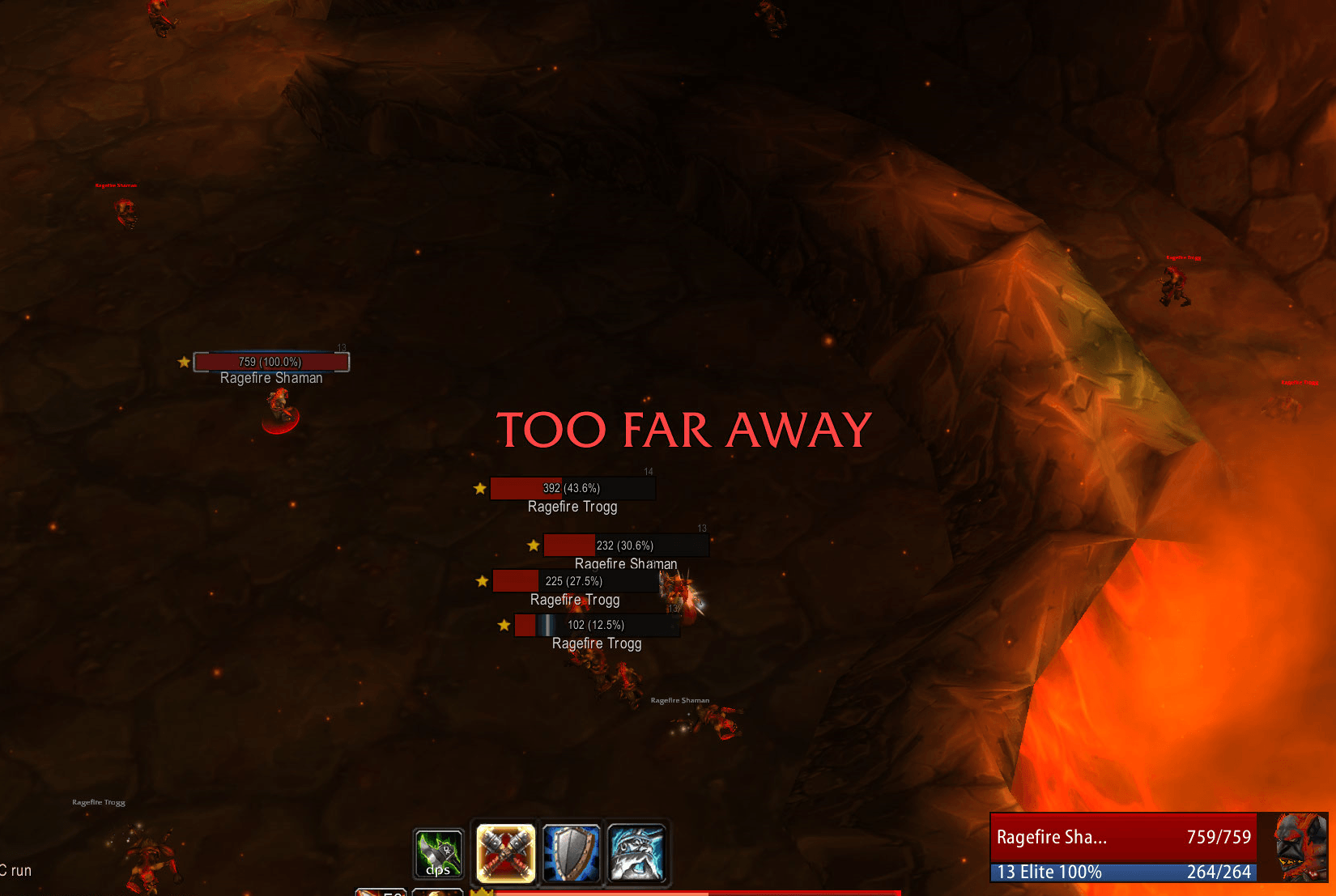
too far away.png
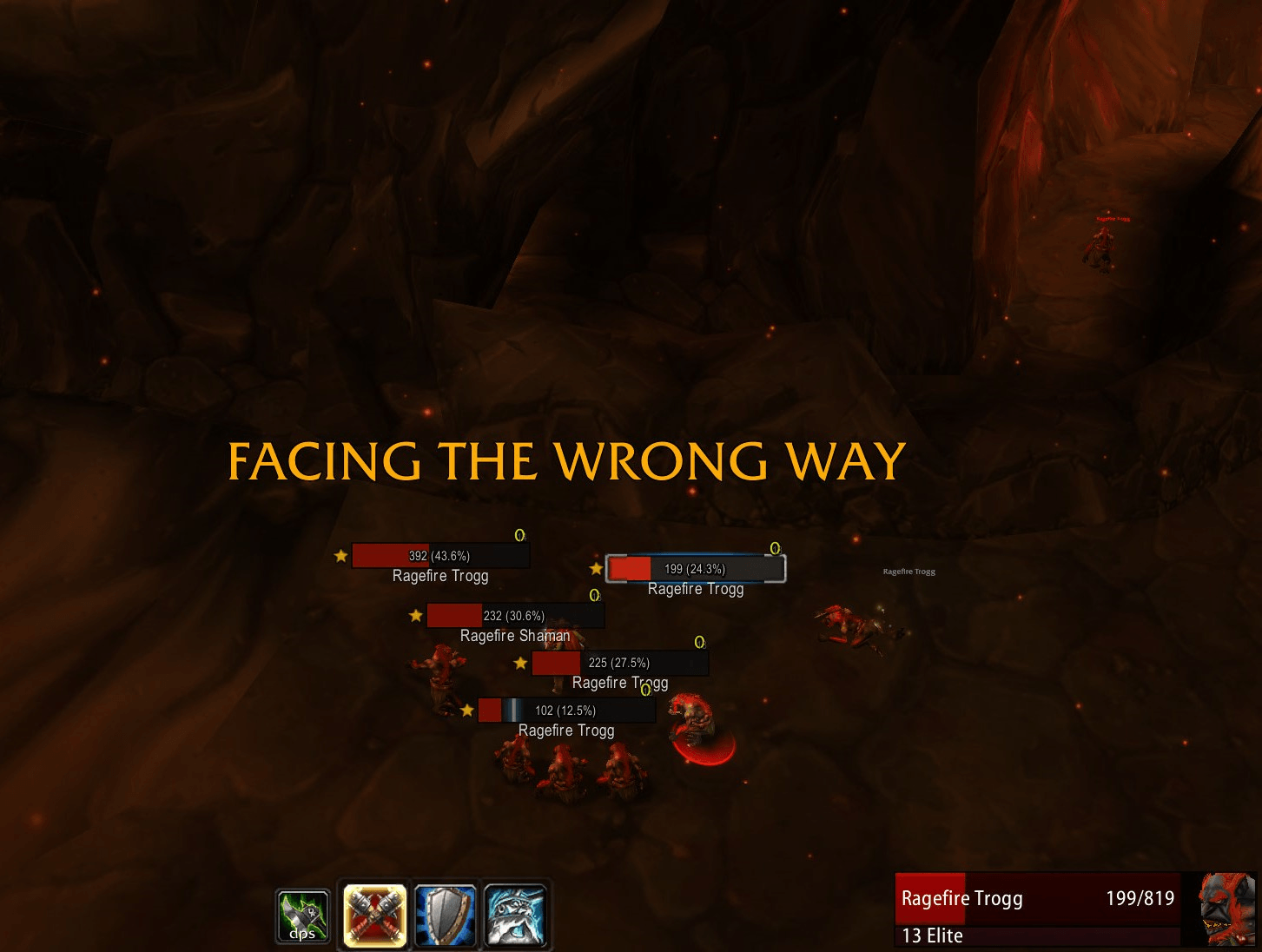
wrong way.png
Description
mDPS Uptime
Spend less time standing still and more time dealing damage.
mDPS Uptime is a lightweight combat reminder addon for World of Warcraft Classic Era, built to help melee DPS improve their combat uptime.
It’s easy to select a new enemy without starting your auto attacks, stand outside melee range, or face the wrong direction without noticing. mDPS Uptime displays large, clear warnings so you can quickly correct the problem.
Combat warnings
- NOT AUTO ATTACKING — You’re in combat with a living hostile target, but your auto attack is off.
- TOO FAR AWAY — Your target is outside the melee range reported by a supported ability.
- FACING THE WRONG WAY — Appears when the game reports a facing error after an attempted attack.
- NO TARGET — You’re in combat without a target selected.
Each warning has its own enable/disable toggle, delay slider, and sound selection under the Alerts tab.
Disabling a warning turns off its large text and combat sound.
Individual warning delays
Set a separate delay for each warning, from 0 to 3 seconds in 0.1-second increments.
Use a short delay to prevent warnings from flashing during brief transitions, or select zero for an immediate reminder. Each timer runs independently.
Facing defaults to zero delay, so it appears as soon as the game reports the error.
Custom sounds and spoken alerts
Choose a sound independently for each warning, including:
- Error buzzes and descending alerts
- Additional custom beeps and sound effects
- Spoken alerts matched to the relevant warning
- A Silent option
Available voice alerts include:
| Warning | Voice options |
|---|---|
| Not auto attacking | “Not attacking” |
| Too far away | “Too far away” or “Too far buddy” |
| Facing the wrong way | “Wrong way” or “Wrong way stupid” |
| No target | “No target” |
Spoken alerts appear only under their matching warning. General sound effects are available for every warning.
Use Listen to preview your selection. Enable Play warning sounds under General to hear alerts during combat.
Active warnings repeat their sound at approximately four-second intervals. Playback is spaced to keep the addon’s combat sounds from overlapping.
Choose where it runs
Use the Locations tab to enable reminders for individual Classic Era raids and dungeons.
You can also configure reminders for:
- Outside instances, including world bosses
- Battlegrounds and arenas
- Other or unlisted instances
Quick presets let you select All locations, No locations, or Raids only.
Some dungeon wings share an instance ID and therefore share a setting, including Lower and Upper Blackrock Spire.
Optional native error suppression
Prefer the addon’s large warnings over the client’s small error text? Separate settings let you hide:
- “You are facing the wrong way”
- “You are too far away”
Native error suppression is controlled separately from the individual addon warnings.
Suppression applies only while in combat with a living hostile target, in an enabled location. Native errors can still appear before combat begins.
Customize your display
- Move the warning text anywhere on your screen
- Adjust text size
- Enable or disable each warning individually
- Set separate warning delays and sounds
- Preview the display without entering combat
- Save settings automatically
The settings window includes General, Locations, and Alerts tabs, plus Preview and Move text buttons.
Commands
| Command | Action |
|---|---|
/mdps or /mdps config |
Open settings |
/mdps test |
Preview warnings for 10 seconds |
/mdps unlock |
Unlock the warning display for dragging |
/mdps lock |
Lock the display |
/mdps size 42 |
Set the text size |
/mdps delay 0.6 |
Set auto attack, range, and no-target delays together |
/mdps sound |
Toggle combat warning sounds |
/mdps target |
Toggle the no-target reminder |
/mdps on |
Enable the addon |
/mdps off |
Disable the addon |
/mdps reset |
Restore default settings |
Use the Alerts tab to adjust delays individually, including facing.
The aliases /mdpsuptime and /nu also work.
Compatibility and behavior
For World of Warcraft Classic Era.
Range warnings require a supported melee ability. The current range check does not yet cover every melee class or form. Auto attack, facing, and no-target reminders do not depend on that range check.
Facing detection relies on the game reporting an error after an attempted attack. It does not continuously measure your facing direction.
No DBM or WeakAuras required. mDPS Uptime provides reminders only—you remain in control of moving, facing, and starting your attacks.
mDPS Uptime Team