



File Details
v7.3.6a
- R
- Apr 3, 2026
- 2.19 MB
- 116
- 12.0.1+1
- Classic TBC + 1
File Name
MattMinimalFrames-v7.3.6a.zip
Supported Versions
- 12.0.1
- 2.5.5
Matt's Minimal Frames
v7.3.6a (2026-04-03)
7.3.6 - hide hp text option raid/party
When you turn on centered party/raid names, “Hide Remaining Health” now turns on automatically and locks until centered names are turned off.
Restructure Github for CF Continuous Deployment7.3.5 - Combat safeguard / bug fixes
Added a combat safety check: frame moves are delayed until combat ends, with a chat notice. @BernCarney
Fixed power text from orbiting around mouse while dragging.Merge pull request #5 from BernCarney/fix/combat-check-bossframe
added safeguard function for all frame-movingAdded message when frame movement is blocked
added safeguard function for all frame-moving
7.3.4
Fixed an edge case where center-offset values could desync from correctly placed frames, now preserving accurate offsets without triggering legacy-to-center conversion unless a frame is intentionally moved. @BernCarney
Disabled and grayed out the Name Anchor and HP Anchor dropdowns when their corresponding anchor checkboxes are unchecked on the Offsets page.7.3.3 - discord requests
-Individual frame alphas
-Text Anchors for Name / Power7.3.2 - Text format customization
Added per-unit Text Format customization (Player/Target/ToT/Pet/Focus/Boss) with independent HP/name format settings and expanded the Text tab viewport to prevent clipping.7.3.1 - Aura fixes
Adjusted anchoring and offsets for aura/border to avoid icon texture (@BernCarney)Merge pull request #3 from BernCarney/fix/aura_icon_border_alignment
Adjusted anchoring and offsets for aura/border to avoid icon texture overflow
7.3.0 Hotfix - changed default
Changed default for levels to off7.3.0 - player level now in text section at bottom
Re-added player/target level options7.2.9 - fixed taint in raid from leader icon
Fixed raid taint error by safely handling protected (secret) unit names in leader-icon name formatting.7.2.8 - Leader icon
Leaders now get a small leader icon before their name on your player/target frames (on by default).
Party/raid appearance settings work again in Retail. (forgot to turn on while debugging)7.2.7 -Blizzard edit mode fix
Fixed a Retail Blizzard Edit Mode taint issue that could break compact party and raid frames with the outOfRange error.
Matt’s Minimal Frames now pauses its live frame update systems during Blizzard Edit Mode and shows clear in-game guidance to use MMF Edit Mode for personal frames while reserving Blizzard Edit Mode for party and raid frames.7.2.6 - more aura fixes / cast bar fix
Aura sync second pass: aligned Retail aura handling with Blizzard packed updates and added stronger transition resyncs to eliminate ghost/wrong auras during combat swaps, zoning, and group changes.
Fixed channel-to-cast handoff drops by resyncing live cast/channel state before hide (e.g., Ray of Frost into Glacial Spike).7.2.5 - stability update
Added a combat-lockdown guard to auxiliary frame visibility, deferring updates with MMF_RunAfterCombat until combat ends. @BernCarney
Fixed random ghost buffs/debuffs by hardening Retail aura reads (safer packed aura handling + secret-value sanitization) and adding a brief post-UNIT_AURA resync pass to clear stale icons.
Fixed new-profile class resource bar desync by replacing generic force-show logic with class/spec/form-aware visibility refresh (e.g., Arcane bar only on Arcane spec, Druid combo only in Energy forms).Merge pull request #2 from BernCarney/fix/combat-guard-show.hide
added combat-guard for secure unit framesadded combat-guard for secure unit frames
7.2.4 - Frame hide toggles
Added new Visibility > Frame Visibility toggles to hide Boss, Target of Target, Pet, and Focus frames (all default OFF), with ToT hide behavior fixed.7.2.3-hotfix
Fixed a Retail Edit Mode taint caused by MattMinimalFrames touching Blizzard Compact Party/Raid frame state.7.2.3 - fixed taint in auras
Fixed target debuff rendering and resolved aura update taint by using the modern harmful-aura filter path and removing unsafe GUID comparison logic.7.2.2 - Layout frame controls / Aura fixes
Added a full frame center-position layout system (per-unit Center X/Y controls, drag/save/reset integration, and profile-aware persistence), adapted from the PR (credit: BernCarney).
Fixed a profile regression where some users’ frame layouts could reset or shift during migration/profile application due to the new PR.
Fixed target aura accuracy/caching and restored reliable buff/debuff tooltip behavior.7.2.1 - quality-of-life ui polish / other fixes
Added Popup Inactive Fade (default ON), so the settings window gently dims when your mouse is not over it.
Added an alpha slider beside that setting, so you can choose exactly how much it fades.
Improved fade behavior: it now works right after login/reload and starts full opacity until you first mouse off.
Updated Player/Target Auras: Blizzard Anchor now auto-disables unless both Buffs and Debuffs are enabled, with helper text shown under it.
Fixed text layering so HP/Name/Power text stays above overheal and absorb overlays, keeping numbers readable.7.2.0 - Community requests / bug fix release
7.2.0
-Added full simple note to Tools section. (Similar to MRT note)
-Added new Text Format options for class/reaction-based name text coloring and increased the Text tab viewport height to prevent clipping. (Requested by @Magirific)
-Added Health Color by Percent to the Appearance tab in Unit Frames. (Requested by @Magirific)
-Health Color by Percent now disables/grays the 5 manual frame color pickers while enabled.
-Added Blizzard Anchor to Player Auras/Target Auras pages. Anchors buffs and debuffs to the unit frame similar to Blizzard’s frames. (Requested by @Magirific)
-Added the ability to free-move HP unit text with Shift+Drag and in Edit Mode. Includes a new Reset HP Position button to re-anchor HP text back to frame defaults. (Requested by @Magirific)
-Extended Frame Scale range in Layout, allowing very skinny and vertical bars. (Requested by @devels)
-New checkbox in Unit Frames -> Layout (bottom area): Health Fill Top to Bottom
When enabled, health bars switch to vertical fill behavior (HP loss goes top -> bottom) (Requested by @devels)
-Added more reset options, including Power Position Reset.
-Added UI layout/viewport sizing tweaks (Offsets/Appearance) to prevent clipping/crowding.
-Fixed a bug where truncation on raid frames could cause taint in raid. Added extra taint hardening in the health/percent update path (secret-number safety).
Fixed an issue where buffs/debuffs could duplicate or appear on the wrong unit by stabilizing aura data handling per target/player.
-Other minor bug fixes.7.1.3 - power section slider fix, color wheel fixes/additions
Added color wheel to cast bar page.
Fixed an issue where sliders were not usable on the Power page.
Fixed an issue where color picker would show black preview for all pickers.7.1.2 - color changer resets added
Made all frame color pickers smarter so the reset button updates immediately and only shows when that color is actually changed from default.7.1.1 - Reset bug fix
Fixed an issue where some elements would not show RESET or had misplaced reset buttons.7.1.0 - The great reset!! Dynamics resets added to all GUI elements
Every setting now gets a smart Reset that only appears when you’ve changed that option from its default, and tapping it puts just that one thing back to normal without affecting your other settings.
Change default for powerbars to be false instead of true.7.0.5 - Fixed TBC Spell Highlights
Added fallback for TBC spell highlights7.0.4 - Dispel Highlighting, icon hides
Added dispel highlights to player and target frames.
Added Hide Resting and Combat state checkboxs in Icons.
Fixed an issue where buffs/debuff would not save scaling after reload.
Fixed taint for for raid / party frames in dungeons.7.0.3 - minor guide text updates
updated some of the guides7.0.2 - text regression fix on target/tot
Fixed regression where target and target-of-target frames had missing text on initial login because fonts applied to hidden frames were cached but never re-initialized when the frames became visible.Merge branch 'main' of https://github.com/seathasky/MattMinimalFrames
7.0.1 - Party / Raid frame tab, Animated icons
Added new Party / Raid frame tab to adjust Blizzard raid/party to match our UI style.
Added animated icons to icons page. Resting / Combat indicators.Enhance README formatting and fix image links
Updated README with improved formatting and corrected links.7.0.0 - Popup refactor, UI cleanup, Quick sub tab guides
Refactored and cleaned up the entire Settings popup for better stability and easier future updates.
Improved sub-tab page layout so Unit Frames and Auras/Power now look more consistent and professional.
Added clearer “Quick Guide” help text on sub-tabs with better readability.
Increased space on Tools and Profiles pages for a cleaner, less cramped view.Revert "7.0.0 - Popup refactor, UI cleanup, Quick sub tab guides"
7.0.0 - Popup refactor, UI cleanup, Quick sub tab guides
Refactored and cleaned up the entire Settings popup for better stability and easier future updates.
Improved sub-tab page layout so Unit Frames and Auras/Power now look more consistent and professional.
Added clearer “Quick Guide” help text on sub-tabs with better readability.
Increased space on Tools and Profiles pages for a cleaner, less cramped view.6.2.2 - Auras rehaul / Absorb updates
Added Player buffs / debuffs
Aura Appearances now have separate customization controls.
Added labels to buffs/debuffs in test mode.
Added option to Absorb bar for solid color.6.2.1
Added a new Absorb Bar color picker in Unit Frames > Overlays.
Added aura direction controls and per-type reset buttons, so Buffs and Debuffs can grow how you want and quickly snap back to default positions.
Added aura filtering options, including showing only your debuffs on target, so aura display is cleaner and easier to read in combat.Delete test.txt
changelog discord t est
test commitTest changelog for Discord
6.2.0
fixed an issue where auras would not refresh6.1.9
Fixed overheal container display issue6.1.8
Added a new Overheal Color option so you can choose the exact color for incoming heal overlays.
Added a Contain Overheal in Frame checkbox to keep overheal visuals inside the health bar.
Fixed a UI bug where title-bar button text could disappear when opening settings the first time or after /reload.6.1.7
-Refactor on Unit Frames tab / sub tabs
-Renamed MEDIA to APPEARANCE in Unit Frames Tab
-Added color control to all frames
-Added color control to all background frames
-Added global color and width control to frames borders
-Fixed an issue where the focus cast bar would be inside focus HP/%6.1.6
- Test mode to make it easier to change edit text/scale/auras etc.
-Added overheal option to overlays
- Test mode to make it easier to change edit text/scale/auras etc.
6.1.6
- Test mode to make it easier to change edit text/scale/auras etc.
-Added overheal option to overlays
-Added cast bar to focus
-Cleaned up title bar.
-Other bug fixes.
- Test mode to make it easier to change edit text/scale/auras etc.
Update README.MD
6.1.5
Fixed a scrolling issue in Auras / Power -> Power where lower Target options could be cut off.
Restored settings window behavior to reopen on your last selected tab.6.1.4
Fixed an issue where GUI scale would run off screen6.1.3
Fixed a bug that would cause the News Popup to repeat on other characters after having already clicked the checkbox6.1.2
Pingable frames in retail6.1.1
Added full Target Cast Bar parity with Player Cast Bar in Edit Mode: move/reset support, scale dropdown entry, and cast-bar popup integration.
Added castbar-specific text controls: Spell Name and Cast Time sliders for Player/Target Cast BarsMerge branch 'main' of https://github.com/seathasky/MattMinimalFrames
6.1.0
Added a full Edit Mode flow with its own popup, alignment grid toggle, and better drag behavior.
Added boss frame support across layout/text/visibility/offset/scale options, plus proper Blizzard boss-frame hiding.
Added per-frame reset popup in Edit Mode (reset frame position + player cast bar reset support).
Added player cast bar movement + scaling support, including Edit Mode placeholder and border polish.
Added Blizzard pet ability bar movement support in Edit Mode with a larger titled drag backdrop.
Fixed missing HP text support for Pet and Focus, and synced related text/offset/reset controls.Replace old image with updated version
Updated the image in the README to a new version.Clarify frame movement and range fade features
Updated the README to clarify frame movement and range fade features.6.0.2
-Fixed font caching so name/HP/power text sizes are only marked “applied” after successful font application, preventing blank text from getting stuck after a failed init pass.
-Added safe startup font/media reapply retries plus non-destructive profile text/font sanitization to self-heal login timing races without taint-prone secure frame changes.6.0.1
fixed issue with page header design6.0.0
Gui updated
player/t/tot color filitering5.2.5
Settings GUI opens only when explicitly requested (/mmf or minimap button), never at login. Removed corresponding checkbox to hide this feature.5.2.4
-Added Clique support for both Retail and TBC.
-Fixed an issue where player power text would revert back to 100% scale.
-other minor bug fixes5.2.3
Fixed druid combo point bar visibility so it only shows in Cat Form (Feral) instead of always being visible.
Added a druid-only Mana Resource Only option that forces both player power text and player power bar to always use mana.5.2.2
Fixed per-character profile saving so each character now reliably keeps its own selected profile.
Retail only: Start of class sounds: Paladin Holy Power implemented (toggle default off), other classes Coming Soon.5.2.1
Updated TOC to fix load out of date5.2.0
Added moveable power bar text, color option and %.
Frames are now lockable in gui. Use the checkbox next to gui scale.
Minor gui cleanup.5.1.9
fixed tbc gui widthCreate .gitignore
5.1.8
Player visibility now allows mouse over to player frame so context menu can still be accessed.5.1.7
Added combat visibility improvements with unified player/target/TOT fading, target/TOT instant only in combat, and new controls for show-on-target, fade time, and OOC target opacity.
Added power number text improvements with separate player/target text scale controls and visibility handling tied to each unit’s power settings.
Added GUI usability updates: scroll bar for overflow content and a bottom-right height scaler for resizing the config window.5.1.6
Reworked the Unit Frames popup layout: centered middle divider, equal 50/50 left/right columns, normalized control widths, and improved spacing consistency.
Added per-unit Frame Text controls with a new Text Unit dropdown so Name Size and HP Size can be configured independently for Player/Target/ToT/Pet/Focus.
Added an immediate PLAYER_TARGET_CHANGED visual refresh for Target/ToT (with queued fallback) to reduce brief first-target white flash.Enhance README with new PvP detection feature
Added PvP detection feature for TBC anniversary and improved itemization in highlights.Delete .DS_Store
5.1.5
Added TBC-only PvP flag text on player/target frames with reliable updates and player unflag timer support (PVP red, timer yellow, Rogue timer white)
Added SharedMedia/Jiberish icon style support for player/target icons, plus per-unit icon X/Y + size controls.5.1.4
minor bug fix in m+5.1.3
Added ability to hide Blizzard cast bar5.1.2
Added 2 HP text format toggles
HP Text: % | Value to show/hide percent
HP Text: Short Value (K/M) to switch short vs full numbers
Defaults are both ON, so it shows like 100% | 443K.5.1.1
Added auto and manual truncate feature to frame text section that allows users to shrink or resize longer target names.5.1.0
fix taint range check5.0.9
Fixed a combat taint error: ADDON_ACTION_BLOCKED from CheckInteractDistance() in range checks.
Range-check fallback is now protected and only used out of combat to prevent protected-function errors.5.0.8
Fixed an issue where range check was always out of range (TBC)5.0.7
-Added ton more textures to use for our unit frames.
_Some examples below:_
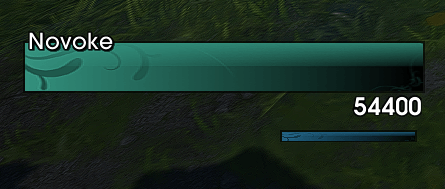
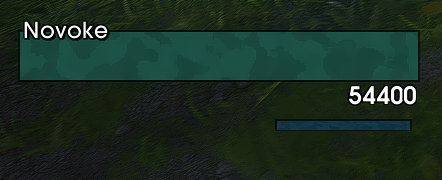
-Implemented combo point bar for Rogue/Druid on TBC side. It can be enabled/disabled in Aura/Power tab. _(This will only show on TBC side, retail side has Class Bar Tab)_

-Fixed an issue where we were referencing a removed sharedmedia library which would cause the unit frame textures black if one of those removed textures was selected.5.0.6
Minor bug fix5.0.5
lib folder cleanup to reduce addon size significantly5.0.4
more sharedmedia fixes5.0.3
Fixed an issue where fonts would not always load properly.5.0.2
- Added compact
?hint icons forHeal PredictionandAbsorb Barin Unit Frames. - Added hover preview tooltips for those hint icons
- Added
Class Color GUItoggle in Tools (underUI Sounds), defaultOn.
- Added compact
Merge branch 'main' of https://github.com/seathasky/MattMinimalFrames
5.0.1
Added
New per-unit text visibility controls in Unit Frames.
Hide Name Text and Hide HP Text now support individual unit selection.
Added dropdown arrows across the UI so selectors are clearly clickable.
Added target marker icon preview next to the Target Markers toggle.
Changed
Major Unit Frames tab cleanup and re-layout for a more balanced, professional look.
Moved Text Offsets under Text Visibility for better flow.
Moved Heal Prediction and Absorb Bar into Unit Frames.
Condensed Buff/Debuff offset controls in Auras/Power into a cleaner dropdown-driven layout.
Updated wording to target-specific aura labels (Target Aura Position / Target Aura Appearance).
Fixed
SharedMedia font/texture selections now persist reliably after reload/login.
Fixed dropdown reliability issues (blank text / delayed apply / inconsistent selection state).
Fixed class resource bars sometimes showing incorrect segment count (ex: Paladin Holy Power showing only 1).
Improved class bar persistence so moved/scaled bars stay where you put them.
Resolved clipping/crowding issues with Unit Frames controls and improved spacing consistency.
UI Sizing
Retuned popup dimensions and section spacing to reduce dead space and keep controls fully visibleRevise README for features and usage sections
Updated features and usage sections for clarity and conciseness.Revise README for support and features clarity
Updated support and features sections for clarity and conciseness.5.0.0
New:
Added full tabbed configuration UI.
Added Profiles tab with simple profile flow.
Added Tools tab with reset actions and helper info.
Added SharedMedia statusbar texture dropdown in Unit Frames > Style.
Added SharedMedia global font dropdown in Unit Frames > Style.
Added player/target frame icon mode: Off, Class Icon, Portrait.
Added target marker toggle (centered on frame, default off).
Added per-unit name text offsets (player, target, target of target, pet, focus).
Added per-unit HP text offsets (player, target).
Added UI sound support for tab clicks and reset-all confirmation.
Added UI sounds toggle (default on).
Changed: Reordered tabs to make Unit Frames first. Renamed class page/tab to Current Class. Removed Class Bars tab on TBC only. Reworked tab width math so tabs fill popup width cleanly on Retail and TBC. Reduced popup size and tightened spacing for cleaner layout. Moved reset buttons into Tools actions. Reworked profile UI to be simpler and cleaner. Added copy-active-profile to new profile name flow. Updated styling to use current class color accents (title suffix remains MIDNIGHT themed). Updated footer class area to show player info more cleanly.
Minor bug fixes and full code refactor + optimization
4.9.4
fixed an issue where the absorb bar texture would be missing during combatEnhance features description in README
Expanded the features section to include additional details about the minimal design.4.9.3
-added alignment grid to info section4.9.2
-Added heal prediction to all bars-Reworked absorb bars on frames
4.9.1
Add Clique support to frames for users on TBC.Revise README for clarity and formatting improvements
Updated README with clearer descriptions and formatting.4.9
Fixed taint in aura comparison4.8
Changed default for timertext scale for aura icons.Fixed an issue where "Reset Scale/Text" option was not properly resetting all frames.
Fixed an issue where tooltips were not showing for all frame auras.
4.7
more fixes to arcane mage bar4.6
Fixed an issue where Mage's Arcane bar would show while in the wrong spec.4.5
Add cast bars to player/target.minor lua cleanup.
4.2/4.3/4.4
Add the ability to scale unit frames, fixed an issue with the mini map button duplicating the gui when pressed more than once4.1
Fixed gui scale not always scalingFix duplicate class resources entry in README
Removed duplicate entry for class resources in features section.Fix duplicate class resources entry in README
Removed duplicate mention of class resources from features list.4.0 release
All Class Bars added!Cleaner UI w/ ui scaling feature.
Update project name in README
3.4b
Retail: fixed an issue where target nameplates names would disappear in dungeons3.2b
Support for TBC anniversaryMinimap icon added
Update README with support and usage sections
3.1b
gui name fixesFix formatting in README for class resources section
Update README with WIP note on class resources
Added a note about class resources in the README.Change 'Resource Bars' to 'Power Bars' and add WIP
Updated feature list terminology and added WIP note.3.0b
3.0bBeta release. Refactor, new gui, more functionality. More to come!
2.5
2.5GUI rehaul, reworked buff/debuff system to show timers again. more options
2.4
fixed load errors and names missing on t/tot2.3
range check fixDelete MattMinimalFrames.toc
2.2
bug fixes2.0.0 toc fix
2.0 Midnight initial release
complete rehaul for WoW's Midnight patch 12.0.1Delete MattMinimalFrames/MattMinimalFrames_Utils.lua
Delete MattMinimalFrames/MattMinimalFrames_UnitFrames.lua
Delete MattMinimalFrames/MattMinimalFrames_UI.lua
Delete MattMinimalFrames/MattMinimalFrames_RangeCheck.lua
Delete MattMinimalFrames/MattMinimalFrames_Minimap.lua
Delete MattMinimalFrames/MattMinimalFrames_Frames.lua
Delete MattMinimalFrames/MattMinimalFrames_FrameManager.lua
Delete MattMinimalFrames/MattMinimalFrames_Core.lua
Delete MattMinimalFrames/MattMinimalFrames_ClassResources.lua
Delete MattMinimalFrames/MattMinimalFrames_Auras.lua
1.6
-code refactor-fixed an issue causing frame positions to move after disabling and reenabling the addon
1.0.2/1.0.3/1.0.4/1.0.5
minor fixesUpdate README.MD
1.0.1
fix duplicate aura fontsRevise installation steps and add addon link
Updated installation instructions and added a link to the addon.Add files via upload
1.0.0 Release
Initial releaseAdd preview image to README
Added a preview image to the README.preview
Create README.md for MattMinimalFrames project
Added README with project overview and installation instructions.