MarketView
- By
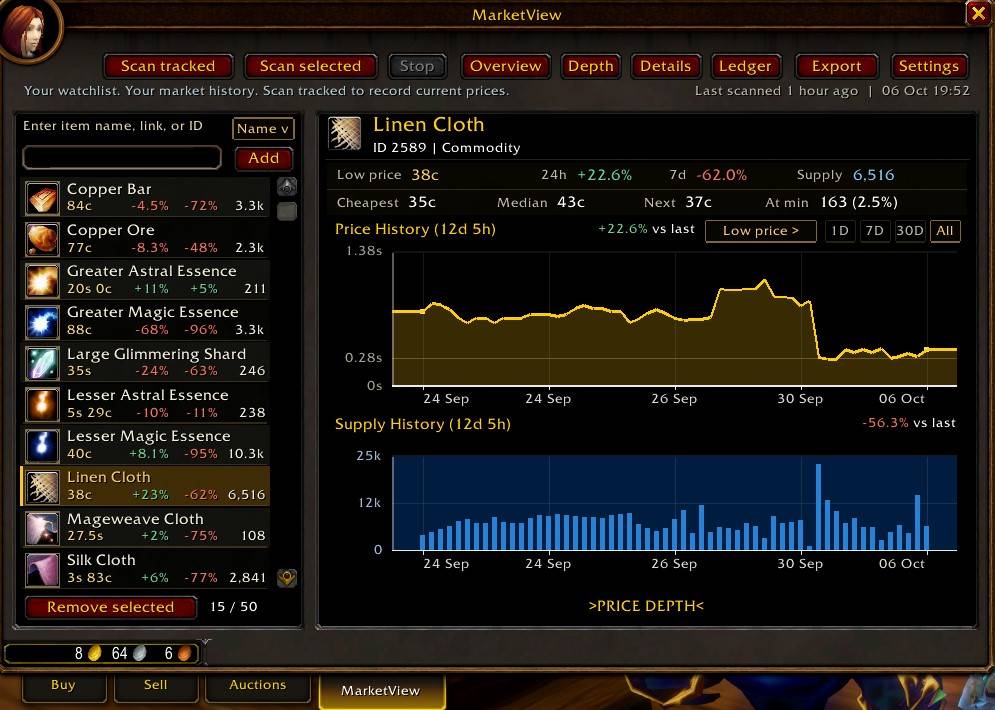
Screenshot1.jpg
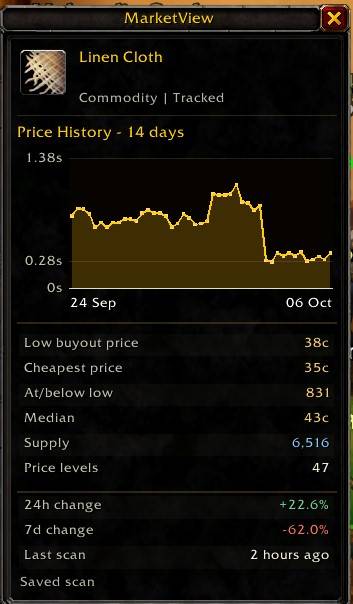
Screenshot2.jpg
Description
Your market history, at a glance
MarketView adds a dedicated Auction House tab for the items you care about. Build a watchlist, save market observations and compare prices with available supply in two aligned charts.
Built for WoW Forever beta 1.60.1. English interface. No other addon is required.
Features
- Track up to 50 items by name, item link or ID.
- Scan a selected item or your full watchlist.
- Compare Low price, Cheapest and Median, with available 24-hour and 7-day changes.
- View price and supply history together.
- Explore price depth, equipment variants and recent observations.
- Enable an optional panel beside the Auction House for quick item summaries.
- Export market history and Ledger records into Google Sheets or Excel.
Understand the prices
Cheapest is the lowest observed unit buyout price.
Low price is the price where the cheapest listings account for 10% of available buyout supply. Small, unusually cheap listings generally have less influence on this number.
Median uses the same calculation at 50% of supply.
Market charts show asking prices per unit, not completed sales. Supply means listed units. History builds from complete scans you choose to run; new items need more observations before comparisons become available.
Chart points represent equally spaced scans. Labels and hover information show their actual dates and times.
Keep a personal Ledger
The Ledger records auction purchases and sale proceeds when you collect them from your mail. View spending, net sales and tracked resale profit, with character and time filters.
Profit uses recorded purchase costs for identifiable items on the same character. Missing costs remain unknown. Crafting, vendors, trades and unrecorded lost deposits are not included. Receipt dates show collection times.
Getting started
Open the Auction House and select MarketView. Add an item, then click Scan selected or Scan tracked. Open Settings to enable the optional side panel.
Your records stay local. Exports are manual. Other WoW clients are not currently supported.
Created by Blue Link. MarketView’s code is All Rights Reserved. Includes LibAHTab by plusmouse and LibStub under their respective licenses.
MarketView Team