


Mark2Sell
- By
Mark individual bag items for vendor resale, with on-slot overlays, a merchant bulk-sell control.
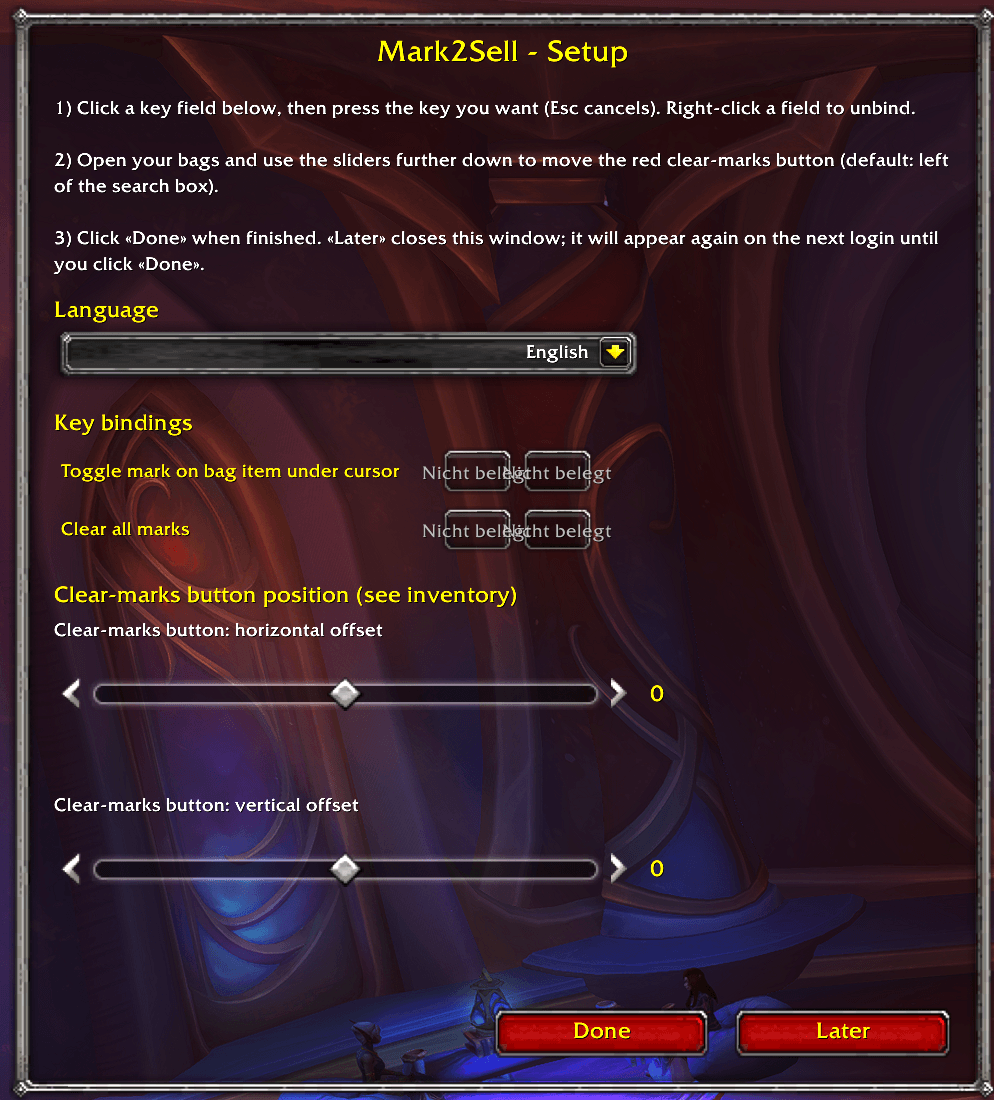
Setup Addon
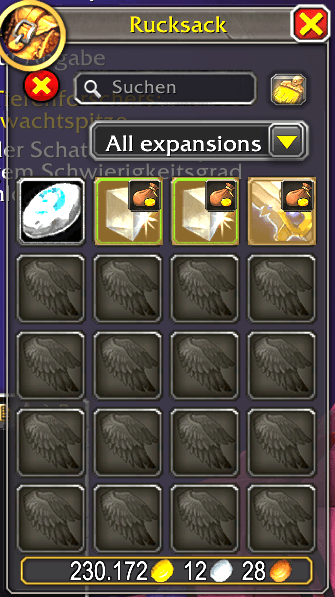
Mark items in your inventory for sale
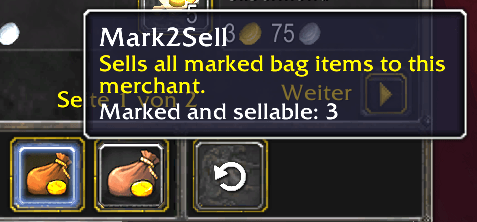
Sell marked items
Description
Mark2Sell
Mark2Sell is a Retail bag helper for planning vendor sales: you mark specific stacks in your bags, see them at a glance, then sell those marked stacks when you talk to a vendor. Marks are tied to the exact item instance (item GUID), so marking one stack of Wool Cloth does not mark every other stack of the same item.
What you can do in-game
- Mark or unmark the bag slot under your cursor with a keybind (only items that have a vendor sell price can be marked; items with no merchant value are rejected so you do not accidentally tag junk you cannot sell).
- Clear every mark on the character with a second keybind.
- See a gold-toned tint and a small sell-style badge on marked slots in the default Blizzard bag UI.
- At any merchant, use the addon’s sell control on the merchant frame to sell marked items in sequence (normal sell pacing; locked slots are skipped).
- Place an optional “clear marks” button near the bag UI; position is adjustable in Options → AddOns → Mark2Sell or in the setup wizard.
- Run the setup wizard anytime with
/m2sto set language, keybinds, and clear-button offsets.
Settings & data
- Interface language: English or German - follows the client by default, with an optional override in addon settings.
- Saved variables:
ItemMarkerDBis stored per character (marks and options are not shared across alts). - Debug mode (in settings): enables an extra keybinding that lists marked item links in chat for troubleshooting; that binding is not shown in the wizard.
Scope note
- Built and tested around the default Blizzard container UI. Support for alternate bag addons (e.g. Bagnon) is a planned improvement, not a guarantee in the current release.
The Mark2Sell Team
