Mapperly – World Map, Quest Navigation & Route Planner
- By
A cleaner world map for WoW Forever, with flexible sizing, useful location markers, custom notes and coordinate navigation.
Wow_UwjEFRHRcT.jpg
Wow_1jwYmxNuge.png
Wow_JLVyl6HMKv.png
Wow_Ph56TZoSNW.png
Wow_R2hMKvkMLX.png
Description
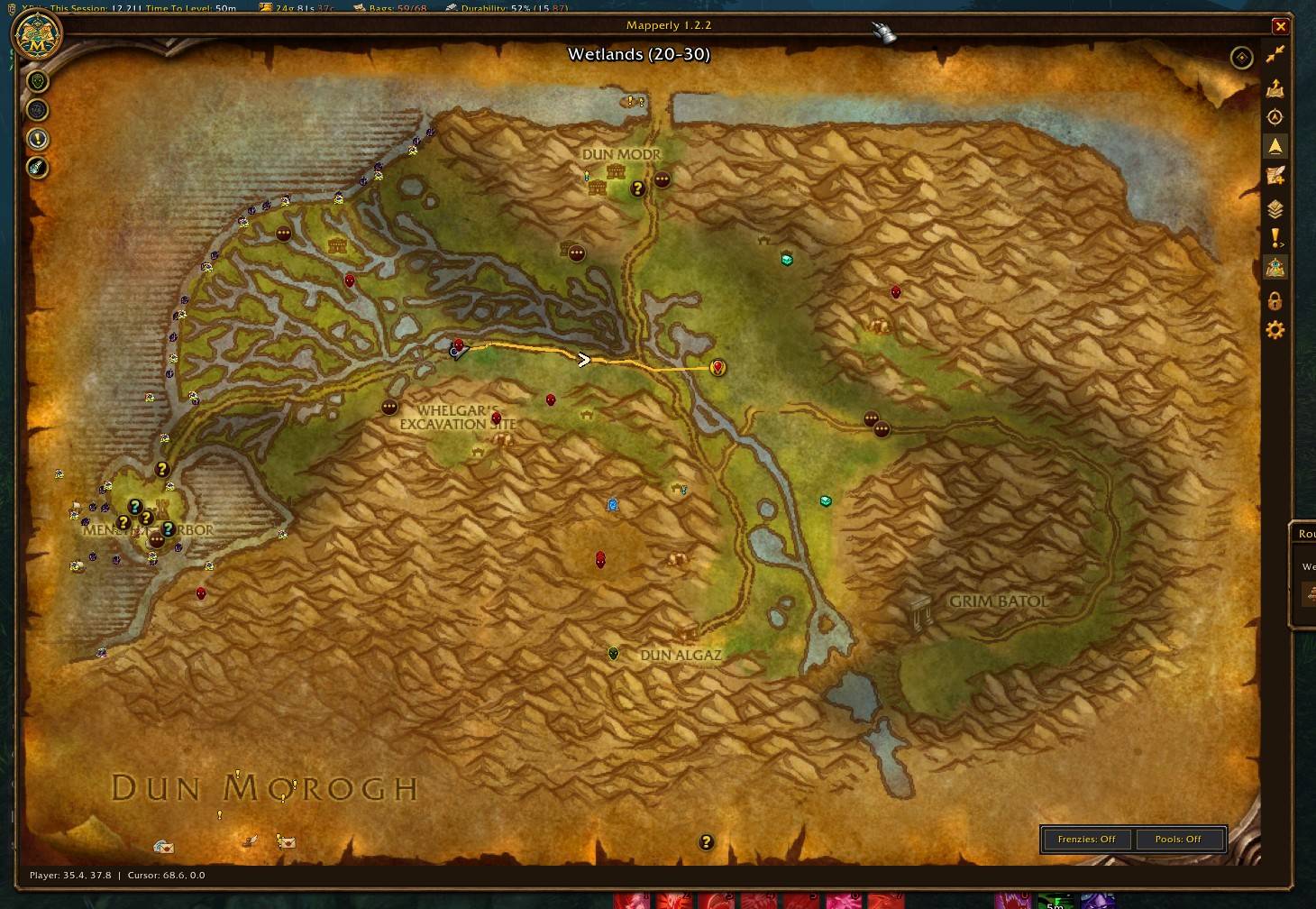
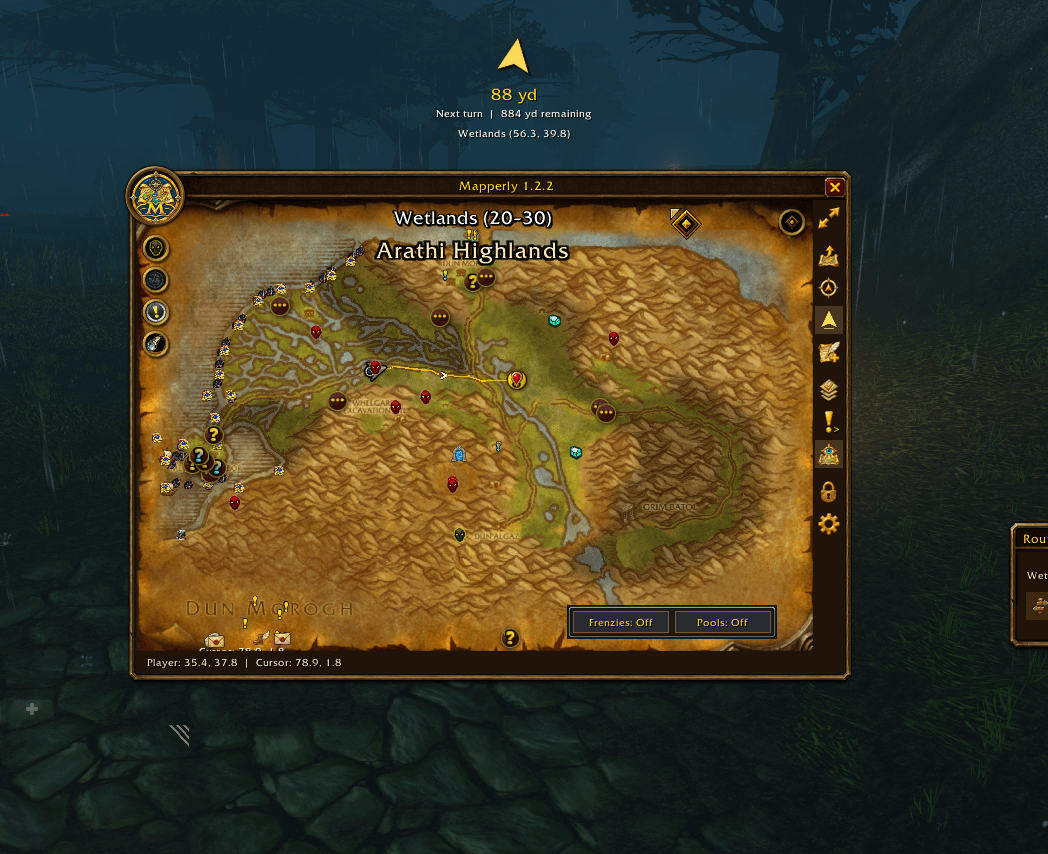
Mapperly improves the WoW Forever world map while keeping a familiar, Blizzard-inspired look. Choose your map size and appearance, display useful locations, add custom notes, and plan journeys with guidance on the world map, minimap and a movable navigation arrow.
A cleaner map experience
- Switch between compact and enlarged views, with your choice remembered.
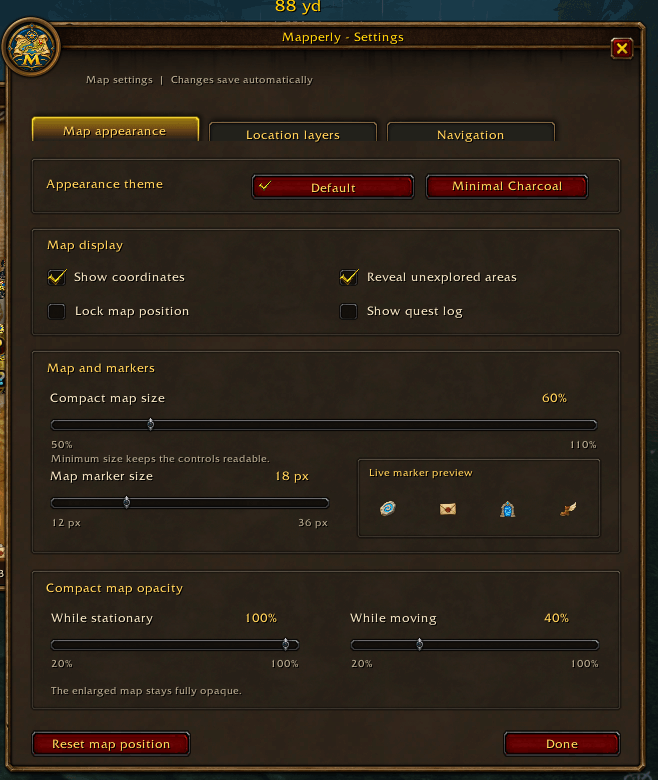
- Move and lock either map size, with separate saved positions.
- Adjust compact-map opacity, including a separate setting while moving.
- Choose between the Blizzard-inspired Default theme and Minimal Charcoal.
- Use a compact icon toolbar with descriptive hover tooltips.
- Show or hide the quest log directly from the map.
- Display player/cursor coordinates, recommended zone levels where available, and unexplored map artwork.
Smart navigation — work in progress
Mapperly’s navigation system is actively being developed and needs your feedback. Routes are estimates based on bundled terrain and travel data. You may encounter awkward paths, missing connections or incorrect guidance, especially around buildings, docks and custom areas.
Smart navigation can:
- Plan walking routes within and between supported zones.
- Prefer known roads, with five preference strengths.
- Try to avoid swimming while allowing it when a dry route cannot be found.
- Include eligible discovered flight paths, boats, zeppelins, airships, the Deeprun Tram and the Great Lift.
- Draw routes on the world map and minimap, with directional indicators and faded completed sections.
- Point the navigation arrow towards upcoming turns.
- Show an on-screen route-steps window, which can collapse to the current step.
- Recalculate after detours and recognise when you rejoin farther along the route.
- Preview journeys, show planning progress, and offer Pause, Resume, Skip and Replan controls.
- Offer to resume a saved destination after reloading.
Prefer simple guidance? Turn Smart routing off to use a straight-line bearing.
Transport boarding and flight selection remain manual. Open flight masters to record the routes offered to your character. Tram guidance requires no manual trip recording.
Find your next destination
- Enter coordinates or Alt-right-click a map location or marker for a quick waypoint.
- Save named destinations and revisit recent history.
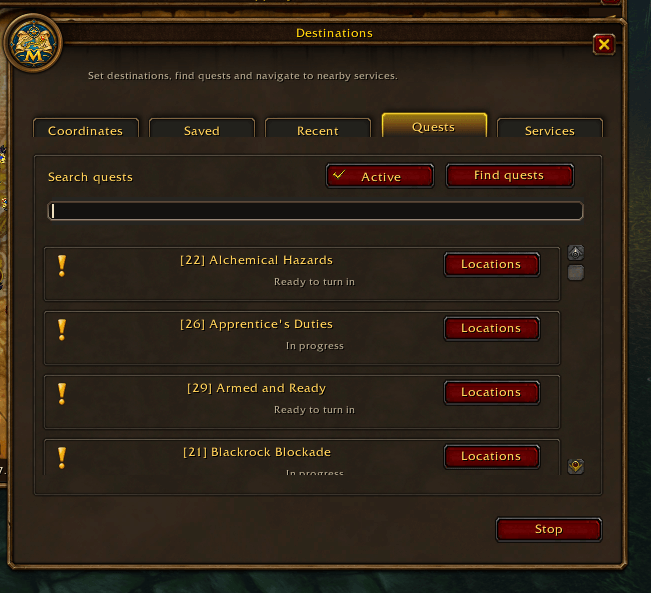
- Search active quests for known objectives and turn-in locations.
- Search the bundled quest catalogue for recorded quest pickups.
- Use Navigate to from supported native quest-log context menus.
- Find nearby inns, mailboxes, flight masters and dungeon entrances by reachable walking route.
Quest locations and availability checks use live information where available alongside a bundled database snapshot. Coverage may be incomplete or outdated. Questie is not required.
Useful location markers
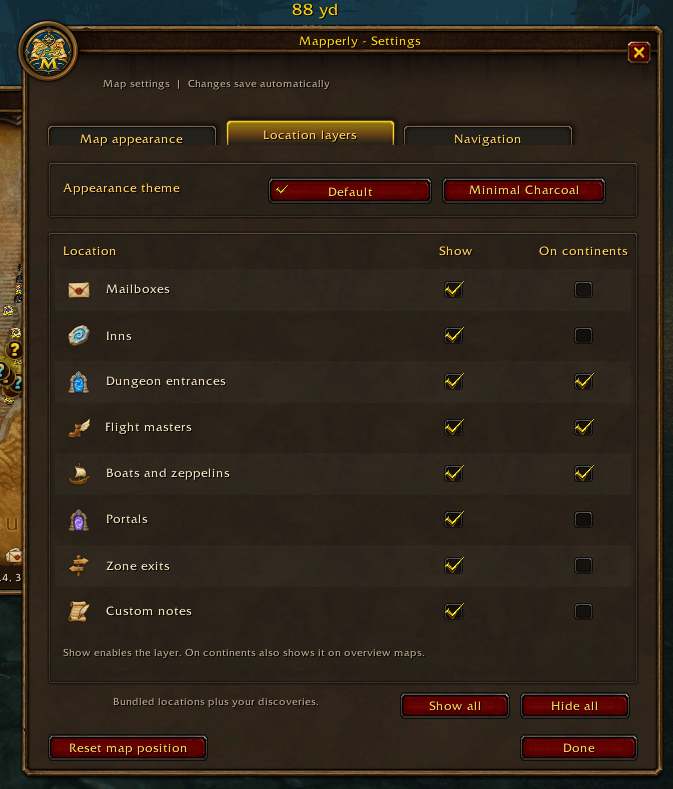
Display inns, mailboxes, dungeon entrances, flight masters, transport locations and supported zone exits. Toggle categories individually and choose which appear on continent maps.
Dungeon markers appear on continent maps by default; other categories default to zone maps. Inns and mailboxes use bundled location data, and service interactions can record additional discoveries.
Hover transport markers on continent or world maps to preview supported outgoing connections.
Custom map notes
Remember useful places with named notes, descriptions, groups and a choice of twelve illustrated icons. Browse and search your notes across zones, edit them later, or share their coordinates through chat.
Help improve navigation
Feedback is especially valuable for routes that fail, take an unexpected detour, choose an unsuitable travel method or fail to advance after a transport.
When reporting a problem, please include:
- Your starting zone and coordinates.
- Your destination and relevant navigation settings.
- What Mapperly suggested and what you expected.
- The copied output from
/mapperly report.
For map-position resets, use /mapperly mapreport start, reproduce the issue, then run /mapperly mapreport and copy the report.
Mapperly – World Map, Quest Navigation & Route Planner Team