


MapCoordsStyled
- By
World map coordinates in a parchment frame that matches the map's own style. Fully adjustable in-game.
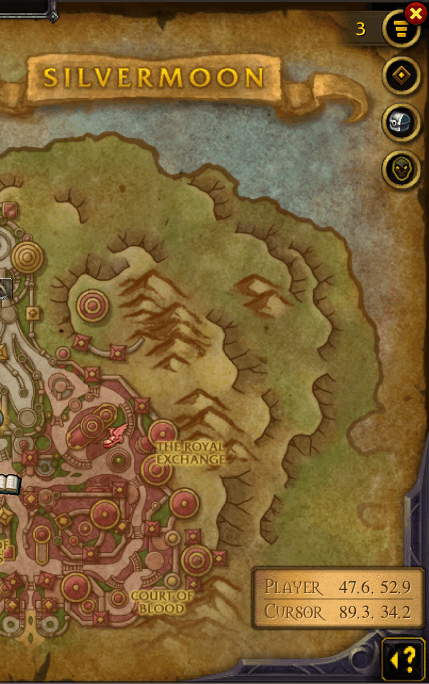
Screenshot_20261031_145241.png
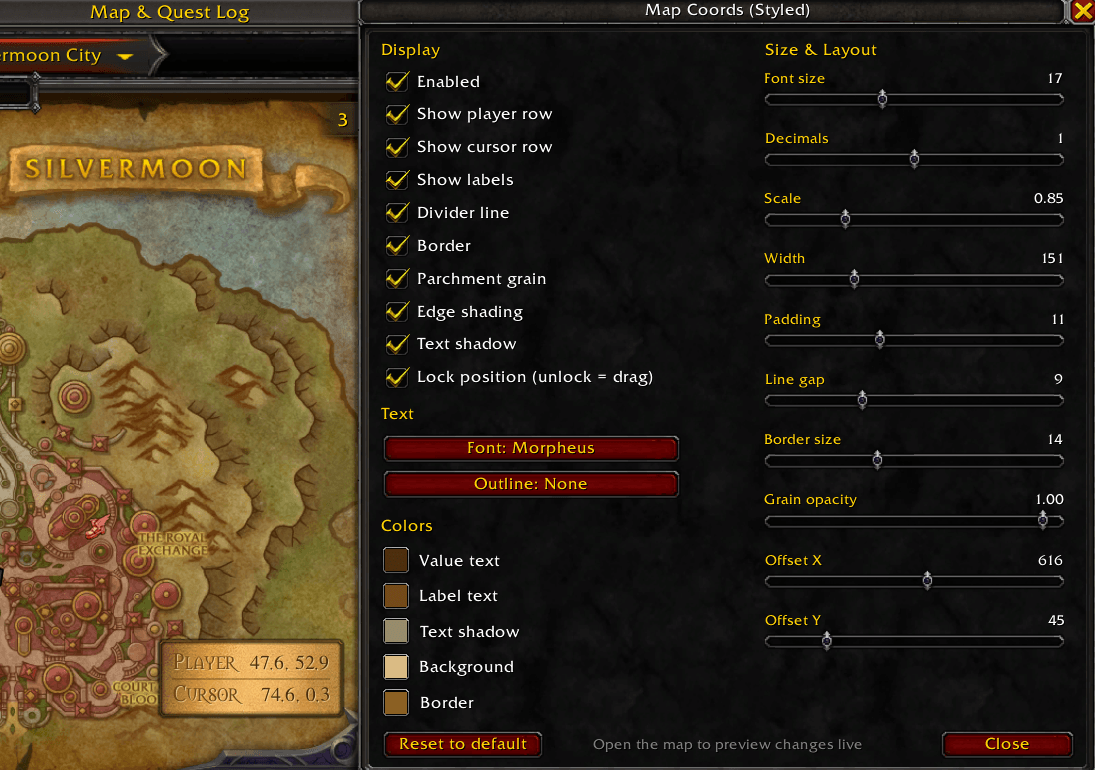
Screenshot_20261031_145358.png
Description
Map Coords (Styled)
Coordinates on the world map, without the floating white text that clashes with everything around it.
Map Coords (Styled) shows your player and cursor coordinates in a small parchment box in the bottom-left corner of the world map. It uses the same Morpheus serif font and warm brown ink as the map's own labels, framed with a bronze border.
Features
- Player and cursor coordinates, updated live while the map is open
- Matches the map's style: parchment background, aged edges, map-ink text
- Lightweight: only runs while the map is open and doesn't block map clicks
- Fully adjustable in-game: every option previews live on the open map
Options
Open with /mcs or via Options → AddOns → Map Coords (Styled).
- Display: toggle player row, cursor row, labels, divider, border, parchment grain, edge shading, text shadow
- Text: font (Morpheus, Friz Quadrata, Skurri, Arial Narrow), outline (none / outline / thick), font size, decimals (0–2)
- Colors: value text, labels, text shadow, background and border, each with a full colour picker (incl. opacity)
- Layout: scale, width, padding, line gap, border size, grain opacity
- Position: X/Y offset sliders, or unlock and drag the box anywhere on the map
Commands
| Command | Action |
|---|---|
/mcs |
Open / close the options window |
/mcs toggle |
Show / hide the coordinate box |
/mcs reset |
Reset all settings to default |
Tips
- If another addon already shows coordinates on the map (e.g. Leatrix Maps), turn off its coordinate option to avoid duplicates.
- Settings are saved per account.
Compatibility
Built for Classic Era / Hardcore / Season of Discovery and WoW Forever. It uses the standard map API, so other flavours should work as well.
Bug reports and suggestions are welcome in the comments or issue tracker.
MapCoordsStyled Team
