Map Quest Rewards
- By
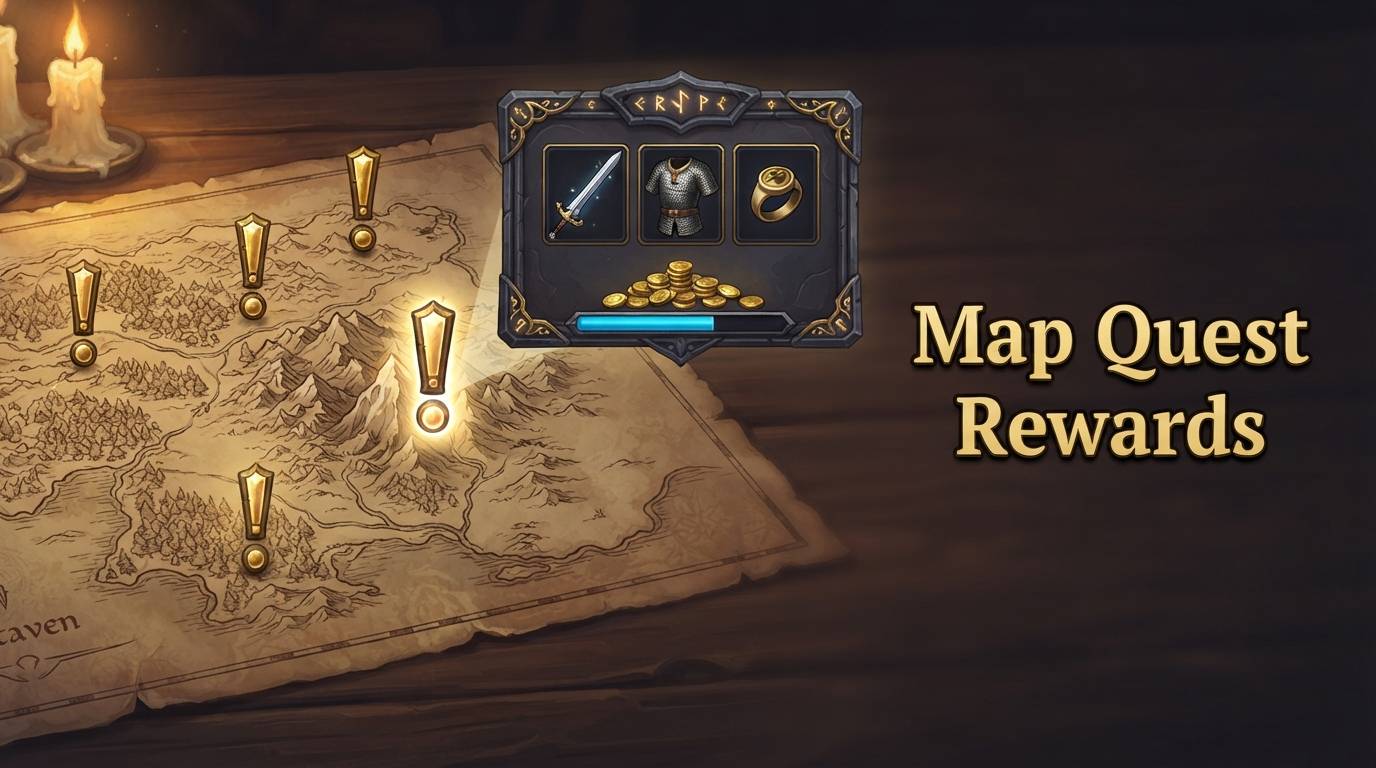
Click any quest on the world map to see its rewards: items with stats, best upgrade, XP, quest chain and every quest at that spot.
Gemini_Generated_Image_m5l1qam5l1qam5l1.jpg
2 · Every quest at that spot@1x.png
5 · Know where the chain goes@1x.png
4 · Hover any item@1x.png
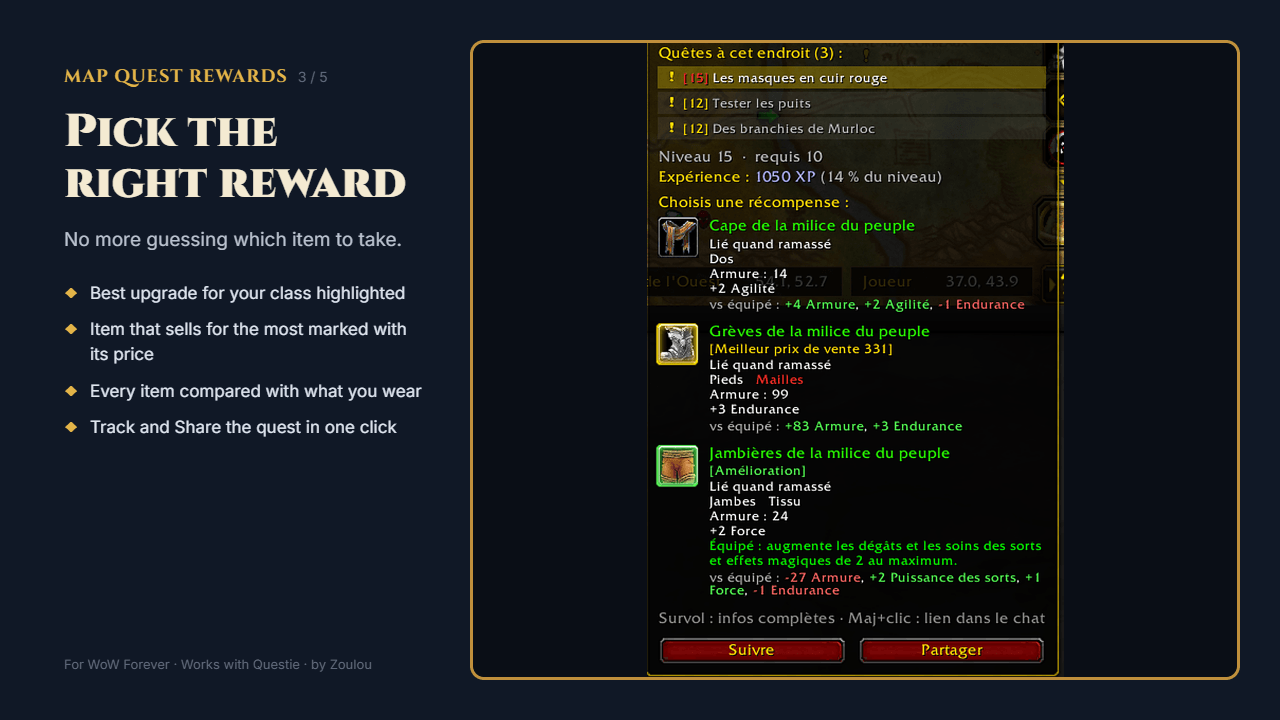
3 · Pick the right reward@1x.png
Description
# Map Quest Rewards
**Is this quest worth it? Click it on the map and find out.**
Map Quest Rewards opens a small window when you click a quest on the world map, showing everything the quest gives you, without opening your quest log or visiting the NPC.
## Features
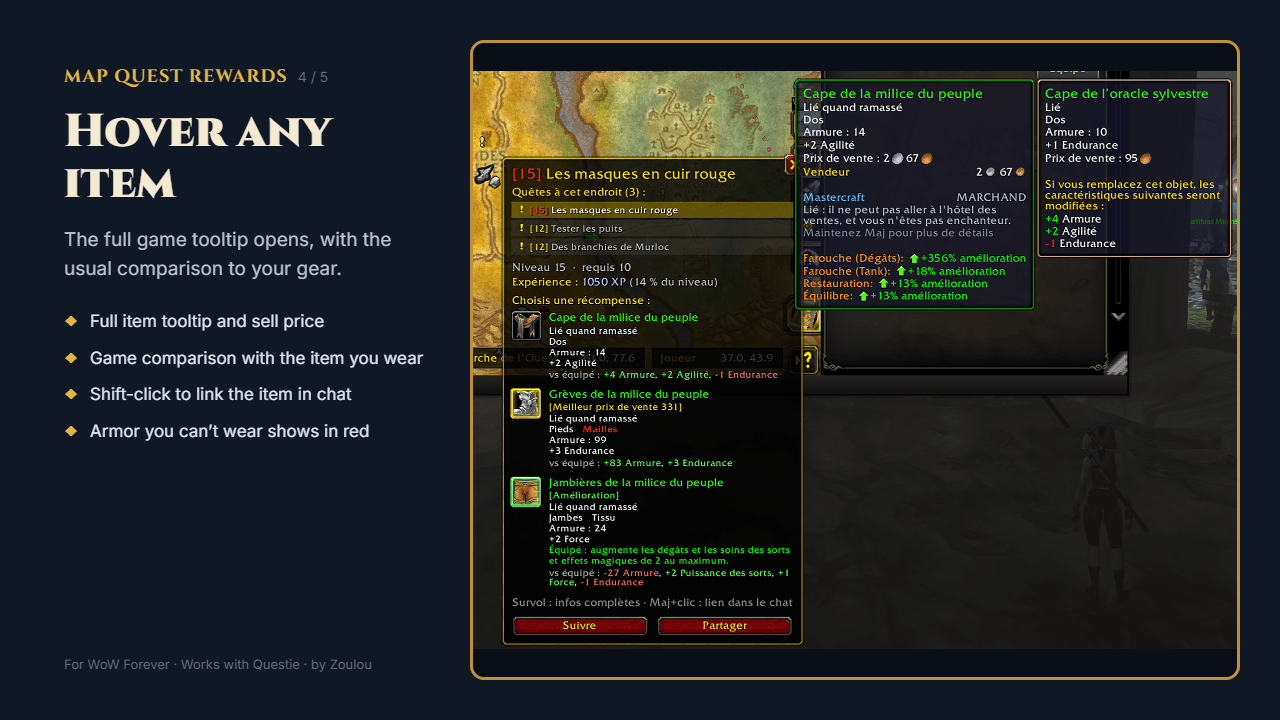
- **Item rewards with their stats**, right in the window, in the item's quality color.
- **Best reward highlighted:** the biggest upgrade for your class and the item that sells for the most.
- **Comparison with your gear** under every item (+/- stats), unusable items greyed out.
- **XP and money**, with the XP as a % of your level. **Real Forever XP is learned** as you turn quests in (shared by all your characters).
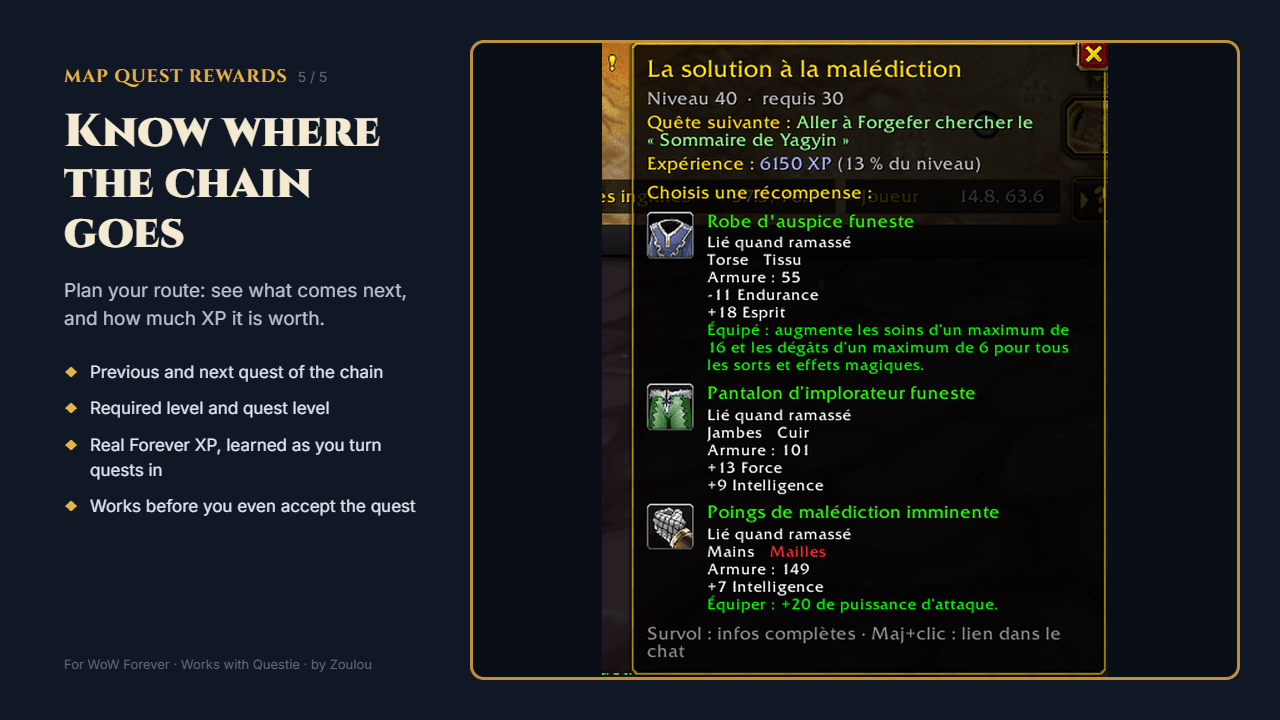
- **Quest chain:** previous and next quest.
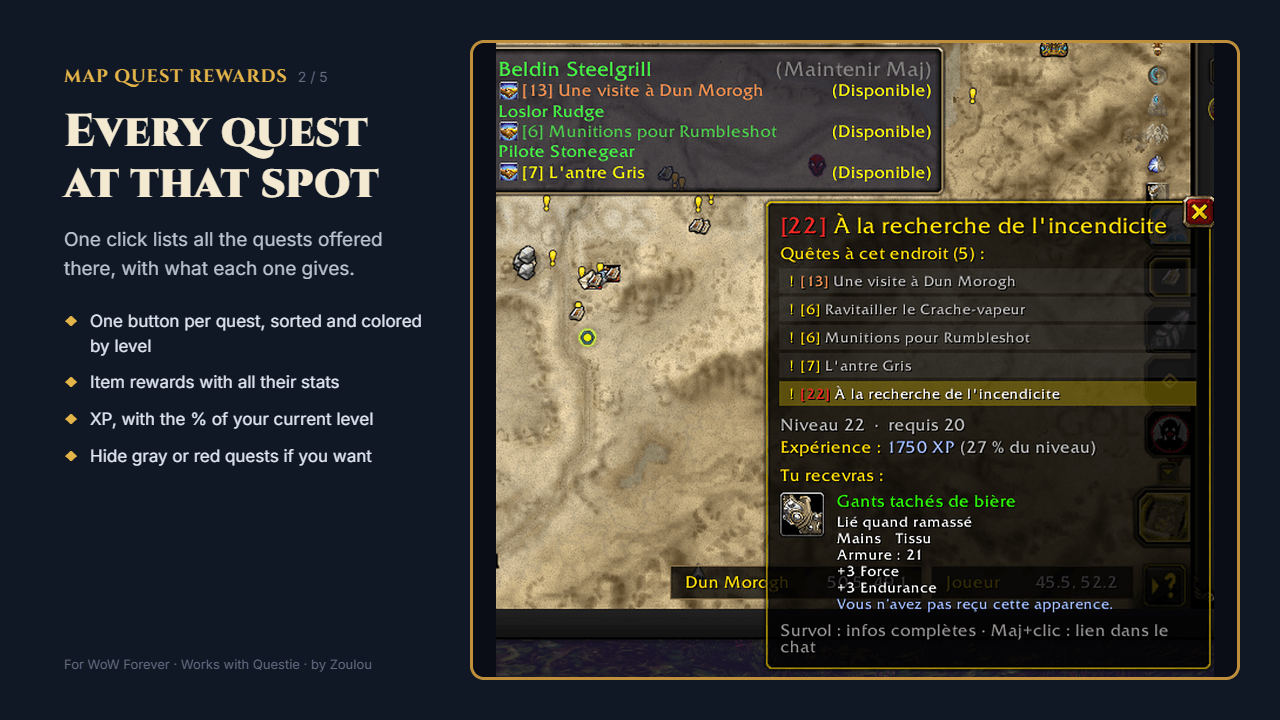
- **Every quest at that spot:** one button per quest from all nearby NPCs, sorted and colored by level. Optionally hide gray or red quests.
- **Track:** adds the quest to your tracker and sets a waypoint to the NPC (TomTom or the game's map pin).
- **Share:** sends the rewards to your group chat.
- **Click or hover:** open the window with a click, or just by resting the cursor on a quest.
- **Map button** (left-click on/off, right-click options) and an **options panel** in Interface › AddOns.
- **7 languages:** English, French, German, Spanish, Italian, Portuguese, Russian.
- Works with **Questie** icons and the game's own quest pins.
## Quests you haven't accepted yet
The game only shares a quest's item rewards once the quest is in your log.
For quests you haven't picked up yet, install **LibQuestDB** (optional) and Map Quest Rewards will show their items from its database.
Note: this is Classic data, and Forever has changed some quests. Quests in your log always use the game's own, exact data.
## Commands
- `/mqr`: open the options
- `/mqr on` / `/mqr off`: enable or disable
- `/mqr button`: reset the map button position
- `/mqr <questID>`: show any quest by its ID
## Optional
- **Questie**: quest names, levels, chains and the quests of nearby NPCs
- **LibQuestDB**: item rewards for quests not in your log
- **TomTom**: waypoint arrow for the Track button
Made by **Zoulou**. Feedback and bug reports are welcome in the comments!
Map Quest Rewards Team