


manners-reasons.png
manners-languages.png
manners-ledger.png
manners-looks.png
manners-palette.png
Description
One click to buff back whoever just buffed you, and nearby players missing yours.
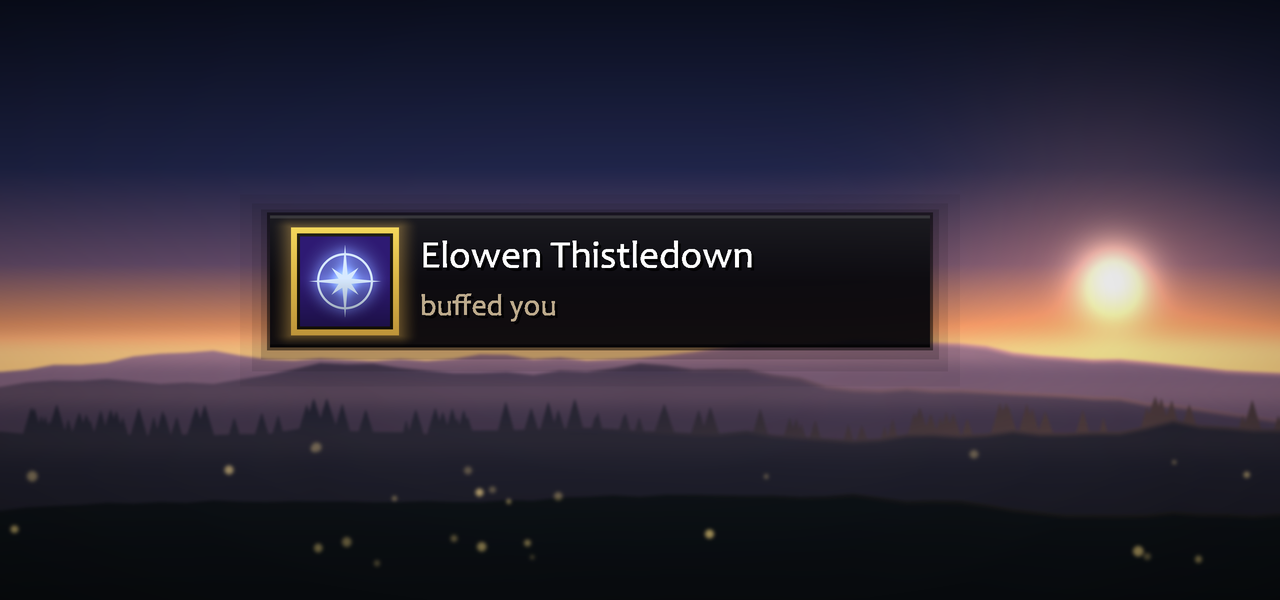
A priest buffs you in passing. By the time you have picked them out of a dozen nameplates, they are gone.
Manners notices, works out what you owe them, and puts one button on screen. Click it, they get their buff, and your own target is handed straight back. It also offers your group, people who ask for your buff in chat, and nearby players missing it, so buffing a stranger costs one click instead of a minute of squinting at names.
In a dungeon or a raid it keeps your group topped up: one group cast for a whole party when you carry the reagent, your group first at a ready check and after a wipe, and only the raid groups you were given. Setting it up takes one page: Start here, four numbered steps.
It looks after you too. When you are missing your own buff, or one your class casts only on itself -- a mage's armor, a priest's Inner Fire, a paladin's aura, a hunter's aspect, a shaman's shield -- "You" comes up on the same prompt, and one press puts it on you.
Built for WoW Forever (Interface 16001), and shipped for that client only.
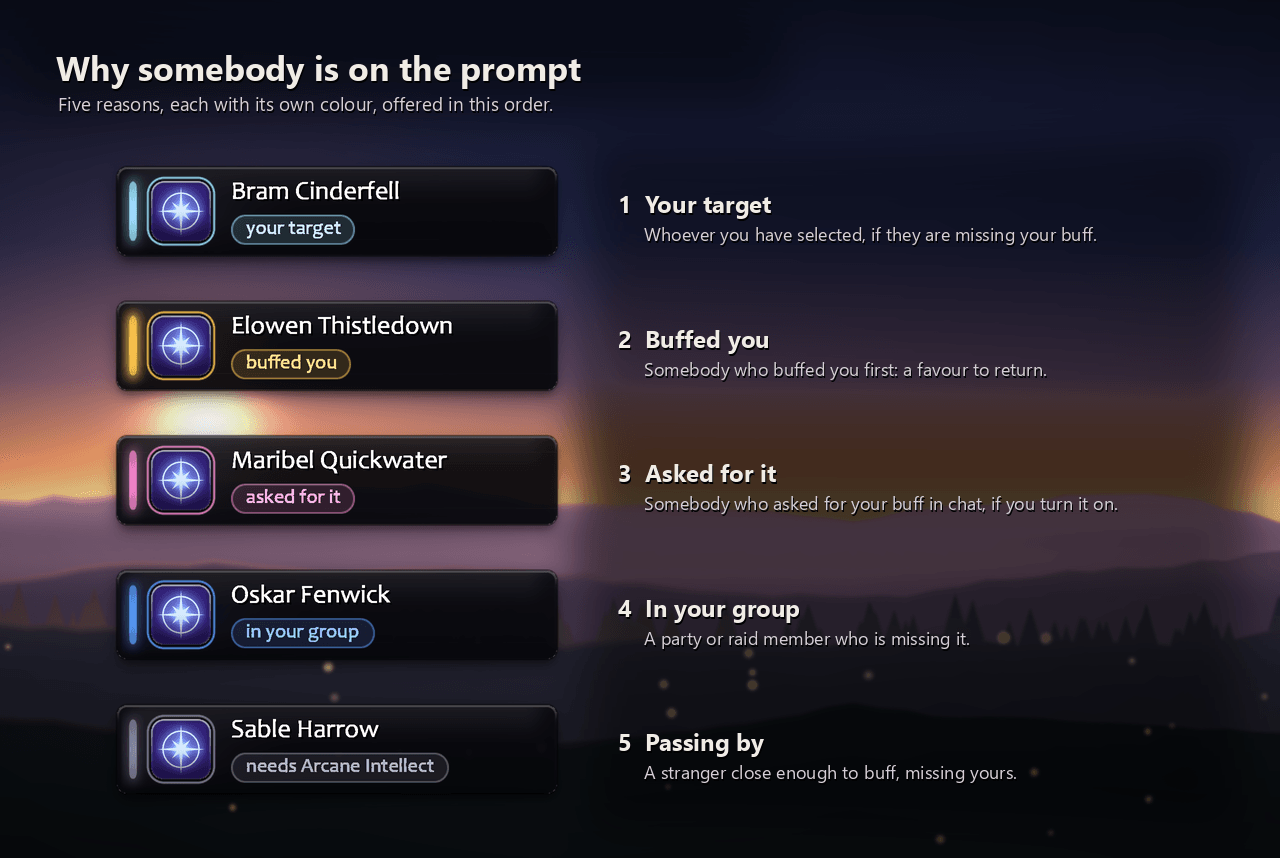
Who it offers, in this order
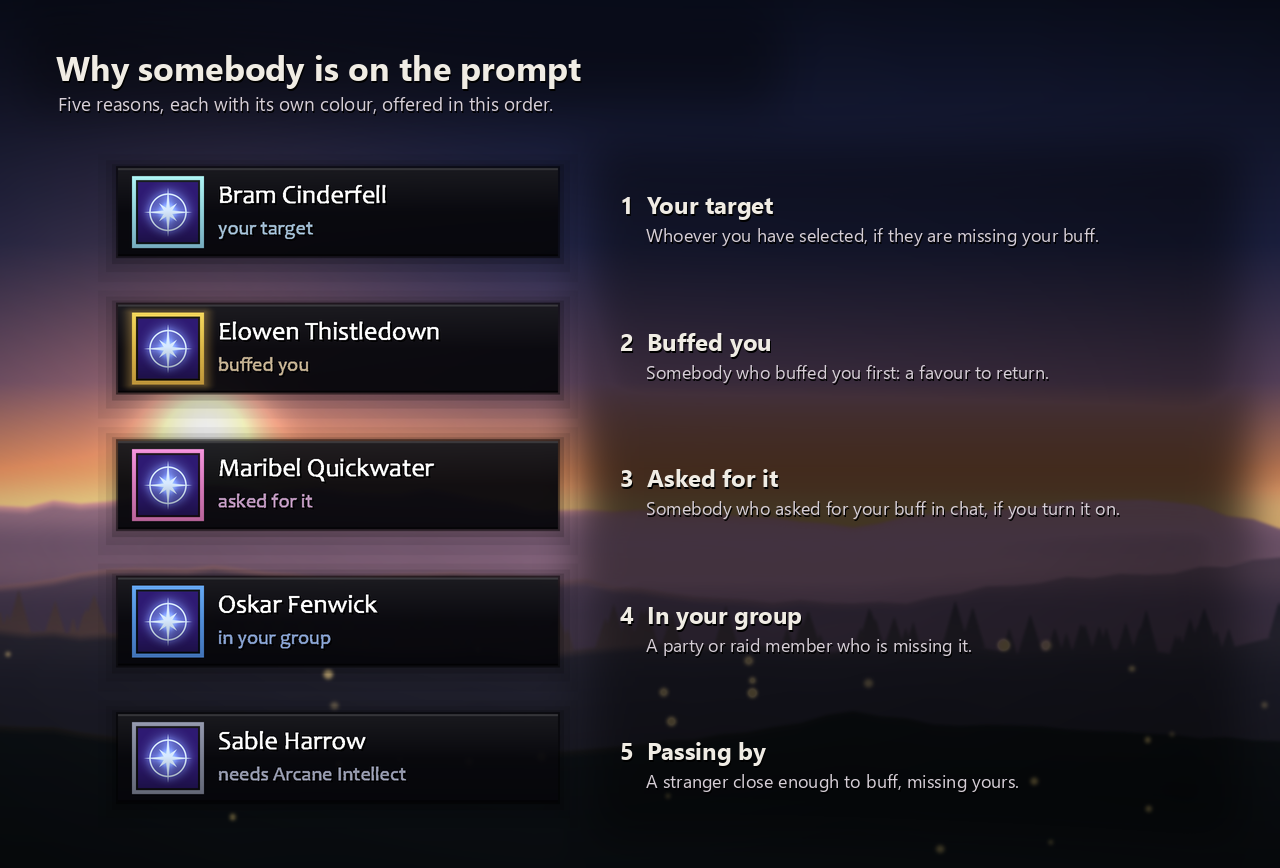
- Your target, when the game can confirm they are missing it.
- Your party or raid at a ready check, or just back from the dead.
- Somebody who buffed you. Works on strangers, and the favour survives a reload or a disconnect.
- Somebody who asked for it in chat, if you switch that on.
- You, when you are missing your own buff or one of your class's own (see Buff myself below).
- Your party or raid, anyone missing your buff.
- Passers-by missing your buff: nameplates, your target, focus and mouseover.
It skips the dead, the out of range, anyone you just tried, anyone the buff does nothing for (Arcane Intellect is wasted on a rogue), and, while you are not flagged yourself, anyone flagged for PvP -- buffing them would flag you too. Right-click the prompt to skip somebody for now; shift-right-click to never offer them anything.
- Never offer. A list of people who are never offered anything, unless they buff you, because returning a favour is the point.
- Friends and guildmates first. Battle.net friends included, they go ahead of other passers-by and the rest of your group.
- People who ask me in chat. Off by default. Somebody who says "int pls", "fort?" or "can I get motw" in /say, /yell, group chat or a whisper is offered it for a minute. Only short messages that plainly ask count, and nothing said in a fight unless it was whispered. Nothing is ever said back.
- How near is near. Arcane Intellect reaches thirty yards, which in a city is everybody on screen, so passers-by can be limited to nearby (about ten yards, the default) or right beside me, or offered only in cities and inns.
- If they already have it: leave them alone, offer a top-up when it runs low, or always offer.
- Out of the way when you want it.
/manners snoozehides the prompt for 15 minutes (orsnooze 5,snooze 1h,snooze off), and Hide the prompt while I'm mounted keeps it away while you ride. - Thank them with an emote. Off by default. When somebody buffs you and you have something to give back, you
/thankthem -- never in a fight or an instance, and at most once per person every five minutes. Not yet tried in game.
Buff myself
- Your own buff. Missing the buff you give everybody else? "You" comes up on the prompt with "your own Arcane Intellect" under it, and a press casts it on you: your target is left alone and nothing is said.
- Your class's own buffs, once you have learned them: a mage's Frost Armor (Ice Armor from level 30) or Mage Armor; a priest's Inner Fire, Touch of Weakness and Shadowguard; a warlock's Demon Skin (Demon Armor from level 20); a paladin's aura and Righteous Fury; a hunter's aspect and Trueshot Aura; a shaman's Lightning Shield or Water Shield; a druid's Omen of Clarity.
- Automatic, or your choice. Where your class has several of one kind -- armors, auras, aspects, shields -- pick the one you want, or leave it on Automatic, which follows the one you had up last and says which. Until you have had one up, a mage gets Mage Armor in a dungeon or raid and Frost Armor everywhere else. Don't remind me turns one off.
- Only when it matters. Only when none of a kind is up, so the armor or aura you chose is never swapped for another; never in a fight; and not in cities and inns unless you tick Also in cities and inns. Righteous Fury only while your group role is tank, unless you set it to Always.
- Hunters and shamans, who have nothing to give anybody else, now get a prompt for their own buffs.
- One switch for all of it: Myself, when I'm missing my own buff on the Who to buff tab, on by default.
Dungeons and raids
- One cast for the whole party. Once you know Arcane Brilliance, a Prayer, Gift of the Wild or a Greater Blessing and carry its reagent, a party with 3 or more people who need your buff gets one group cast instead of one each (a Greater Blessing goes by class). The prompt says who it is for ("Your party", "Group 2", "Every Warrior") and why ("Arcane Brilliance -- 4 missing"), and the tooltip counts your reagents. Short of mana for it, you get the single buff; out of reagents, it goes back to one at a time.
- Ready checks. From a ready check until the pull, your party or raid goes to the front of the queue.
- Back from the dead. For two minutes after somebody is brought back, they go to the front. Feign Death doesn't count.
- Raid groups I buff. Untick the groups you weren't assigned; people who buffed you or asked are still offered.
- Save mana. Below the level you set, only your own buffs and people who buffed you or asked are offered, until your mana climbs back.
- Quieter raids. No "buffed you" chat line inside a raid, or during a fight in a dungeon. The favour is still remembered.
The favour ledger
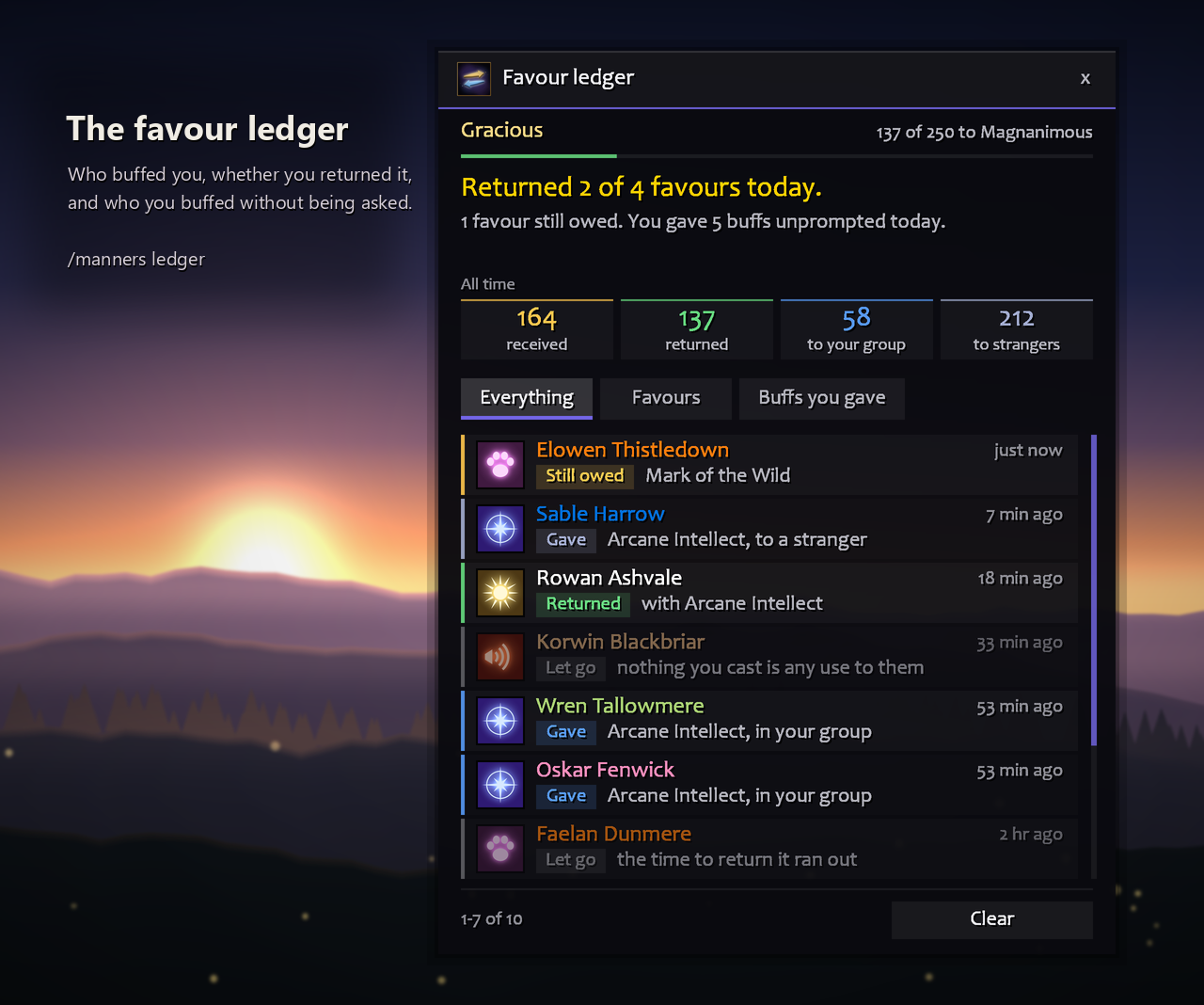
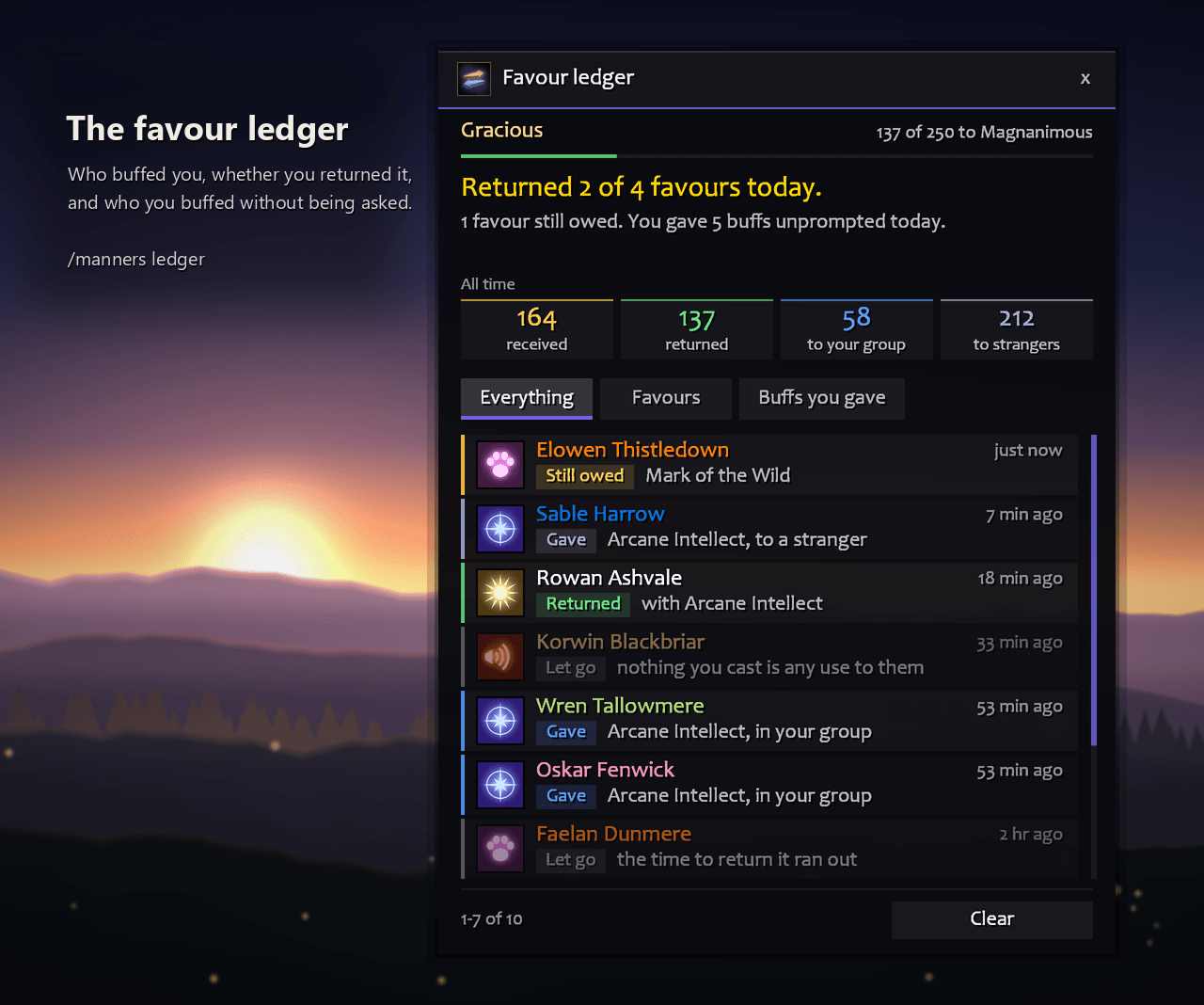
Who buffed you and with what, whether you returned it (and if not, why), and who you buffed without being asked, with today's count ("Returned 12 of 14 favours today") and your all-time totals. /manners ledger or shift-click the minimap button.
Favours you return also earn you a title, from Well Brought Up at 10 to The Very Soul of Courtesy at 1,000. It sits at the top of the ledger with how far you are from the next ("37 of 50 to Courteous"), and in the minimap tooltip. The only thing the ledger ever says in chat is a new title, once.
The prompt
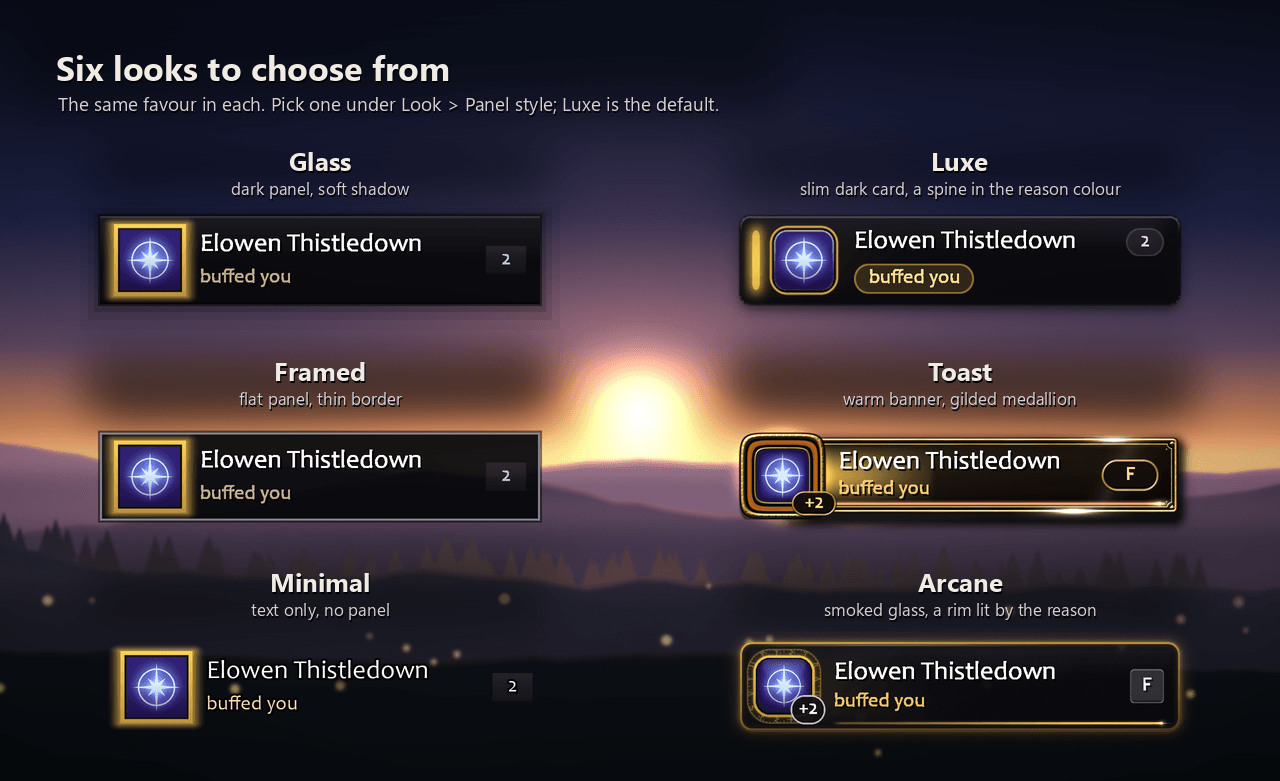
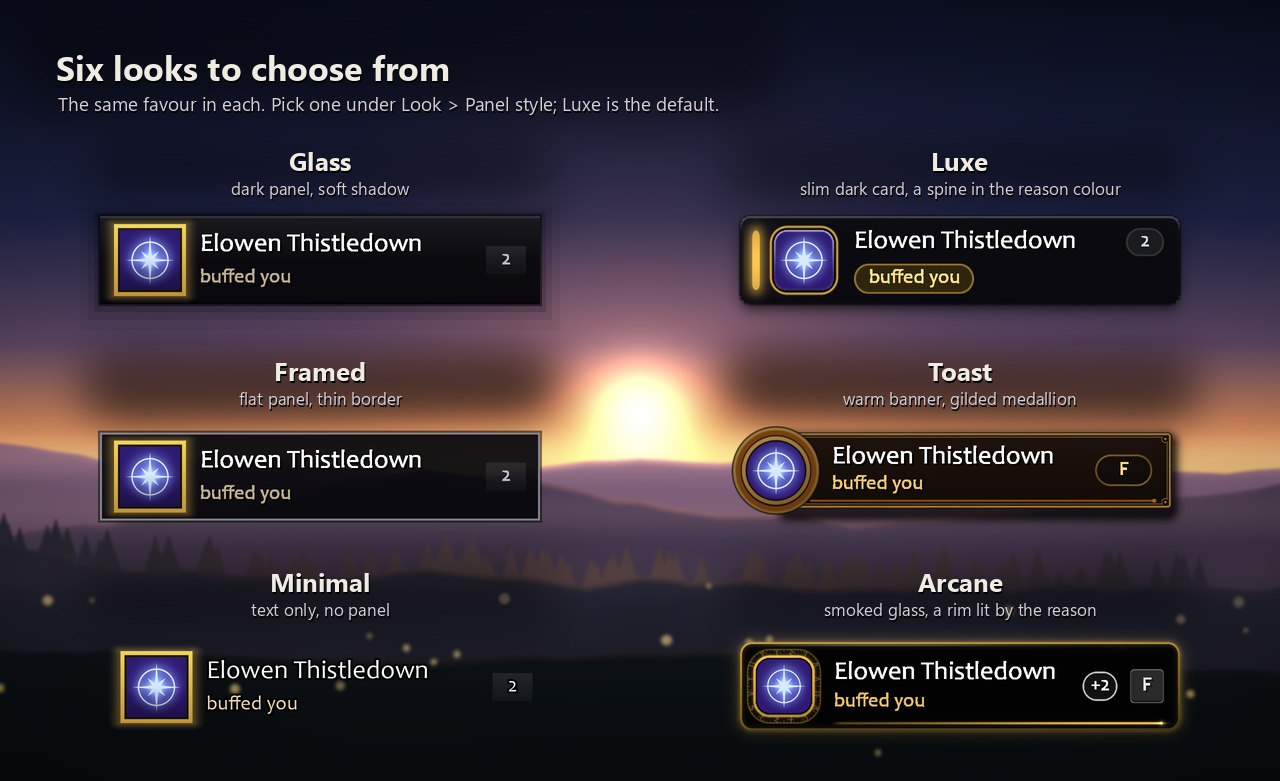
Six looks to choose from under Look > Style: Luxe (the default: a slim dark card with a stripe and a tag in the reason colour), Toast (a gilded banner with a medallion round the icon), Arcane (smoked glass, a turning rune circle and a keycap showing your key), and Glass, Framed and Minimal. Your own colours and fonts, and LibSharedMedia support. When a buff lands a ring pops out of the icon and light crosses the panel; a refused one gives a small shake. The icon shows the global cooldown sweep like an action bar. Set Animations to Calm if you would rather it kept still.
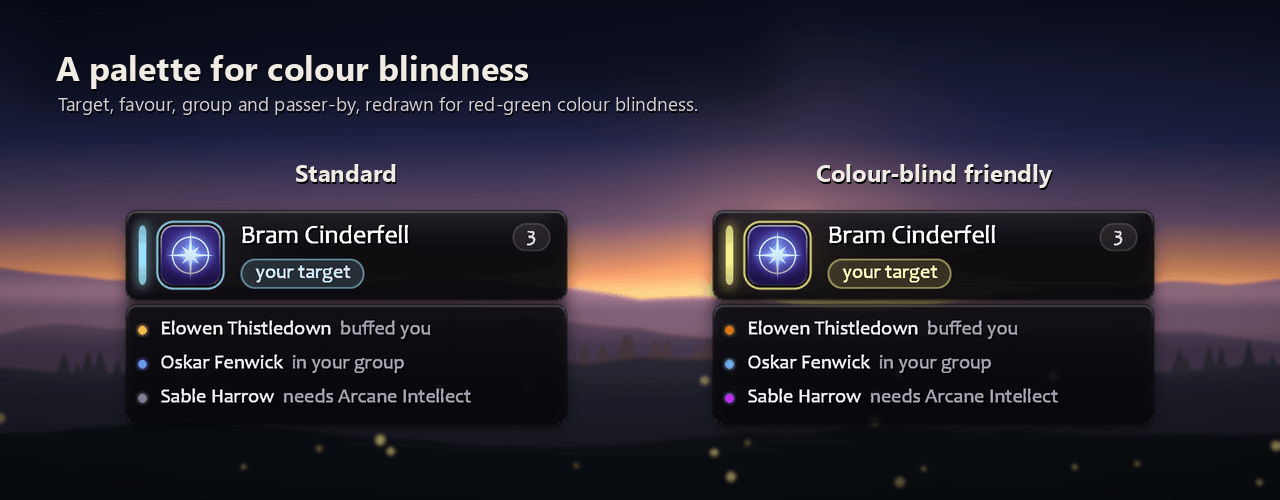
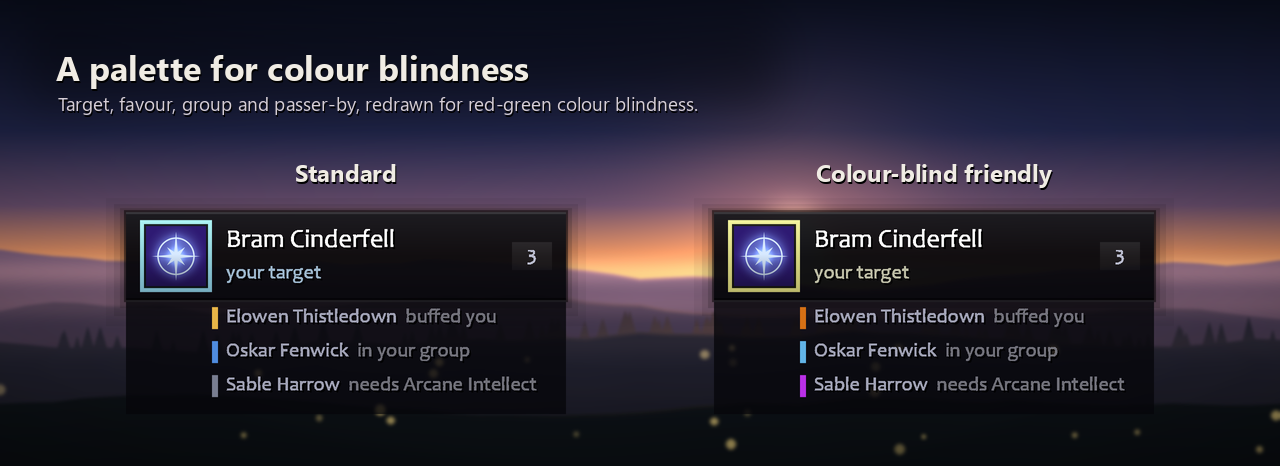
Leave the text colour at white and it turns dark by itself on a light panel. Reason colours under Look > Style has a colour-blind friendly set: pale yellow, orange, sky blue and violet.
Say something
Optional, and off until you turn it on: a line when you buff somebody, from four sets (Fantasy, Polite, Cheeky, or just their name) that you can edit. It goes out through the button's macro, so it counts as you talking. Say it, yell it, tell your group, or whisper them so nobody else hears; a whisper goes only when there is no doubt who it reaches.
Or pick In character (fits your race and class): over two thousand lines, and the one you say is chosen when you click, to fit your people, your class and the moment. Thanks when you return a favour, an answer when somebody asked, an offer to a stranger, something warmer for your group -- and lines that only work right now: about the spell you are giving, a trade for the one they gave you, the third swap today, an inn, a dungeon, the small hours, somebody of your own class. Every race has its own voice (a dwarf's brogue, an orc's Lok'tar ogar, a Forsaken's gallows humour), and it does not repeat itself. In all nine languages.
"Most kind, Elowen. You've lifted me from 'deceased' to 'mildly deceased'." -- a Forsaken, returning a favour
The minimap button
Click for options, shift-click for the ledger, middle-click to switch Manners on or off. Right-click for a menu: snooze, preview, who's next (skip them or never offer them), lock and position, sound and effects, chat lines and profiles. It is in the addon compartment too, so hiding the button loses nothing.
Getting started
Type /manners or click the minimap button, and the options open on Start here: four numbered steps. 1. Who to buff, one quick choice from Only people who buff me to My group, kept topped up (dungeons and raids). 2. Put it on a key, set right there, or Make a macro for your bars. 3. See it: show the prompt and pick where it sits. 4. Say thanks, if you like: stay silent, /thank them, or say a line. Everything else is on the other tabs, in plain words.
The first login on each character says what it does and shows you the prompt once; /manners welcome says it again.
/manners            options
/manners test       preview the prompt
/manners unlock     drag the prompt; it locks again when you let go
/manners snooze     hide the prompt for 15 minutes, or as long as you say
/manners ledger     the favour ledger
/manners never      who is never offered anything; add a name to put them on it
/manners export     your settings as one line of text, to keep or share
/manners import     use a line somebody exported (import undo puts yours back)
/manners debug      what your class and this build allow
/manners help       every command, grouped
/mnr works as well. Profiles are supported, and a pasted settings line never switches on speaking to other players or moves your prompt.
Classes
| Class | Buffs for others | On yourself as well |
|---|---|---|
| Mage | Arcane Intellect | Frost Armor (Ice Armor from 30) or Mage Armor |
| Priest | Power Word: Fortitude, Divine Spirit, Shadow Protection | Inner Fire, Touch of Weakness, Shadowguard |
| Druid | Mark of the Wild, Thorns | Omen of Clarity |
| Paladin | Wisdom, Might, Kings, Salvation, Light, Sanctuary | an aura, Righteous Fury |
| Warlock | Unending Breath | Demon Skin (Demon Armor from 20) |
| Warrior | Battle Shout (your own party only) | none |
| Hunter | none | an aspect, Trueshot Aura |
| Shaman | none | Lightning Shield or Water Shield |
Where a class has several, the prompt offers whichever one they are missing: a priest walks Fortitude, then Divine Spirit, then Shadow Protection. Paladin blessings overwrite one another, so anybody holding one of yours is left alone, and the automatic pick is Wisdom for mana users and Might for everyone else. You can switch buffs off, or pin one and only ever cast that. Mages, priests, druids and paladins also get the group version (Arcane Brilliance, the Prayers, Gift of the Wild, the Greater Blessings) once they have learned it and carry its reagent.
Buff myself offers you the buff you give others too, and everything in the last column once you have learned it. A warrior's shout already covers him, and nobody needs Unending Breath on dry land, so those two never are. Hunters and shamans have nothing to cast on another player, so their prompt is for their own buffs. Rogues have nothing to cast at all, and Manners says so.
Languages
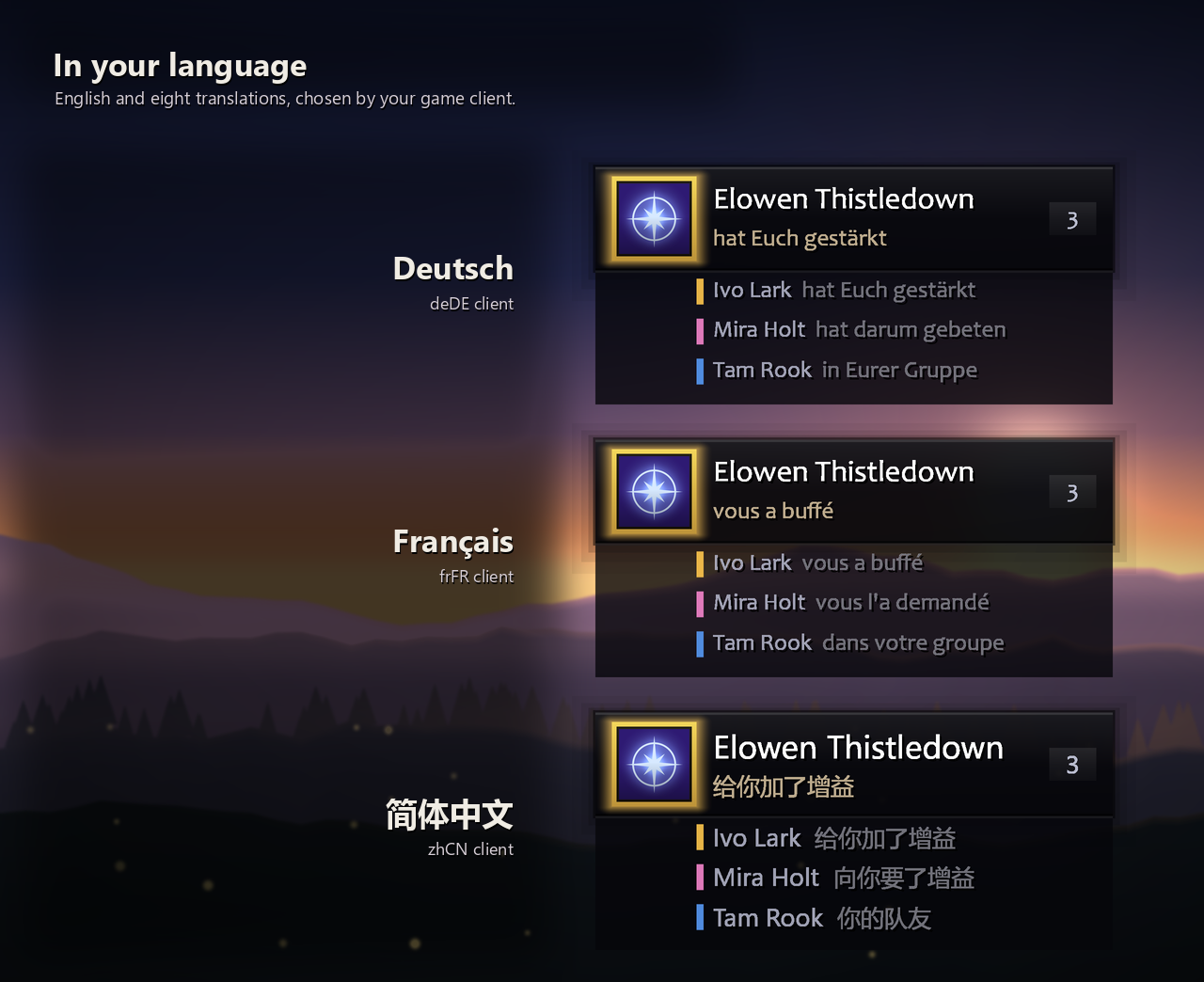
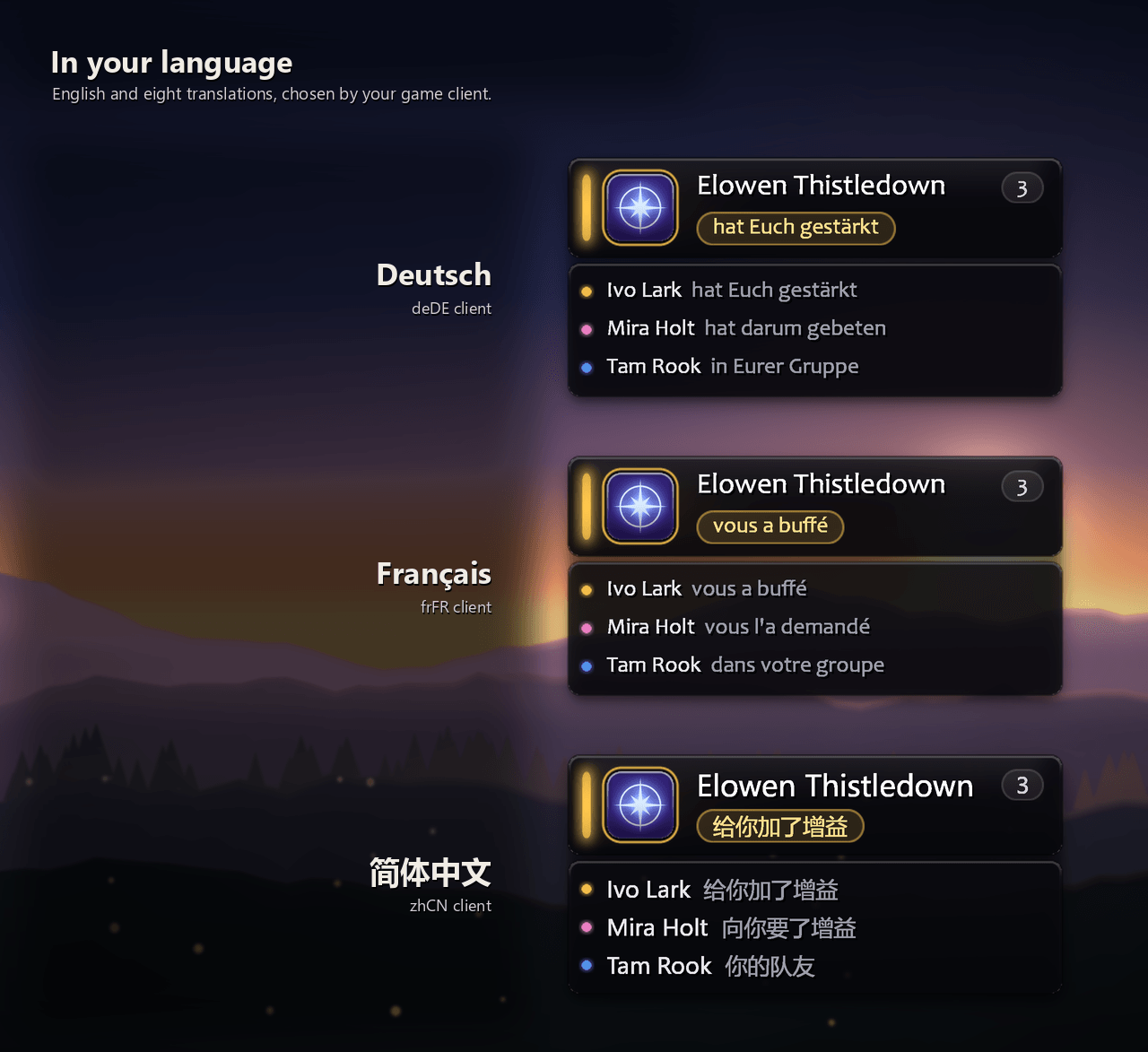
English, German, Spanish (Spain and Mexico), French, Italian, Korean, Brazilian Portuguese, Simplified and Traditional Chinese, whichever your client runs in.
Why a button, and not automatic
Blizzard does not let an addon cast a spell on its own, and has not since patch 2.0. So Manners does everything except the keypress: it decides who deserves the buff, and the game casts when you click.
On WoW Forever conditional targeting ([@unit], [@mouseover], [@focus]) does not resolve, so buffing somebody means targeting them for an instant. Your previous target is handed straight back, and that can be switched off.
Bugs and reports
Use the issue templates on GitHub. The Diagnostics tab has a Copy for a bug report button that gathers the build, what your client allows and anything that has broken.
Also on Wago, which is the one WowUp reads. Free, MIT licensed, source on GitHub.
Manners Team
