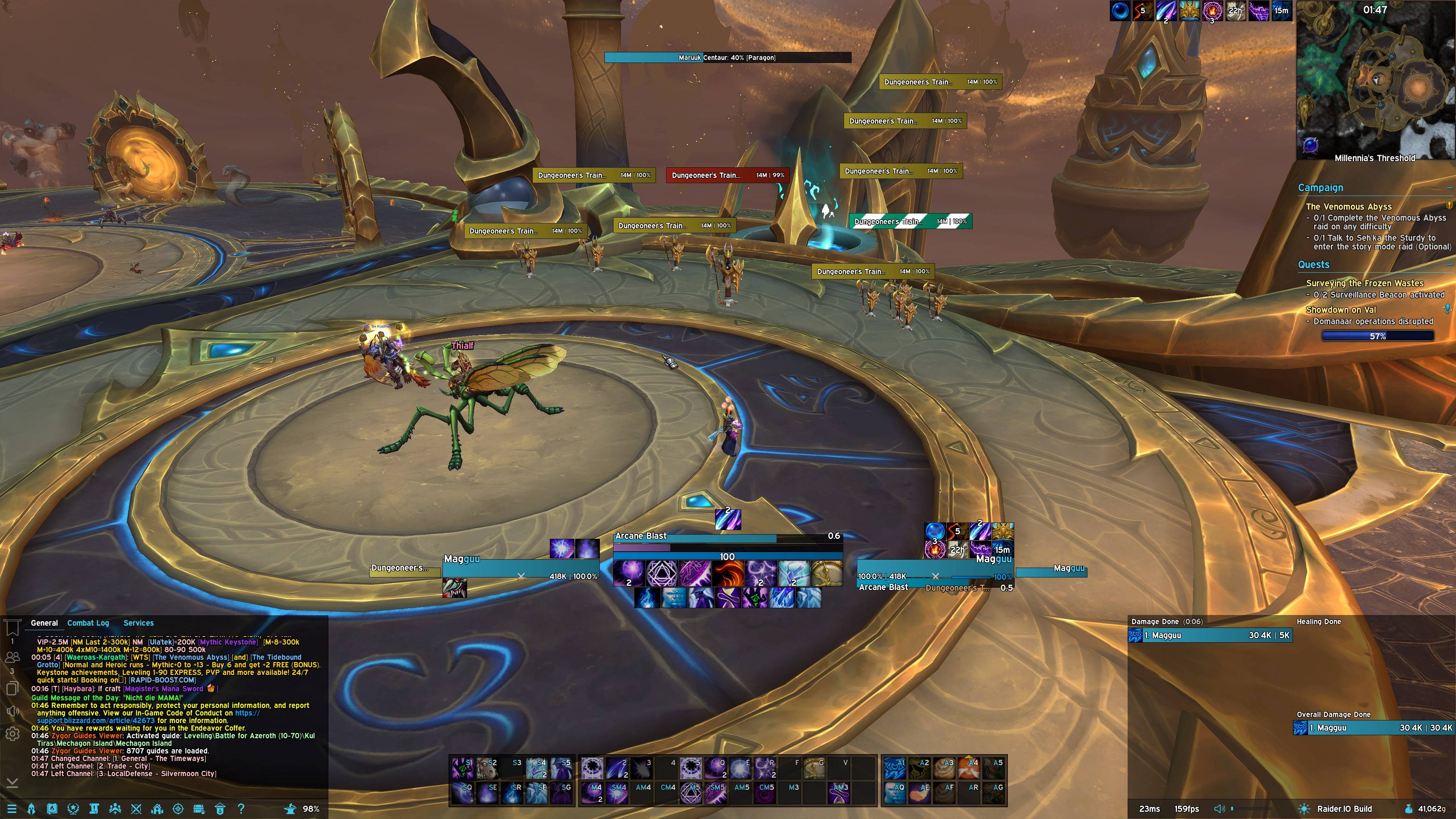
MagguuUI
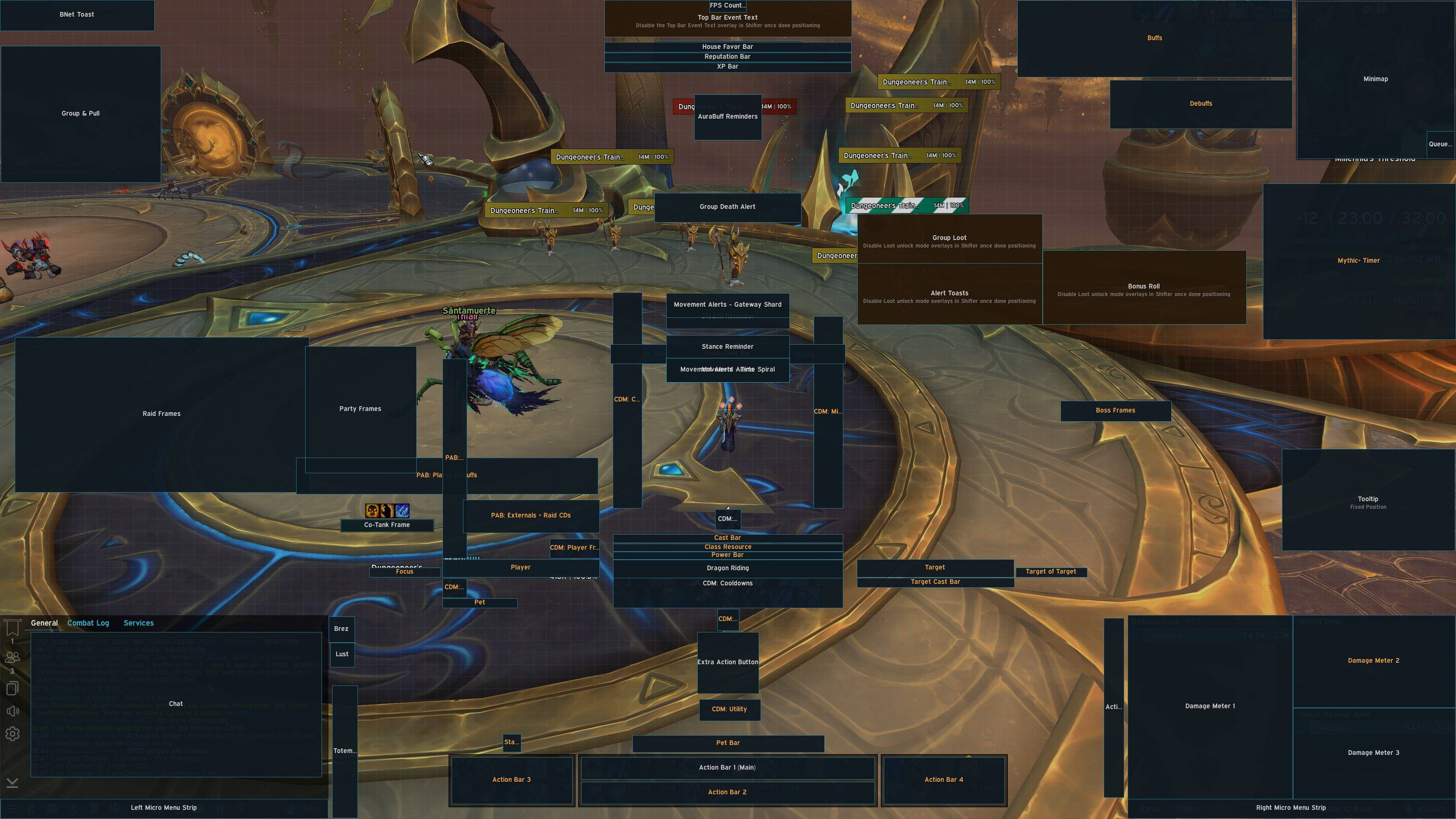
MagguuUI Mover
Description

A native 4K UI for EllesmereUI. Open with /mui.





MagguuUI sits inside EllesmereUI. Type /mui to open Setup, Skinning, QoL, and Changelog. There is no extra Magguu window.
You need
- EllesmereUI 9.0.6+, enabled
- All four MagguuUI folders, enabled: MagguuUI, MagguuUI [Data], MagguuUI [EUI], MagguuUI [Media]
BigWigs, LittleWigs, Northern Sky, EXBoss, WIM, Waypoint UI, HandyNotes, Talent Tree Tweaks, GTFO, BugSack, Premade Groups Filter, and Smart Reminders are optional. MagguuUI sets them up if they are installed. Setup buttons are BigWigs, Northern Sky, EXBoss, and Smart Reminders; the dump addons apply with Apply Magguu profiles.
Install
- Install EllesmereUI and the four MagguuUI folders. Keep them enabled.
- Log in. Ellesmere’s start popup is skipped. Magguu Setup opens.
- Click the gold Apply Magguu profiles button.
- Reload when asked.
Apply Magguu profiles installs the MagguuUI look (scale 0.58), class layouts, and profiles for addons you already have.
Apply Magguu Settings only refreshes Magguu’s look — it does not reinstall profiles.
Load profiles is for alts. It switches to Magguu profiles you already installed.
Included
- Ellesmere profile MagguuUI, UI scale 0.58, tooltip stays put
- Class layouts named Magguu - Class Spec
- Skinning: split names on unit frames and party/raid, class-colored keybinds
- QoL: death-release, co-tank, stealth/stance, spell alerts, party/raid item level, Smart Tab, Hide Services on General, Quick Focus, audio switcher, Boiling Point
- Optional Magguu profiles for BigWigs, Northern Sky, EXBoss, WIM, Waypoint UI, HandyNotes, Talent Tree Tweaks, GTFO, BugSack, Premade Groups Filter, and Smart Reminders
- Nearby Cast via Ellesmere Targeted Spell Bars. Leave EXBoss MythicCast off.
/mui · /mui setup · /mui qol · /mui changelog · /mui tools
Ready for WoW 12.1. Still loads on Midnight 12.0.
Website: ui.magguu.xyz
MagguuUI Team