Screenshot 2026-11-21 173855.png
Screenshot 2026-11-21 174006.png
Screenshot 2026-11-21 174033.png
Screenshot 2026-11-21 170748.png
Description
Macroni
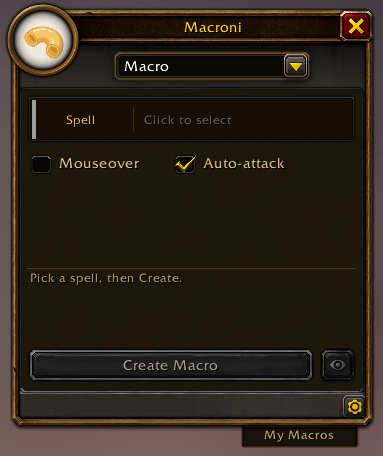
Macroni builds the macros you actually use, straight from your spellbook, in a few clicks. Pick a spell, tick the options you want, and drag the finished macro onto your action bar. No macro syntax needed.
Works on WoW Forever and Retail.
Macro types
- Macro (default) - one spell, with optional Mouseover and Auto-attack.
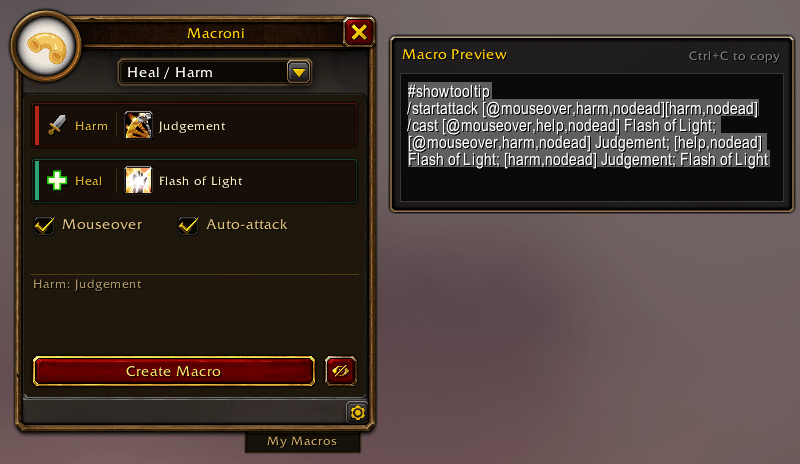
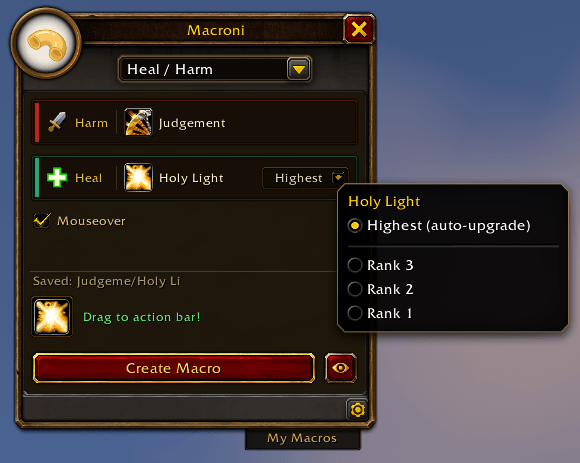
- Heal / Harm - one button that heals a friendly target and attacks a hostile one.
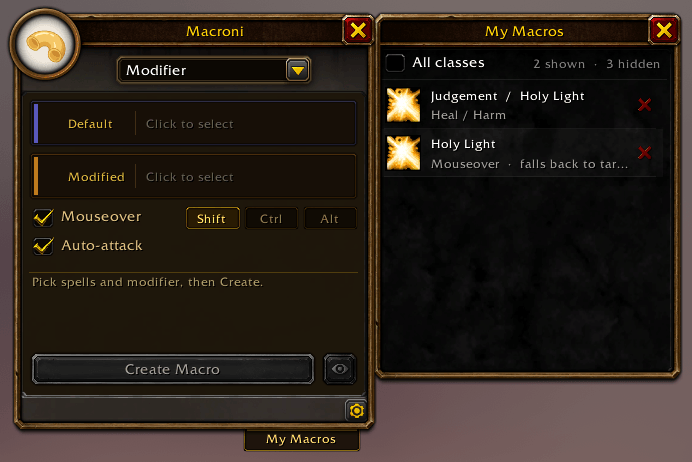
- Modifier - one spell normally, another while you hold Shift, Ctrl or Alt.
- Ground Cast - drop ground-targeted spells instantly at your cursor or on yourself.
Options
- Mouseover - cast on the unit under your mouse, otherwise on your target.
- Auto-attack - adds
/startattackso the macro also starts melee auto-attack. It only triggers on hostile targets, so healing a friend never starts an attack.
Features
- Spell picker with search, or drag spells straight from your spellbook.
- Spell rank support.
- Macro preview you can copy.
- My Macros list: drag a macro to your bar or delete it. Shows only macros for your current class; tick All classes to see the rest.
- Save new macros as General (account) or Character macros.
- Macros requested in combat are created as soon as combat ends.
- Minimap button (drag to move, hide it in Settings or with
/mac minimap).
Usage
/macor/macroniopens the window.- Left-click the minimap button to open or close it.
Macroni Team