MacroIDE
- By
An Integrated Development Environment for macros that helps write, save, and share macros. Includes recommended macros from popular fan sites
Screenshot 2026-09-07 173052.png
Screenshot 2026-09-07 173126.png
Screenshot 2026-09-07 173205.png
Screenshot 2026-09-07 173305.png
Screenshot 2026-09-07 173334.png
Description

MacroIDE
by Funki
Midnight
funki.gg | discord | donate
tldr:
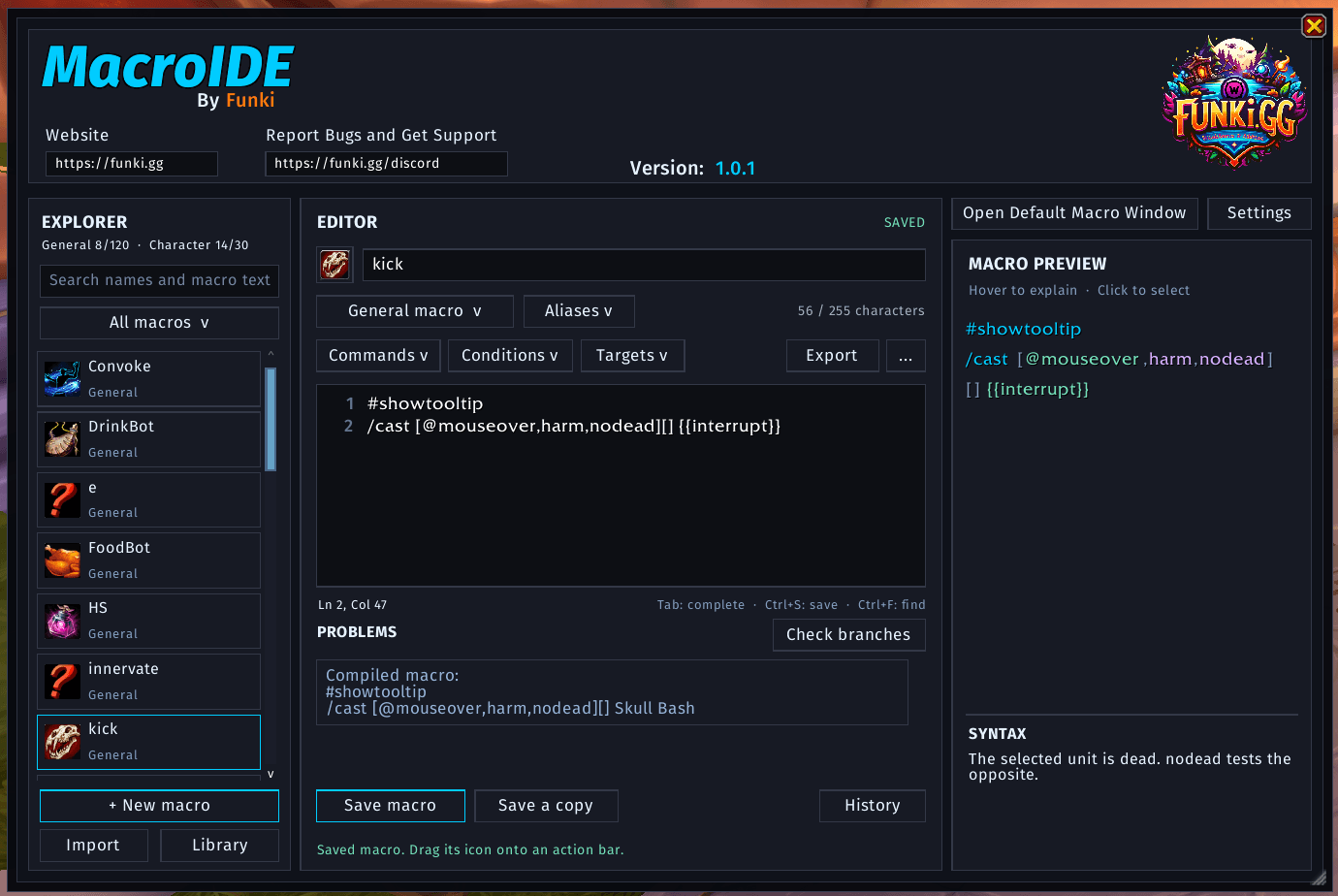
A complete macro editor with spell completion, searchable commands and conditionals, an interactive preview, and a library of over 1,000 recommended macros from popular fansites.
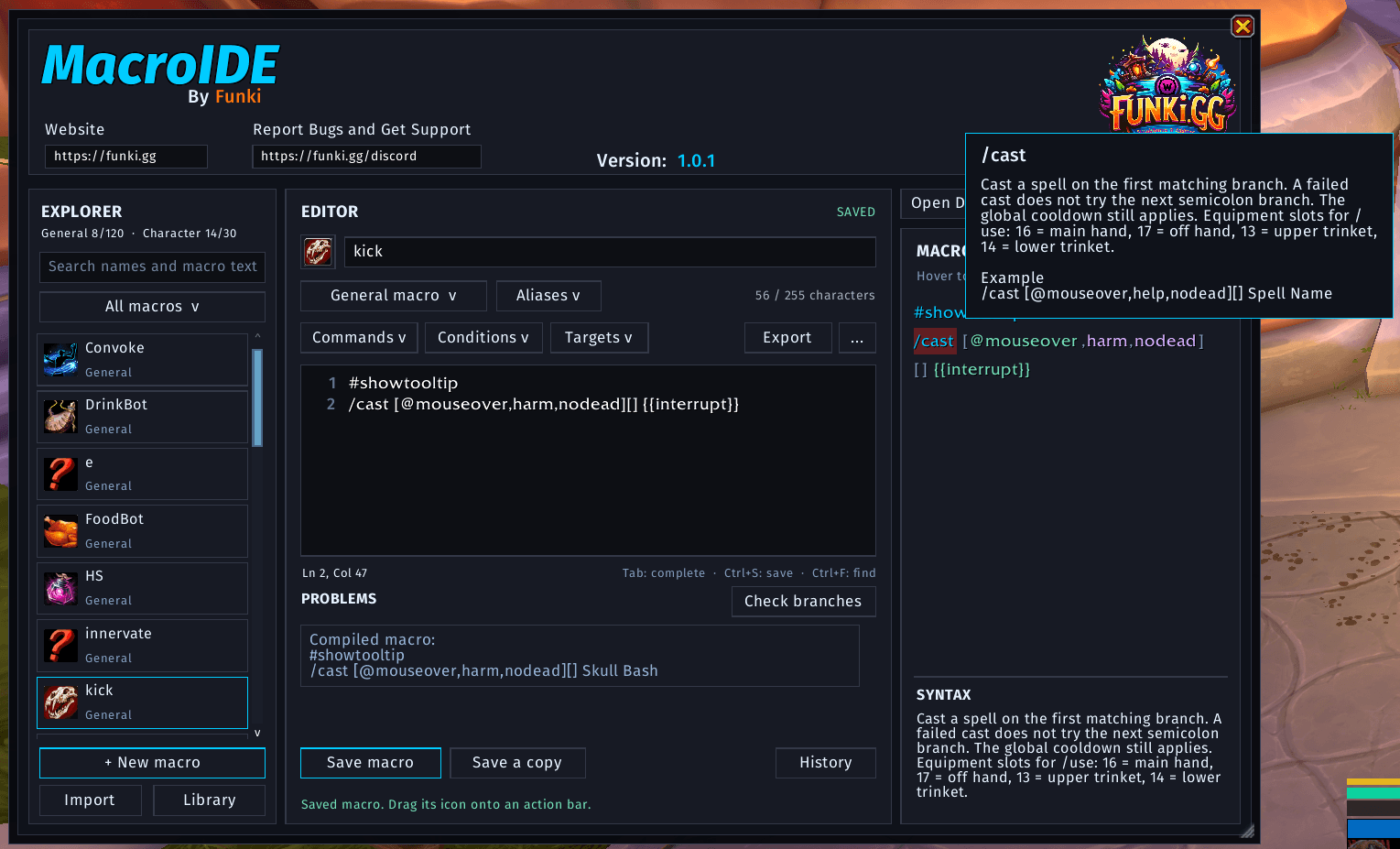
MacroIDE replaces the default macro window with a full editing workspace, making it easier to create, understand, organize, and share your macros.
Start typing a spell or item name and choose from completion suggestions with matching icons. Search the command, conditional, and target menus to find the syntax you need, with explanations and examples available as you work.
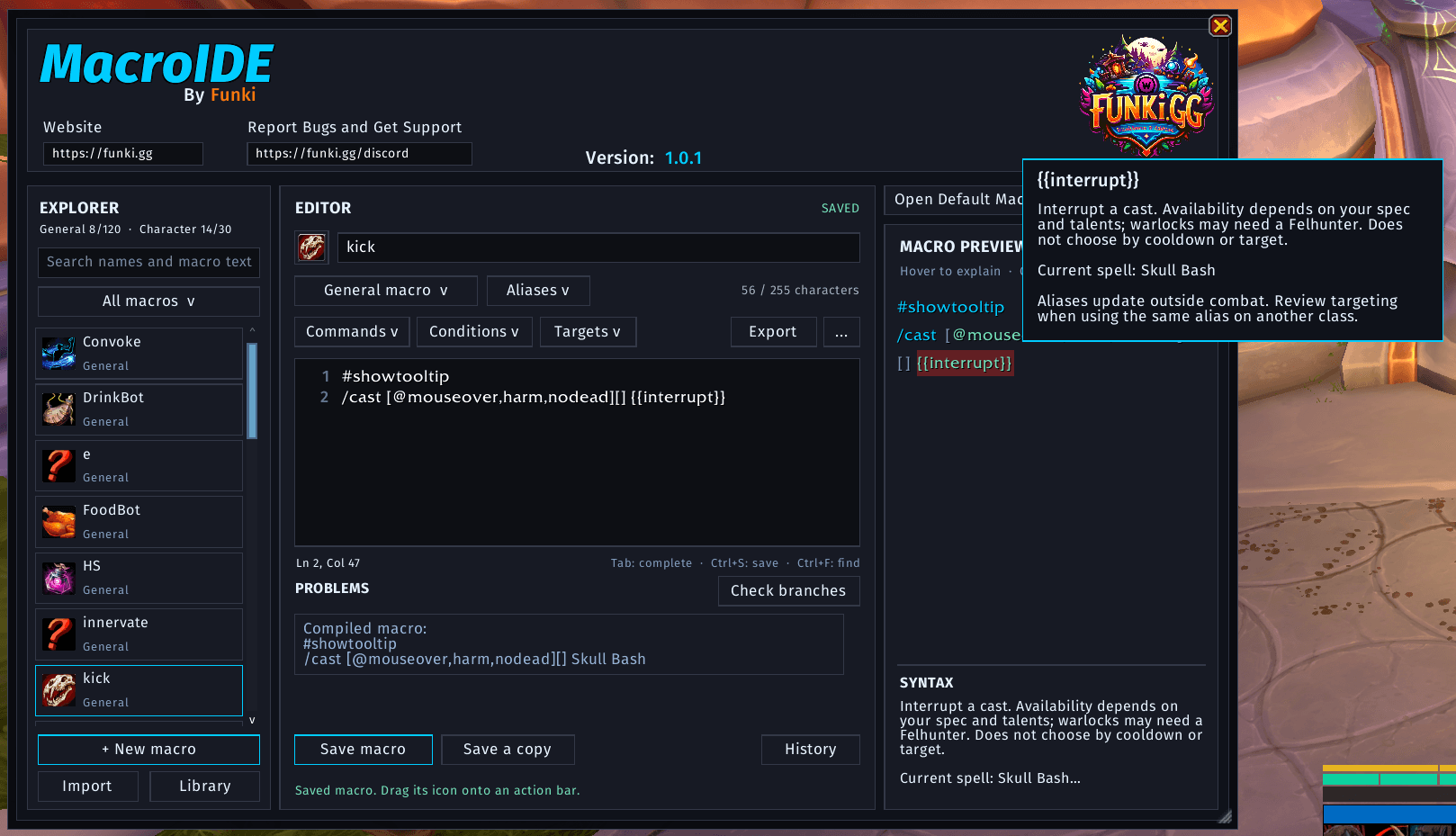
The interactive macro preview highlights your macro’s syntax and lets you hover over individual elements to learn what they do. Click an element to select it in the editor. MacroIDE also identifies syntax problems, unsupported conditionals, conflicting conditions, and character-limit issues before you save.
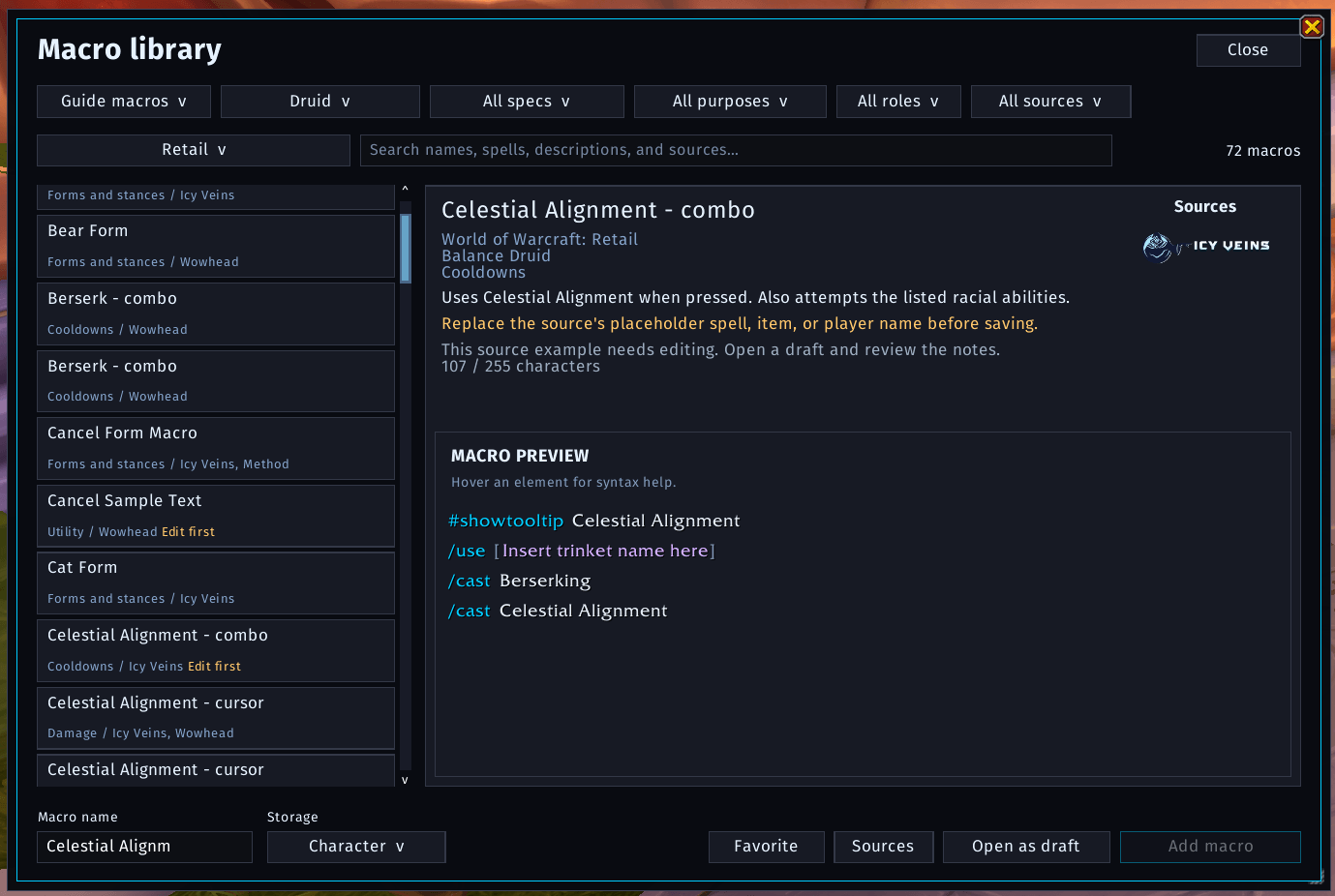
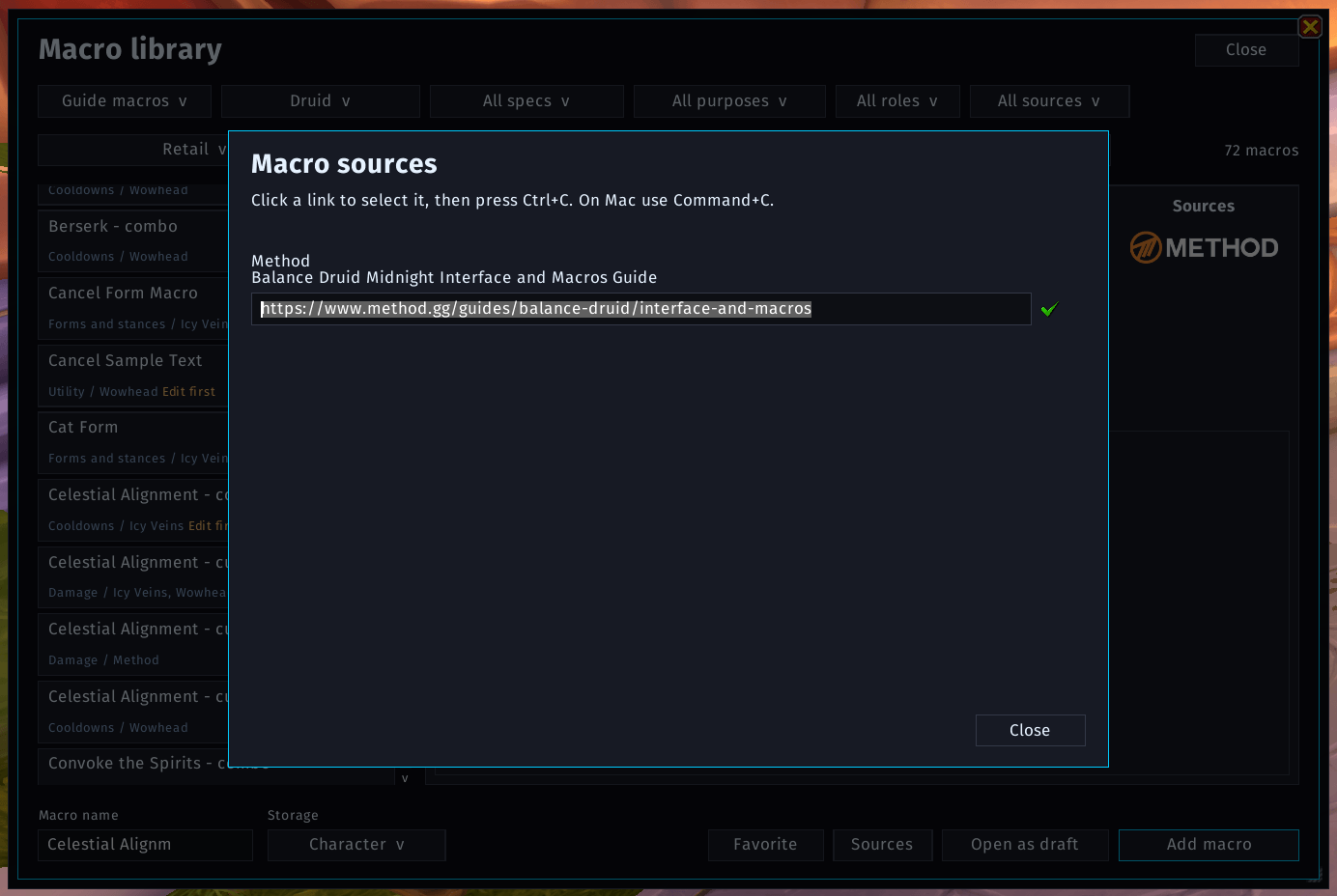
Need a starting point? The built-in macro library contains 1,036 macros from 169 Icy Veins, Wowhead, and Method guides, with clear descriptions and links to the original sources. Filter by game version, class, specialization, role, purpose, or source, and save your favorites for later. Add a macro to either your General or Character list, or open it as a draft to customize it first.
Editing includes undo and redo, find and replace, line numbers, keyboard shortcuts, custom icons, and reusable snippets. Unsaved drafts stay available between sessions, revision history lets you revisit earlier edits, and recently deleted macros can be recovered.
Sharing is easy, too. Open chat and Shift-click a macro to insert a shareable reference. Other MacroIDE users can click it to preview and import the macro. You can also export share codes or import full macro text.
MacroIDE supports Midnight, Classic Era, The Burning Crusade Classic, Wrath of the Lich King Classic, Cataclysm Classic, and Mists of Pandaria Classic. Command and conditional choices adapt to your client, and library macros are separated by game version.
To open MacroIDE, use /mide or /macroide.
Opening the normal macro window also opens MacroIDE when replacement is enabled. You can switch back to the default editor at any time.
To Use This Addon
- Open MacroIDE and select an existing macro, create a new one, or browse the Library.
- Choose General or Character storage, then edit your macro using completion, insertion menus, and the interactive preview.
- Click Save macro and drag its icon onto your action bar.
All support is done through discord, linked above.
MacroIDE Team

Owner