
MacroForge by mesmart
- By
macroforge1.png
macroforge2.png
macroforge3.png
Description
MacroForge
Build WoW macros by clicking — no macro syntax required.
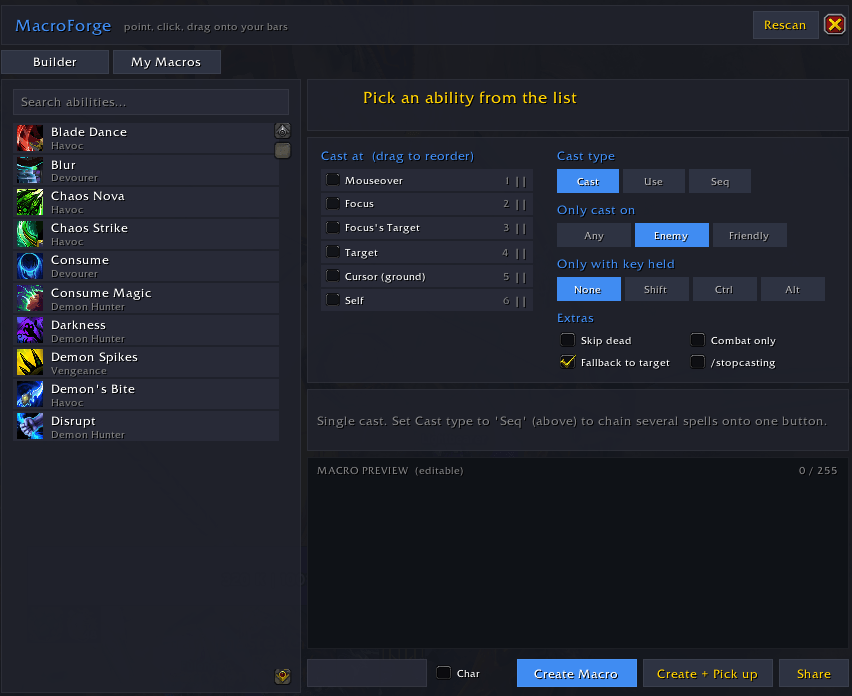
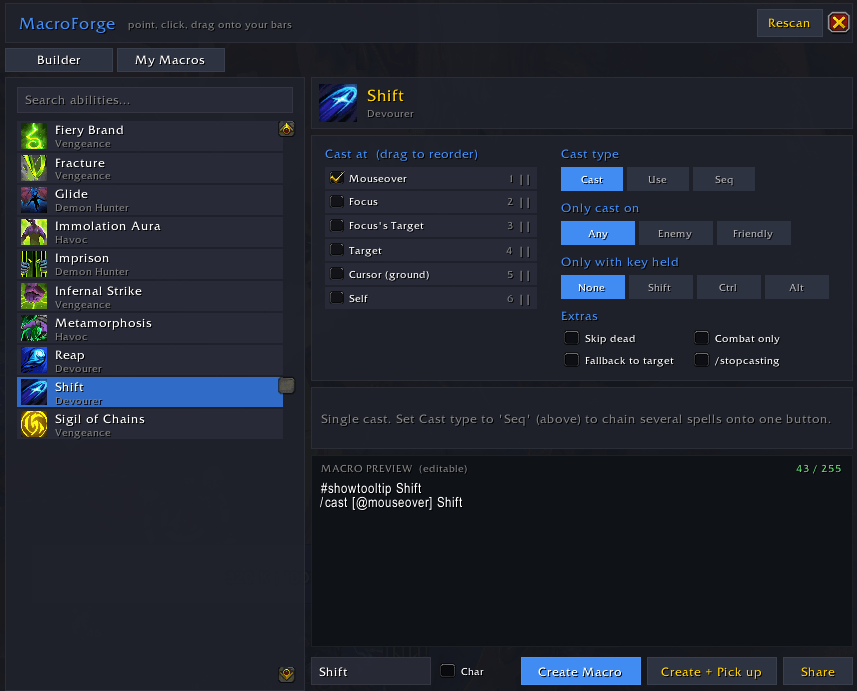
MacroForge turns any ability in your spellbook into a working macro. Pick a spell, tick how it should behave (mouseover, focus, target, enemy-only, a modifier key, a cast sequence…), and MacroForge writes the macro for you. Then create it and drag it straight onto your action bars.
It reads your character's real spellbook, so it works for every class and spec — Demon Hunter interrupts, Mage dispels, healer externals, tank taunts, anything.
Features
- Visual builder — search your spellbook, click an ability, done. No typing.
- Drag-to-reorder targeting — tick the units you want (Mouseover, Focus, Focus's Target, Target, Cursor, Self) and drag them to set fallback priority.
- Smart conditions — Enemy / Friendly filter, skip-dead, combat-only, modifier keys (Shift / Ctrl / Alt), and a "fall back to current target" toggle.
- Cast sequences — chain several spells onto one button, with optional
resettiming (seconds, on target change, on leaving combat). - Live, editable preview with a 255-character counter.
- One-click create — save the macro, or Create + Pick up to drop it onto a bar.
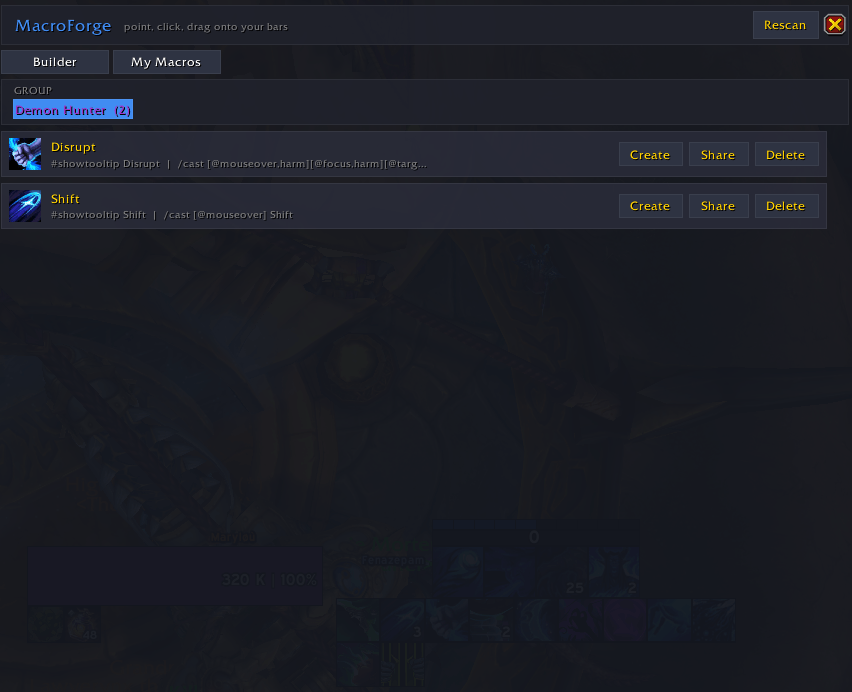
- My Macros — everything you make is saved and grouped by class; switch between your classes and re-create, share, or delete any macro.
- Share — copy a macro to send to a friend.
- Account-wide or character-specific macros.
How to use
Open with /mf or /macroforge (or the addon button in the top-right menu).
Builder tab
- Search and click an ability on the left.
- Under Cast at, tick the units you want and drag them to set priority (top is tried first).
- Pick Cast type —
Cast/Usefor a single spell, orSeqto chain spells into a/castsequence. - Set Only cast on (Enemy / Friendly / Any) and any Extras.
- Hit Create Macro or Create + Pick up, then drag it to your bars.
My Macros tab — your saved macros, grouped by class.
Examples
The classic Demon Hunter interrupt — search Disrupt, tick Mouseover + Focus, set Enemy:
#showtooltip Disrupt
/cast [@mouseover,harm][@focus,harm][] Disrupt
A cast sequence — Cast type Seq, click Spell A → B → C, reset 6s:
#showtooltip
/castsequence reset=6 Spell A, Spell B, Spell C
Good to know
- Macros can't be created in combat (a Blizzard restriction) — MacroForge tells you; just do it between pulls.
- The game allows 120 account macros and 18 character macros. Reusing a macro name overwrites it (handy for tweaking).
Found a bug or have a request? Leave a comment — feedback is very welcome.
MacroForge by mesmart Team
