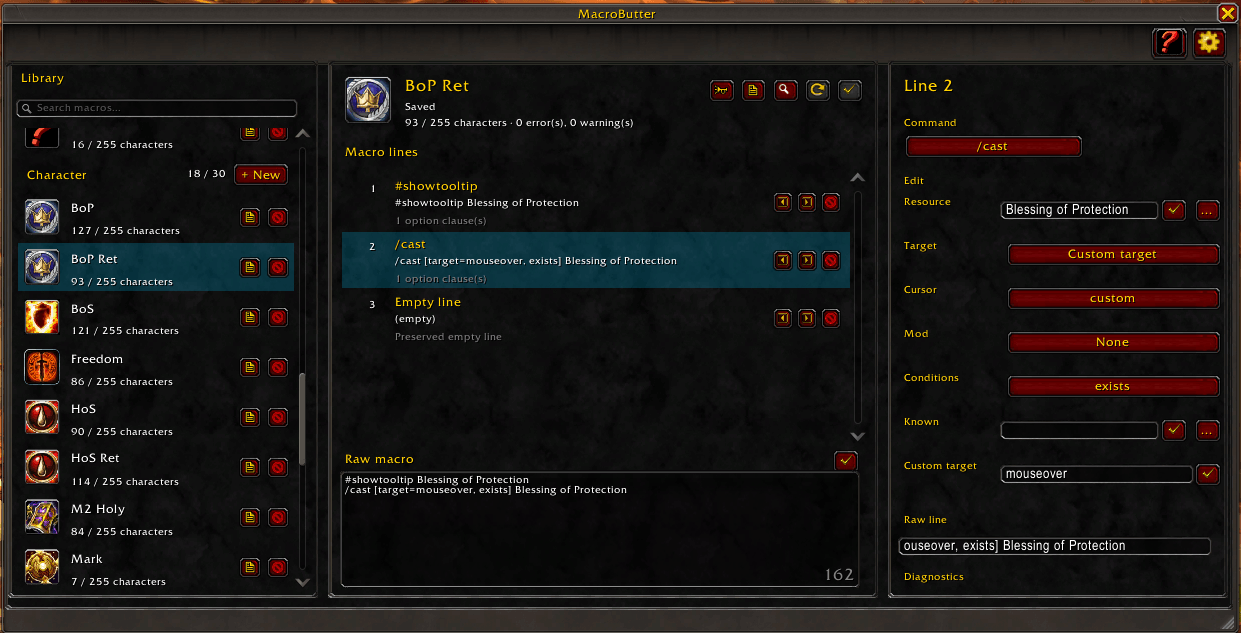
Estructured lines with selecions and search, and free edit text.
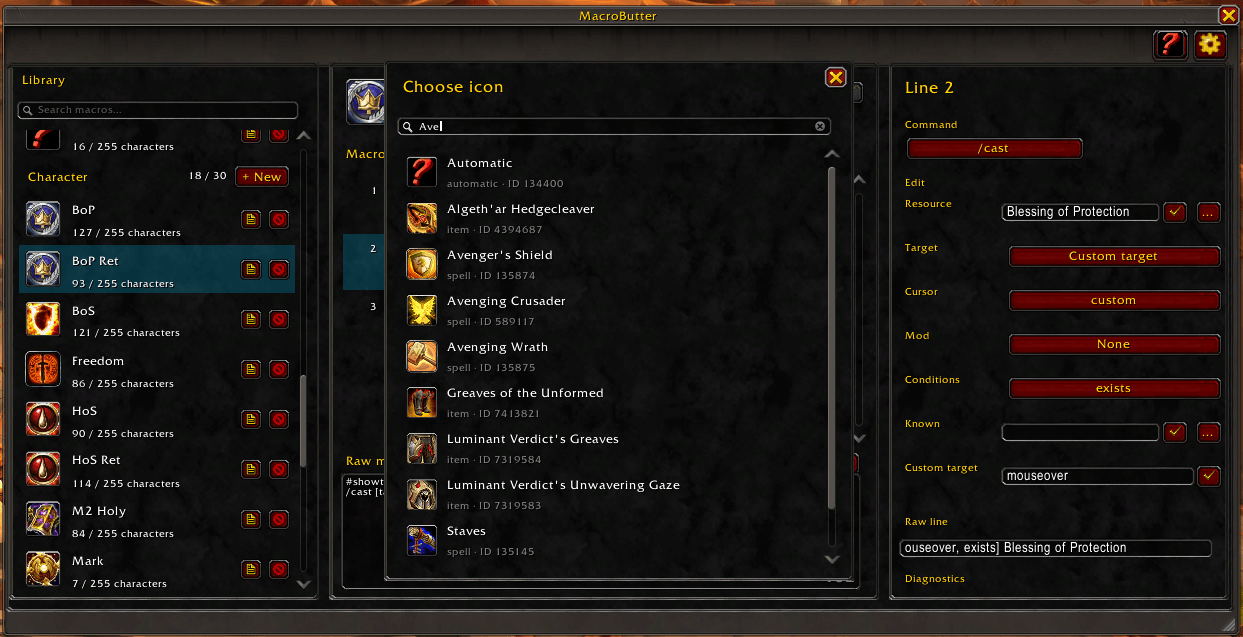
Allow search for icons on known items and spells
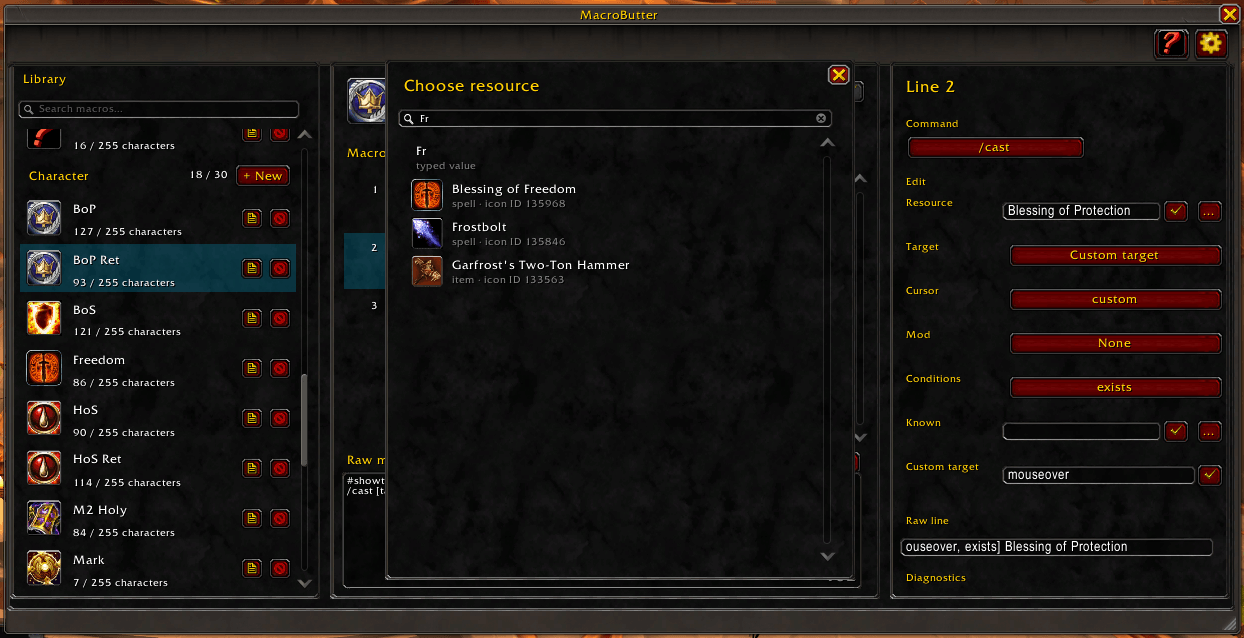
Allow the user to search for spells and items on cast and use commands
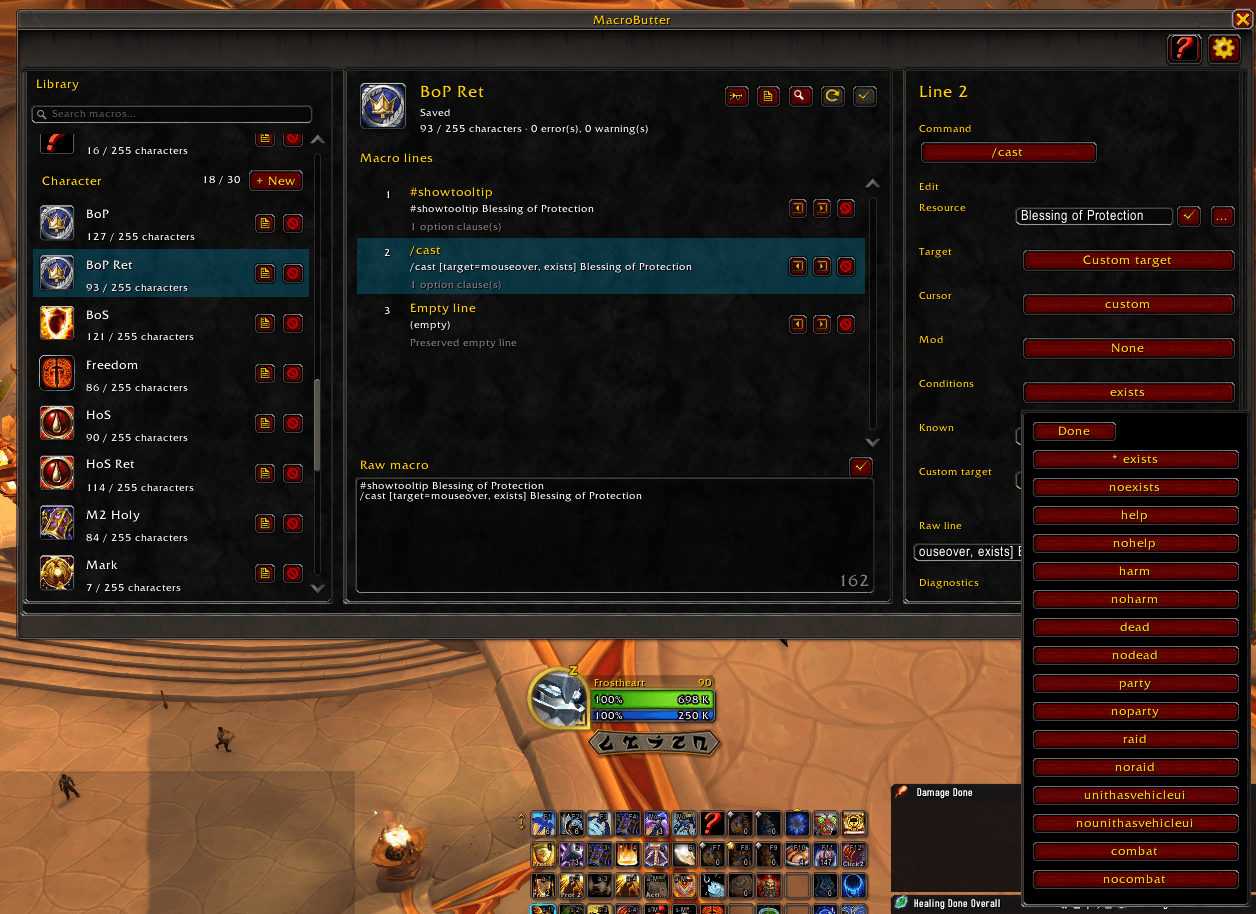
Show all allowed conditions for the user to select
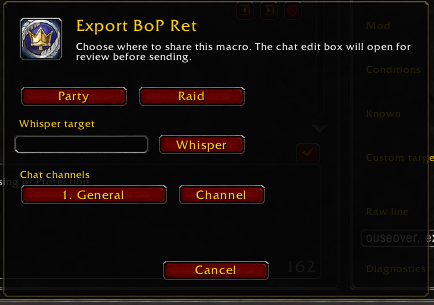
Export macro to a chat channel, allowing other addon users to import.
Description
MacroButter
MacroButter is a visual, structured macro editor for World of Warcraft Retail. It replaces the basic macro-editing workflow with a searchable macro library, a line-based editor, structured controls for common commands, and a preservation-first text mode for anything the addon cannot safely understand.
MacroButter is built around one rule: your macro text is the source of truth. Existing macros are parsed into editable lines when possible, but unknown syntax, addon commands, custom conditions, spacing, aliases, and risky commands are preserved instead of rewritten.
Features
- Searchable macro library grouped by the native WoW scopes: General and Character.
- Create, edit, clone, delete, rename, and change icons for native macros.
- Draft-based editing: changes stay local until you explicitly click Apply.
- Revert support for discarding local changes before saving.
- Character counter using the official authoring limit of 255 characters.
- Inline validation with visible errors, warnings, and informational diagnostics.
- Line-based macro editor with insert, delete, reorder, and raw text editing.
- Drag saved macros from the library or header icon to an action bar.
- Native-style window, tooltips, compact icon buttons, and keyboard-friendly behavior.
- Combat-aware UI: local editing is allowed in combat, but native macro mutations are blocked until combat ends.
Structured Editing
MacroButter provides visual controls for many common macro commands, including:
#showand#showtooltip/cast,/spell,/use/castsequence/castrandom,/userandom/equip,/eq,/equipslot,/equipset/target,/tar,/targetexact/focus,/clearfocus/tm,/targetmarker/wm,/worldmarker/cwm,/clearworldmarker/startattack,/stopattack,/stopcasting,/stopmacro/petattack/click
Structured fields include resources, reset rules, action lists, equipment slots, target markers, world markers, targets, custom targets, modifiers, safe conditions, click frame names, mouse buttons, and click down states.
Commands that are not supported by a dedicated visual editor remain editable as raw macro lines.
Preservation and Safety
MacroButter is designed to avoid data loss.
- Unknown commands are preserved as text.
- Addon slash commands are preserved instead of guessed.
/run,/script,/dump, and/consoleare treated as opaque text and are never executed by the editor.- The addon does not automatically run or test macro bodies.
- Saving only happens when you explicitly apply a draft.
- Macro data remains stored in WoW's native macro slots.
Icons
MacroButter includes an icon browser backed by WoW's native macro icon APIs. It can search known spell and item names when the client exposes them, supports numeric icon IDs, and keeps unknown native icon entries available by ID.
Target marker and world marker selectors use the game's native marker textures while still serializing to the numeric values expected by WoW macros.
Commands
Open MacroButter with:
/mb /macrobutter
Macro Butter Team