


MacroAnvil
Screenshot 2026-08-08 at 04.05.22.png
Screenshot 2026-08-08 at 04.07.53.png
Screenshot 2026-08-08 at 04.08.41.png
Screenshot 2026-08-08 at 04.10.33.png
Description
MacroAnvil is a macro library, a macro builder and a macro linter for every World of Warcraft client — Retail, Mists of Pandaria Classic, Cataclysm Classic, Wrath, Burning Crusade Anniversary, Classic Era and Hardcore. One addon, one download, seven games.
It ships 1,525 macros, sorted by class, spec and skill type, that you can put on your action bar in one click. That part is a convenience. The part that matters is that MacroAnvil understands WoW's macro language and which words your particular client accepts: it will write a correct macro for any spell in your book, and it will read any macro you or anyone else wrote and tell you what your client is actually going to do with it.
The library
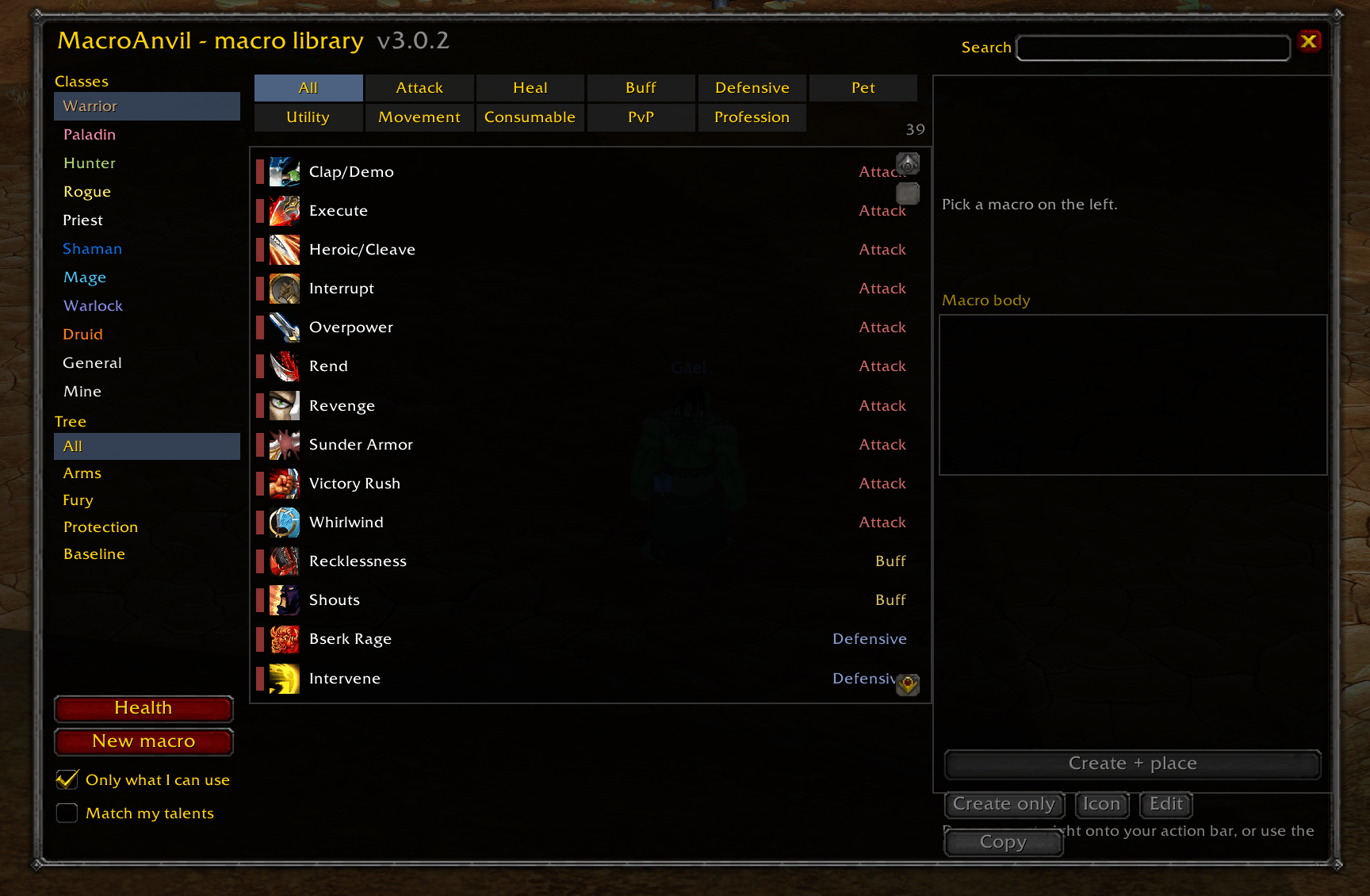
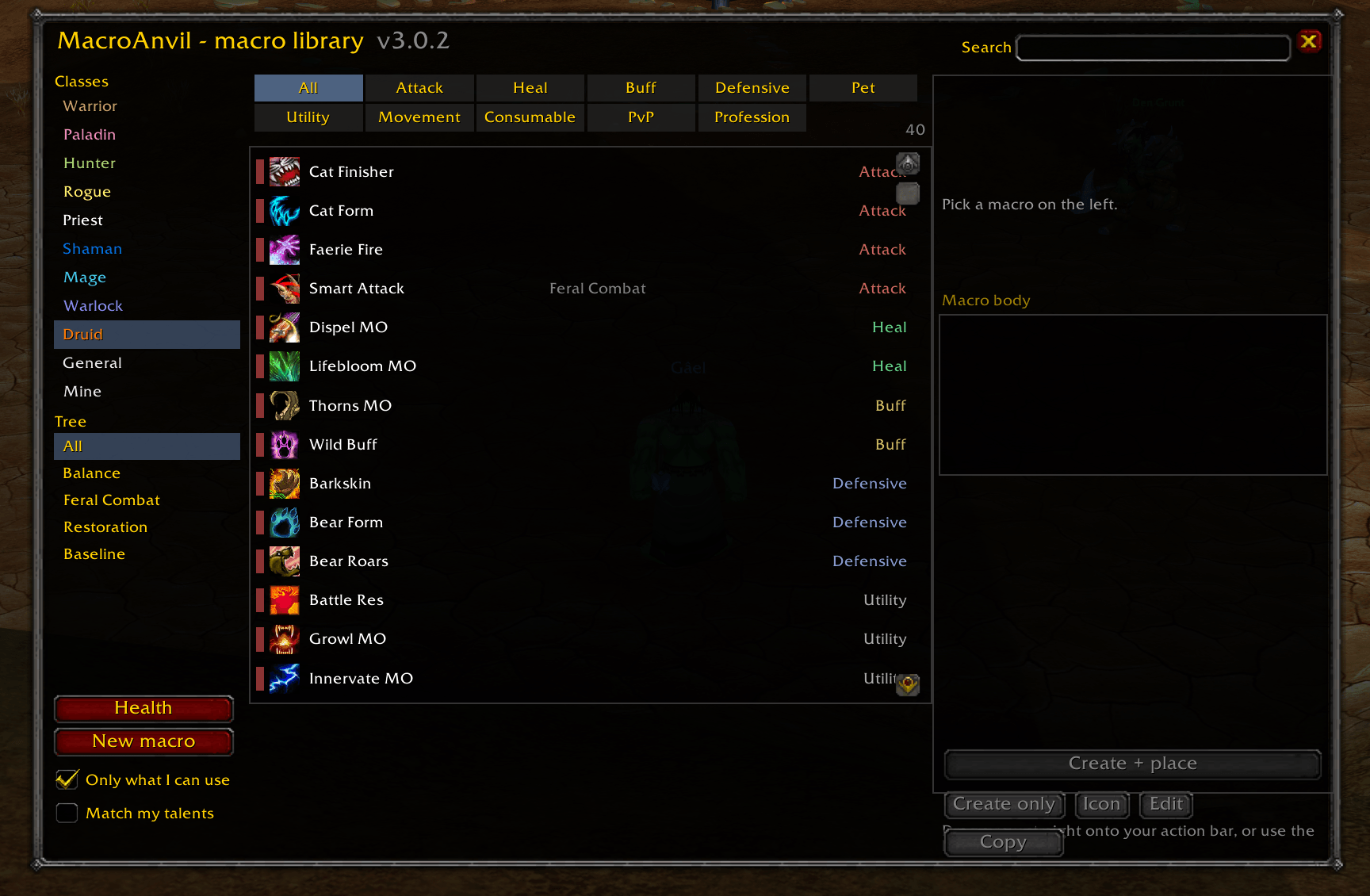
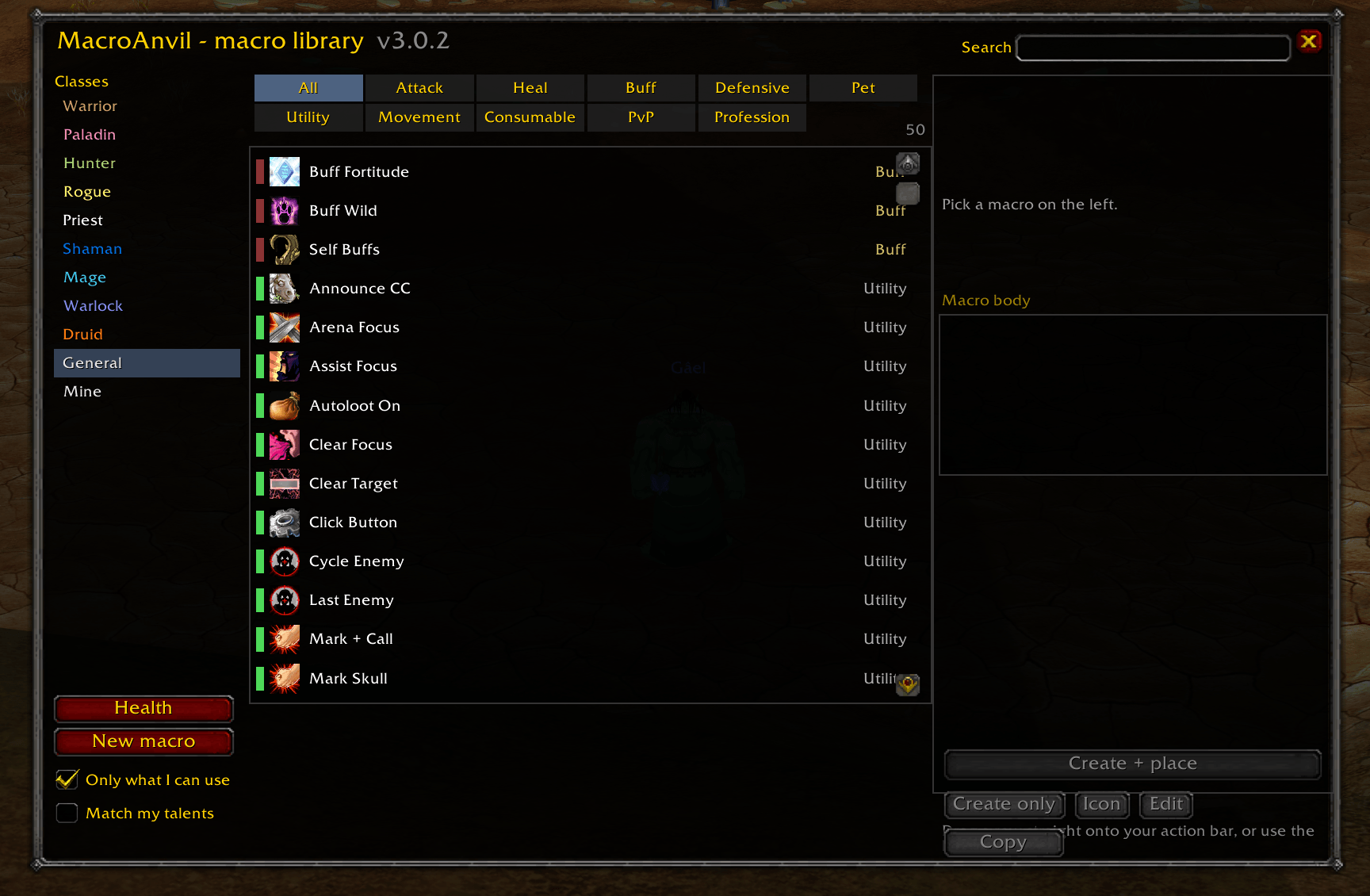
1,525 macros — Warlock 130, Shaman 129, Warrior 127, Priest 125, Mage 121, Paladin 113, Hunter 106, Druid 100, Rogue 99, Death Knight 91, Monk 85, Demon Hunter 43, Evoker 43, and 213 that work whatever you play, including racials and professions.
Filter by class, by spec, and by type: Attack, Heal, Buff, Defensive, Pet, Utility, Movement, Consumable, PvP, Profession. A spec view shows that spec's macros and the baseline ones every spec can use, because the question is "what can this spec press", not "what got labelled with this tree". Tick Only what I can use and the list narrows to what your character can actually cast, read from your spellbook rather than from a table — so level, talent, race and profession requirements are all handled by one mechanism that cannot disagree with the game.
Every spell id was resolved against the client's own spell tables — Blizzard's DB2 data for each live build, not memory. Every level gate is the level the ability is first learned, not the level of whichever rank id happens to be written down. Stance, form, weapon, aura-exclusivity and totem-slot requirements were each read from a primary source; anything that could not be verified was left out rather than guessed, and the handful of macros whose behaviour could not be settled carry a visible note saying so.
The builder
/ma new. Pick a spell, say where it should be cast — your target, whatever your cursor is over, your focus, yourself, or the smart order of all of them — and add modifier branches: Shift casts this instead, Ctrl casts that. Tick the extras you want: stop what you are casting first, start auto-attack, leave your form, dismount, show the tooltip.
The body is assembled in the right order as you go, with a live preview and live linting underneath. Clause order is the part people get wrong — the first matching clause wins, so a bare clause anywhere but last makes everything after it dead. The builder cannot produce that.
The linter
/ma lint. Your macro, a friend's macro, a macro off a forum from 2007.
Thirty-four checks, including:
- One press, one GCD — two spells that both spend the global cooldown mean only the first ever fires. Whether a spell uses the GCD is asked of the client, not assumed.
- Dead clauses —
/cast Frostbolt; [harm] Fireballcan never reach the second half. - Unguarded @mouseover — without exists/help/harm, the macro silently does nothing whenever your cursor is over open ground.
- Friendly casts with no
nodead, which will happily aim at a corpse. - Conditions and units your client does not have —
[@cursor],[spec:],[talent:],[known:],[bonusbar:]— and which expansion each came from. A missing unit is only fatal when the press has no working fallback left; a missing condition word always is, because it can void the whole command. - State conflicts — a macro that swaps to Battle Stance and then casts something that needs Defensive, or a Cat ability sitting next to a Bear one.
- Two totems in the same slot, two mutually exclusive auras, a rank you have not trained, a
castsequencewith noreset=, unbalanced brackets, 255 characters, a name over 16.
Command names are read from your client's own command tables, so /spell, /tar, /eq and localised names like the German /wirken are all recognised instead of flagged.
The linter has one rule: when it is not sure, it says nothing. If the client cannot answer a question, the check stays silent. Findings come at three levels — STOP, CHECK, and a quiet note.
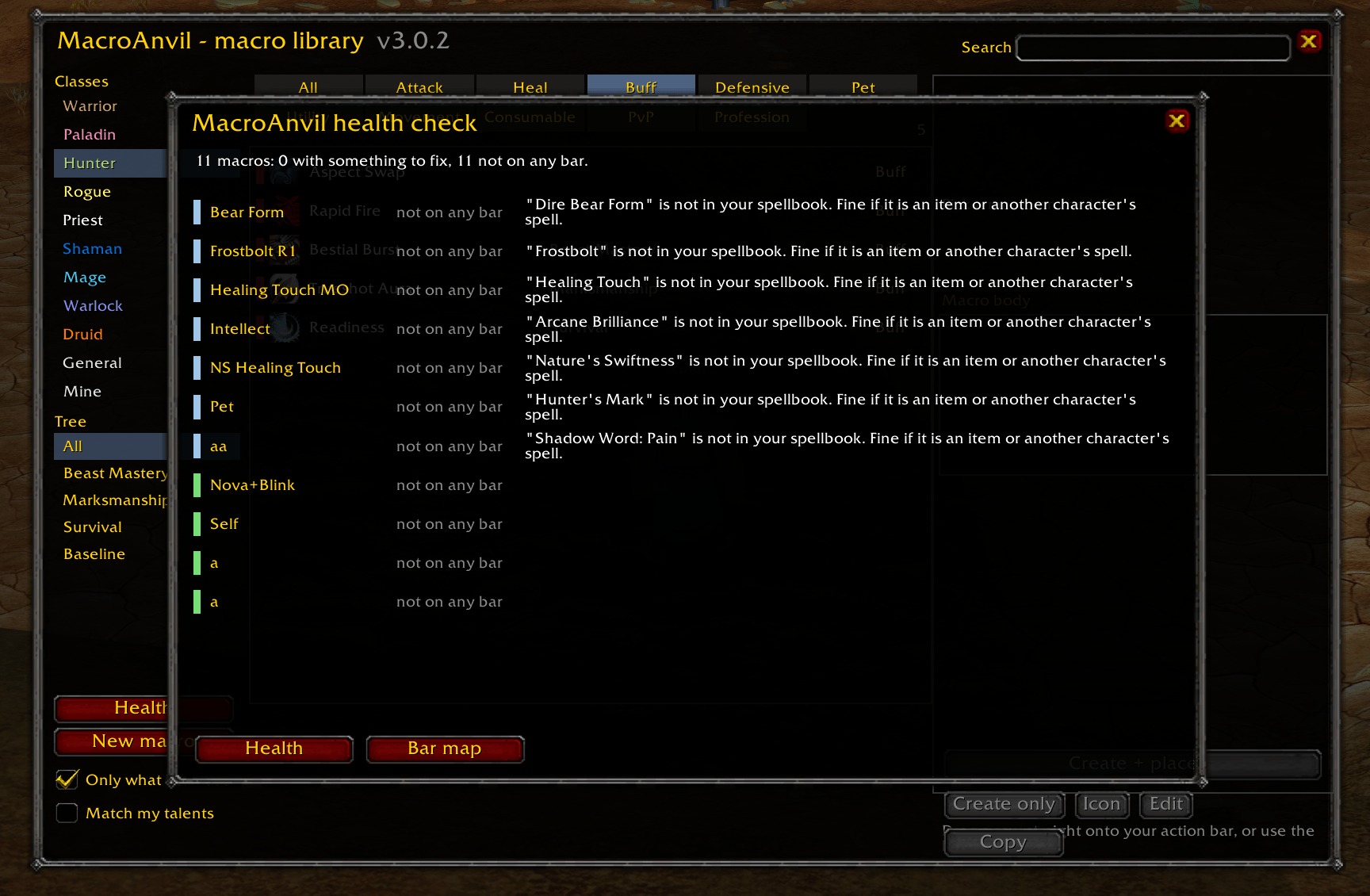
/ma health runs the same checks over every macro you own.
Sets, key bindings, sharing
A set is a group of macros plus where they sit on your bars and which keys press them.
| Command | What it does |
|---|---|
/ma set save pve |
save what you have now |
/ma set load pvp |
put it back after a respec |
/ma set undo |
undo the last load, macros and key bindings both |
/ma set export pve |
a string you can send to someone |
/ma set import |
paste one in |
/ma bind |
bar map: what is where, under which key |
Loading a set never overwrites a macro you wrote and never takes a key that is bound to something else. Library macros travel by id and your own macros travel by content, so a friend on a different client language still gets macros that resolve on theirs.
Carry a macro between clients
/ma port. Take a macro written for one client and see what it becomes on another: which conditions the target does not have, which ranks it has to drop, which units it cannot express. It tells you what it changed and why, instead of handing you something that quietly does less.
It speaks your game's language
MacroAnvil follows the client. There is nothing to configure.
Everything the client owns comes from the client. Spell names, item names, rank subtexts, class names, spec names, key names and the slash commands themselves. On a German client a macro is built as /cast Heiliges Licht, because that is what your client calls spell 635.
Macro descriptions name spells by id and fill the name in from your client as the row is drawn, so the description names the same spell, spelled the same way, as the macro it describes.
The addon's own text is translated into the nine languages WoW itself ships in: German, Spanish (Spain and Latin America), French, Korean, Brazilian Portuguese, Russian, Simplified and Traditional Chinese. Terminology follows your client's own strings, and each pack uses the form of address that client uses — a German player is addressed as Ihr, the way Blizzard's own German text addresses them.
Prefer your addons in English on a localised client? /ma lang en.
It will not touch your macros
- A macro counts as MacroAnvil's only if the name, the library id and the exact body still match. Edit one and it is yours;
/ma cleanleaves it alone. - If a name is already taken by a macro it cannot prove it wrote, it refuses — and shows you the first line of what is in the way, so you can decide whether to rename yours or force the overwrite.
- It never writes into an action bar slot that is already occupied.
- It never clears your cursor for you, because dropping an ability off the cursor deletes it.
- It does nothing at all in combat. WoW blocks macro editing there; the addon says so rather than pretending otherwise.
Commands
| Command | What it does |
|---|---|
/ma |
open the library |
/ma <text> |
open it filtered |
/ma new |
the builder |
/ma lint |
check a macro |
/ma health |
check every macro you own |
/ma port |
carry a macro to another client |
/ma bars |
which bars it can see and how many slots are free |
/ma set ... |
sets |
/ma bind ... |
key bindings |
/ma clean |
list, then delete, the macros it made |
/ma lang auto|en |
follow the game's language, or force English |
/ma config |
options |
/macroanvil, /anvil and /mac work too. On Retail, Blizzard owns /ma for /mainassist and no addon can take it back, so use /anvil there — the addon asks your client which one it actually owns before telling you what to type.
Known limits
Written down on purpose, so you know before you install:
- One GCD per keypress. WoW does not allow two GCD spells from one macro, and no addon can change that. Macros whose notes say "two presses" mean it.
- Only Retail can aim a ground spell from a macro.
[@cursor]does not exist on the Classic clients. Macros that use it carry a fallback so the spell is still cast there and you place the circle by hand — but the circle is still yours to click. - Warrior, Rogue and Druid swap the main bar's first twelve slots with stance and form. MacroAnvil prefers a side bar you have switched on and warns you when it has to use the main one.
- The builder does not produce
castsequencemacros. The library ships several and the linter reads them; you write new ones by hand. - Spec names for classes other than your own may show in English — the client only names the specs of the class you are playing.
- Cataclysm has no live data source. Its tags are what survived Wrath into Mists, which is deliberately conservative: a macro is left out rather than guessed in.
Install
- Put the
MacroAnvilfolder into yourInterface\AddOns\directory so thatMacroAnvil.tocsits directly inside it. - Restart the game completely —
/reloadis not enough for a new addon. - Log in and type
/ma(or/anvilon Retail).
If something looks wrong, /ma health checks every macro you own. That output is the most useful thing you can attach to a bug report.
The MacroAnvil Team
