Macro Maker
- By
The Advanced Visual Macro Development & Management Studio for World of Warcraft (Retail)
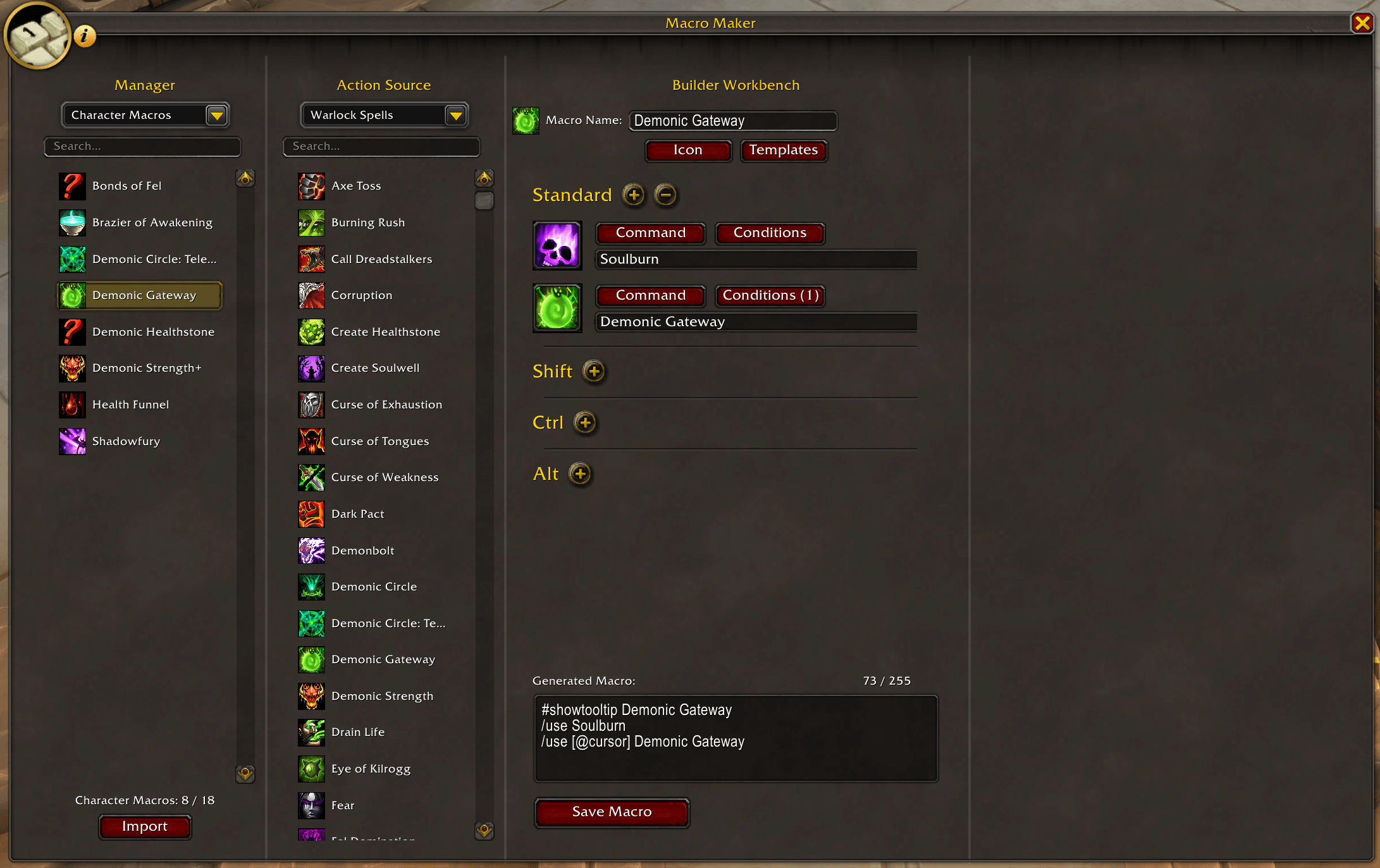
mm4.png
Description
Macro Maker
The Advanced Visual Macro Development & Management Studio for World of Warcraft (Retail)


🌟 Overview
Macro Maker is a comprehensive, modern addon designed to simplify the creation and management of macros in World of Warcraft. It provides an intuitive, visual drag-and-drop workspace where players can build complex, reliable macros without needing deep knowledge of macro syntax commands.
✨ Key Features
🗂️ 1. Macro Manager Hub
- Unified Management: View and manage Account Macros, Character Macros, and your Personal Library in one window.
- Full CRUD Operations: Create, Delete, Duplicate, and Rename macros effortlessly.
- Favorites & Instant Search: Filter favorite macros with a single click and clear searches instantly.
- Unlimited Macro Library: Store an unlimited number of macros in your library without consuming limited Blizzard macro slots.
- Library Snapshots & Backups: Create point-in-time library backups with one-click right-click restoration.
🎒 2. Action Source Explorer
- Complete Action Library: Browse Class Spells, General Spells, Pet Abilities, Equipped Gear, Bag Items, Mounts, Companion Pets, and Toys.
- Drag & Drop & Quick Context Menu: Drag any action directly into builder slots or right-click to immediately assign to Nomod, Shift, Ctrl, Alt, or Sequence Studio.
- Instant Filtering: Real-time search with instant filter reset.
🔨 3. Builder Workbench
- Visual Assembly: Drag icons or right-click actions into specific modifier slots (Nomod, Shift, Ctrl, Alt).
- Live Code Generation & Diagnostics: Real-time syntax validation, Global Cooldown (GCD) conflict warnings,
#showtooltipadvice, and character limits. - Automatic Code Optimization: Condenses macro text automatically to save precious character space with detailed savings reports.
- Dynamic Action Bar Icons: Full dynamic icon swapping support with
#showtooltip.
🔍 4. Inspector Studio & Power Tools
- Cast Sequence Studio: Drag-and-drop sequence builder with step badges, cooldown warnings, reordering controls, duration timeline, and instant
/castsequencecode generation. - Class Macro Library: Curated pre-built macros for all 13 classes and 39 specializations updated for Midnight (12.1.0) with multi-locale dynamic translation.
- Conditions Studio: Visually configure smart targeting conditions (
[@mouseover],[@cursor],[@focus], combat, stealth, harm/help). - Icon Studio: Search over 100,000 textures, semantic tag/keyword search (
heal,fire,mount,shield), class ability filtering, active icon highlighting, and persistent recents. - Interactive Guided Tour: 4-step interactive walkthrough with spotlights to master all features (
/mm tour).
⌨️ Slash Commands
| Command | Action |
|---|---|
/macromaker |
Toggle the Macro Maker main window |
/mm |
Short command to toggle the Macro Maker window |
/mm tour |
Start the interactive guided tutorial tour |
/mm help |
Display available chat commands and shortcuts |
🌐 Supported Languages
Full localization for all 10 official World of Warcraft client locales:
- 🇬🇧 English (
enUS) - 🇩🇪 German (
deDE) - 🇪🇸 Spanish (
esES/esMX) - 🇫🇷 French (
frFR) - 🇮🇹 Italian (
itIT) - 🇧🇷 Portuguese (
ptBR) - 🇷🇺 Russian (
ruRU) - 🇰🇷 Korean (
koKR) - 🇨🇳 Simplified Chinese (
zhCN) - 🇹🇼 Traditional Chinese (
zhTW)
📦 Installation
- Download the latest release.
- Extract into your World of Warcraft AddOns directory:
World of Warcraft\_retail_\Interface\AddOns\MacroMaker - Launch World of Warcraft and type
/mmto open Macro Maker.
📜 Credits & License
Developed with ❤️ by SaturosRocks. Compatible with Retail.
Acknowledgements:
- Built with the Ace3 framework and embedded community libraries (
LibDeflate,LibSerialize,LibSharedMedia-3.0,LibCustomGlow-1.0,LibDialog-1.0,LibQTip-1.0).
The Macro Maker Team