
Macro Action Bar
- By
MacroActionBar-1.png
MacroActionBar-3.png
MacroActionBar-2.png
MacroActionBar-6.png
MacroActionBar-7.png
Description
Macro Action Bar
Smart macros for every spell, built and kept up to date for you, and editable right on your action bars.
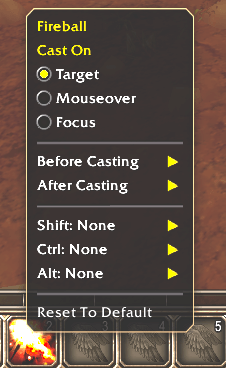
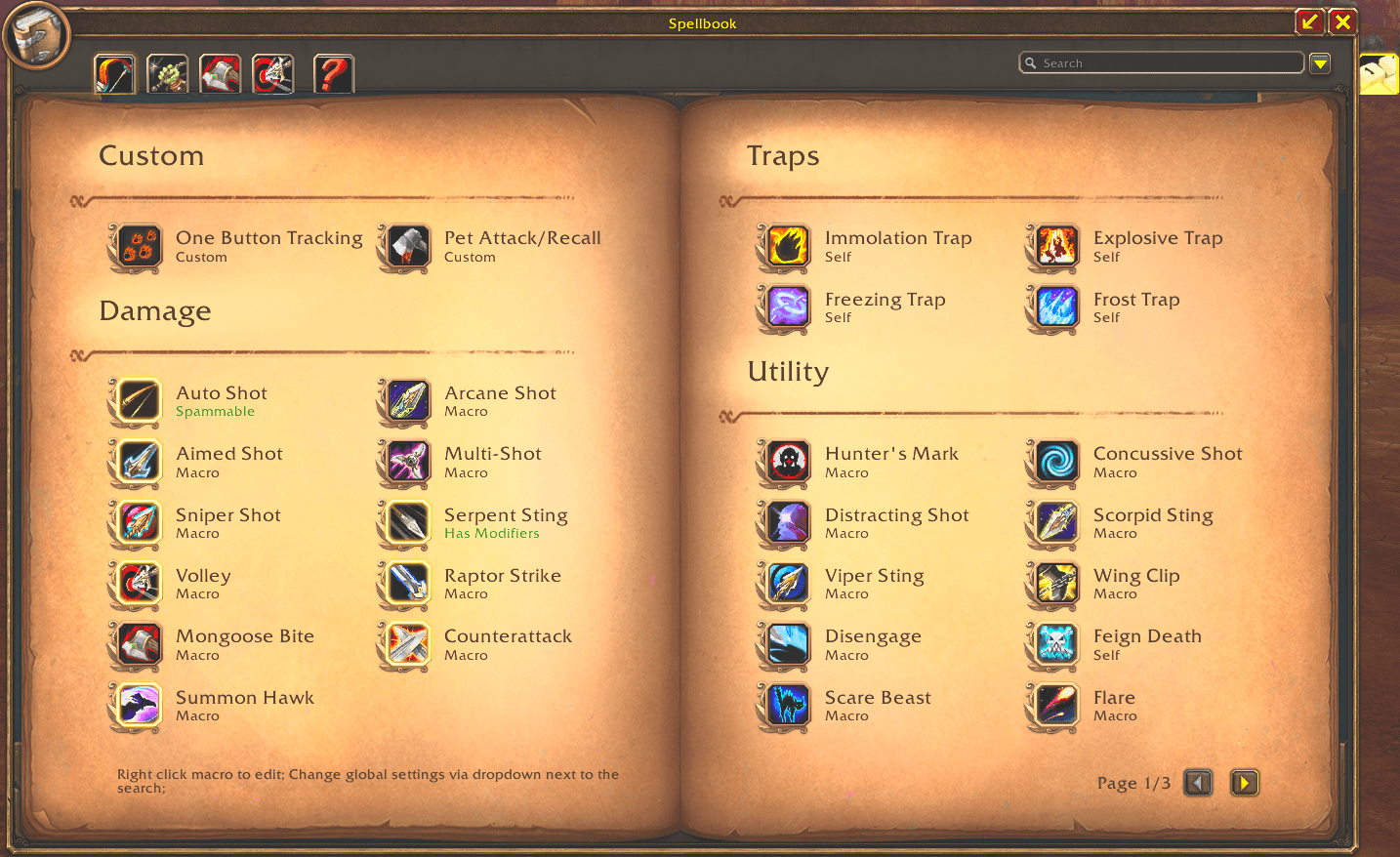
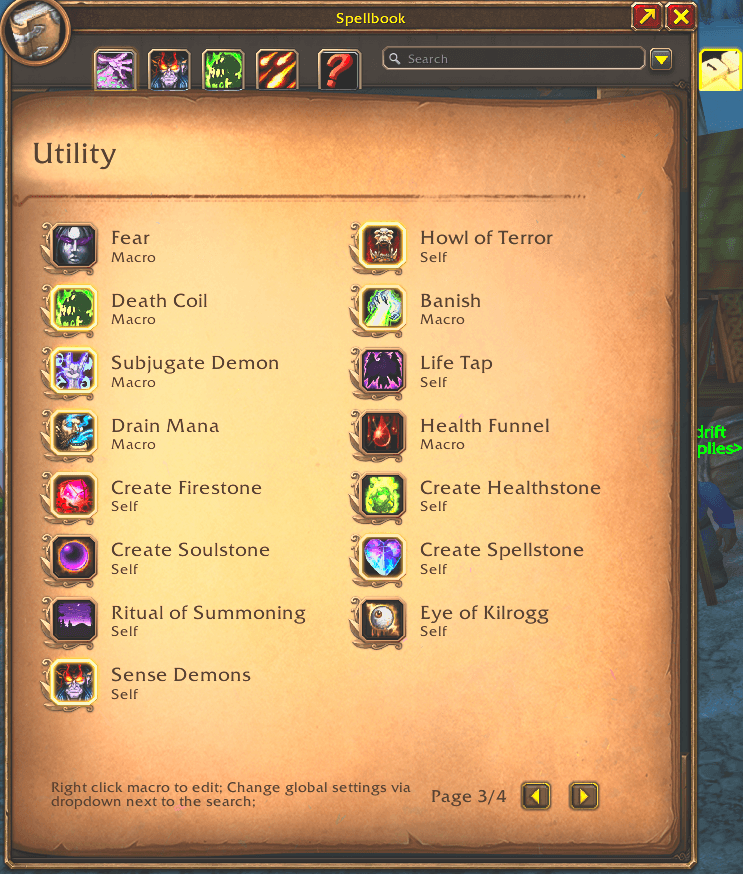
Macro Action Bar adds a page to your spellbook with a ready-made macro for each of your class's spells. To change how a macro casts, right-click it, either on the page or on Blizzard's action bars, and pick options from a menu. You never write macro text yourself.
On your action bars
- Right-click to edit: right-click any of the addon's macros on your action bars (out of combat) to open its menu. Spells dragged straight from the spellbook work too: the first change swaps in the macro.
- Per-button variants: a macro on several buttons is shared until you change it on one of them. That button then gets its own variant ("Polymorph #2"), and a variant that ends up matching another merges back into it.
- Duplicate and delete macros from the menu. Deleting a macro clears the slots it was on.
Casting options
- Cast On: Target, Mouseover, Focus, Cursor or Nearest Player. Focus and Mouseover fall back to your target. Nearest Player targets the closest friendly player, or you when no one is near, so a buff never lands on an NPC.
- Rank: Normal or Downrank In Raids, plus Rank 1 Out Of Combat (rank 1 out of combat, highest rank in combat).
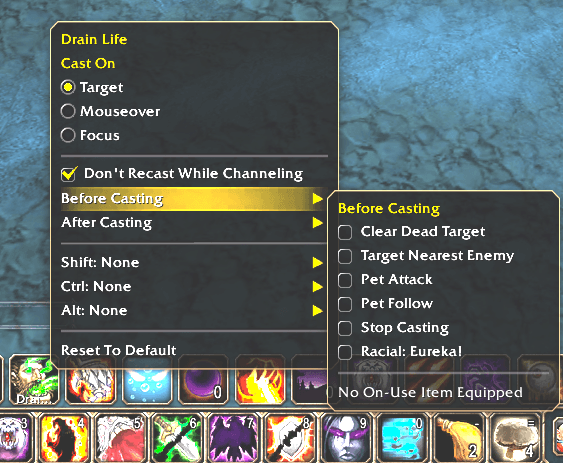
- Before Casting / After Casting: add Stop Casting, Start or Stop Attack, pet commands, racials, on-use trinkets, off-GCD spells (e.g. Presence of Mind before Pyroblast), stances, Auto Shot, Clear Dead Target, Target Nearest Enemy and more. Lines are written in the order you tick them.
- Sequence: builds a
/castsequence. Cooldown spells offer Then Cast instead, which casts a follow-up spell on the same press. - Shift, Ctrl and Alt: pick a different spell or on-use item for each modifier key, each with its own Cast On.
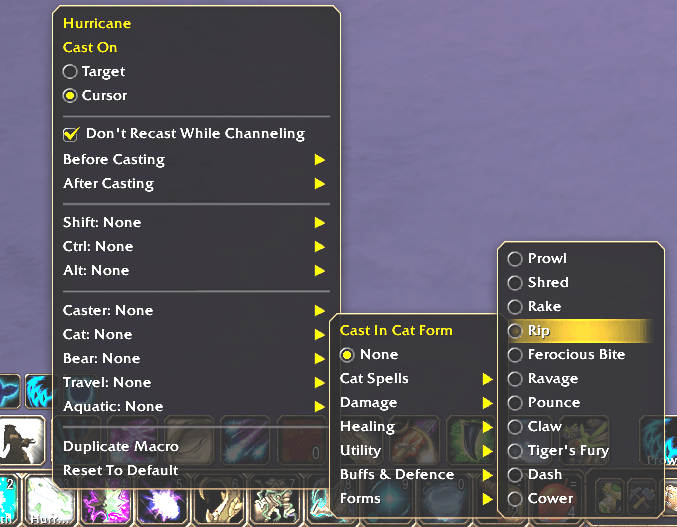
- Forms and stances: Druids pick a spell for each form (Shred in Cat, Maul in Bear), and Warriors one for each stance.
- Spammable buttons: Stay In Stealth, Stay In Form, Don't Recast While Channeling, and Don't Toggle Off (Auto Shot, aspects, Shadowform).
- Cast On Enemy Player (Dispel Magic, Purge): targets the nearest enemy player, casts, then goes back to your target.
- Reset To Default clears every change to a macro in one click.
Equipment
Equipped trinkets, engineering tinkers and other "Use:" items get their own section. These macros use the slot rather than the item, so they keep working after a gear swap.
Class pages
Every class has a page sorted by spec and role, with class-specific extras:
- Druid: Cat, Bear and Forms sections, and a Smart Travel macro (Cat Form and Dash indoors, Aquatic Form in water, Travel Form otherwise).
- Hunter: Traps, Aspects and Tracking, One Button Tracking (tracks your target's creature type), and Pet Attack/Recall.
- Mage: Arcane, Fire and Frost, Conjure, Teleports & Portals, and Spam Wand.
- Paladin: Blessings and Greater Blessings sections.
- Priest: Power Infusion, Inner Focus, Shadowform, Vampiric Embrace, and Spam Wand.
- Rogue: Assassination, Combat, Subtlety and Poisons.
- Shaman: totems grouped into Earth, Fire, Water and Air.
- Warlock: Affliction and Destruction, and Pet Attack/Recall.
- Warrior: Arms, Fury and Protection, with per-stance spell picks.
Unlearned trainer spells can be shown too, so you can plan ahead.
Quality of life
- Search box that filters the page by macro or section name.
- Hold Alt over a macro to see the spell's or item's own tooltip.
- Global Macro Settings: turn on Clear Dead Target and Target Nearest Enemy for every enemy spell at once (a macro's own setting still wins).
- Open spellbook to this page: the spellbook opens on Macro Action Bar instead of your spells.
- Minimap button: left-click opens the page and drag moves it. Hide or show it in Options > AddOns.
- Tidy macro slots: when your character's macros overflow into the shared General tab, the addon cleans up after itself, so your other characters' macro lists don't get cluttered.
- Plays nicely with other addons' spellbook tabs.
Customising
Each class has an editable config file in src/Config/. Use it to change sections, set which spells get Mouseover or Cursor, and add your own custom macros.
Macro Action Bar Team
