d3.png
d1.png
d2.png
Description
Buy me a coffee!
Macaroni RP v0.2
Please consider this early release may have bugs!
A polished, all-in-one roleplay toolkit for World of Warcraft — RP nameplates, quest-style dialog banners, and cinematic immersion mode in a single lightweight addon.
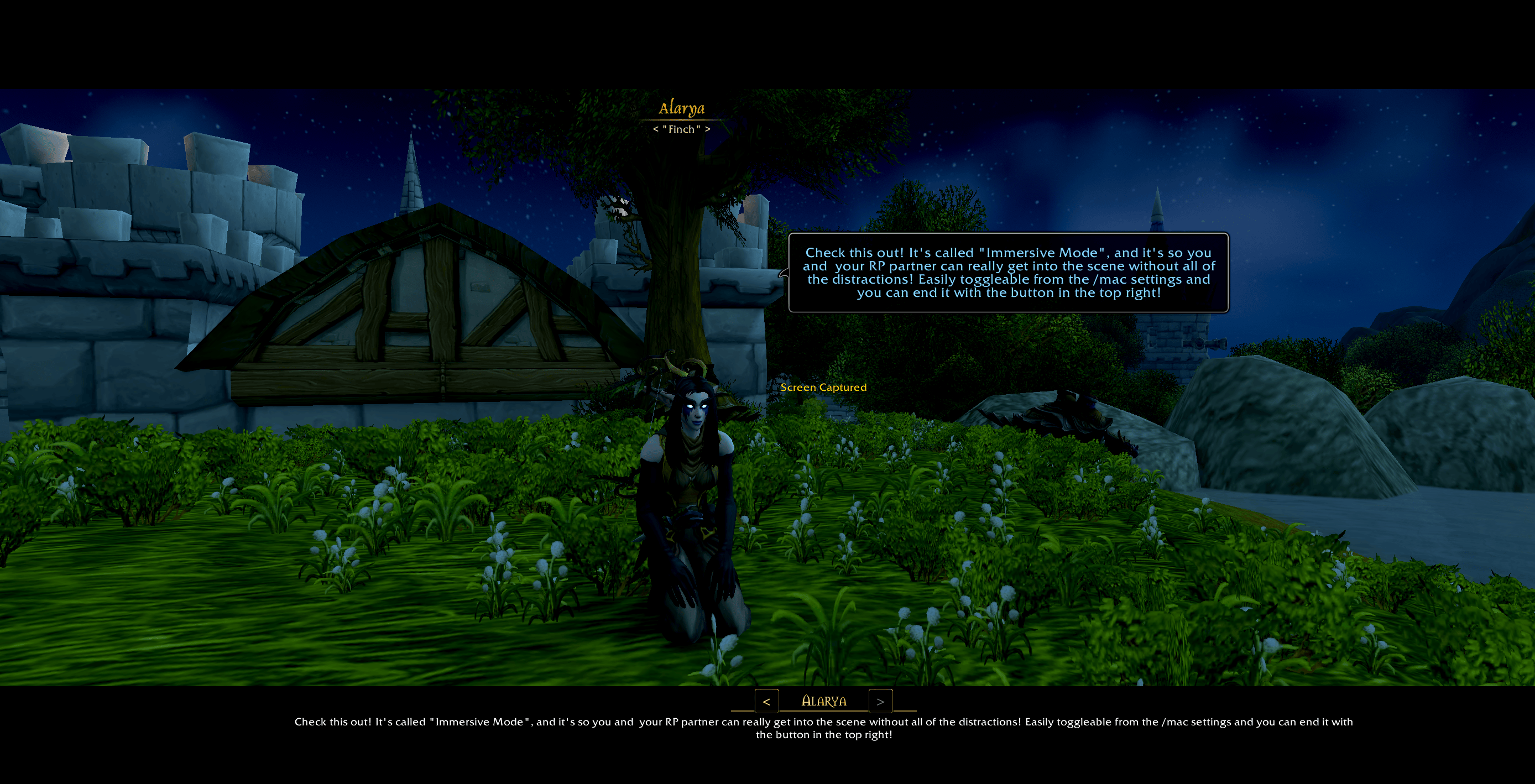
Macaroni reads your roleplay profile data from TotalRP3, MyRolePlay, or XRP and turns the world around you into a more immersive RP space. Beautiful nameplates. Focused RP partners get persistent quest-style dialog banners. And when the scene gets serious, cinematic letterbox bars sweep in like a quest cutscene — complete with a typewriter-style scene log you can scroll back through.
Features
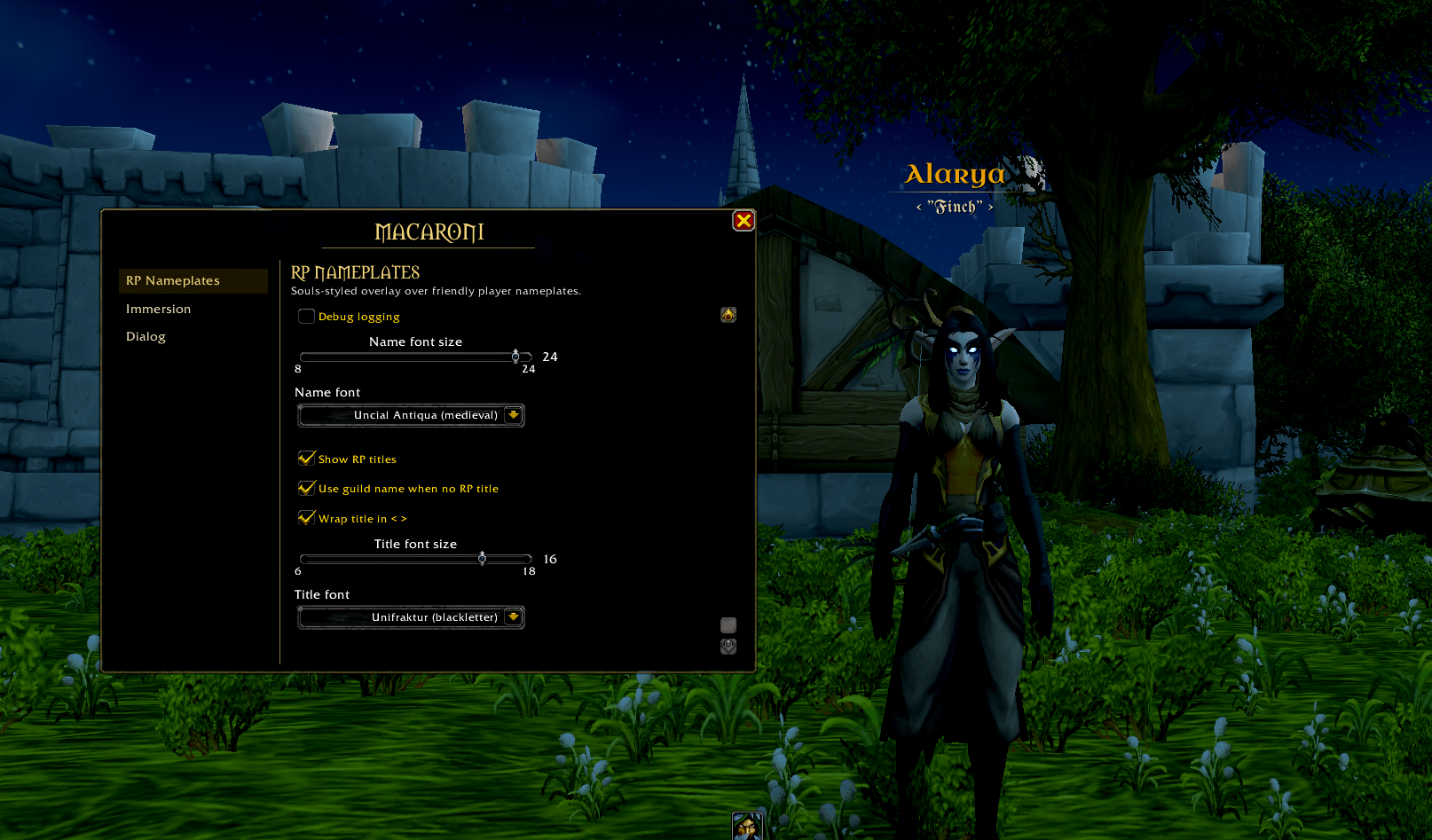
RP Nameplates
- Profile-driven names — Reads RP names, titles, and character colors from TRP3 (with MSP/XRP fallback). Friendly nameplates display the character's RP identity, not their account name.
- Souls-inspired aesthetic — Aged-gold gothic styling, gradient accent rule under each name, soft 0.45s fade-in, and drop-shadowed text for readability over any background.
- Title display — Optional RP titles (e.g. < Knight of the Silver Hand >) with togglable angle brackets and guild-name fallback when no RP title is set.
- Bundled fonts — Ships with Metamorphous, Uncial Antiqua, IM Fell English (Regular + Italic), and UnifrakturMaguntia, plus all standard WoW fonts. Customize name and title fonts independently.
- Smart visibility — Hide overlays in combat, in dungeons/raids, and on ignored players. Native nameplates restore cleanly during combat lockdown.
- Customizable — Options to make it yours!
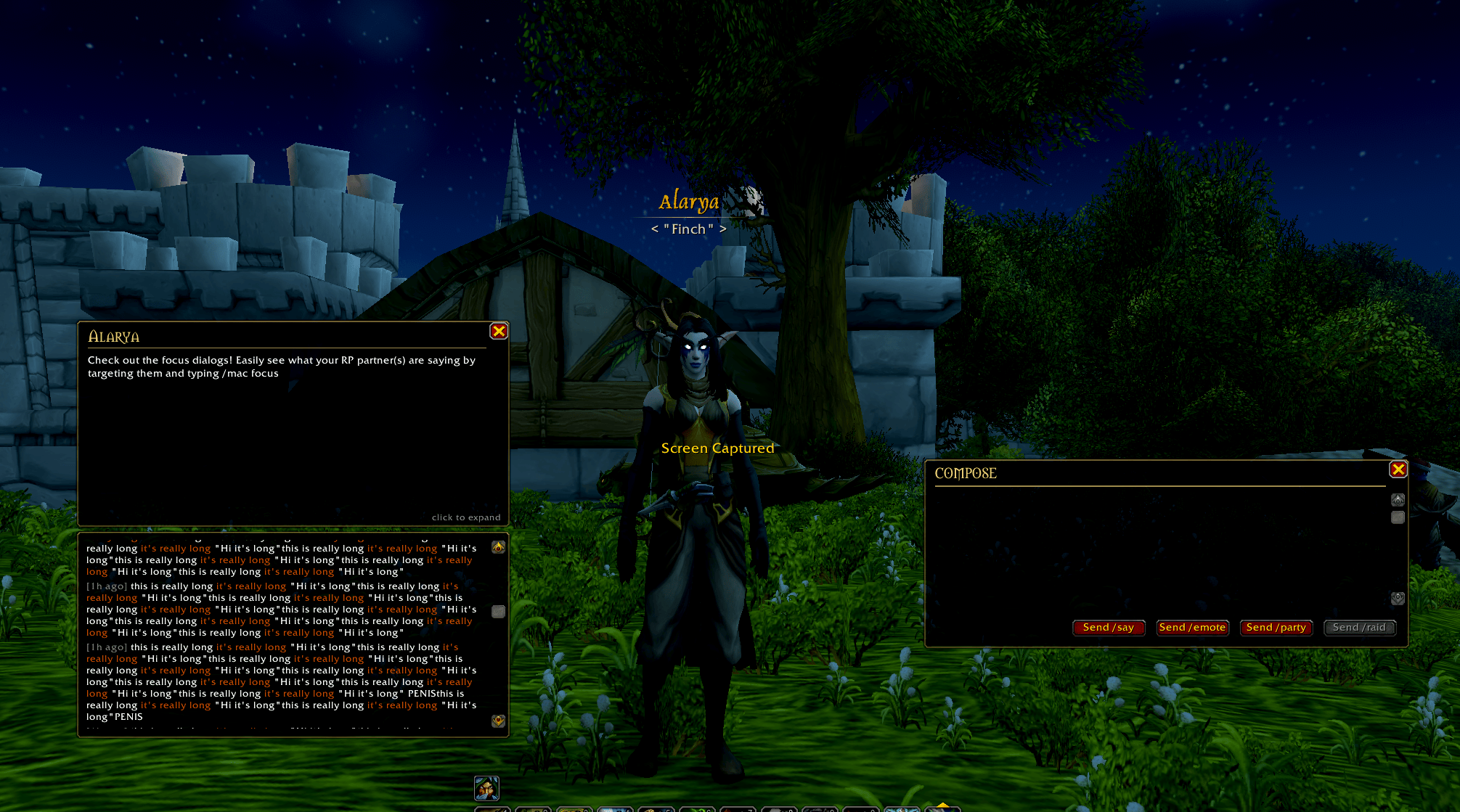
Dialog Banners + Composer
- Quest-style banners — Each focused RP partner gets a draggable banner showing their most recent post. Click to expand into a scrollable history log (up to 100 entries per character).
- Multi-focus support — Track multiple RP partners simultaneously. No single-target limitation.
- Right-click to focus — Right-click any nameplate or chat name to instantly focus or unfocus that player.
- Tracks every chat type — Monitors
/say,/emote,/yell,/party,/raid, and in-game text emotes (/wave,/laugh, etc.) — each independently toggleable. - Smart message coloring — Emote actions render in burnt-orange, asterisk-wrapped actions in orange, and "quoted dialogue" in white for clear visual separation of speech vs action.
- Smart deduplication — Multi-message posts within 3 seconds are grouped into a single banner entry.
- Backfill on focus — When you focus someone mid-conversation, recent messages auto-populate from a 200-message global buffer.
- Composer window — Persistent, draggable multi-line editor with dedicated Send buttons for
/say,/emote,/yell,/party, and/raid. Esc releases focus without closing. - Audio cue — Optional, throttled sound notification when a focused player posts. Customizable sound ID.
Immersion Mode
- Cinematic letterbox — Top and bottom bars fade in during active RP scenes for a quest-cutscene feel. Off by default; opt in when you want it.
- Typewriter scene log — Word-by-word reveal of the most recent post centered in the lower bar, with
<>arrows to scroll back through scene history. - Unified scene history — One chronological log mixing posts from all focused players and your own messages (200-entry buffer per scene).
- HUD hiding — Optional toggle fades out action bars, minimap, and quest tracker during scenes. Combat-safe (uses alpha, not hide).
Configuration
- Single settings panel with sidebar tabs for Nameplates, Dialog, and Immersion modules.
- Per-character and account-wide saved settings — banner positions, composer position, focus list, and toggles all persist across sessions.
- Sliders for everything that matters — font sizes, banner dimensions, history limits, letterbox height.
Slash Commands
All commands unified under /mac (or /macaroni):
| Command | Action |
|---|---|
/mac |
Open settings panel |
/mac compose |
Open the composer |
/mac focus |
Focus your current target |
/mac focus add / remove / clear / list |
Manage focus list |
/mac status |
Print current config to chat |
/mac soundtest |
Preview the audio cue |
/mac toggle <key> |
Toggle any setting by key |
/mac enabled / combat / instance / ignored / debug |
Direct toggle shortcuts |
Compatibility
- Retail WoW (Interface 12.1.0)
- TotalRP3, MyRolePlay, XRP all supported as optional dependencies — Macaroni works without any of them, but unlocks the full experience when present.
- No required dependencies, no library bundles, single-file addon.
Macaroni RP Team