Lychee Dev
- By
A powerful developer toolkit for running Lua, inspecting objects, monitoring events, tracing functions, capturing errors, and analyzing addon performance.
ScreenShot_2026-08-20_021512_513.png
ScreenShot_2026-08-20_021539_833.png
ScreenShot_2026-08-20_021649_324.png
ScreenShot_2026-08-20_021700_256.png
Description
Lychee Dev
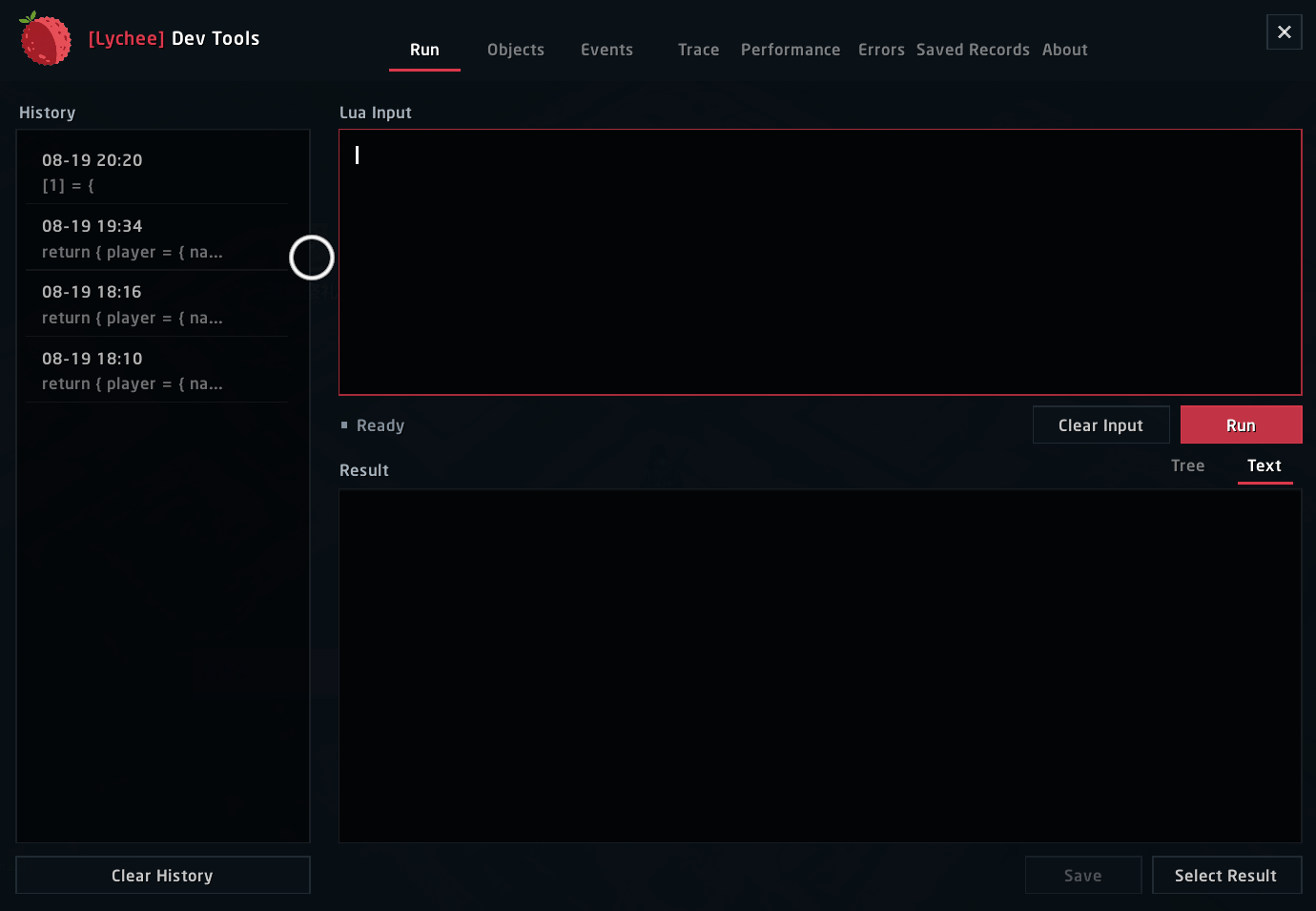
Lychee Dev is an in-game development and diagnostics workspace for World of Warcraft addon authors. Open it with /dev to run Lua, inspect structured values and UI objects, monitor events, trace functions, capture errors, and investigate addon performance without switching between several separate tools.
Supported clients
| Client | Baseline | Interface |
|---|---|---|
| Retail | 12.1.0 | 120100 |
| Classic | 5.5.4 | 50504 |
| Classic Titan | 3.80.2 | 38002 |
The package includes a dedicated TOC, compatibility profile, and official event catalog for each client. Retail event data is never reused as a substitute for Classic or Titan data.
Lua runner and structured results
- Run Lua directly, including code copied from Agent-generated
/runor/scriptcommands. - Inspect return values as selectable text or as an expandable tree.
- Page through large tables incrementally instead of creating every row at once.
- Reopen recent inputs and outputs from a bounded history.
- Use consistent Select All, Copy, and Save actions across exportable reports.
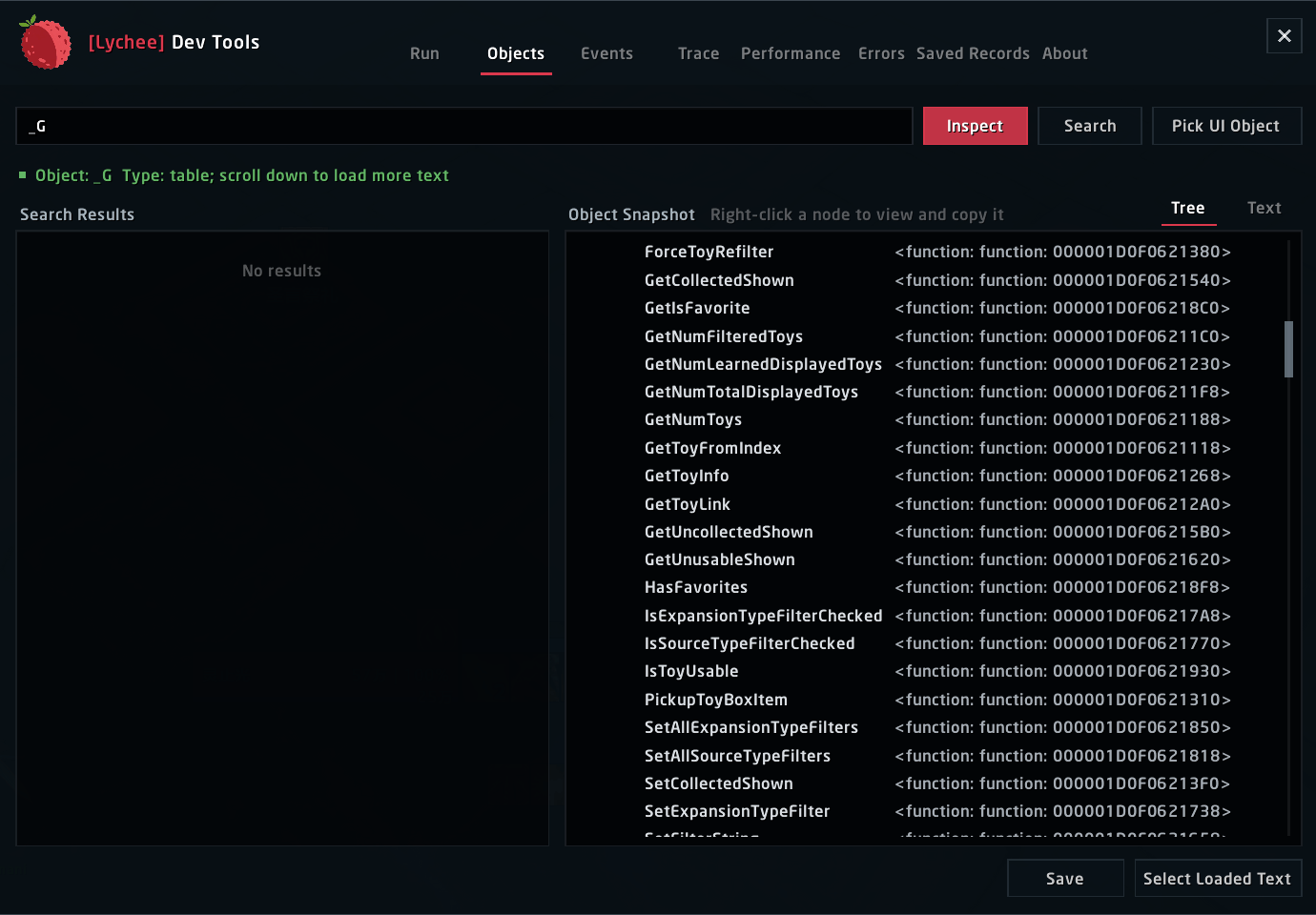
UI object inspection
- Hover a UI object and press
Fto capture it. - Inspect frames, regions, children, scripts, anchors, dimensions, visibility, and Lua fields.
- Navigate nested object trees and reopen previously captured objects.
- Export a complete, Agent-friendly object report.
Event monitor
- Search the official event catalog for the current client by keyword.
- Review documented event argument signatures before recording.
- Select several events or explicitly opt in to
ALLevent monitoring. - Register events only while monitoring is active and unregister them immediately when stopped.
Function tracing
- Trace calls by function path with arguments, return values, duration, and call source.
- Keep capture buffers bounded and export the complete report for analysis.
- Release active trace state when tracing stops, the window closes, or combat begins.
Deep performance analysis
Lychee Dev organizes performance evidence by addon instead of reducing a session to one CPU number:
- Recent, encounter, session-average, and peak addon load.
- P50, P95, P99, maximum duration, spike distribution, and memory change during a capture.
- Self time, inclusive time, call count, and average cost for captured functions.
- Frame-script hot paths with addon ownership evidence.
- Object counts, visibility changes, repeated instance use, and object-pool reuse signals.
- Function instance replacement and closure churn signals.
- Runtime SavedVariables growth and suspicious persistence changes.
- Collector overhead and API coverage limits shown alongside the conclusions.
Starting a capture minimizes the workspace to the Lychee logo so it does not obstruct the UI being measured. Performance polling does not run until a capture is explicitly started, and it stops when recording ends, the window closes, or combat begins.
An advanced experiment can use C_AddOnProfiler.MeasureCall to measure an explicitly selected repeatable function and report duration percentiles, allocations, deallocations, net growth, and throughput. This experiment executes the function and should only be used with safe, repeatable targets.
Error diagnostics
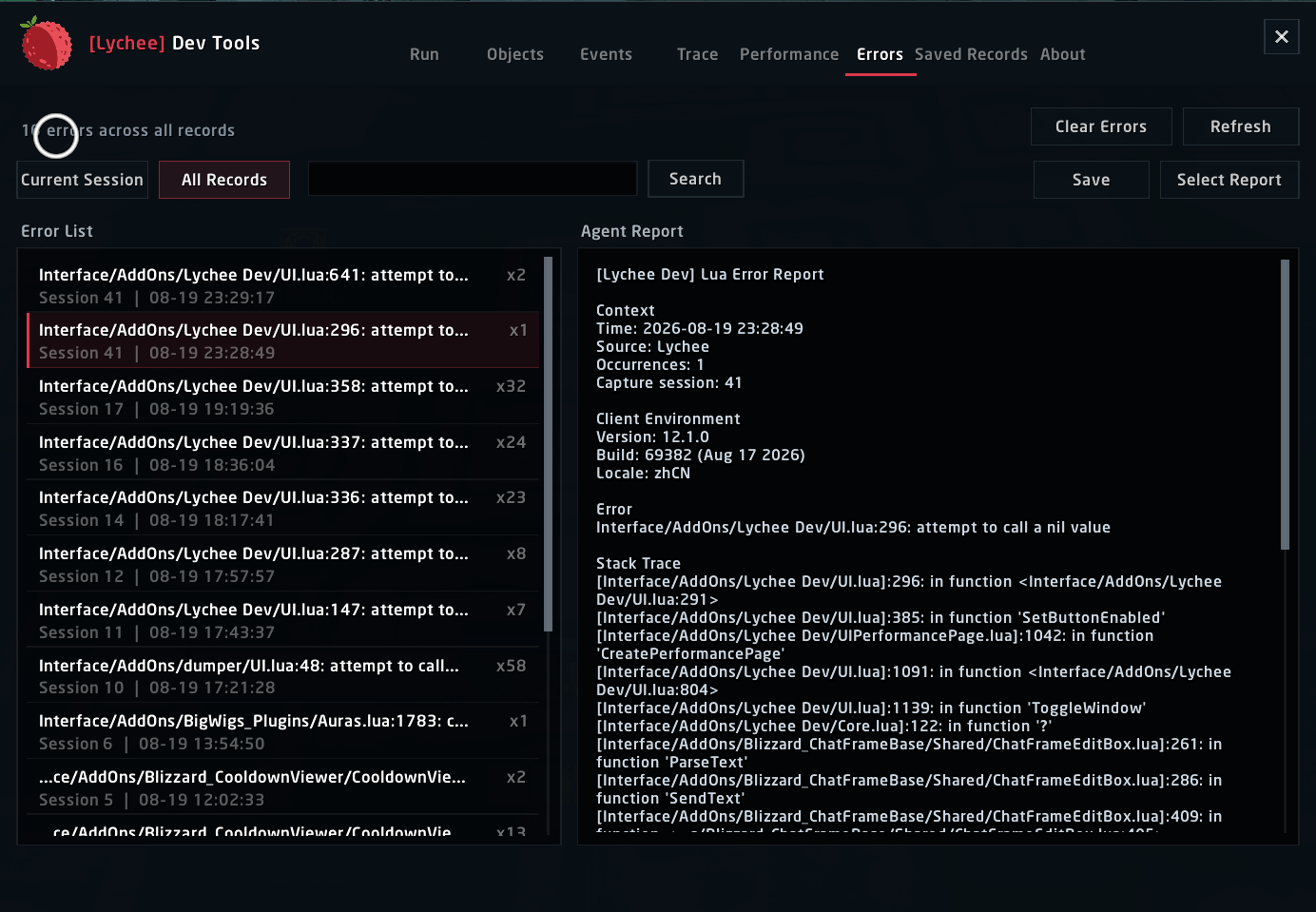
Lychee Dev depends on !BugGrabber for lifecycle-wide Lua error capture. It provides error grouping, occurrence counts, complete stack data, and structured reports designed to be copied directly to an Agent. BugSack is not required.
Saved records and Agent Tickets
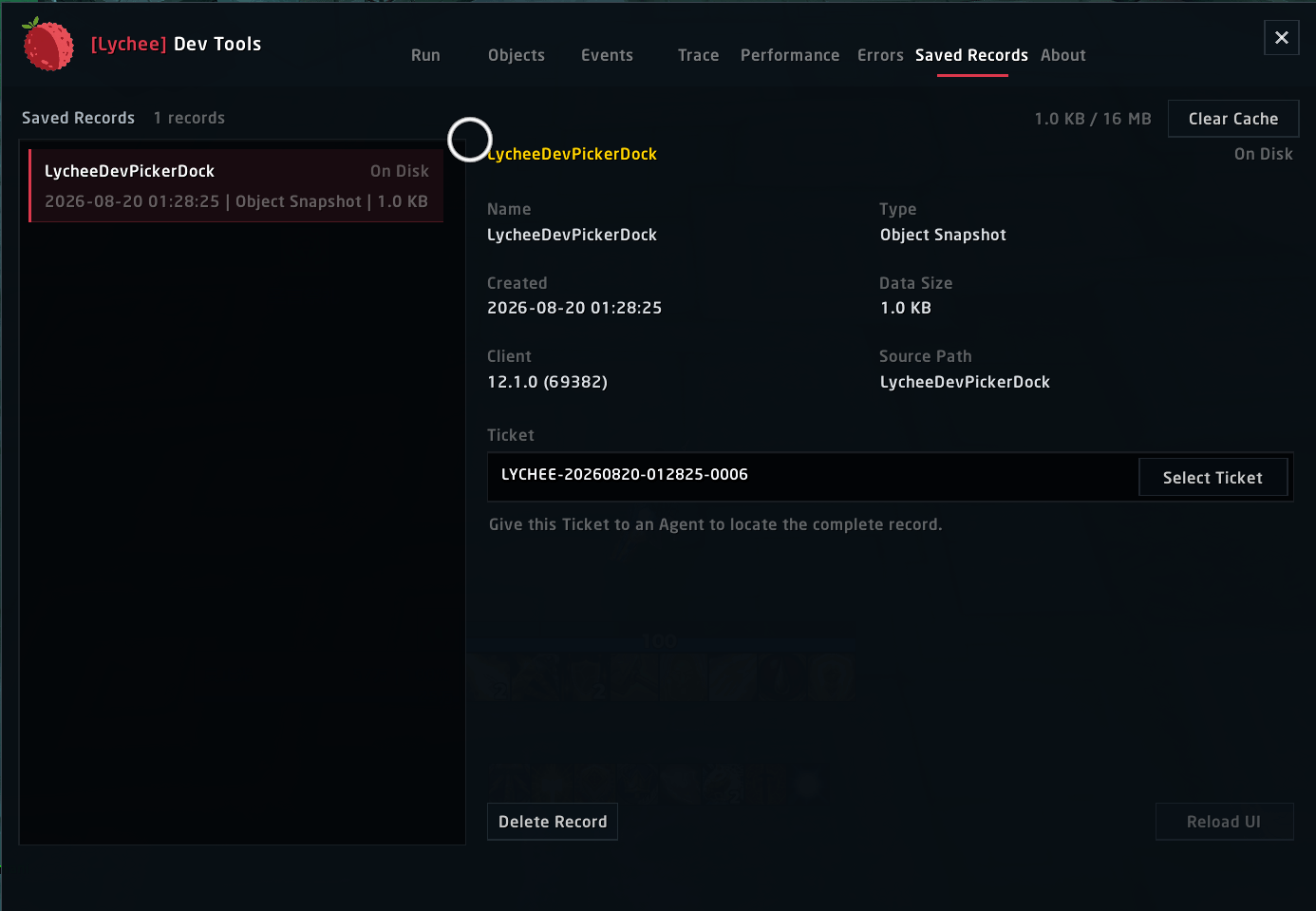
- Save a complete report and receive a unique
LYCHEE-...Ticket. - Search, reopen, copy, delete, or clear saved records from one workspace.
- Pending records are clearly marked until
/reload, logout, or game exit writes SavedVariables to disk. - An Agent can find the full report by Ticket under
LycheeDevDB.exports.recordswithout receiving a truncated chat message.
Runtime boundaries
- Lychee Dev cannot be opened or used during combat.
- Entering combat stops active object capture, event monitoring, tracing, and performance recording.
- Optional tools do not create polling work before they are enabled.
- Run history and saved reports are bounded to prevent unbounded SavedVariables growth.
The Lychee Dev Team