
Lura Brain Booster
- By
heroic-mode.png
Description
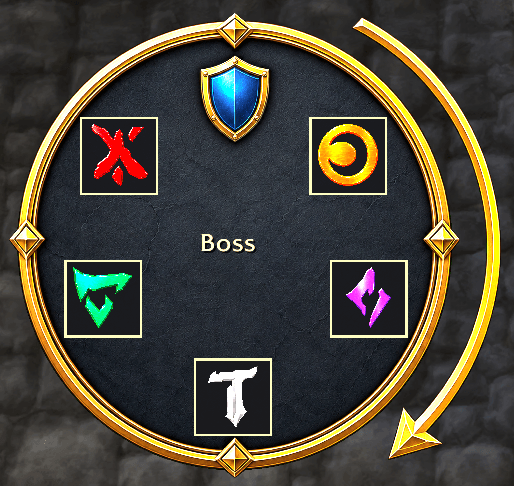
L'ura Brain Booster helps your raid handle the Death's Dirge symbol memory mechanic on L'ura / Midnight Falls by turning called symbols into a clear, easy-to-follow visual sequence.
A designated caller communicates each symbol, and the addon displays the sequence as large rune icons. This helps players focus on movement and execution instead of memorizing, translating, or mentally tracking every call.
The addon supports multiple symbol communication strategies, so groups can choose the approach that best fits their raid environment and caller workflow. Whether your team prefers direct symbol calls, group-chat-based calls, or experimental alternate methods, L'ura Brain Booster is built to adapt around human-led coordination.
Features
- Clear visual display for the current symbol sequence
- Support for Normal, Heroic, and Mythic sequence lengths
- Movable and lockable UI
- Multiple communication strategies for symbol calls
- Raid, instance, and party communication options
- Local demo and testing tools for setup and practice
- Designed for human callers such as raid leaders or assistants
- Helpful for reducing memory load and improving call clarity
How it works
During Death's Dirge, one human caller watches the boss symbols. As each symbol appears, the caller presses the matching direct macro. Everyone else running the addon sees those symbols appear in order on a compact viewer.
The addon is not trying to solve the encounter by itself. It does not read the combat log to determine the answer, inspect private auras, assign players, place markers, target enemies, move anyone, cast spells, or automate decision-making.
A real player still observes the mechanic and makes the call. The addon just turns that call into a clear visual sequence for the group.
Why Communication Works This Way
Midnight introduced stricter addon restrictions around encounter solving, Secret Values, private auras, addon communication, and automation.
Because of that, L'ura Brain Booster uses a deliberately boring but safer pattern:
- A human group leader or raid assistant watches the boss symbols.
- That caller presses one direct macro per symbol.
- The macro sends a group-visible message containing only a texture path.
- Other addon users receive the message.
- The addon verifies that the sender is the group leader or a raid assistant.
- The texture path is displayed directly as an icon in the viewer.
The important bit is that the addon is not decoding a hidden puzzle or reading private encounter data. It is displaying an authorized human call.
The Default Texture Strategy
The default strategy sends the symbol as a WoW texture path through normal group chat, for example:
Interface/AddOns/LuraBrainBooster/Textures/circle.tgaOn receiving clients, the addon passes that value directly into WoW's texture rendering so the icon appears in the viewer.
This is intentional. The addon avoids treating live raid chat as a custom data protocol during the encounter. Instead of parsing, comparing, or translating secret-like payloads, it receives a texture path from an authorized caller and renders it.
That means the raid's communication flow stays human-driven:
The boss shows a symbol. The caller sees it. The caller presses the matching macro. The group sees the visual reminder.
Caller Authorization
Listeners only accept live signals from the current group leader or raid assistants.
This prevents random raid members from accidentally or intentionally feeding symbols into everyone else's viewer. It also keeps responsibility clear: the raid designates who is calling, and the addon follows that caller.
Because leader and assistant messages can become inputs while the mechanic is active, those players should keep unrelated raid messages clear while the sequence is being entered.
Why not AddOn Messages?
Normally, addons might use addon communication channels to sync data between clients. For this encounter style, that is not something L'ura Brain Booster depends on.
Addon communication can be blocked during encounters, and Midnight's restrictions make it important to avoid building around hidden encounter data or automated solving. The direct macro approach is simpler, more transparent, and easier for players to reason about.
If the addon shows a symbol, it is because an authorized human caller sent that symbol.
What to be aware of
Everyone who wants to see the sequence needs the addon installed.
The caller should be the group leader or a raid assistant.
The caller needs to press the symbol macros in the same order the boss shows them. If the caller misclicks, the addon supports an undo signal so the last symbol can be removed.
The macro channel may matter depending on the raid environment. Some groups may prefer raid chat, instance chat, or party chat depending on what reliably propagates in their test setup.
If new texture files are added or renamed while WoW is already open, players should fully restart the game client. A reload is often not enough for new image files.
Slash Commands
L'ura Brain Booster uses /ll for its main commands.
Everyone
/ll
Show or hide the rune viewer.
/ll lock
Lock the viewer so it cannot be dragged.
/ll unlock
Unlock the viewer so you can drag it to a new position.
/ll reset
Clear the current displayed rune sequence.
/ll mode normal
Set the sequence length for Normal.
/ll mode heroic
Set the sequence length for Heroic.
/ll mode mythic
Set the sequence length for Mythic.
Raid Leader / Assist Caller
/ll macros
Create or update the direct caller macros for the five rune symbols.
/ll macros print
Print the macro text in chat without creating the macros.
/ll channel raid
Use /raid for caller macro messages.
/ll channel instance
Use /i for caller macro messages.
/ll channel party
Use /party for caller macro messages.
Testing
/ll demo
Fill a local demo sequence without sending chat messages.
/ll add circle
Add Circle locally for testing.
/ll add x
Add X locally for testing.
/ll add diamond
Add Diamond locally for testing.
/ll add t
Add T locally for testing.
/ll add triangle
Add Triangle locally for testing.
/ll undo
Remove the most recent locally added symbol.
/ll test
Allow listening to group chat outside the L'ura encounter for testing.
/ll send circle|x|diamond|t|triangle
Send one out-of-combat group test message. This is only for transport testing; the intended encounter flow is still the direct caller macros.
L'ura Brain Booster does not automate gameplay. It does not move your character, target enemies, place markers, assign players, or make decisions for you. It is a visual communication aid for groups that want L'ura symbol calls to be easier to see, remember, and follow.
The Lura Brain Booster Team
