Lucky's Character Mount
- By
A per-character mount list that summons a random mount from your curated selection with one click.
Wow_IbKIehxFkp.png
Wow_CCWRIIdWYW.png
Wow_uvAyyydZZD.png
Description
Character Mount gives each of your characters a personal mount list and summons a random mount from it with a single button press.
Features
- Per-character mount list: every character gets their own curated set of mounts, stored account-wide in SavedVariables.
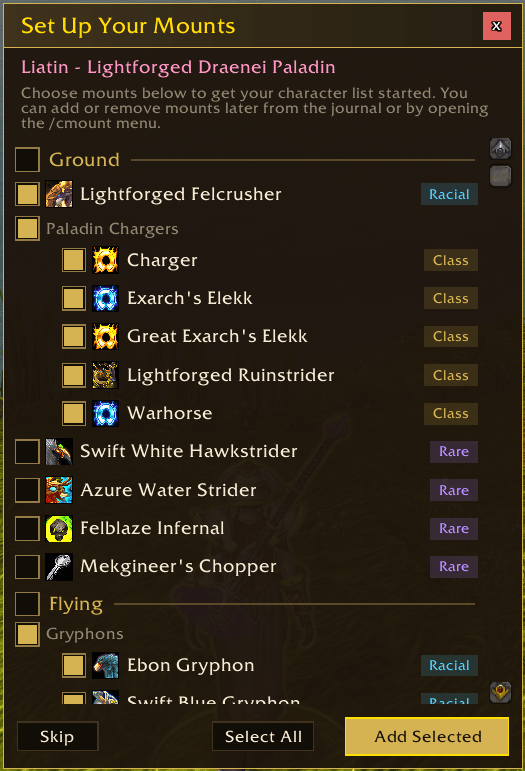
- Onboarding wizard: on first login, suggests racial mounts, class mounts, notable rare mounts, and any shop mounts you own. Pick what you want and get started in seconds.
- New mount prompt: when you unlock a new mount, a dialog appears offering to add it to your current character's list, all characters at once, or just the other characters you tick, with a live 3D preview of the mount alongside it.
- Mount preview: click any mount in your list or in the setup wizard to open a 3D preview window, then drag the model to spin it around and scroll to zoom. Handy when you cannot remember what a mount looks like.
- Spell form support: Druid Travel Form, Dracthyr Soar, and Worgen Running Wild are treated as mounts and randomised alongside journal mounts.
- Random summoning: click the macro to summon a random mount from your list, automatically filtered by context (ground, flying, or water). Give the macro your own icon, name, or extra lines and they stay put, as the addon only rewrites its own lines between summons.
- Ground-only macro: a "Get Ground Macro" button in settings puts a second macro on your cursor that always summons a ground mount, even in zones where you could fly. Drop it on an action bar for when you want to stay on the ground.
- Combat mounting: the macro also works mid-combat in the rare encounters where the game allows it, such as Tindral Sageswift, Dimensius, and The Dawnbreaker.
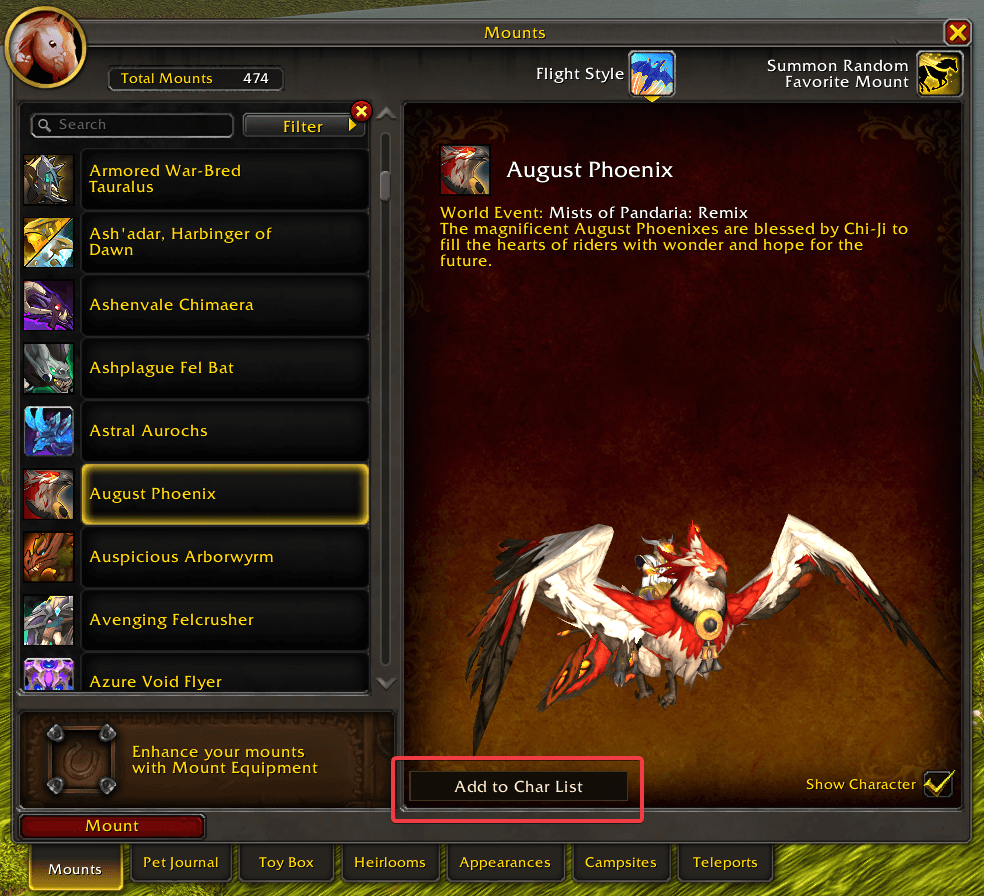
- Mount Journal integration: Add and remove mounts from the list from the mount journal, with a button on the selected mount or a middle-click on any mount in the list.
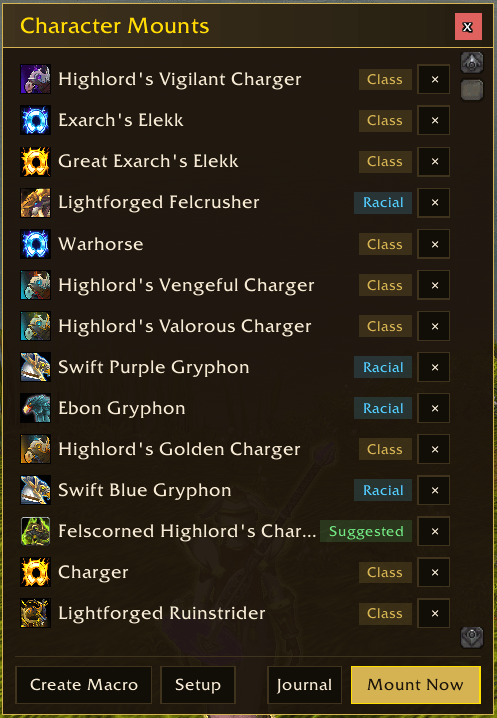
- Search the list: a search box at the top of the mount list filters your mounts by name as you type, with the header showing how many match.
- Source tags: colour-coded pills show each mount's origin: Racial, Class, Manual, Suggested, Rare, or Shop.
- Per-spec control: each mount has an options button showing how many of your specs it applies to. Click it to tick the specs a mount should be used for. Mounts switched off for your current spec are dimmed in the list and skipped when you summon a random mount.
- Count as another type: the same button lets you choose which types a mount counts as, with its own types ticked by default. Tick Ground on a flying-only mount and it becomes a candidate on the ground, or tick Flying on a ground mount for the look you want. Flying will not make a ground mount fly, it just gets summoned.
- Holiday-only mounts: for seasonal mounts, the options button offers a "During [holiday] only" toggle. Turn it on and the mount only joins your random rotation while its holiday is actually running, checked against the in-game calendar. Covers Brewfest, Hallow's End, Noblegarden, Love is in the Air, Feast of Winter Veil, and Call of the Scarab.
- Assign any mount to a holiday: turn on "Assign mounts to holidays" in settings and every mount's options gains an "Only during a holiday" submenu, so you can tie any mount to a holiday of your choice, not just the seasonal ones. Tick "Include micro-holidays" to add the short events as well, from Un'Goro Madness and Trial of Style to the bonus event weeks.
- Vary your mounts: rolls skip the last few mounts you summoned, so a short list stops repeating itself. A mount always comes up: if nothing else suits where you are, it is picked anyway. On by default, and holiday mounts are exempt so the seasonal spotlight keeps its odds.
- Remember rides shorter than: a ride shorter than the seconds you set is remembered, so your next summon brings that mount back instead of rolling, unless you have moved between ground, water, and the air. A second slider, "Total remember time", caps how long that keeps up, counted from the mount first coming up: hop off and re-summon as often as you like inside it, and once it passes the next summon rolls a new mount. Zero leaves either off. A mount cast you move out of never counts as a ride, so the click after it rolls.
- Seasonal spotlight: while a holiday is running, its mounts come up more often when you summon a random mount. The "Holiday mount chance" slider in settings sets how often, from 10% to 100% of your rolls.
- Excluded mounts: removed mounts move to their own view, reached by clicking the Excluded line at the bottom of the mount list. Each has a one-click restore that brings back the mount's spec, count-as type, and holiday settings, or an X button to clear the mount out for good.
- Minimap button: left-click to open the mount list, right-click for settings, middle-click to toggle dev mode. Drag to reposition. The addon also lists itself in panel addons such as Titan Panel, so its button can sit on a bar instead.
- Settings panel: configure options and view your mount list via ESC > Options > AddOns, or
/cmount settings. Includes toggles to disable the new mount prompt, its 3D preview, and the chat warnings shown when you cannot mount, plus buttons that put the standard or ground-only macro straight on your cursor. - Debug mode: account-wide toggle to print mount selection diagnostics to chat.
- Open Mount Journal: quick-access button in both the mount list and settings panel.
How to Use
- Install the addon.
- Log in. The onboarding wizard appears automatically for new characters.
- Select the mounts you want and click Add Selected.
- Type
/cmount macroto create an action bar macro, then drag it to your bar. - Click the macro to summon a random mount from your list.
Setup also has an Import Favourites button, which fills your character list with every favourite from your Mount Journal in one click instead of picking through the wizard.
You can re-run the onboarding at any time via the Setup button in the mount list, or /cmount reset onboarding. Both ask you to confirm first, since re-running Setup clears your current mount list.
Slash Commands
| Command | Description |
|---|---|
/cmount |
Open or close the mount list UI |
/cmount settings |
Open the settings panel |
/cmount macro |
Create or update the action bar macro |
/cmount groundmacro |
Create or update a ground-only action bar macro |
/cmount mount |
Summon a random mount from your list |
/cmount groundmount |
Summon a random ground mount |
/cmount add <name or id> |
Add a mount by name (partial match) or ID |
/cmount remove <name or id> |
Remove a mount by name or ID |
/cmount reset |
Clear all exclusions and per-mount options |
/cmount reset all |
Clear exclusions, manual additions, and per-mount options |
/cmount reset onboarding |
Reset and re-run the onboarding wizard |
/cmount debug |
Show saved state for the current character |
Known Issues & Notes
- The first macro click after creating the macro uses a fallback random mount. Subsequent clicks use the full random pool including spell forms.
- Spell form availability is checked via
IsSpellKnown(). If a spell is temporarily unavailable (e.g., level-restricted), it won't appear in the pool. - Profession mounts (tailoring carpets, engineering machines, etc.) are filtered out of onboarding suggestions.
A note on AI
My addons are made by one person who plays the game and wants them to work properly. I use AI tools to move faster, mostly on code, bug hunting, and docs, but every change is reviewed and tested in game before release. If a feature feels off or something breaks, that's mine to fix, and the Discord is the fastest way to reach me.
Lucky's Character Mount Team