LucidNav – Lucid Nightmare Maze Navigator
Real-time maze mapper and navigator for the Endless Halls, helping you to obtain the Lucid Nightmare secret mount.
overview-poi-icons.png

overview-poi-icons.png

Description

LucidNav – Lucid Nightmare Maze Navigator

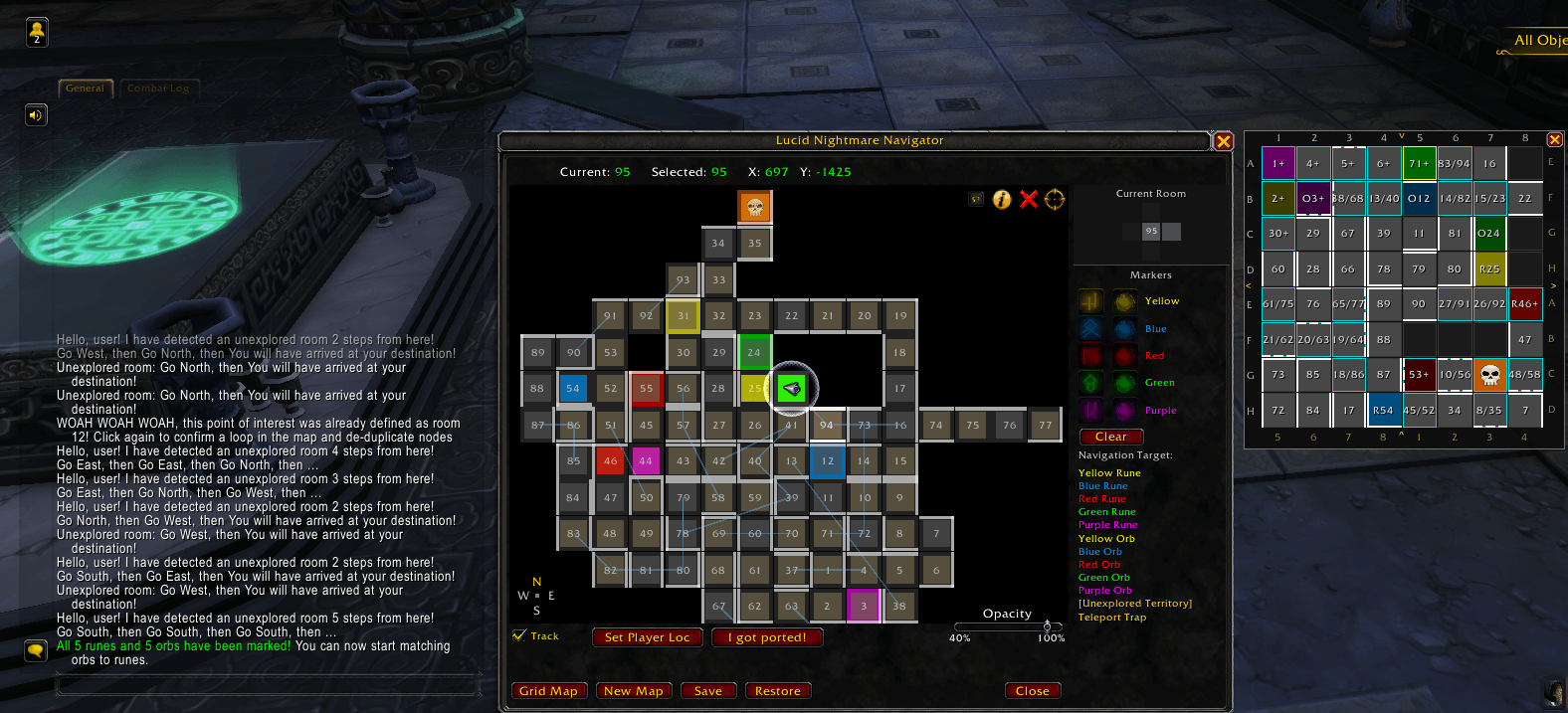
LucidNav Maze Map

LucidNav is a real-time mapping and navigation addon for the Endless Halls, the maze required to obtain the Lucid Nightmare secret mount in World of Warcraft.

Instead of drawing the maze manually on paper, LucidNav automatically builds a live map of the labyrinth as you explore and guides you step-by-step to any destination.

✔ Automatic maze mapping with right-click panning ✔ Turn-by-turn navigation with live step counts ✔ Rune & orb tracking with on-map iconsRune↔orb match tracker ✔ Teleport trap marking ✔ Persistent map + timestamped Save/Restore checkpoints ✔ 8×8 grid overview with edge-wrap hints ✔ Undo + right-click room editing to fix mistakes

Only active inside the Endless Halls.


Features

🗺️ Live Map Canvas

LucidNav builds a scrollable map as you explore. Each room is a 35×35 cell that appears automatically when you walk through a corridor, drawn paper-style with solid wall lines so it reads like a hand-drawn maze.

  • Right-click drag to pan the map
  • Left-click the center of a room to select it
  • Left-click an edge to toggle a wall on that side — the edge highlights on hover so you know exactly which wall you're about to set
  • Right-click a room for an edit menu (see below)
  • Rune & orb icons are drawn right on the POI rooms (in their colour), so points of interest stand out at a glance
  • A Current Room panel with N/E/S/W buttons lets you toggle the selected room's walls directly — handy when edge-clicking is fiddly
  • A compass rose (N/S/E/W) and live X/Y coordinates are shown for orientation

🧭 8×8 Grid Overview

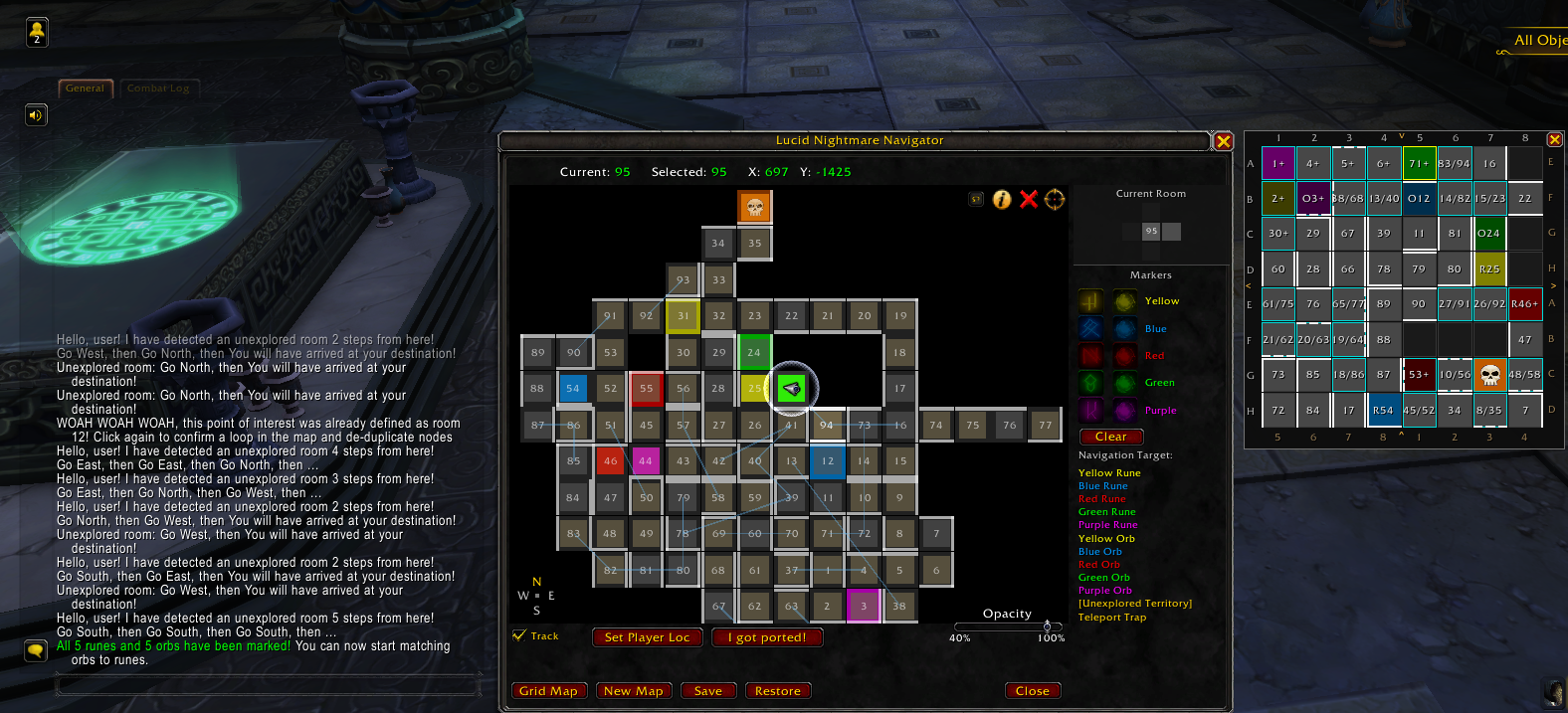
A compact 8×8 grid map opens alongside the main window, giving you a bird's-eye view of your exploration progress with bold, clear maze walls.

8×8 Grid Map with edge-wrap hint

  • Marks your current cell with a facing player arrow, POI rooms with their rune/orb icons, and the teleport trap with a skull
  • Edge-wrap hints — hover any border cell to light up the exact cell you'd emerge in after the maze's wrap-around (e.g. South → A7), Pac-Man-tunnel style

↩️ Undo, Checkpoints & Room Editing

Made a wrong turn or mis-marked a room? You never have to reset the whole map — and you never have to screenshot your progress.

  • Undo — step back your last actions (up to 20) via the toolbar Undo button or /ln undo. In-memory, so it's instant (but resets on /reload).
  • Checkpoints (Save / Restore) — click Save to store a timestamped snapshot of the entire map; click Restore to roll back to any earlier one (newest first). Snapshots are saved to your SavedVariables, so they survive /reload, relog, crashes, and DCs, and a Restore is itself undoable. Also via /ln save, /ln restore, /ln checkpoints.
  • Right-click any room for a quick edit menu:
    • Set as current room — correct your position
    • Unlink neighbor — remove a single wrong connection (pick the direction)
    • Detach — unlink a room from all its neighbors
    • Delete room — remove a stray/duplicate room entirely
    • Clear trap — un-mark a mis-flagged teleport-trap room
    • Undo last action

🎯 Points of Interest Tracking

Mark and track the locations of runes and orbs using color-coded icon buttons (Yellow, Blue, Red, Green, Purple — rune and orb each). Select a room first, then click its matching marker — the room is colour-highlighted and shows the rune/orb icon on the map and grid.

Once all 5 runes and 5 orbs are found, use the match tracker: hit the small ✓ toggle on a colour row to mark that rune+orb pair as done. Matched pairs dim out so you can see, at a glance, what's left to combine.


➜ Turn-by-Turn Navigation

Select a navigation target and the addon guides you step-by-step toward the nearest unexplored room, any discovered rune or orb, or the teleport trap. Routes use the shortest known path through the maze.

Navigation with live step counts

  • Live step counts — every target shows its distance from where you currently stand, updated on each move
  • Unreachable-POI warning — if a stray wall toggle accidentally seals off a known rune or orb, LucidNav warns you immediately instead of silently losing the route
  • Navigation never routes through the teleport trap

💾 Persistent Map

Your maze progress is automatically saved when you log out and restored the next time you enter the Endless Halls.

  • Proper logout (20-second timer): you respawn at Room 1 — the addon resets your position there automatically
  • Force-close / crash / DC: you return to your last room in the maze — walk to a known room and use Set Player Loc (or right-click → Set as current room) to correct your position

For rolling back mistakes, use Save / Restore checkpoints (see Undo, Checkpoints & Room Editing above) — timestamped snapshots that survive /reload and relog.


When does the maze reset?

The Endless Halls layout is not tied to the weekly/daily instance lockout. Blizzard's own wording — "coming back the next day will present you with an entirely new challenge" — and player testing point to the maze being generated per character from your player ID + the current date, changing once per day at roughly realm midnight (00:00 server time).

  • A brief relog keeps the same maze — your saved map stays valid, so mid-run relogs are safe
  • After the day rolls over the old map is invalid — if the start room's exits/POIs no longer match, click New Map and start fresh
  • Finish a run in a single day, and watch the server clock if you're near midnight

Quick Start

  1. Enter the Endless Halls
  2. Open the addon: /lnn, /ln, or /lucid — the map and grid overview open together
  3. Walk around normally — the map builds itself as you explore
  4. Left-click the center of a room to select it; left-click an edge to mark a blocked wall
  5. When you discover a rune or orb, select the room and click its matching color marker on the right panel
  6. Choose a Navigation Target for step-by-step directions — each shows its live step count from where you stand
  7. Once all 5 runes and 5 orbs are marked, tick the ✓ match toggle on each colour as you combine them
  8. Made a mistake? Right-click the room to fix it, hit Undo, or Restore a saved checkpoint

If you encounter the teleport trap, click "I got ported!" immediately — the room turns orange with a skull marker.


Tips for Solving the Maze

  • Do not extinguish runes early — they are essential navigation landmarks
  • Use navigation to reach unexplored rooms first
  • The teleport trap is marked in orange with a skull icon — navigation avoids routing through it
  • Save a checkpoint at each milestone (a new rune/orb, before a risky de-dup, before pressing "I got ported!") so a mistake is always one Restore away
  • If a room gets linked incorrectly, right-click → Unlink neighbor / Detach / Delete room instead of resetting the map

Compatibility

Tested with:

World of Warcraft 12.0.7 – Midnight


Credits

This addon is a fork and enhancement of LucidNightmareNavigator by Debuggernaut.

The v1.1 UI redesign — larger cells, right-click panning, click-to-select / click-edge-to-wall, icon POI markers, jump dialog, and compass rose — was inspired by and based on LucidNightmareMaze by Shtock. Thanks for the clean architectural patterns that made the working pan implementation possible.

Map visualization concept inspired by: https://nightswimmer.github.io/EndlessHalls


Source Code

GitHub repository: https://github.com/cristian-encalada/LucidNav

Bug reports and pull requests are welcome.

The LucidNav – Lucid Nightmare Maze Navigator Team

profile avatar
Owner
  • 1
    Projects
  • 2.3K
    Downloads

404 - Bio not found