![<p>A number of option interfaces has been added for features not yet available in the Review History frame of the Raid Manager.</p>
<p>- Rename Source [Works!]
- Export Entry [Disabled, but planned.]
- Remove Entry [Works!]</p>
<p>These options appear w...</p>](https://media.forgecdn.net/attachments/83/726/LootTrain_1_2_1_06.png)
A number of option interfaces has been added for features not yet available in the Review History frame of the Raid Manager.
- Rename Source [Works!] - Export Entry [Disabled, but planned.] - Remove Entry [Works!]
These options appear w...
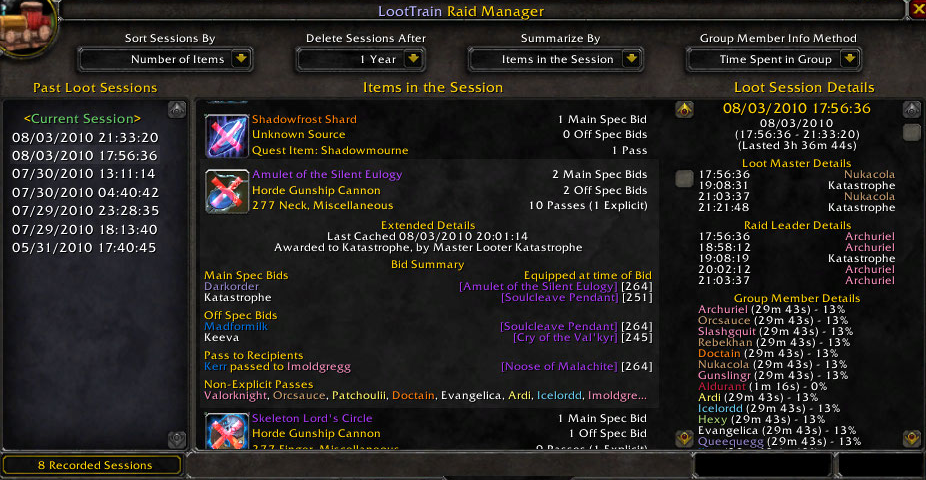
After a brief discussion with a user concerned with the amount of space an item takes up, I freshened up the look of the Distribution History frame of the Raid Manager. Useless information has been replaced by somewhat less useless information, such ...
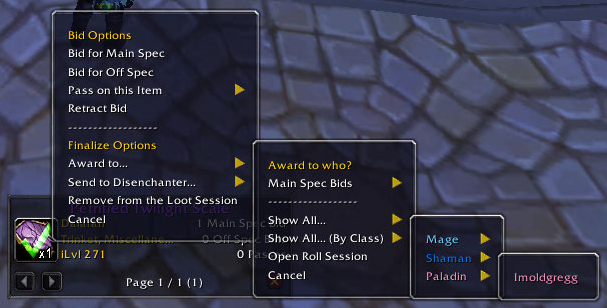
Show All... (By Class) has been added to circumvent large groups of players into smaller categories. I was told by some that the Blizzard menu system would not allow them to select the bottom half of the group, should this happen, this interface shou...

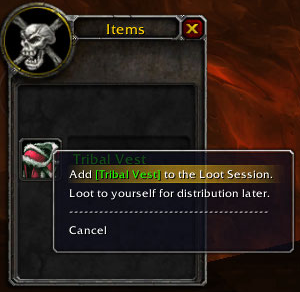
Upon adding an item to the loot session, the master looter may use the Right click master loot interface to further manage the item from the session. The master looter may bid, award, or loot it however they wish!
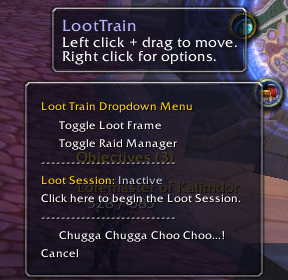
The minimap button for LootTrain is rather unique. As far as I know, it is the only one of its kind that does a full rotation around the minimap when the "Chugga Chugga Choo Choo!" option is checked in its personal settings!
Note: The minimap...
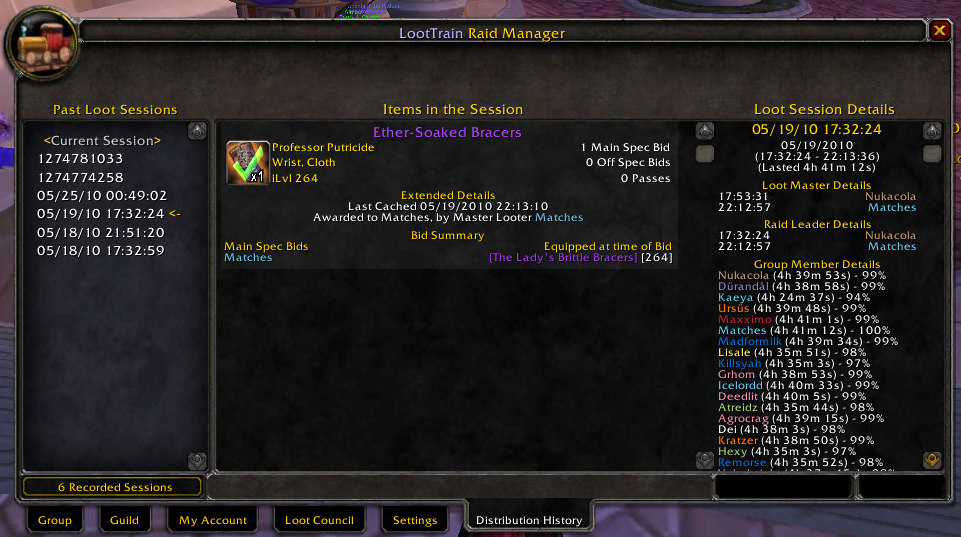
Distribution History is a new tab in version 1.2 that provides information regarding all loot sessions started after the 1.2 release date. Data is collected based on who is in the group at the start of a raid session, the items in the raid session, w...
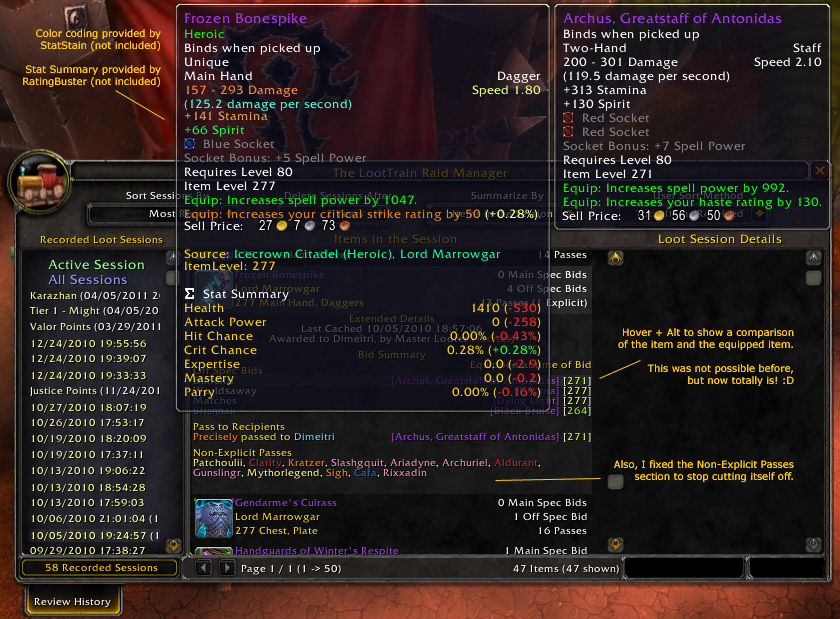
Comments in the image.
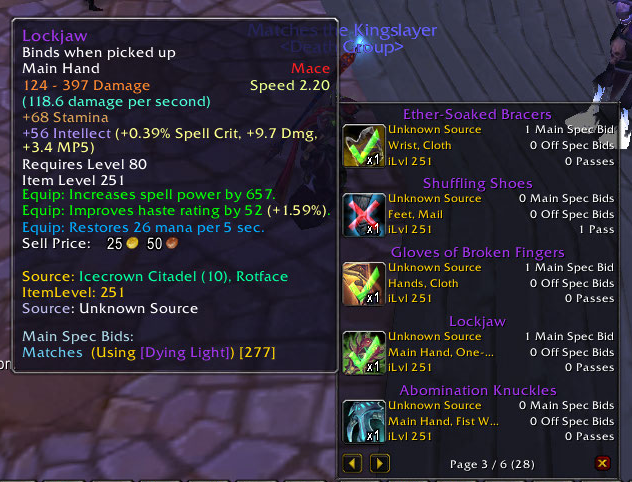
New with version 1.2 is the cleanup of the Loot Session window. This frame condenses or expands up to 5 loot items per page and allows for an infinite number of items in the session at a time. You can also directly hide the window by clicking on the ...
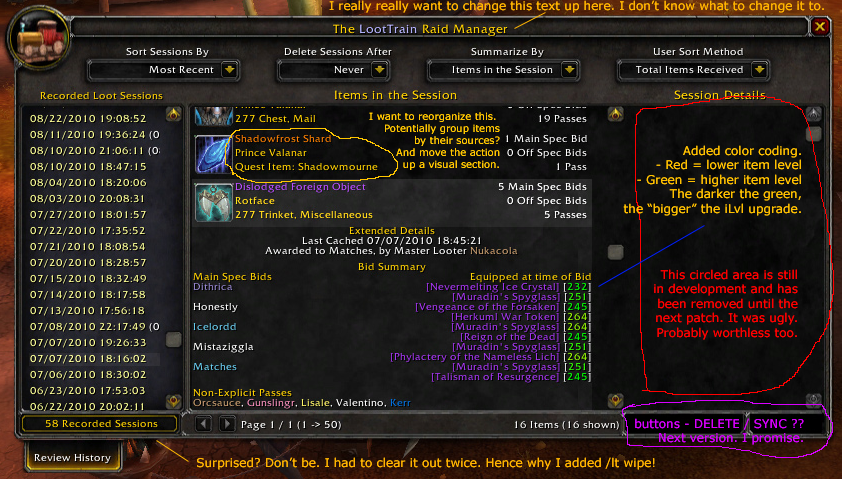
I added my comments in the image itself.
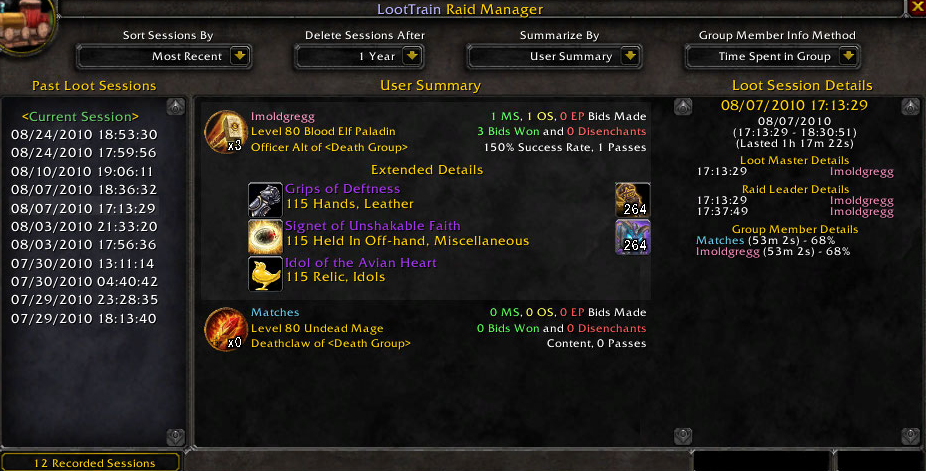
The new Summarize By interface allows you to see all the loot received by any member of your raid as well as what they replaced at the time of the item's drop. Players that receive considerably more loot than others can easily be noted by looking at ...

Another sample image showing item comparisons made by the addon.
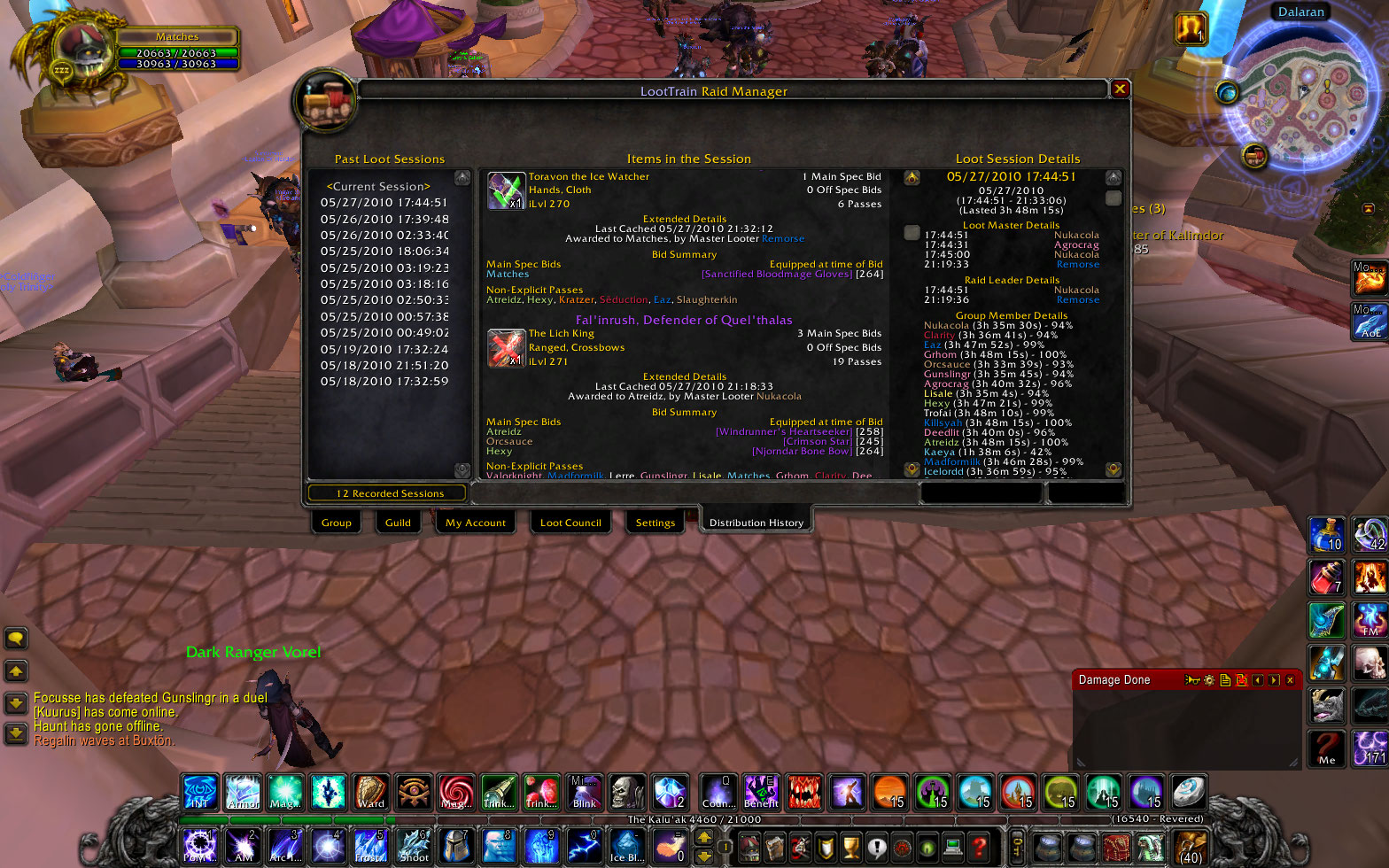
This is what the Distribution History tab looks like after a session has been started or completed. Items are recorded in order of First In - Last Out discriminated by their last cache update time. (Whenever an item is updated, either by a bid, remov...
The default master looter window is boring and unnecessary. You must navigate the window by group, not by interest or anything! By using the Loot Session, you may find who has bid with ease! Any item that is not looted automatically and is at or abov...
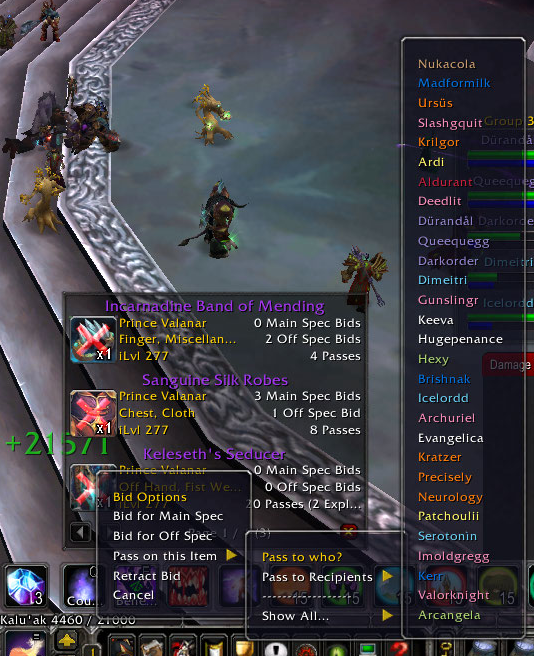
Finally got around to putting in class colors to the Distribution and Bidding interfaces. Instead of white, boring text, it will now be nice and shiny with the class color of each player. This image is from the view of a raid member that is not the M...
Description
LootTrain is an add-on that implements an improved Master Looter distribution method to the game for use by guilds who use their own Loot Council to decide how loot is distributed among raid members. Each member of your raid must have this addon installed.
To Use:
1) You must be the Master Looter in a group, party, or raid and have the Loot System set to Master Looter.
2) Either at the start of your raid or directly before or after a boss kill, (it doesn't matter when really), you must right click on the minimap button and make sure that the "Loot Session: Active", NOT Inactive! You will not have access to any of LootTrain's options without it started.
3) Upon looting a corpse as the master looter, you may Right click on the item icon and begin using LootTrain!
- Change Log -
Version 1.3.2
MAJOR CHANGES
- Now compatible with API changes made in Patch 4.1 of World of Warcraft
- The Raid Manager that comes with LootTrain is now a separate Load on Demand Module.
- Loot Sessions are now viewable by any character on your account and have been removed from the PerData table. [In fact, most information has been removed from the PerData table.]
- Saved Loot Sessions are now stored using a (somewhat less retarded) different method. LootTrain.SavedLootSessions now contains them all. LootTrain will automatically restructure your LootTrainData and PerData tables to accomodate for this change. Also note that the active session is now the only session stored in the LootSessions table. A rewrite will be required before a better method can be written.
- You can now wipe the databases from in the game.
: /lt wipe all
Wipes ALL data from the database. This includes items, user information, and sessions.
: /lt wipe items
Wipes ALL items from the database. This does not ignore items in use in the session history.
They will need to be recached should you look at them again.
: /lt wipe sessions
Wipes ALL sessions from your current character's database. This ignores databases from other
characters. (only because they are saved per character - not per server.)
: /lt wipe users
Wipes ALL users from the user database. You will notice that only the names of the characters in your
session history will be available until the data is recached again. If color coding and this data is not important to you,
then this is mostly recommended.
: /lt wipe
Wipes ONLY items and users that are NOT needed for your session history information display. This is normally all that you need to
do ever so often just to clear out the dungeon finder group information that tends to bong down your database. This process can be
slow depending on the amount of data in the database.
MINOR CHANGES
- Fixed the sort methods to actually do as they said they would do: Sort the list!
- Fixed the command line interfaces for DE, Award, Bid, Query, Wipe, and Remove.
- Added an entry for Query and Wipe to the command line help interface.
- Added "Active Session" and "All Sessions" to the session list.
- Added the ability to rename sessions. This also no longer crashes LootTrain when viewing the session in the Manager.
- Reformatted the session data to better work with the new formatting provided by the new Raid Manager interface.
- Fixed some missing item data links in the Items summarize method. (By parsing the item ids for items not cached in the Database yet.)
- Redesigned the Loot Session Details subframe of the Raid Manager.
- Redesigned the Users sumarize method in the Raid Manager. [Sadly withheld from this version. More testing is required.]
- Added color coding to iLvl comparisons for more emphasis on amount of upgrade via iLvl. [Though in some cases, you should not look at this and instead look at the difference between the two items.]
- You can now use the mouse to interact with the "using" item history in the Raid Manager history tab.
[1] - Holding Alt will bring up a comparison with the item and the item used at that time by the bidder.
[2] - Holding Shift will produce a link of the item. (standard)
[3] - Holding Ctrl will open the Dressing Room with the item. (standard)
- You can now use the Alt key when hovering over the item icon in the history and LootTrain frames. [It will bring up a comparison with your equipped items. Up to 4 items can be compared at once (specifically for bags - but you could probably make a separate function to override the alignment settings).]
- Search for "TO DO" to find places that still need to be implemented fully or redesigned.
- Fixed the Raid Manager so that you may remove, rename, or export items while viewing All Sessions.
- Wrote the Session Delete and Rename features so that if you attempt to do so while using the "All Sessions" view method, it will tell you that its not possible instead of causing a Lua error.
- Partially rescripted the Raid Manager frame to fix a couple of viewing bugs. (Some still exist under some circumstances.)
- LootTrain now keeps track of Achievements earned while in a session for all group members. Functionality to view those achievements and group your sessions based on how many earned will be added in a future patch.
PLANNED FEATURES (VERSION 2.0 and Later)
- Complete rescript of the entire engine. Since writing LootTrain, I've written a whole lot of Lua code and learned a lot of new and exciting ways to do things more efficiently. I will be applying what I've learned over the past two years to make LootTrain an even better addon! (Free of charge - But Donations may be given if you go to my Website. I'd probably be more motivated to work on the project if I was getting something out of it.)
- I want to script LootTrain to include Auction style Bidding for items (when initiated by the Master Looter - this will NOT be available until the extra option is specified.)
- I want to script in a DKP equivalent loot method for LootTrain, or rather, a whole bunch of "Extended Loot Methods". This will be shown in each item history piece just as the "Roll Session" loot method is.
- Since Blizzard implemented the new guild options with Cataclysm, I want to make it so that LootTrain can look at your professions and allow bids on recipes and schematics sort of how we do it now, but as a different method. I want a list of "People that can use the item." below the Passes to section in the tooltips and History frames just so that people that don't want to bid are still providing the input for them.
- Blizzard added the specific text with each of their class specializations - this will make it easy to determine a class role (Tank, DPS, and Healer). I want this role to be shown either by graphic or text next to a bidder's name.
- I want to allow for Synchronization - Where the Master Looter would simply press a single button to open up a "Sync" frame where the progress of the Sync is tracked and all the people in the group (or the recipient chosen in a subframe menu) gets sent the session through serialization. I know how to do this now, but it will take a bit more than LootTrain is currently capable of to make it work the way I want.
- I've been promising Loot Council additions for a while - I want to get this feature in most of all. Currently, LootTrain doesn't have the capability and is restricted a bit with how I want to do this. I would describe more, but the level of viewing complexity would just make adding this feature in a HUGE pain. I will be redesigning LootTrain from scratch in a later patch (probably 2.0) to make it easier to add features in.
- Previous Versions -
No data available.
LootTrain Team

Owner