
LootSpark
- By
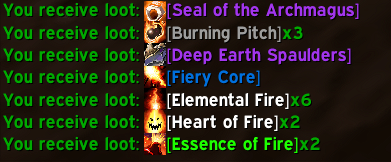
All Icons
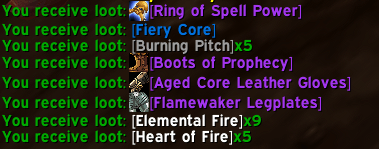
Gear Icons.png
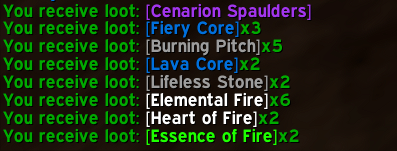
Default Without Icons
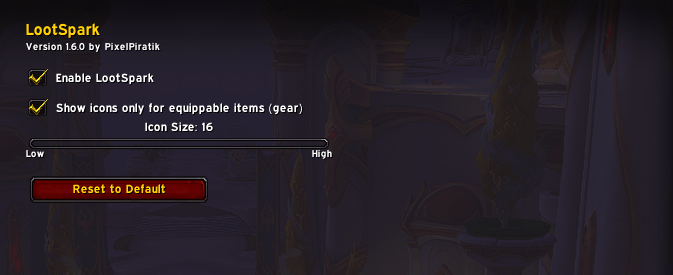
INgame Settings
Description
Yarr, matey! ⚔️✨
Tired of boring plain text when you loot stuff?
LootSpark adds beautiful, crisp item icons directly into your loot messages — so you can instantly see what shiny treasures you just grabbed!
No more hovering over every link like a landlubber. Just pure visual joy in your chat.
Features
- Clean and sharp item icons in loot chat
- Fully customizable via in-game options menu
- Choose between All items or Gear only (equippable)
- Adjustable icon size (10 to 28)
- Lightweight and optimized for WoW Midnight
How to Use
1. Install LootSpark
2. Go to Esc → Options → AddOns → LootSpark
3. Customize to your liking:
- Enable / Disable
- Show icons only for gear
- Change icon size
4. Or simply type /ls in chat to open settings
Compatibility
- Fully tested with default Blizzard chat
- Compatibility with ElvUI and other heavy chat modifications is not guaranteed
Slash Commands
- /ls — Open settings panel
LootSpark Team
