
LootLens
Quickly view drops from endgame content directly in your inventory by hovering over an armor slot
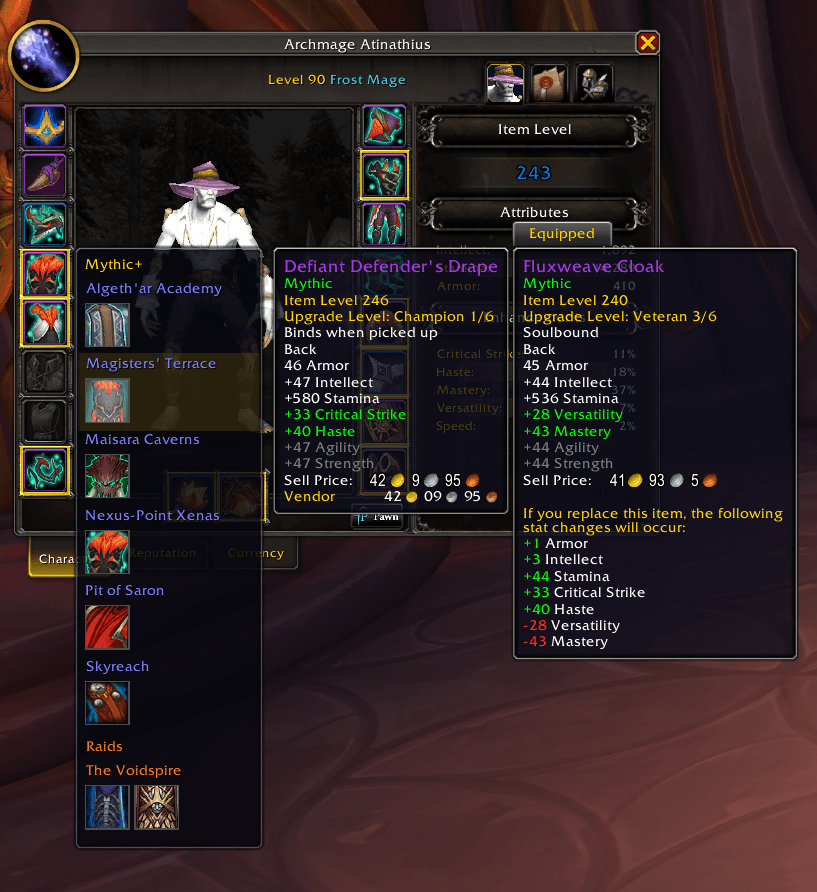
Screenshot 2026-03-25 170002.png
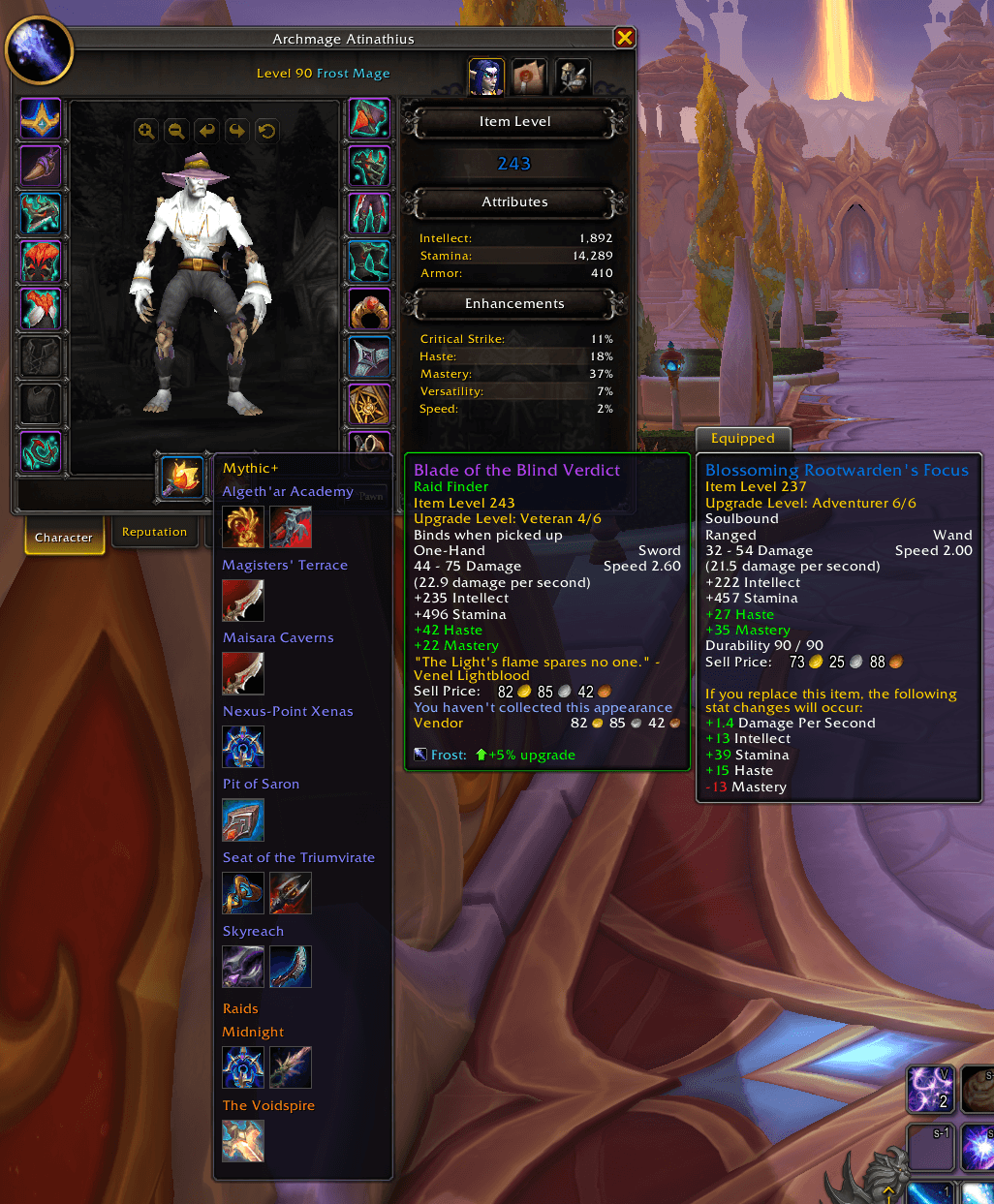
Screenshot 2026-03-25 161155.png
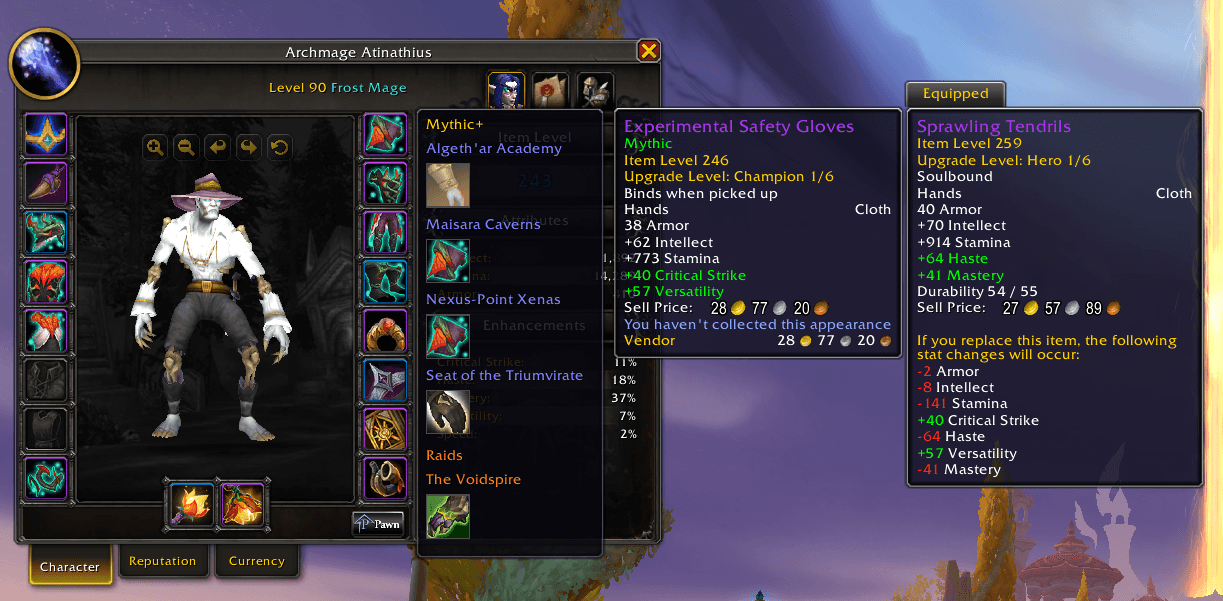
Screenshot 2026-03-25 161009.png
Description
Hold a modifier key while hovering over any equipment slot on your character panel, and LootLens will show you every item that can drop in that slot from your enabled sources — Mythic+ dungeons, raids, or both. No more alt-tabbing to Wowhead or clicking through the Encounter Journal boss by boss.
How It Works
- Open your character panel
- Hold CTRL (configurable) and hover over a gear slot
- A popup appears showing every item that drops in that slot, grouped by instance
- Click any item to jump straight to that boss in the Encounter Journal
All results are automatically filtered to your current loot specialization and armor type.
Features
- Mythic+ Season Dungeons — See drops from all current season dungeons at a glance
- Raid Loot — Enable any current raid and pick your difficulty (LFR / Normal / Heroic / Mythic) globally or per-raid
- Slot Highlights — When you're inside a dungeon, gear slots with available drops glow on your character panel so you know what to look for
- Non-Season Dungeons — Optionally browse loot from older expansion dungeons too
- Per-Source Toggles — Enable or disable individual dungeons and raids to keep things focused
- Spec-Aware — Automatically re-scans when you change specialization
Slash Commands
/ll— Show help and current settings/ll settings— Open the settings panel/ll ctrl|shift|alt— Change the modifier key/ll reset— Clear and refresh the loot cache/ll version— Show addon version
LootLens Team
