LootJinx
- By
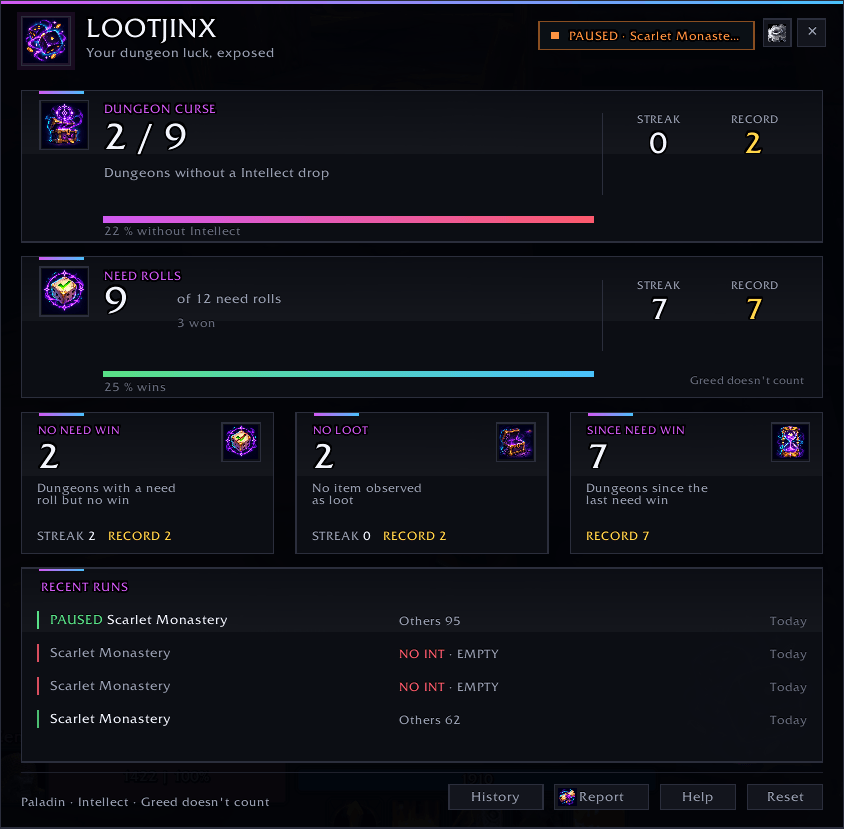
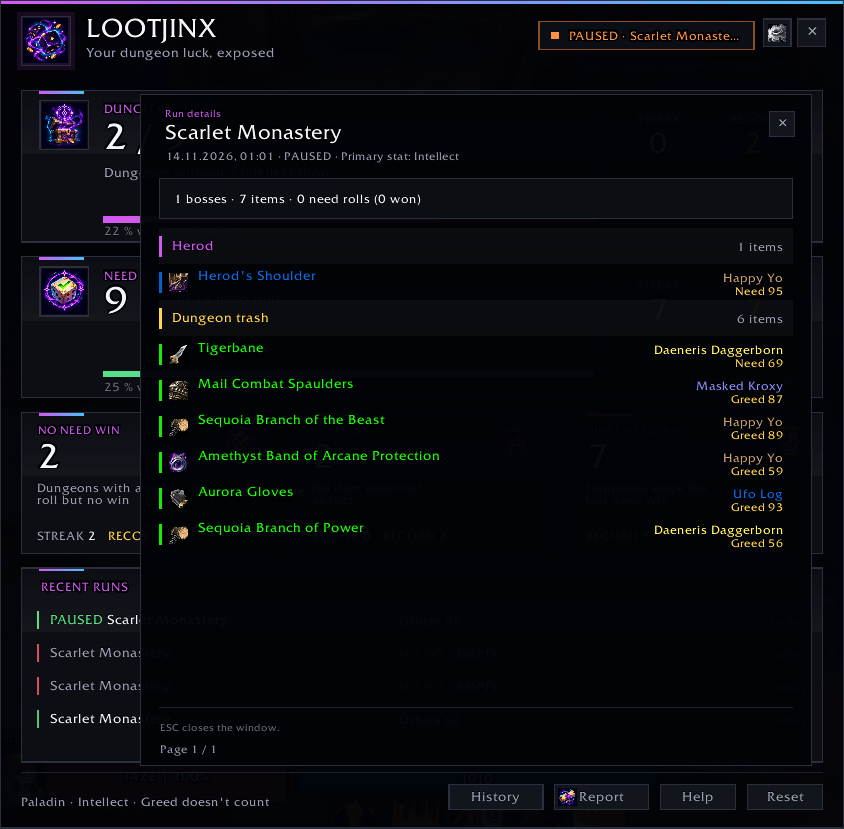
LootJinx documents your dungeon luck: dungeons without your primary stat, lost need rolls, and your longest curse streaks — plus a clickable run-by-run breakdown of every boss, item, recipient and roll.
Wow_wntdREFRrm.png
Wow_TVhUvEYNKB.png
Wow_2MFh8F4Voh.png
Wow_TyCzWoyPCu.png
Description
LootJinx – Track Your Bad Loot Luck in WoW Forever
Another dungeon with no useful drop? Another Need roll lost? LootJinx keeps score.
LootJinx tracks your dungeon runs, Need rolls, and unlucky streaks in World of Warcraft: Forever. See how long your dry spell has lasted, revisit recent runs, and share the numbers with your group.
Tracking starts automatically when you enter a dungeon, raid, or scenario instance. No external libraries or setup required.
What LootJinx Tracks
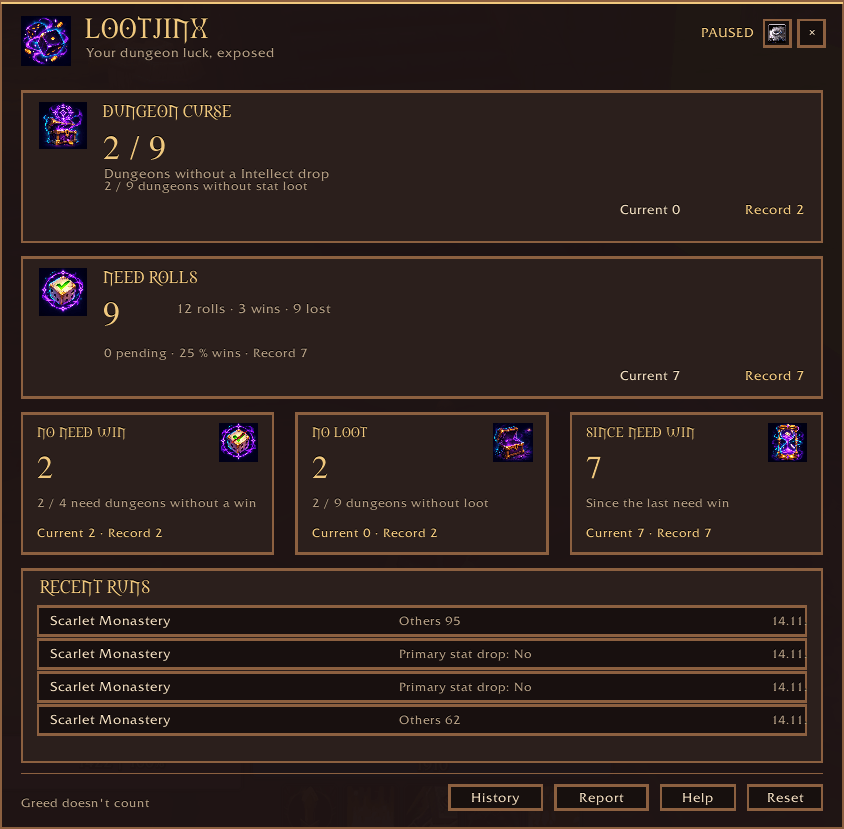
- Need Rolls: Every Need roll is counted, with wins, losses, pending rolls, the current losing streak, and your personal record. Greed rolls do not affect these statistics.
- No Need Win: Dungeons where you rolled Need but won nothing. A dungeon without a Need roll does not break this streak.
- No Loot: Dungeons where no eligible loot was observed. Quest items are excluded.
- Since Need Win: Dungeons since your last successful Need roll, including runs where you did not roll Need.
Each tracker shows your current streak and longest recorded streak.
Review Your Runs
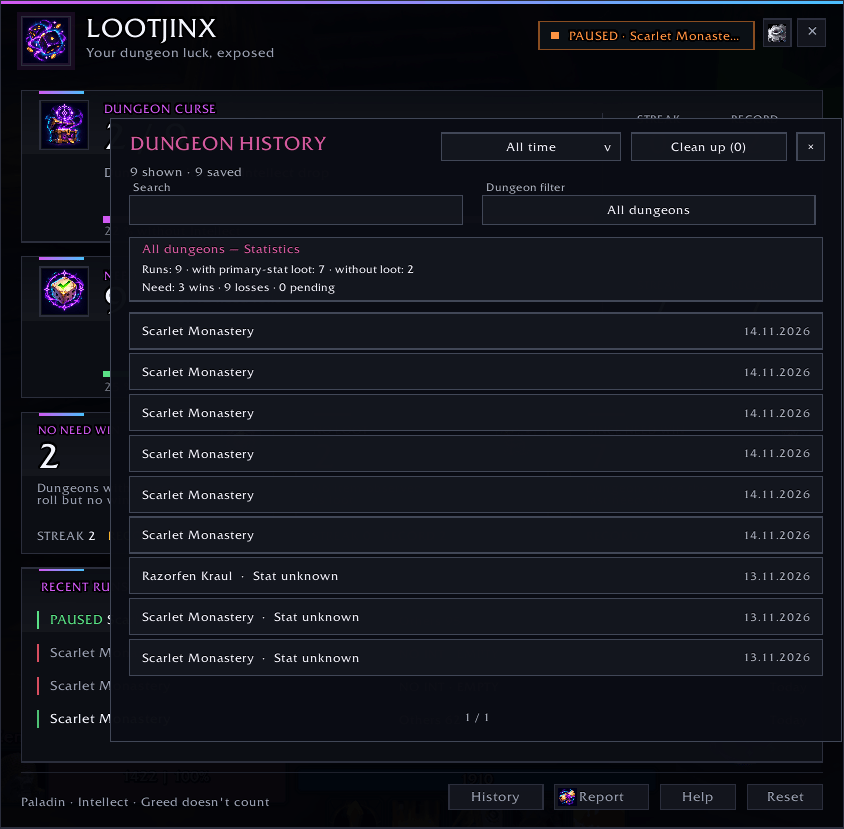
The dashboard shows your four most recent runs, including the latest observed Need roll values. Open the searchable run history to filter saved runs by dungeon, date, and status, or compare two runs from the same dungeon. Clicking one of the three tracker cards opens the history filtered to exactly those runs, with a removable filter chip. Click a supported run to see its bosses, observed drops, recipients, and per-player roll values.
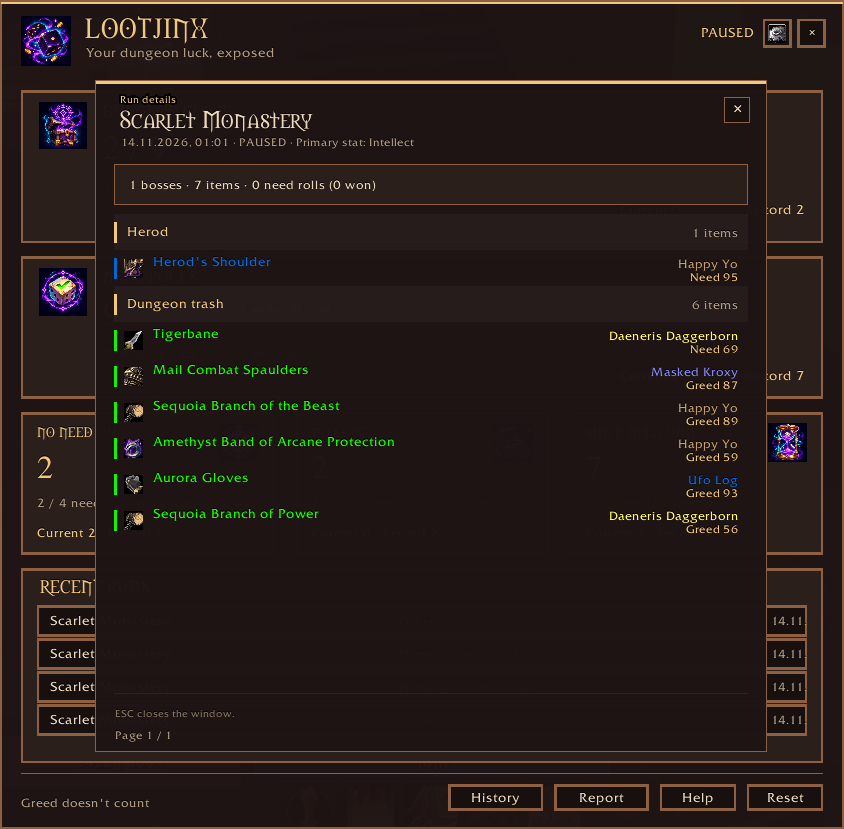
Run details show equippable green-quality or better loot by boss. Eligible dungeon trash drops appear in their own section, using a catalog curated from ForeverDungeonJournal and reviewed against Wowhead Forever and ForeverDB.net to identify known boss and trash sources. Unlisted or ambiguous observed items remain visible under Other Loot. Long runs retain their early boss drops, and previously trimmed drops can be restored when saved Loot History evidence is available. The loot catalog is reviewed against ForeverDungeonJournal 2.1.0 and includes dungeon and raid data. Older runs recorded before detailed history was introduced remain in the list but have no detailed report.
When you leave after all required bosses in a resolved dungeon or wing were observed killed, LootJinx closes the run. A uniquely attributed boss drop can count as evidence of a kill, and Whitemane credits Mograine in Scarlet Monastery: Cathedral. Rare spawns are excluded from the required bosses. Empty visits with no recorded boss, loot, or roll are omitted. If you leave and return to the same instance copy within five minutes, LootJinx continues the unfinished run. Entering a different copy starts a new run.
Share Your Bad Luck
Send a compact statistics report to party chat, raid chat, a same-faction player by whisper, or a confirmed Battle.net friend through Battle.net whisper. NPCs and unverified targets are rejected. Open LootJinx with /lj, the minimap button, or the AddOn Compartment.
The dashboard supports adjustable scale, a compact mode, and a movable window. You can opt into local chat notices when you set a new personal record. Settings are available under ESC → Options → AddOns → LootJinx or with /lj options.
Choose Your Design
Use the Design dropdown in Options to switch between Classic and Dungeon Journal. Both show the same trackers and recent runs in the same layout, with a different visual style. The run detail window matches your chosen design. The design is saved across all characters and takes effect immediately. Use the Language dropdown to choose a language and confirm the reload.
Version 1.7.2 displays Korean, Simplified Chinese, Traditional Chinese, and Russian text on English clients. When you select a language different from the client language, both designs translate class names and known instance names. History search accepts both the displayed name and the original name. The Korean UI uses 입찰 for Need and 차비 for Greed.
When a run detail window is open, pressing ESC closes that window first and leaves the dashboard open.
Commands
/lj— Open or close the dashboard/lj options— Open settings/lj reset— Reset this character’s statistics after confirmation/lj scale 0.80–1.30— Change dashboard scale/lj resetpos— Center the dashboard/lj help— Show all commands/lj debug— Open a copyable diagnostic snapshot without player names or chat text
Data Sources and Credits
The loot catalog is curated from ForeverDungeonJournal and reviewed against Wowhead Forever and ForeverDB.net. Reviewed source references are bundled with LootJinx. Run history and run details show a copyable link to ForeverDB.net.
Compatibility
- Game: World of Warcraft: Forever
- Interface: 16001
- Version: 1.7.2
- Languages: All ten World of Warcraft client languages, with automatic selection or a manual choice in Options
- Dependencies: None
Forever does not expose a combat log to addons. LootJinx combines available loot, roll, chat, and encounter events; some drops or roll results may therefore be impossible to identify with certainty.
Bad RNG happens. Now you have the numbers to prove it.
LootJinx Team