
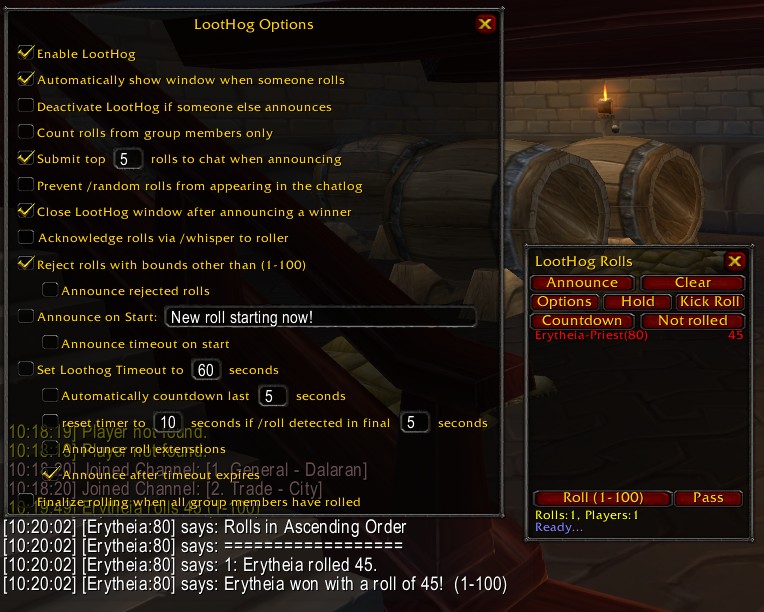
english options, chat, loothog window
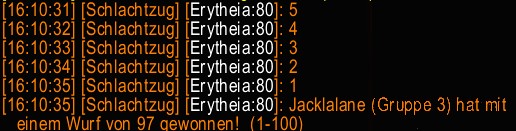
German chat example
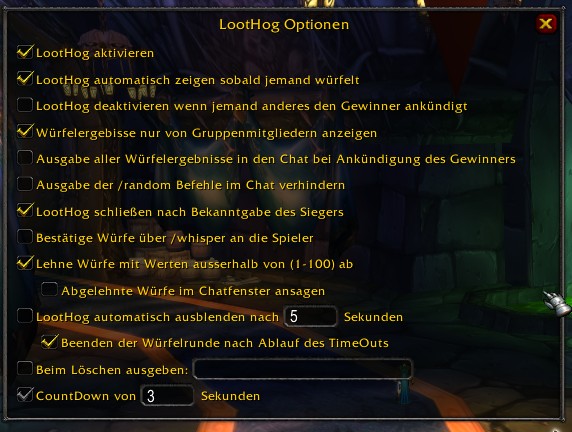
German options window
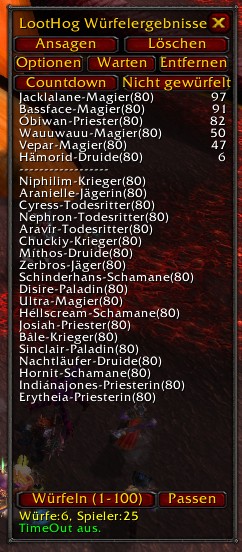
German main window
Description
LootHog detects and tracks rolls which are made with '/random' or '/roll' and sorts them, allowing raid leaders to announce roll winners quickly and easily.
Features/Options:
- Automatically show window when someone rolls (optional)
- Announce configured settings and rules to party/raid
- Configurable timer: Starts when the first roll is detected (or Loothog Started manually).
- Announce that new roll has started, and announce the time players have to roll.
- Announce Offspec roll if no winners for the inital roll. Separately configured timeout and Announcement.
- Prevent /random rolls from appearing in the chatlog
- Acknowledge rolls via /whisper to roller
- Count rolls from group members only or entire raid
- Reject rolls with bounds other than those configured
- Reject multiple rolls
- Ability to "Hold" timer. After releasing the timer, timer will restart from where it left off.
- OR if AutoExtend is turned on, it will restart from configured time if timer is lower.
- Countdown - Manually activated or can start in the last few seconds of timer (configurable)
- AutoExtend if roll is detected in the last few seconds of timer (configurable)
- Finalize rolling and announce winner after configurable timer expires
- Finalize rolling when all group members have rolled
- Announce the group of the winner (Raid)
- Assign Loot to winner
- Submit complete list of rolls to chat when announcing
- Deactivate LootHog if someone else announces (using Loothog)
- Close LootHog window after announcing a winner
- MyAddon - Support
- Support for "Offspec" roll boundaries
- One click "Off" button
Commands:
/lh or /loothog
open the LootHog window
- Note: All slash commands can be accessed via /lh or /loothog
/lh options
/lh config
Open the options screen
/lh enable - Turns loothog on or off
/lh roll - Roll using the configured boundaries
/lh offspec - Roll using the configured offspec bounaries
/lh countdown - Starts countdown
/lh kick - Kicks the top roll from consideration
/lh clear - Clears all rolls ready for next set
/lh hold - Holds the countdown at current time
/lh announce - Announces the winner (and top rolls if configured)
/lh assign - Assigns loot to either the winner, disenchanter or yourself
/lh notrolled - Lists the members of the party not yet rolled
/lh list - Lists number of rolls as configured.
/lh start - Starts roll sequence without first detecting a roll
/lh start <itemlink> - Starts roll sequence without first detecting a roll and announces item being rolled for.
- Can also use /lh <itemlink>
/lh help - Shows list of slash commands
/lh reset - Reset all settings back to default
Optional Extras:
Titan Users can get the Titan Plugin Here : http://wow.curse.com/downloads/wow-addons/details/titan-loothog-3_2_0.aspx
Author:
IronEagleNZ aka Leucocepha@Serenity on Proudmoore
Special Thanks to:
Chompers - for the original addon
Suan(Kaz'goroth) - for addition code
Codeus - Coding
dblixer - Offspec Coding
Erytheia - Code Cleanup, Testing
Devilcat - Bugfixes
m0rgoth - french translation
ShyMun - Spanish translation
Ufi82 - German translation
IMPORTANT!
I'm not the original creator of the addon.
Full Credits goes to Chompers for the idea and initial creation!
NEW FEATURE
ASSIGN
When you are in a raid and the Master Looter the "Announce" button will change to "Assign" at the conclusion of a Roll if you have started the roll by specifying an item (Clicking start with an open lootwindow, /lh start <itemlink> /lh <itemlink>). Clicking the Assign button (or using the slash command /lh assign) will assign to one of 3 different players.
- If a player has rolled (for either mainspec or offspec if configured) there will be a winner and the loot will be assigned to that player.
- If there has been no rolls and a disenchanter is configured (Configure the DEer in the "Rules" options) and that player is in the raid, the loot will be assigned to them.
- If there is no Disenchanter configured or they are not in raid, the loot will be given to yourself.
Please send translations to Loothog@gmail.com
The Loot Hog Team

