


Loot Spec + Talent Build Reminder (Great Vault, Raid, Dungeon, Delve)
- By
lsr 2.png
lsr 1.png
Description
Loot Spec + Talent Build Reminder
Never enter important content or generate your Great Vault rewards with the wrong loot specialization or talent build again.
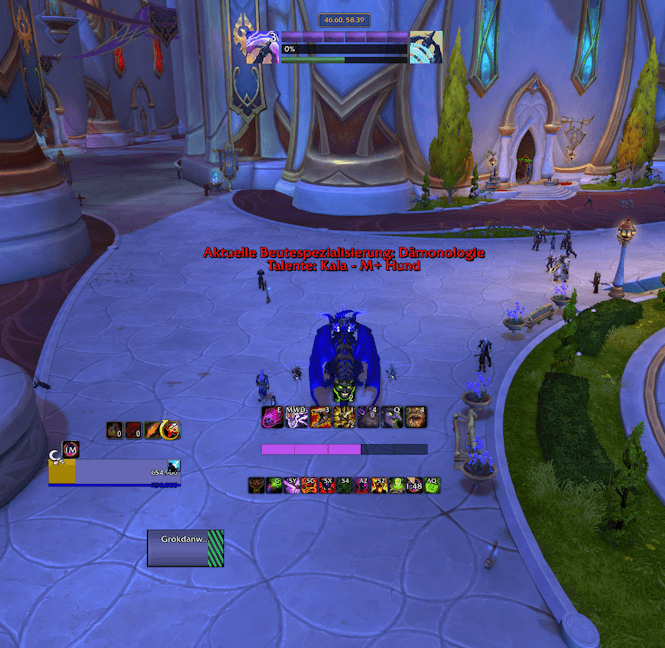
Loot Spec + Talent Build Reminder is a lightweight World of Warcraft addon that shows your current loot specialization and saved talent build when it matters.
For example:
Loot Specialization: Fury
Talents: M+ - Noxiv
The reminder can also be read aloud using World of Warcraft's built-in Text-to-Speech.
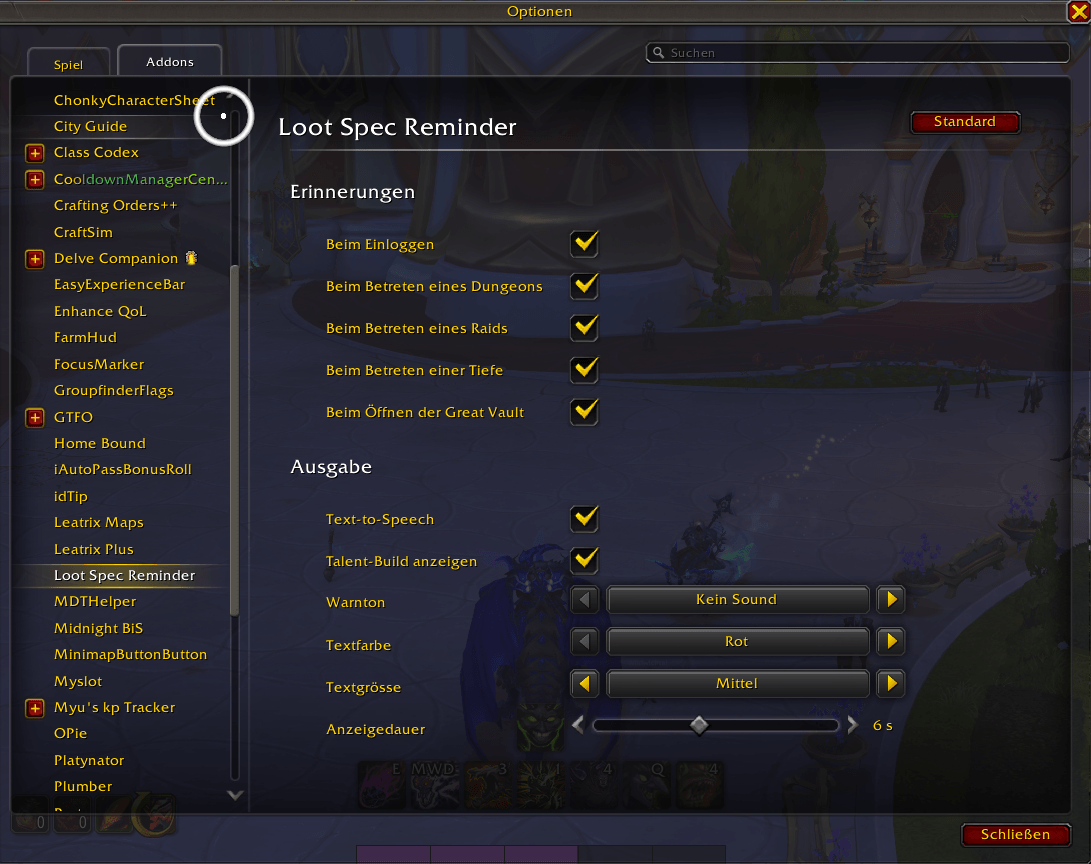
Reminders
The addon can remind you when:
- Logging into the game
- Entering a Dungeon
- Entering a Raid
- Entering a Delve
- Opening the Great Vault
- Ready Check
Each reminder can be enabled or disabled individually.
Great Vault
The addon can warn you when the Great Vault starts generating your weekly rewards, giving you a chance to check your loot specialization while the generation cast is still in progress.
The normal Great Vault window is also detected as a fallback.
Customization
You can configure:
- Loot specialization reminder
- Saved talent build reminder
- Text-to-Speech
- Optional alert sounds
- Text color
- Three text sizes
- Display duration from 3 to 10 seconds
- Individual reminders for Login, Dungeons, Raids, Delves and the Great Vault
Text-to-Speech and the talent build reminder are enabled by default. Alert sounds are optional.
Configuration
Open:
Options → AddOns → Loot Spec Reminder
Slash Commands
/lsr – Open the addon settings
/lsr test – Test the current reminder, Text-to-Speech and sound settings
Languages
- English
- German
English is used as the fallback for other client languages.
Simple. Lightweight. No more wrong loot spec or talent build.
Loot Spec + Talent Build Reminder (Great Vault, Raid, Dungeon, Delve) Team
