
Loot Ratter - auto whisper for loot trade
- By
Loot Ratter automatically whispers party members about loot with the classic "do you need that?". It's highly customizable: you can disable auto-whispers and trigger them manually, and it only flags upgrades.
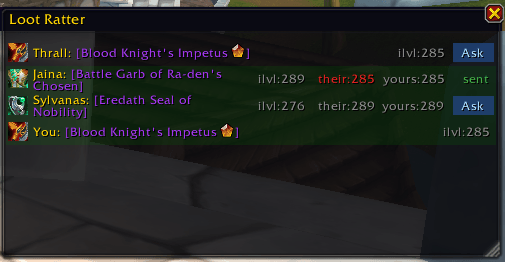
Screenshot 2026-05-03 135030.png
Description
Loot Ratter automatically whispers party members about loot with the classic "do you need that?". No shame, sniff out every loot piece in the group and be sure you are first to claim it for your alts.
The loot summary window shows items at the end of an encounter, only if the items suits your class.
Features:
- Get a full summary of loot you can wear at the end of each fight
- Send trade whispers with a single button click, or enable auto-whisper to handle it automatically
- Only considers items that are actual upgrades for your character
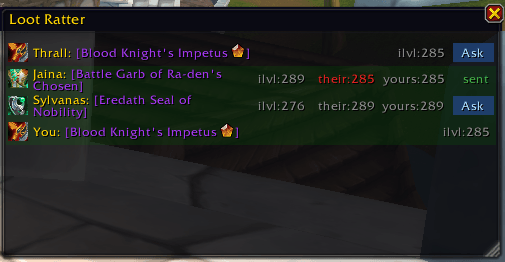
If the item is an upgrade for you, it will be marked green. Since it's less likely to get the item if the looter has worse ilvl equipped, it will be indicated as red in "their" label.
Depending on your settings, a whisper will be sent automatically, or you can do it yourself by clicking the "Ask" button.
Commands:
- /lw - open the settings panel
- /lw help - show the commands
- /lw show - open the loot summary table
Loot Ratter - auto whisper for loot trade Team
