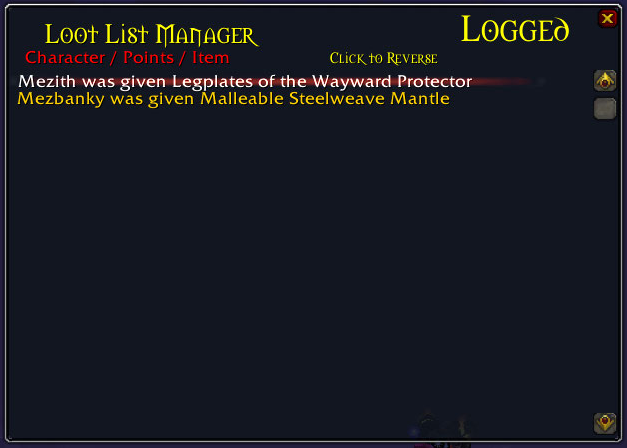
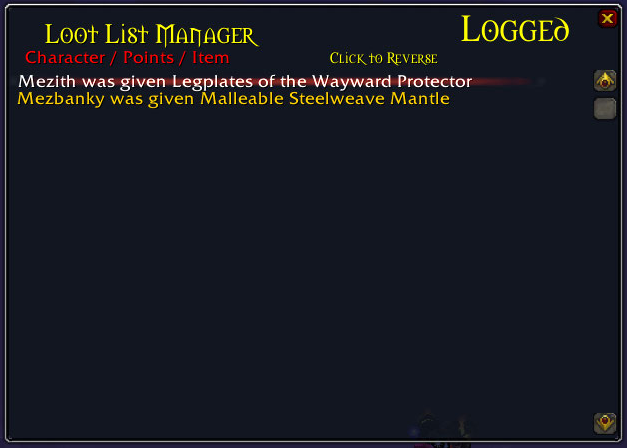
Lets the Master Looter revert an item given to a player. Shows last 30 changes logged.
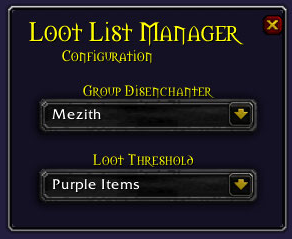
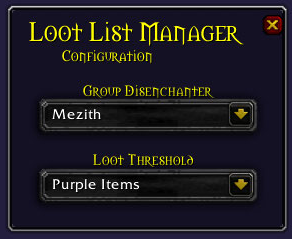
Lets the Loot Master set the loot threshold and allows them to send unlisted loot to a dis-enchanter automatically.

Shows the slash commands for Loot List Manager Addon.

Format for the Google Spreadsheet. Points and amount of players can be much larger. -Item points must be in column A. -The first row in column A must be empty. -Every column after that (B-Z*) in the first row must contain the players name.
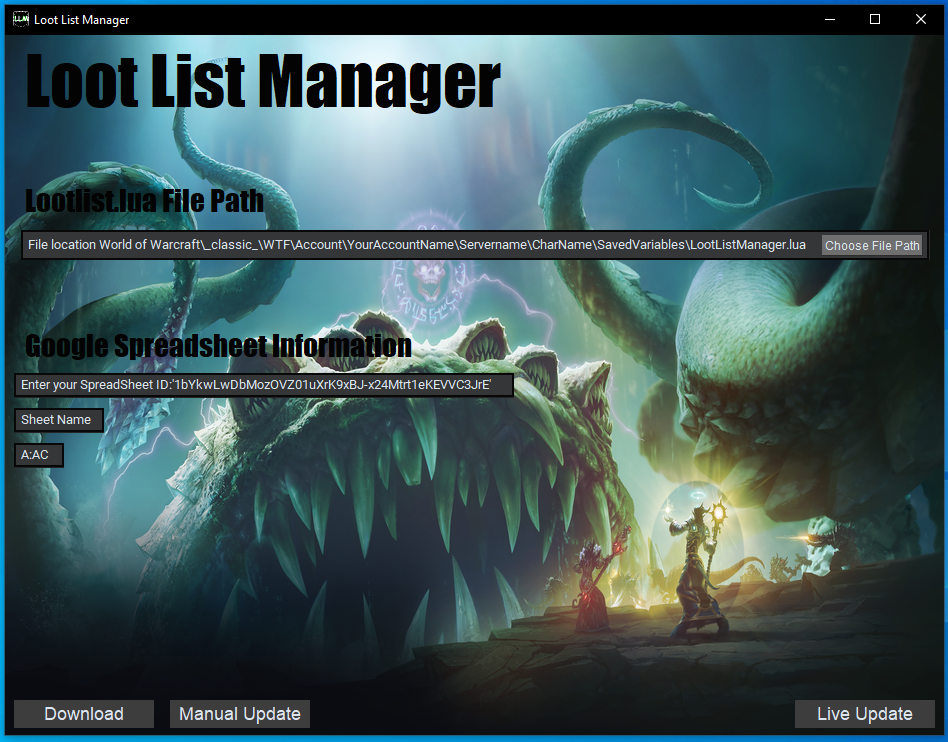
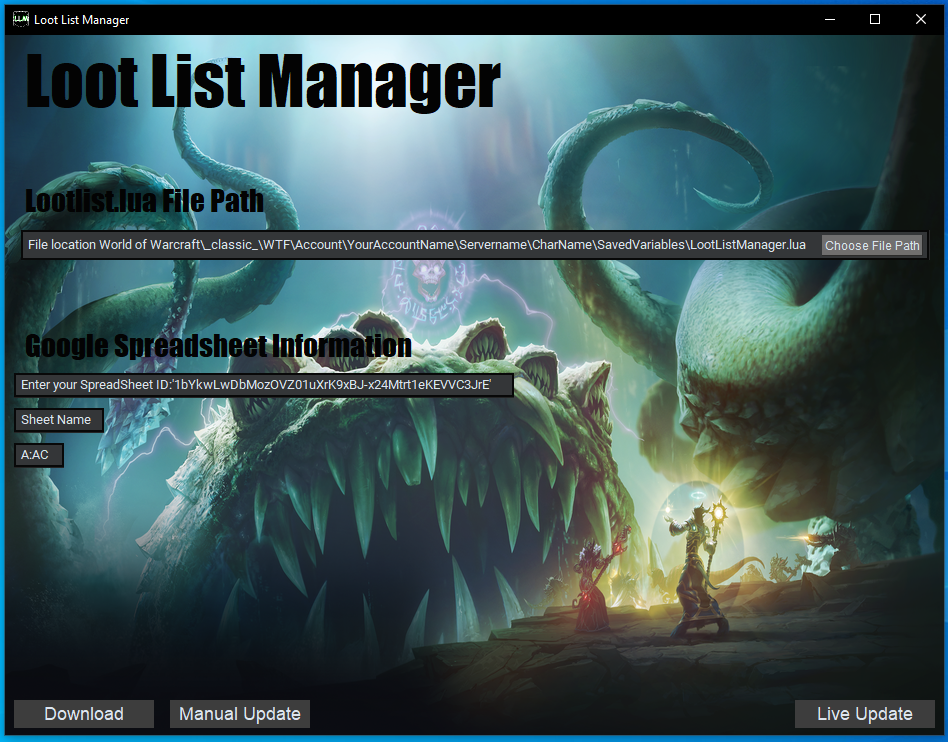
Photo of the windows application that runs with the Loot List Manager Add-on.
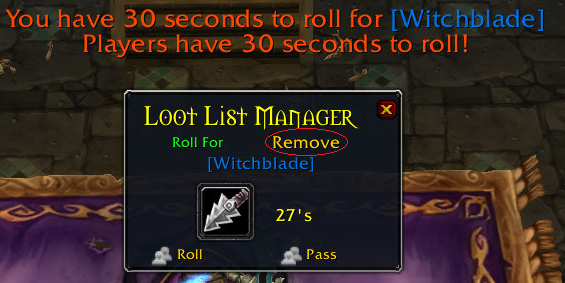
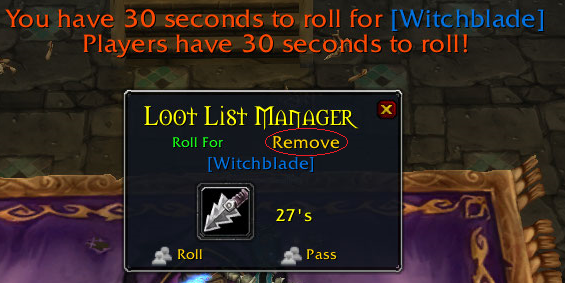
The Loot List Manager Roll window. This window opens when players have an item to roll on. The player can Roll/Pass/Remove the item. The Remove button allows the player to remove the item from their list permanently.
Description
Loot List Manager runs with an additional windows application to update Google Spreadsheets Automatically while managing loot distribution in game.

Loot List Manager will allow the Master looter to Automatically distribute loot based on Loot List points.
Players with Loot List Manager installed and have tied points on a dropped item. Will have a roll window pop-up and allow them to roll, pass, or permanently remove an item from their list.
(It doesn't remove the item from the list. It just marks the item as given to the player. The windows application then marks the strike through on the google spreadsheet.)
The Master Looter is able to set any player in the group as the designated dis-enchanter and feed all unlisted loot to them in the Loot List Manager Configuration window.
The Master Looter can set the Loot Threshold within the Loot List Manager Configuration window.
- Green Items & Above
- Blue Items & Above
- Purple Items
it will not pickup legendary items.
The Master Looter can Restore any of the last 30 changes made to the Loot List. Within the Log/Restore Window.
**Format for the Google Spreadsheet. Points and amount of players can be much larger.**
- Item points must be in column A.
- Row 1 in column A must be empty.
- All other rows in column A Must be the point values for that row.
- Columns after A, (B-Z*) in row 1 must contain the players character name "MUST BE THE SAME AS IN GAME".
- Each players list will be below their Character Name within the same column starting at row 2.
**See Google Spread Sheet Image Example**

The windows Application only updates the Strikethrough for the item that has been given to a player.
 **If enough people show interest. I will add the ability for the player to manage their loot list in game.**
**Currently Trying to get application published with google. So more than just my project testers will be able to use it.**
Loot List Manager Team