


Loot Ledger
- By
Loot Ledger - A loot tracker that records every kill, drop, and gold earned per mob with item icons, vendor values, compact grid view, and a transparent overlay designed for grinding sessions.
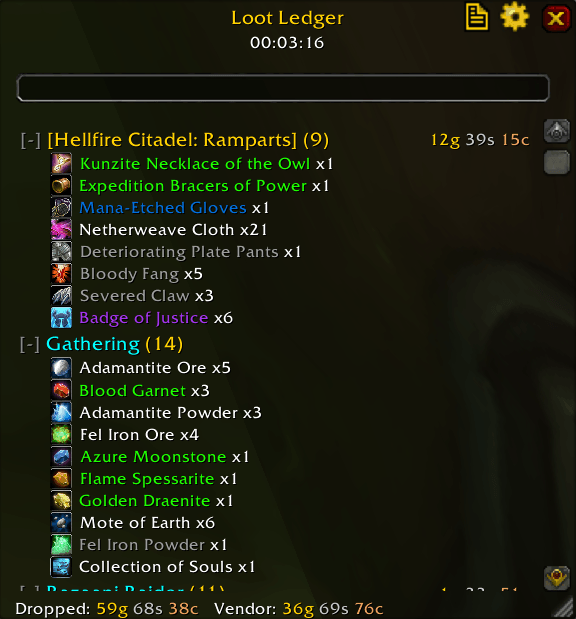
See all your loot in one place
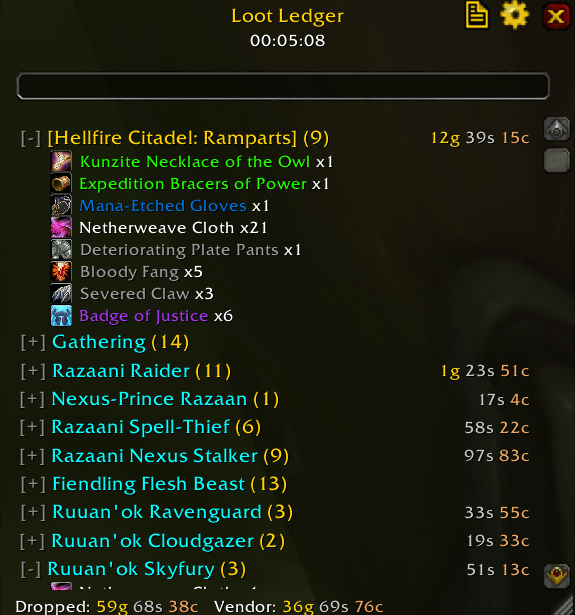
Minimize any entry that it's taking to much space
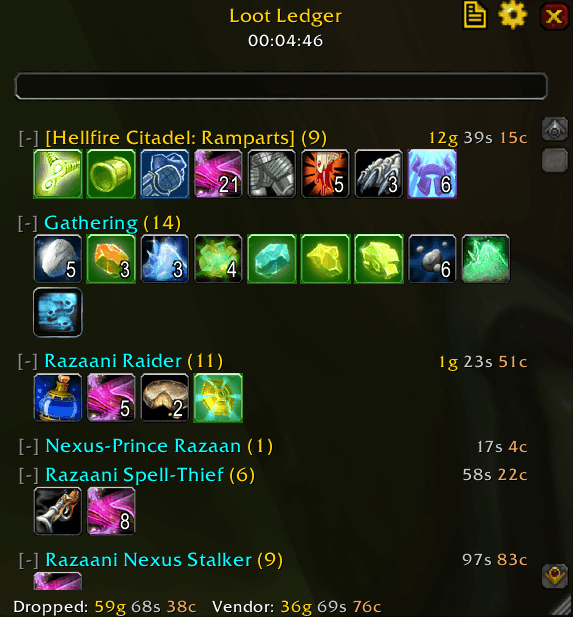
Compact grid view
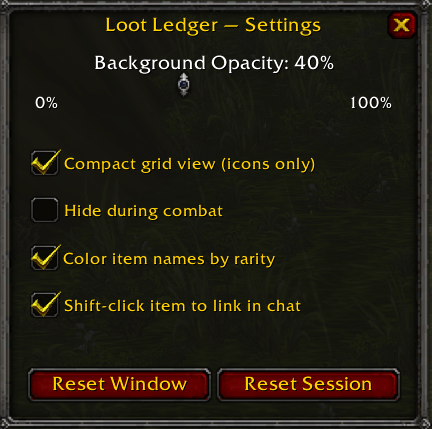
Customize your experience
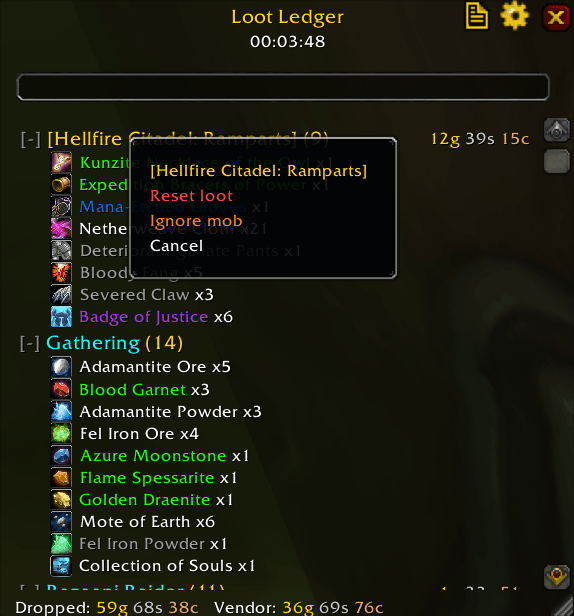
Hide or reset any unwanted loot, that you received
Description
# Loot Ledger
A clean, lightweight loot tracker for grinding sessions in TBC Classic.
RuneLite-style — every item, kill, and copper you pick up, organised
the way you'd expect.
## What it tracks
- **Per-mob loot** — items, gold, and kill counts grouped by the mob you
actually looted (no entries for kills you never opened)
- **Gathering** — mining, herbing, fishing, skinning, prospecting,
disenchanting, milling, and lockbox openings all roll up to one bucket
- **Dungeons** — every drop, every coin, every gathered node inside an
instance aggregates under that dungeon's name
- **Vendor value** — total estimated sell price shown in the footer
- **Session timer** — see how long you've been grinding
## Quality-of-life
- Right-click an item to ignore it (session or permanent)
- Right-click a mob to reset its loot or hide it from the list
- Undo button after any ignore action
- Search box filters mobs and items live
- Compact grid view for long sessions
- Shift-click any item to link it in chat
- Resizable, draggable, opacity slider, hide-during-combat option
## Slash commands
/ll toggle window
/ll reset clear all tracked data
/ll resetwindow reset window size and position
/ll debug toggle event-debug printing (for diagnosing issues)
/ll status show current internal state
/ll help list commands
## Key binding
Bind a key under **Escape → Key Bindings → AddOns → Toggle Loot Ledger**.
## Reporting issues
If something tracks oddly, run `/ll debug`, kill or loot the offending
target, and paste the resulting `LL ...` chat lines into your bug report.
That output tells me exactly what events fired and where the items went.
The Loot Ledger Team
