Loot Hunter (loot list tracker)
- By
Track desired loot with powerful drop alerts/alarms and a smart bonus roll reminder. Never miss your BiS again!
Screenshot 2026-01-04 055030.png
Screenshot 2026-03-12 025203.png
Layer 3.png
Layer 2.png
Layer 4.png
Description


💀 The Problem
Has this happened to you? The boss dies, and 5 minutes later you realize: "Wait, did I roll? SHIT.". Or worse, you see an item drop and can't remember if it was your BiS or if you should've passed.
Don't let it happen again. Loot Hunter is your backup memory; you focus on your rotation, we make sure you never miss a single item.
🚀 Why this is a MUST-HAVE
This addon eliminates human error from your raids:
- 🔔 Real-Time Loot Alerts: If an item you need drops, the addon will scream (visually) so you don't miss it amidst the chat spam.
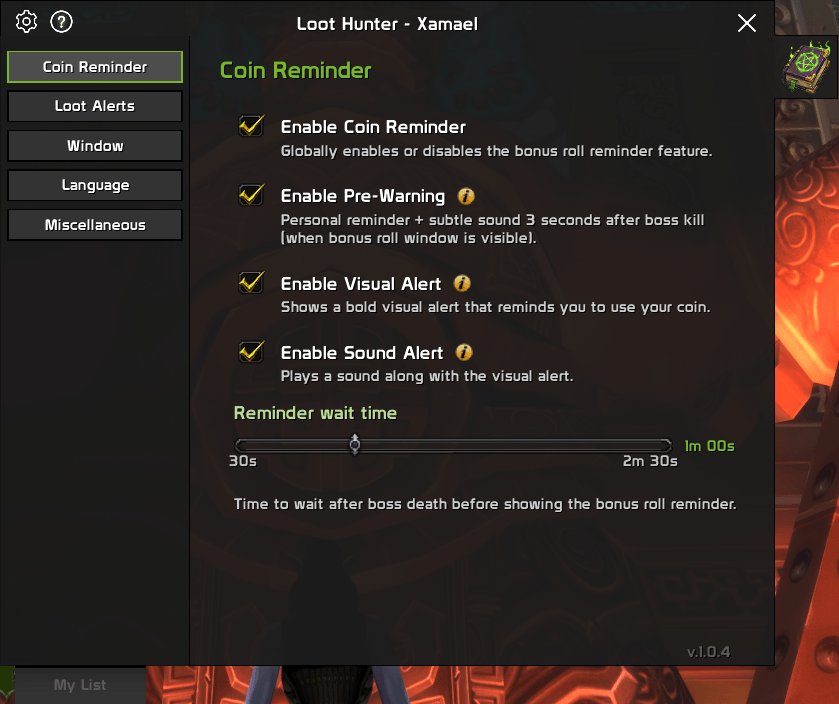
- 🧠 Smart Bonus Roll System: (only in pandaria classic) The addon knows which bosses you care about. If you kill one and have a coin, it triggers a visual and audio alert impossible to ignore. Spend your rolls where they actually count!
- ✨ Independent Lists: Manage separate lists per character and specialization without mixing anything up.
⚡ Key Features
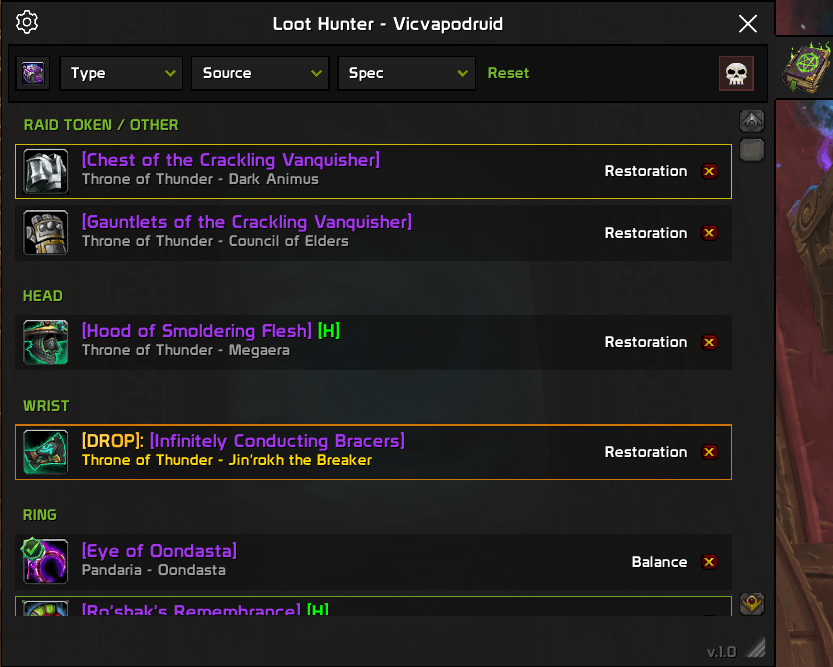
- 🛍️ Smart Wishlist & Spec Detection: Build your list by simply Shift+Clicking items in the Encounter Journal. The addon automatically tracks items by boss and specialization, with automatic spec detection and multi-language support.
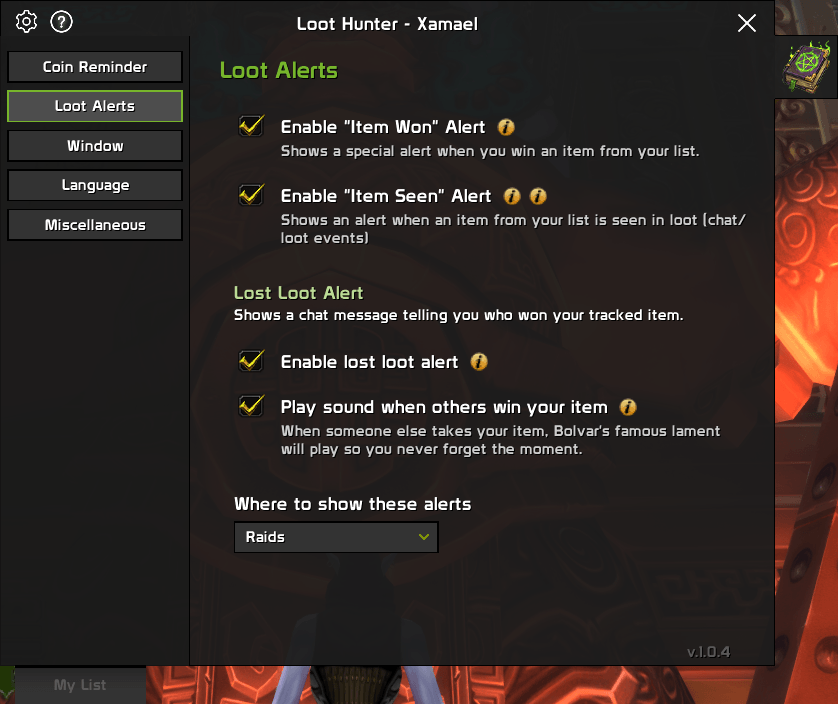
- 📢 Unmissable Drop Alerts: Get massive, screen-flashing visual alerts and clear chat notices the moment your tracked items appear in the loot window or are linked in raid chat, so you never miss a drop.
- 🏆 Complete Outcome Tracking: Experience dedicated alerts for every outcome: a huge celebration when you Win, a lament when someone else gets your item, and a smart Coin Reminder (pandaria only) with pre-warning logic so you never forget a bonus roll.
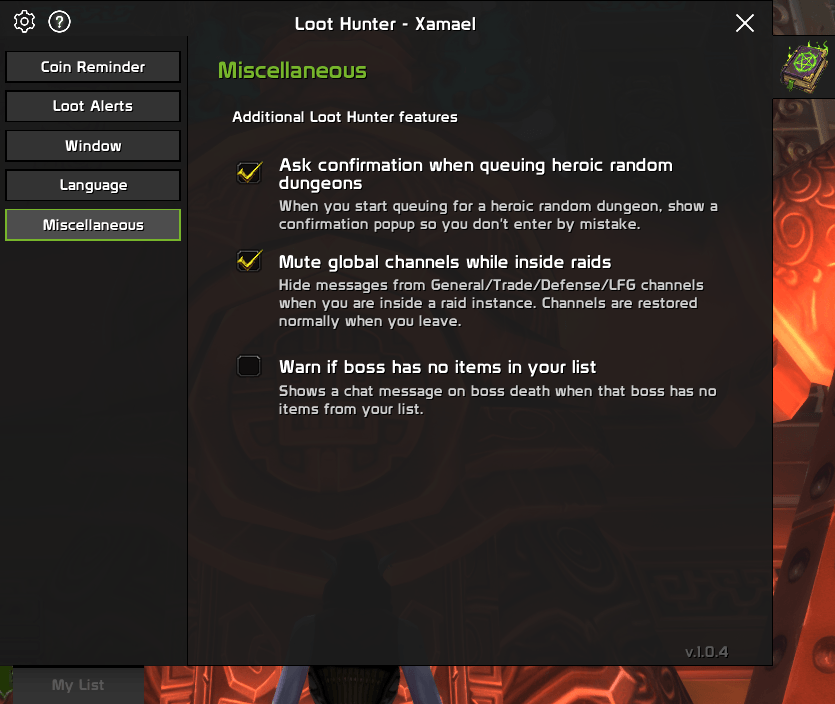
- ⚙️ Deep Customization & Control: Configure every alert to your liking, adjust the UI scale for your screen, and manage your per-character lists with quick tools to clear or reset your data.
- 🛡️ Set it and Forget it: You don't need to keep the window open. Build your list, close the UI, and play in peace; the addon works in the background and only pops up when needed.
- ✨ Spec Flexibility: Want the item for your off-spec? Simply click on the spec name in your list to manually toggle it instantly.
- 🎯 Priority Management: Mark items as "High Priority" (double click) or "Obtained" (right click) to keep your list clean.
- ⚡ Quick Access: Minimap button to check your list in seconds.
- 🌐 Multilanguage support! (EN/ES)
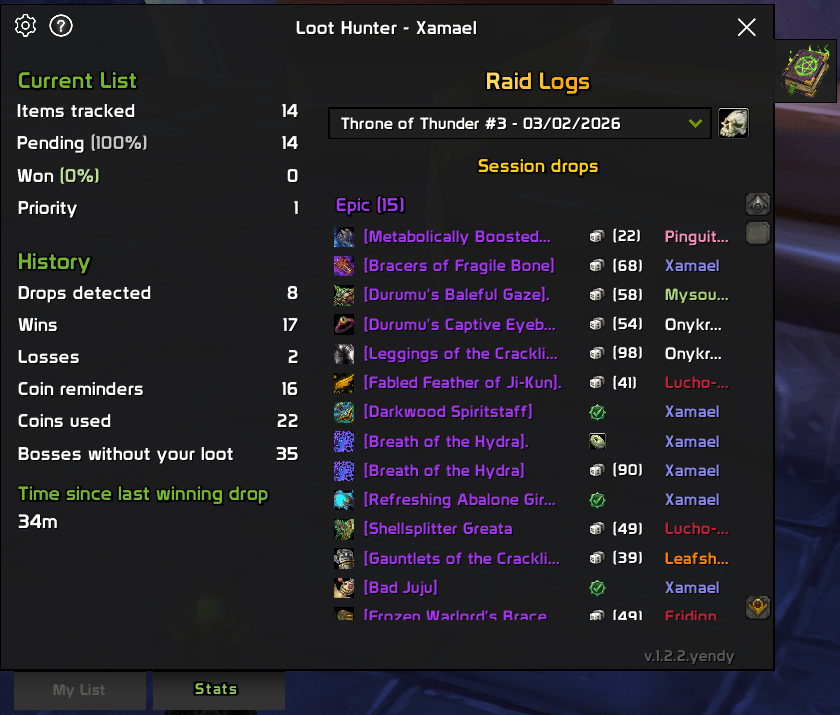
📊 Stats Tab (new!!)
Track your progress over time:
- Current List: Items tracked, pending, won, and priority counts.
- History: Drops detected, wins, losses, coin reminders, coins used, bosses without your loot, and time since last win.
- Sessions: Select a raid session to review its drops with loot source icons.
- Wall of Shame: Quick summary of most deaths, most revives, and most time dead for the selected session.
- Wall of Shame Command:
/lh_wallopens a dialog to choose Local, Guild, or Raid.
🎮 How to use it (It couldn't be easier)
- Open the Dungeon Journal (
Shift+J) or a gear vendor. - Find the item you want.
- Shift+Click the item.
- Done! You can close everything now. Loot Hunter will watch that item for you forever.
🗺️ Minimap Button
- Left Click: Opens the Loot Hunter list (check what you are missing).
- Right Click: Opens Quick Configuration.
🛠️ Chat Commands
/loothunteror/lh: Opens the main window./loothunter add <itemID or itemLink>\(also/lh add) to manually add items to the list from the command line/loothunter_debug: Enable the debug tab (useful for bug reporting).
🔌 Addon API (Favorites)
LootHunter exposes a small public API for third-party addons:
-- boolean, string
local isFav, label = LootHunterAPI:IsFavorite(itemID)
Behavior:
- Returns
trueif the item is in your Pending list (not Won and not equipped). labelis a short tag for UI use (e.g.,|TInterface\\AddOns\\LootHunter\\Textures\\minimap_icon.tga:16|t LH).
📝 Notes
- Optimized for the MoP Classic API.
🤝 Support & Community
Have an idea to improve the addon or found a bug? [Join our Discord] and help us make it better.
Something is not working? send me a message!

Download Loot Hunter and secure your BiS today!
Loot Hunter (loot list tracker) Team