Loot Anchor
- By
Move the default loot roll windows and the "You received" and achievement popups. No skins, no replacements.
1-toolbar.png
2-positioning.png
3-testing.png
Description
LootAnchor
Move the default loot roll windows and the "You received" and achievement popups. No skins, no replacements.
Usage
Toolbar
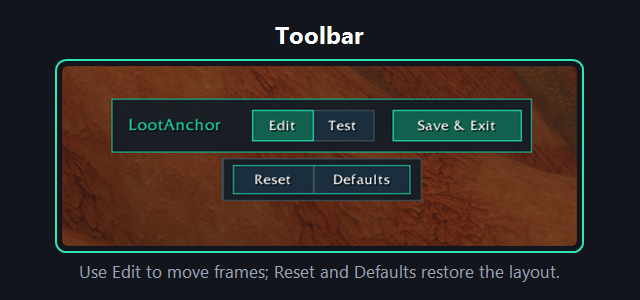
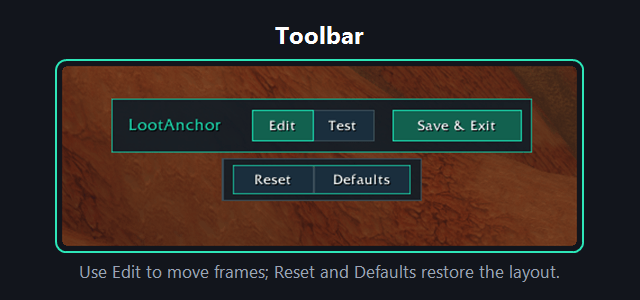
/laor/lootanchor: open the editor. Click Save & Exit (or type/laagain) to close and keep your positions. They are kept after/reload.- The toolbar can be dragged too.
- Reset: undo your changes since you opened LootAnchor.
- Defaults: back to Blizzard's own positions and grow directions. The toolbar position and test duration stay.
Positioning
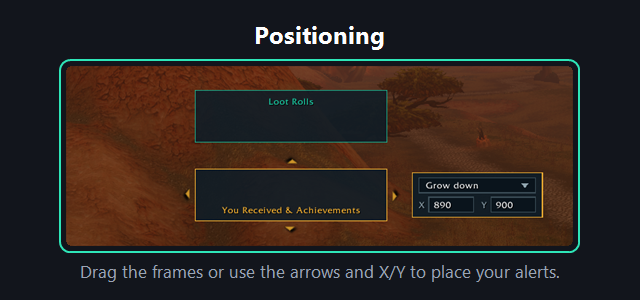
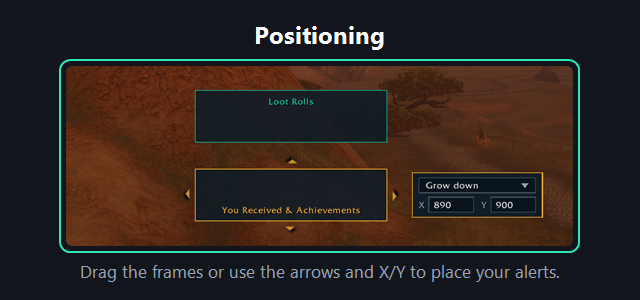
- Drag the boxes where you want them. Boxes snap to the screen edges, the screen centre and each other, otherwise to a 10 pixel grid.
- Click a box to select it. Arrow buttons around it, and the arrow keys, move it. Hold a button to keep moving.
- The settings window of the selected box has its grow direction and a typed X / Y position. Loot rolls and "You received" popups each have their own grow direction.
Testing
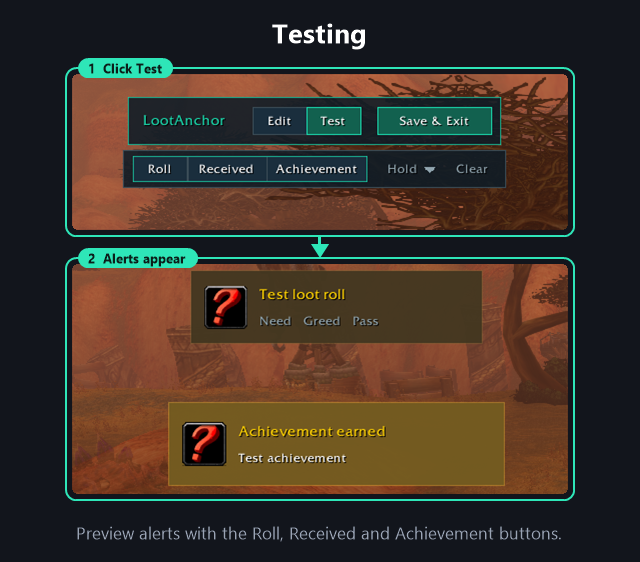
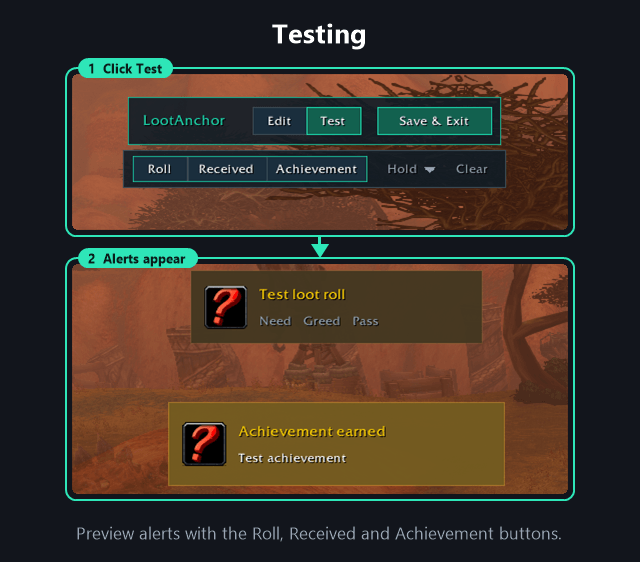
- Roll, Received and Achievement show a stand-in window so you can see where it lands and which way it grows. Click again for more.
- Duration: 5 seconds, 10 seconds, 20 seconds or until clicked away.
- Clear removes every test window.
Settings panel
- Settings > AddOns > LootAnchor has an Edit anchors button.
Other notes
AlertFramealso carries other alerts, so they move with the "You received" box.
Development
Please see CONTRIBUTING for development checks and contribution guidance.
Feedback
Please remember that I'm always working to improve the addon, so I'm interested in hearing directly from you about anything you want to share or ask. You can report this using the issues on GitHub. When reporting bugs or unexpected behavior, include your addon version and an overview of your current options.
Changelog
Please see the CHANGELOG for more information about recent changes.
License
This project is open-sourced software licensed under the MIT license.
Support me
If you find my work valuable or just want to show your appreciation, you can buy me a coffee!

Loot Anchor Team