Long Macros
- By
Tool to allow macros longer than 255 characters long, and still have their icon update normally.
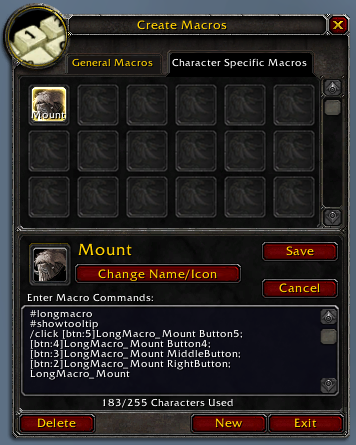
A peek at the text in the Blizzard Macro this addon created.
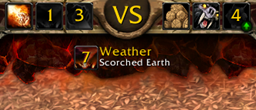
Its icon and tooltip will update automatically.
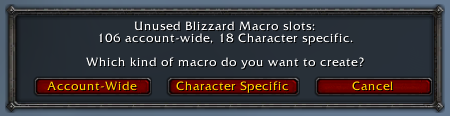
When dragging a Long Macro to your action bars for the first time, the addon will create a matching Blizzard Macro for you.
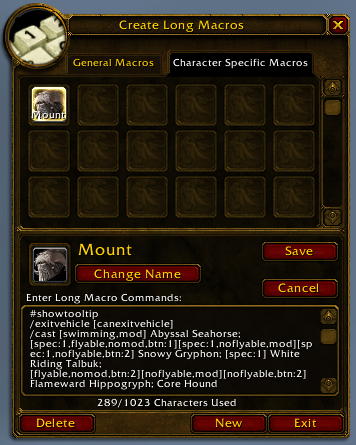
The UI for editing Long Macros.
To open it, type /longmacro, /LM, or /L
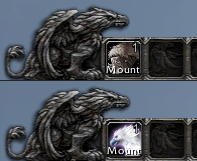
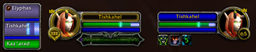
The resulting Long Macro changes state as expected, updating its icon and tooltip in your action bars.
Description
This addon lets you write macros up to 1023 characters long, and still have their icons update normally when you drag them to the action bar.
If you're running low on macro slots, it also lets you write character-specific Long Macros, and have them take up an account-wide blizzard macro slot instead, or vice-versa!
---
To open the Long Macros interface, type /longmacro, /LM or simply /L (doesn't matter whether you use upper-case or not).
Edit just as you would with regular macros.
Once you're done, simply drag the Long Macro to your action bars, and the addon will create a matching Blizzard Macro for you.
If you accidentally alter the generated Blizzard Macro's contents, erase all text from its body, and it will be safely generated again.
Enjoy!
---
Note: due to limitations imposed on all addons, it is not possible to drag a long macro to your action bars during combat, and changes made to your Long Macros will only take effect after combat ends.
If for some reason the game decides to bug out and changes all your slotted Long Macro icons to red question marks, dragging one of them to a different action bar slot will fix it. You can then safely return it to the slot it came from.
Long Macros Team