Loadouts – Dual Spec Bar Saver
- By
Dual spec wiping your action bars? Loadouts saves them per spec and restores them automatically. Plus loadouts with gear and keybinds, shared with your alts.
03-loadouts.png
02-wipe-restore.png
01-hero.png
Description
Loadouts: your action bars, never lost again
Dual spec wiping your action bars? Loadouts saves your bars for each spec and puts them back automatically, so you stop rebuilding them after every relog or spec swap. It also stores whole setups (bars, gear and keybinds) that you can switch between in one click. Built for WoW: Forever.
✦ Features
🛡️ Wipe protection
- Saves all 180 action slots for each spec automatically: spells, macros, items, mounts, pets and gear-set buttons
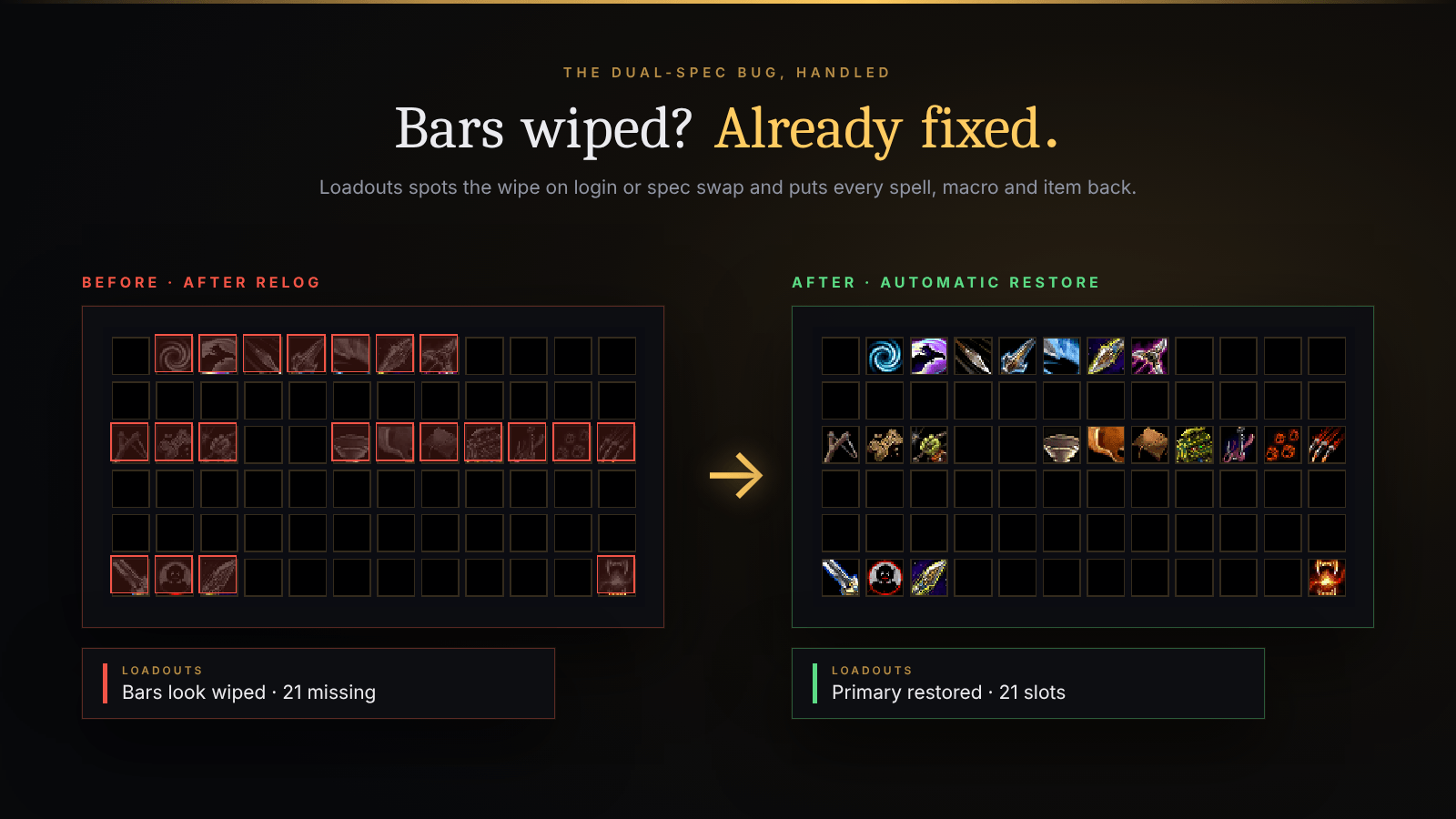
- Spots a wipe on login or spec swap and restores your bars automatically, then shows a small notification
- A wiped layout never overwrites your good save, not even when you log out
🧩 Works with your bar add-on
- ElvUI, Bartender4, Dominos, EllesmereUI and other bar add-ons are supported automatically, with no setup
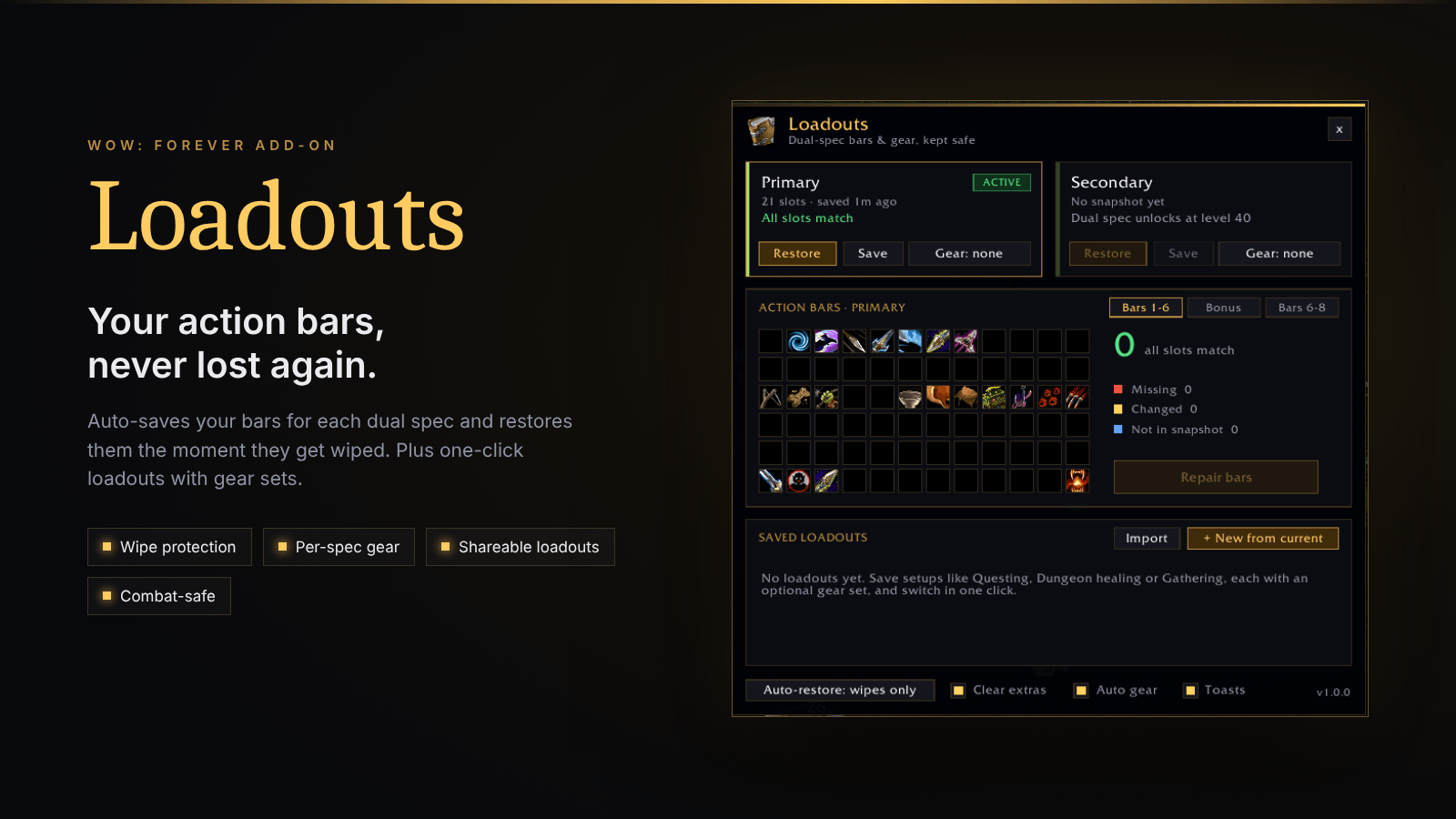
- The Your bars view shows your bars exactly as they appear on screen, with your keybinds on each button, and follows stance and form paging live
👁️ See what changed
- A clean grid of your bars that highlights missing (red), changed (gold) and extra (blue) slots
- Hover any slot to compare what's saved with what's on your bars now
- One-click Repair bars button
📈 Spell ranks, handled properly
- Shows how many spells on your bars are below your highest known rank, and Upgrade ranks fixes them in one click
- Restores keep the exact rank you saved, so downranked heals stay where you put them. If you'd rather always get your top rank, there's a setting for that.
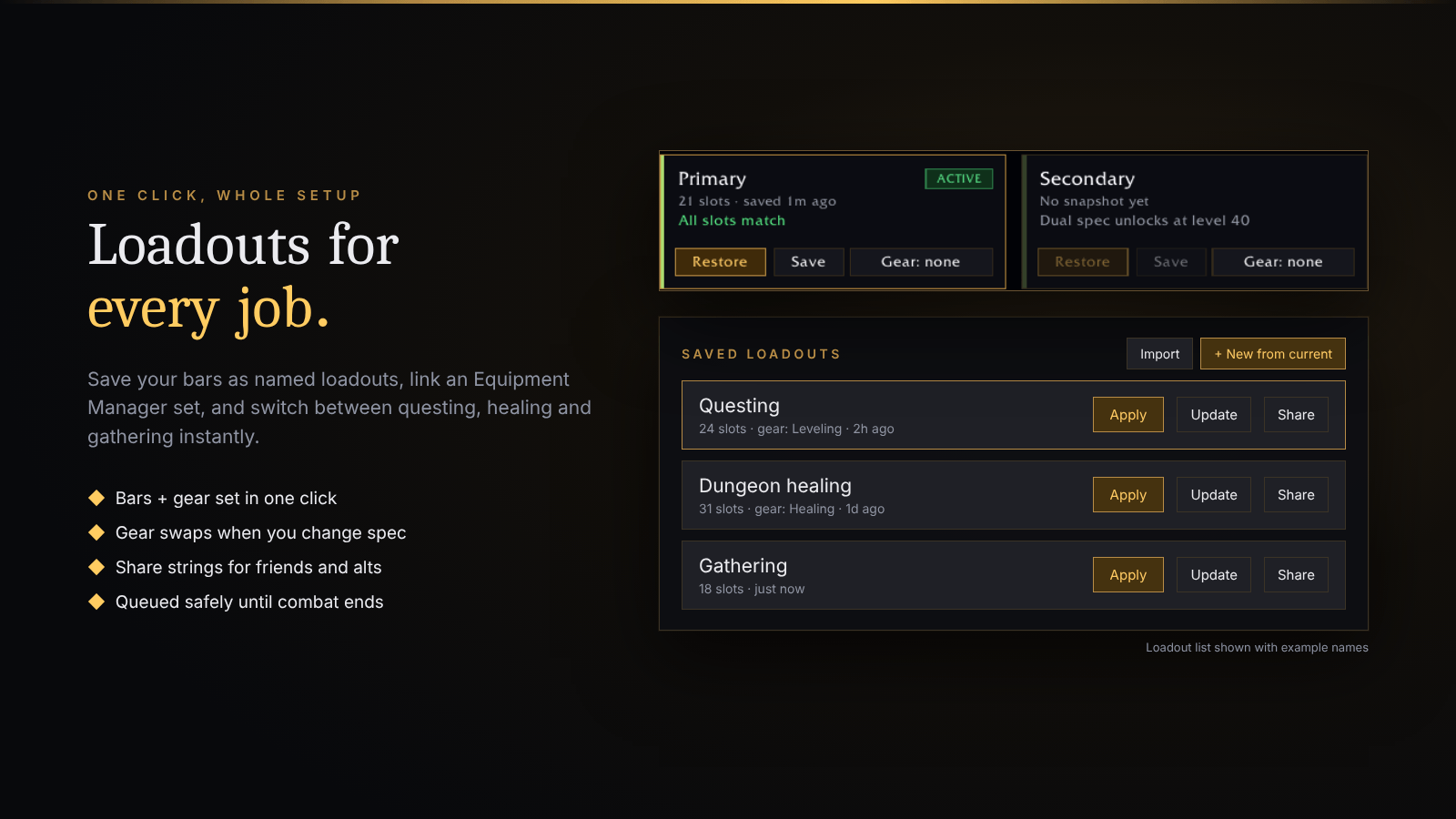
🎒 Named loadouts
- Save setups like Questing, Dungeon healing or Gathering
- Each loadout can include an Equipment Manager gear set and your keybinds
- Apply one from the window, with
/lds apply Questing(works in macros), or with a key binding for loadouts 1–5
👥 Class library for your alts
- Share a loadout with every character of the same class and copy it to any alt in one click
- Share strings let you send a loadout to a friend
⚔️ Per-spec gear & keybinds
- Each spec can have its own gear set and its own key bindings, and both swap when you change spec
✅ Combat-safe and lightweight
- Reads no combat data, so it fully respects Blizzard's add-on restrictions
- Anything the game blocks in combat (placing actions, gear swaps, keybinds) waits until combat ends
- No libraries and no ads. It's free, and the source code is easy to read.
✦ How to use
Open the window with /lds, from the add-on button next to the minimap, or with a key binding.
| Command | What it does |
|---|---|
/lds |
Open or close the window |
/lds save |
Save the current spec's bars now |
/lds restore |
Repair the current spec's bars |
/lds apply <name or number> |
Apply a loadout (works in macros) |
/lds upgrade |
Upgrade spells on your bars to your highest rank |
/lds settings |
Open the settings page |
Getting started
- Log in. Loadouts saves your current bars automatically.
- Switch to your second spec once so that spec gets saved too.
- That's it. If the bars of either spec get wiped, they come back on their own.
Settings are under Options → AddOns → Loadouts. Key bindings are under Options → Keybindings → AddOns → Loadouts.
✦ FAQ
Does this fix the dual-spec bug itself? No add-on can change how the game saves bars. Loadouts keeps its own copy of your bars and puts them back right away, so in practice you stop noticing the bug.
Will it mess with my bars when I change them on purpose? No. Small edits are picked up and saved automatically. Only a mass wipe triggers a restore. If you deliberately clear a lot of slots, press Save to keep the new layout.
I downrank my heals. Will Loadouts "fix" them? Not unless you ask it to. Restores keep the exact rank you saved, and the Upgrade ranks button is only ever used when you click it.
A spell shows as "unavailable" after restoring? That spell isn't known on this character or spec (for example, a talent you dropped). Every other slot is still restored.
Does it work with ElvUI, Bartender4, Dominos or EllesmereUI? Yes. Those add-ons display the game's standard action slots, and Loadouts saves and restores those same slots. The Your bars view finds the buttons each add-on puts on screen, so the preview matches your layout. Per-spec and per-loadout keybinds work with any bar add-on that uses WoW's normal keybinding system, which most do.
✦ Feedback & bugs
Found a bug or have an idea? Leave a comment. If you can, include the error text from BugSack and say what you were doing, for example "relogged after switching to my second spec". I read every comment.
Loadouts is free and open source under the MIT licence.
Loadouts – Dual Spec Bar Saver Team