LoadoutPlanner
- By
Tag talent builds to raids, bosses and dungeons, get prompted to switch on entry, and browse the most-played builds for your spec.
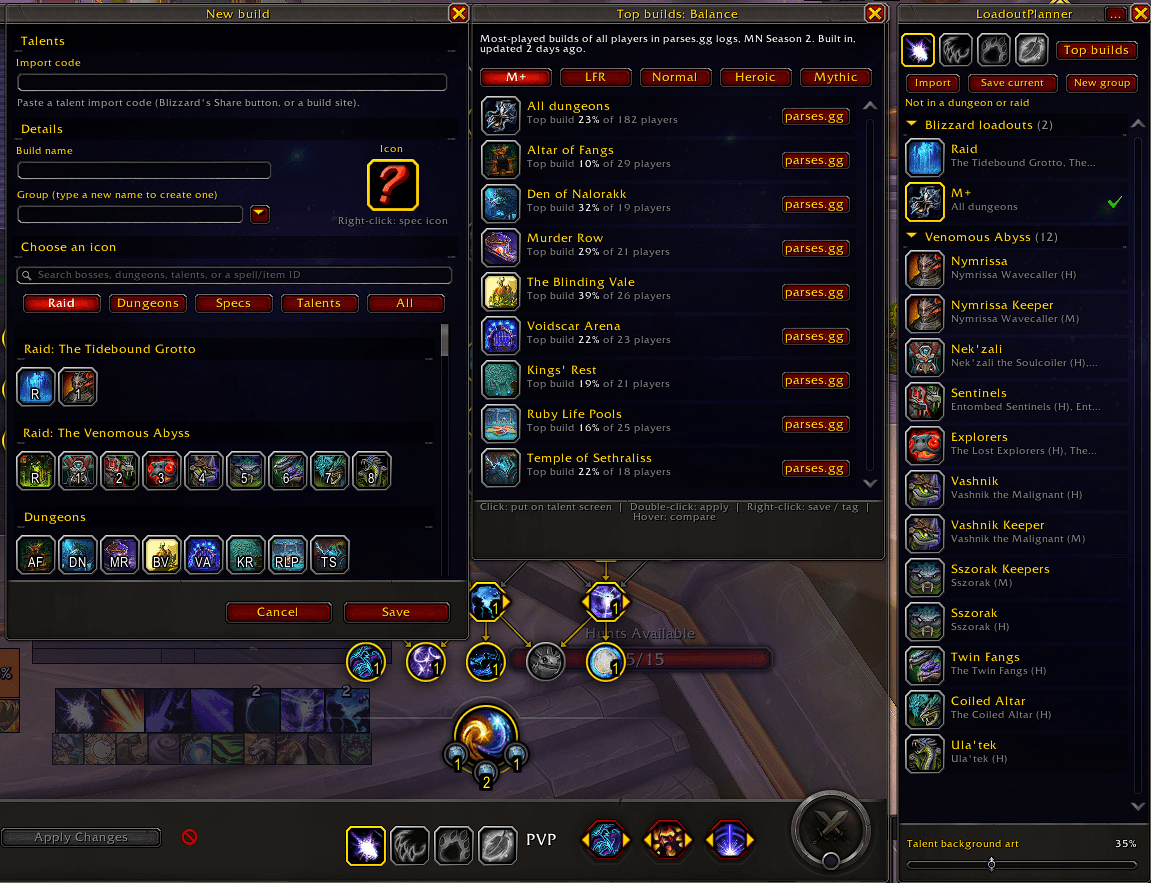
image_2026-09-29_173317572.png
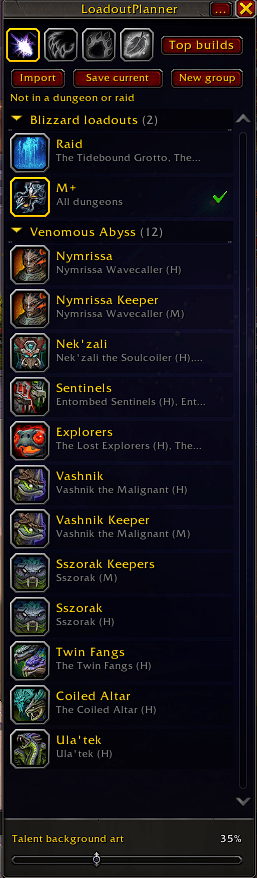
image_2026-09-29_173257215.png
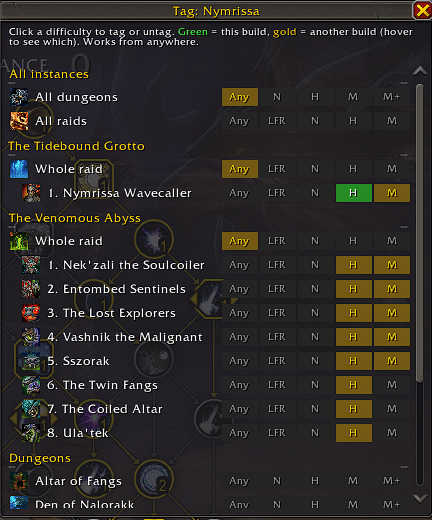
image_2026-09-29_173342169.png
Description
LoadoutPlanner turns your talent window into a build planner. Keep as many builds as you like, tag them to the dungeons, raids and bosses you use them for, and the addon offers the right one at the right moment, with one click to switch.
How it works
- A panel beside your talent window. It lists your Blizzard loadouts and your own builds, organized into groups. A gold ring marks the build you're wearing.
- Blizzard loadouts are your slots; your builds fill them. Click a Blizzard loadout to switch to it, just like the dropdown. Click one of your builds to put its talents on the talent screen, or double-click to apply it straight into your active loadout. No extra loadouts get created.
- Tag builds to where you use them. Pick a dungeon, raid, raid boss or "All dungeons / All raids", optionally per difficulty, from anywhere in the world.
- Get offered the right build automatically:
- when you enter a dungeon or raid
- in a raid, when you reach each new area, and after each boss kill, you're offered the next boss's build
- nothing pops up if you're already wearing it, and never in combat
- Compare before you switch. Hover any build to see exactly which talents differ from yours.
Also included
- Save current talents as a new build, or right-click a build to save your current talents over it.
- Blizzard's Import dialog gets a checkbox to apply a pasted code to your current loadout instead of creating a new one.
- Raidbots / SimulationCraft: your builds appear in the
/simcexport, so Raidbots lists them as talent options. - Spec buttons to swap specs in one click.
- Import from Talent Loadout Ex, keeping your groups and loadouts.
- Top builds (work in progress): the most-played build for your spec on each dungeon and raid boss, from the top 10% of players on parses.gg, with a link to the source.
Commands
/lp: open or tuck away the window (talent window must be open)/lp list: list loadouts for your current spec/lp load <name>: load a loadout or apply a build by name/lp tag <name>: tag a loadout to the dungeon or raid you're in/lp untag: remove the current instance's tag/lp tags: show all tags for your current spec/lp bosses: list the bosses here and their tagged builds/lp tagboss <#> <name>: tag a loadout to boss number #/lp boss <#>: load the build tagged to boss number #/lp prompt: show the build prompt again/lp why: explain what the prompt sees here (map area, next boss, matching builds)/lp top: open Top builds for your spec/lp journal: list this season's raids and dungeons as the game reports them/lp simc: check why your builds are (or aren't) in the SimulationCraft export/lp importtle: copy groups and loadouts from Talent Loadout Ex/lp reset: reopen the window and restore default options
Options such as boss prompts, the SimC export and other-spec offers are in the ... menu at the top of the panel.
LoadoutPlanner Team