Ctrl-Shift-Mouse
castBar, mouseover skill tooltip, target skill tooltip
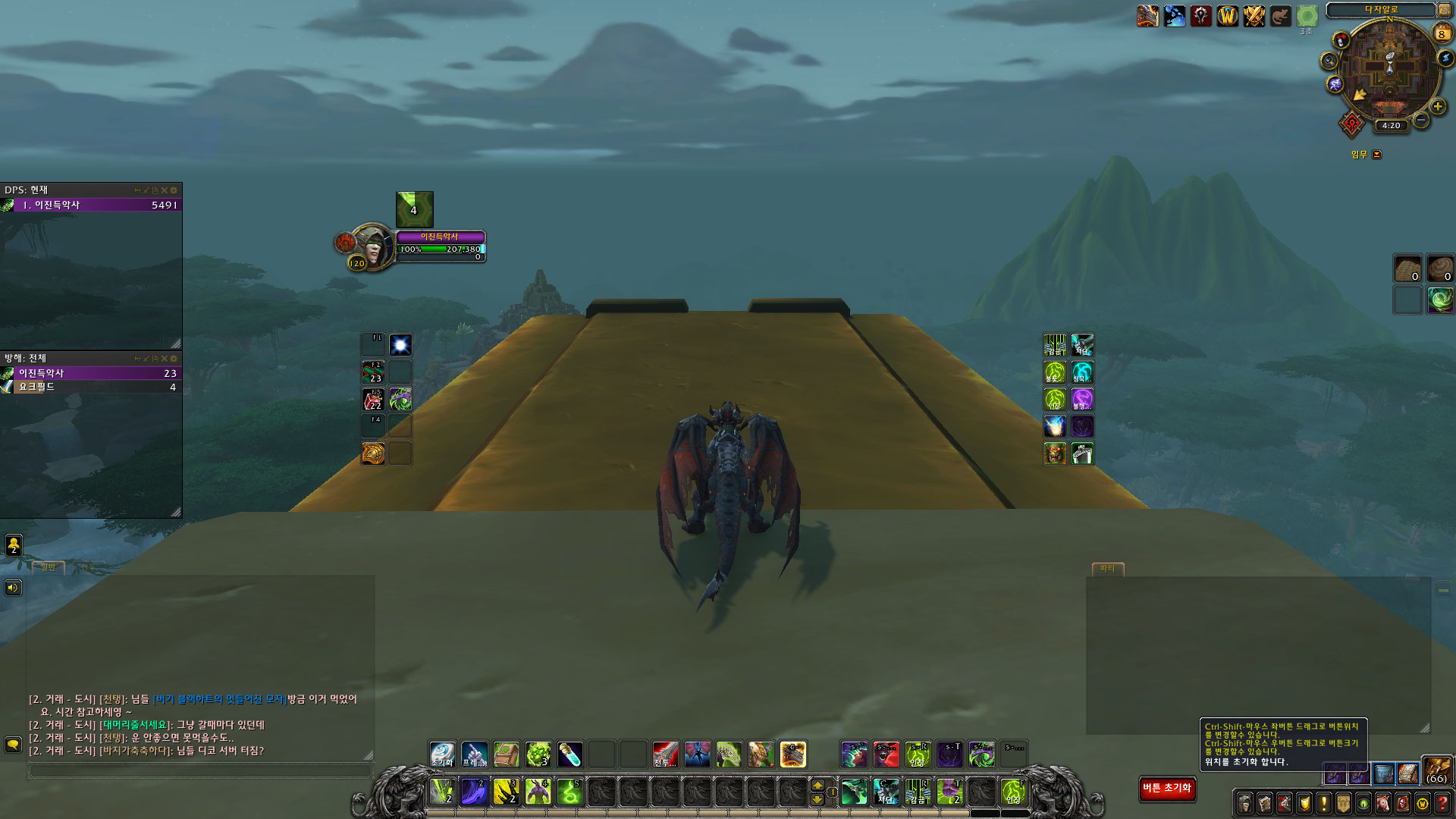
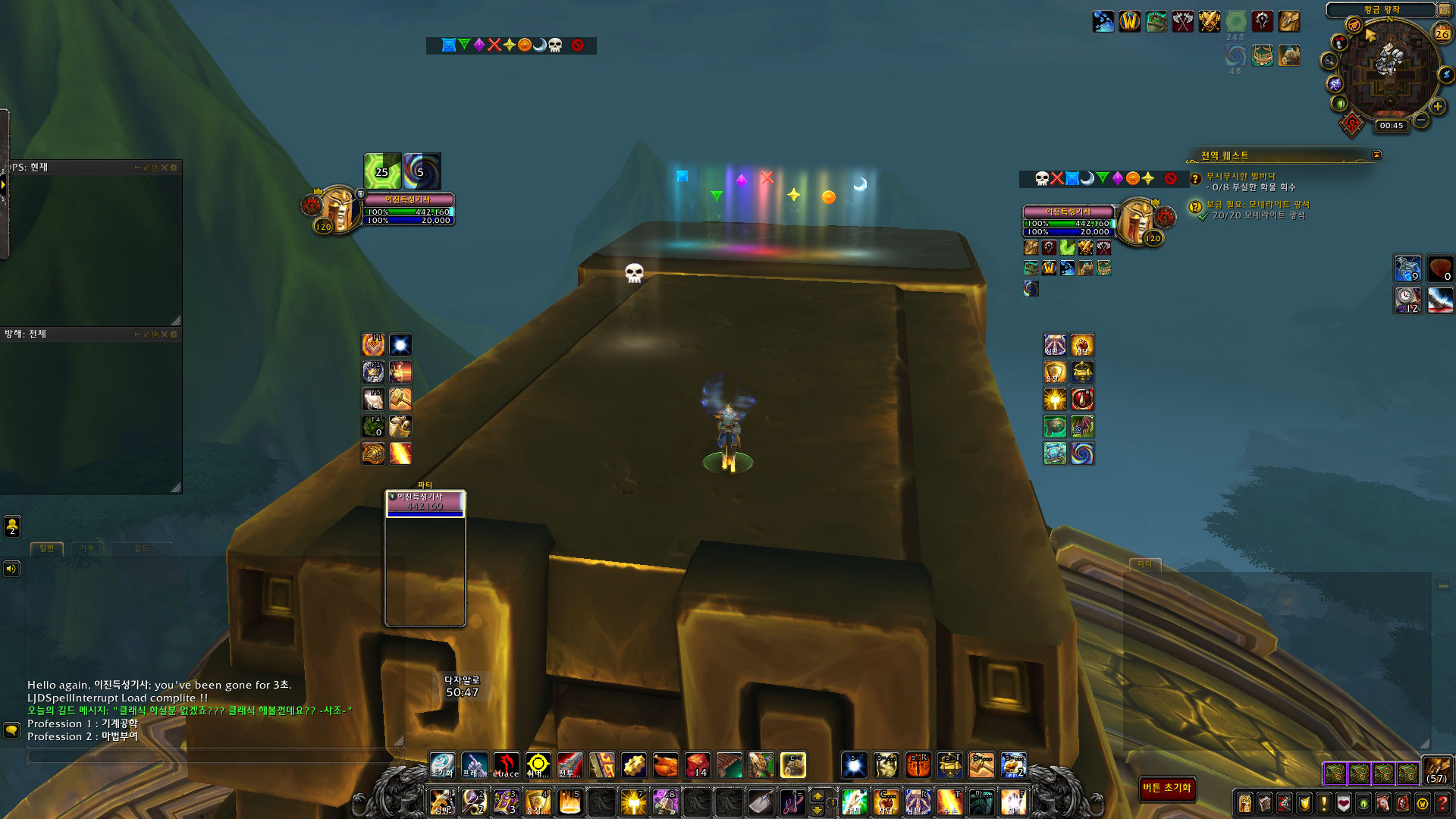
target mark, floor mark feature
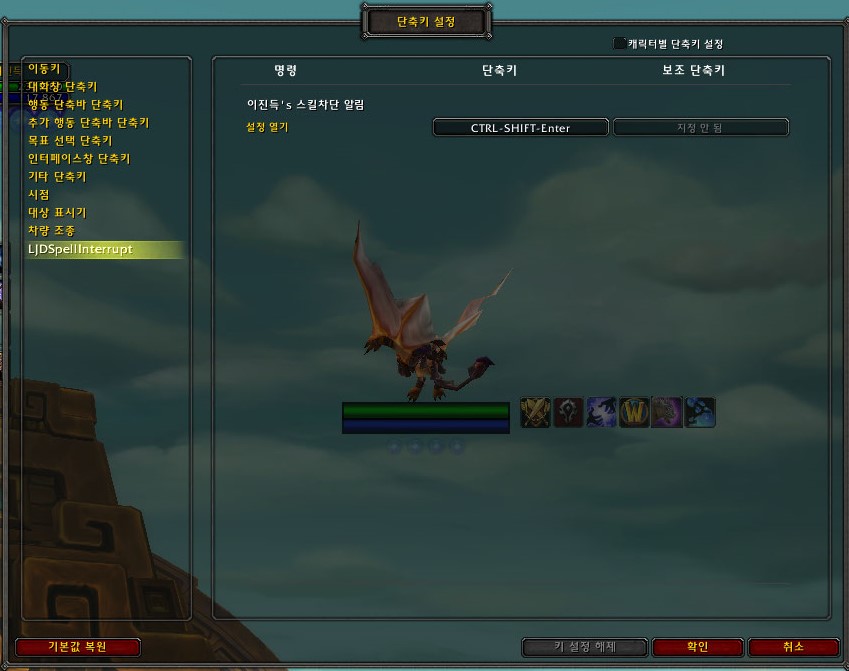
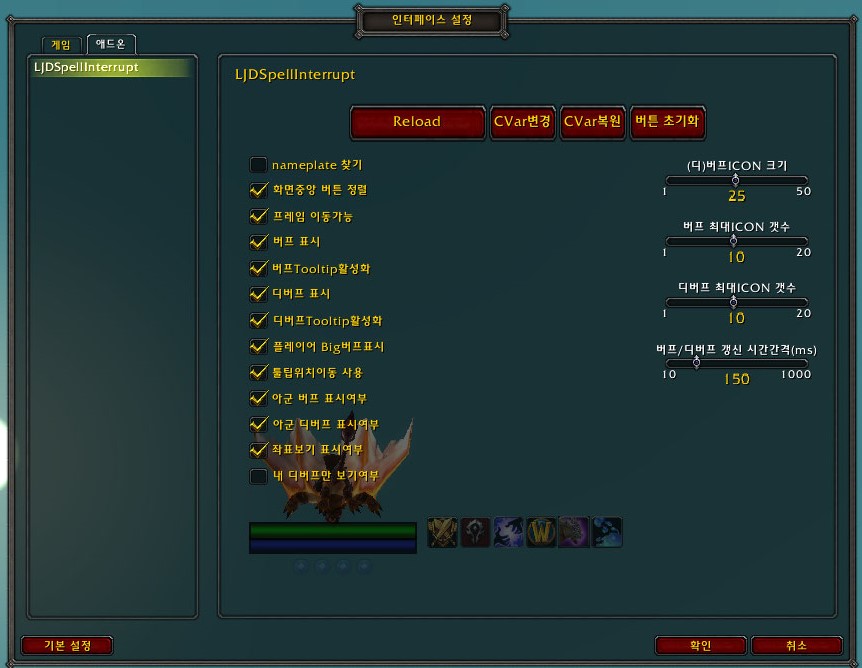
Description
이진득's 스킬차단 알림
Lee Jin-deuk's Spell interrupt notification
[기본기능]
[Basic function]
* 차단성공시 [본인만 알수있도록] 음악재생 및 차단된 스킬정보 출력
* If the block is successful [Only you can know] Play music and output the blocked skill information
* 외생기 받았을 경우 일반채팅 자동 감사인사 (ex. XXX님 [보호의 축복] 감사해요~)
- 외생기 : 무쇠껍질, 고통 억제, 수호 영혼, 기의 고치, 신의 축복, 희생의 축복, 보호의 축복, 주문 수호의 축복
* If you have an exogenous life, General chat automatic thank you
- Exogenous Period: Iron Shell, Pain Suppression, Guardian Soul, Cocoon of God, Blessing of God, Blessing of Sacrifice, Blessing of Protection, Blessing of Spell Guardian
* 설정
* setting
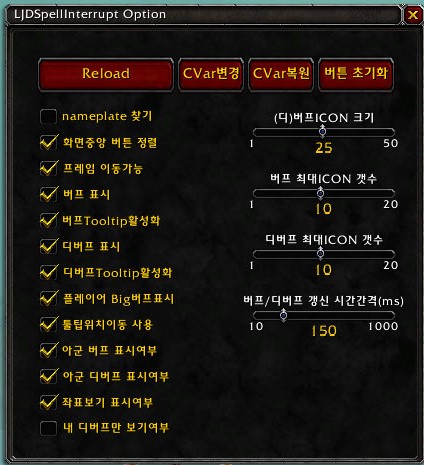
- 인터페이스 옵션추가 (ESC-인터페이스 설정- 애드온 - LJDSpellInterrupt)
- Add interface option (ESC-Interface Settings- Add-on-LJDSpellInterrupt)
- 설정 바로가기 명령 : /jd
- Setting Shortcut Command: / jd
- 설정 바로가기 단축키 : Ctrl + Shift + Enter
(단축키는 [ESC-단축키 설정- LJDSpellInterrupt] 에서 변경가능.)
- Setting Shortcut Key: Ctrl + Shift + Enter
(Hotkeys can be changed in [ESC-Hotkey Settings- LJDSpellInterrupt].)
- 이동 가능한 창으로 변경
인터페이스옵션, 지도, 스킬창
-Change to a movable window
Interface Options, Map, Skill Window
[이름표관련기능]
[Name tag related functions]
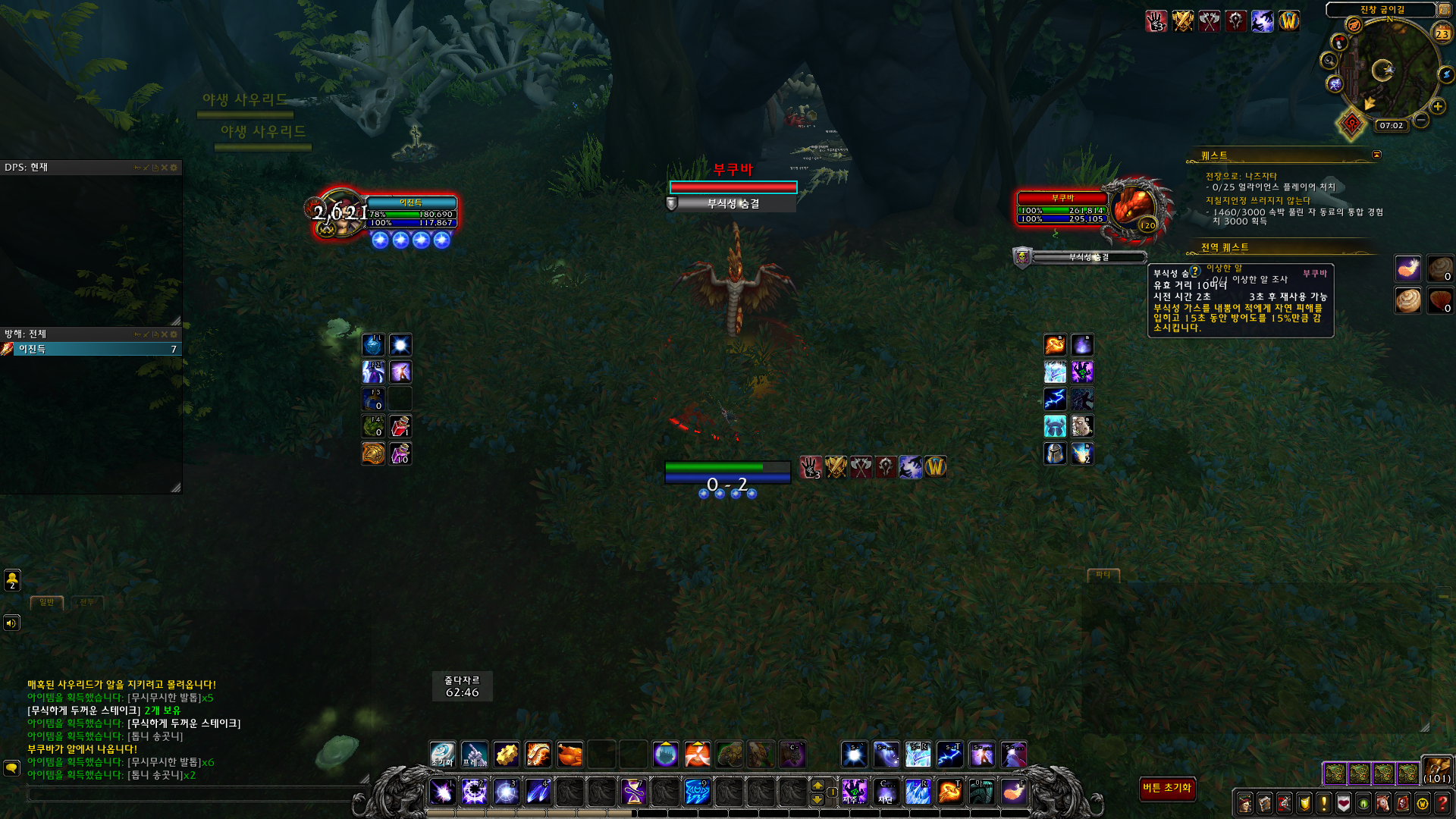
* 마우스오버시 하일라이트 처리(Ex. 마우스오버 차단 매크로 사용할때, 차단대상 구분기능 )
* Highlighting when hovering (ex. When blocking mouseover macro, separate function for blocking)
* 이름표 테두리
* Name tag border
- 어그로 없음(보통) : 검정, (대상선택시) 흰색
- No Aggro (Normal): Black, White (when selected)
- 비 어그로 : 자주, (대상선택시) 노란색
- Not Aggro: Purple, Yellow (when selected)
- 어그로 : 초록, (대상선택시) 하늘색
- Aggro: Green, (when selected) Sky Blue
* 버프/디버프
* Buff / Debuff
- 버프 : 이름표 오른쪽 표시
-Buff: Display name tag right
- 디버프 : 이름표 위 표시
-Debuff: Displayed above the name tag
- 버프/디버프 상단 시전자 표시
-Buff / Debuff Top Caster Display
* 버프/디버프 마우스오버시 툴팁 표현(시전자 포함)
* Tooltip representation on buff / debuff hover (including caster)
[화면중앙 스킬버튼정렬]
[Screen Center Skill Button Sort]
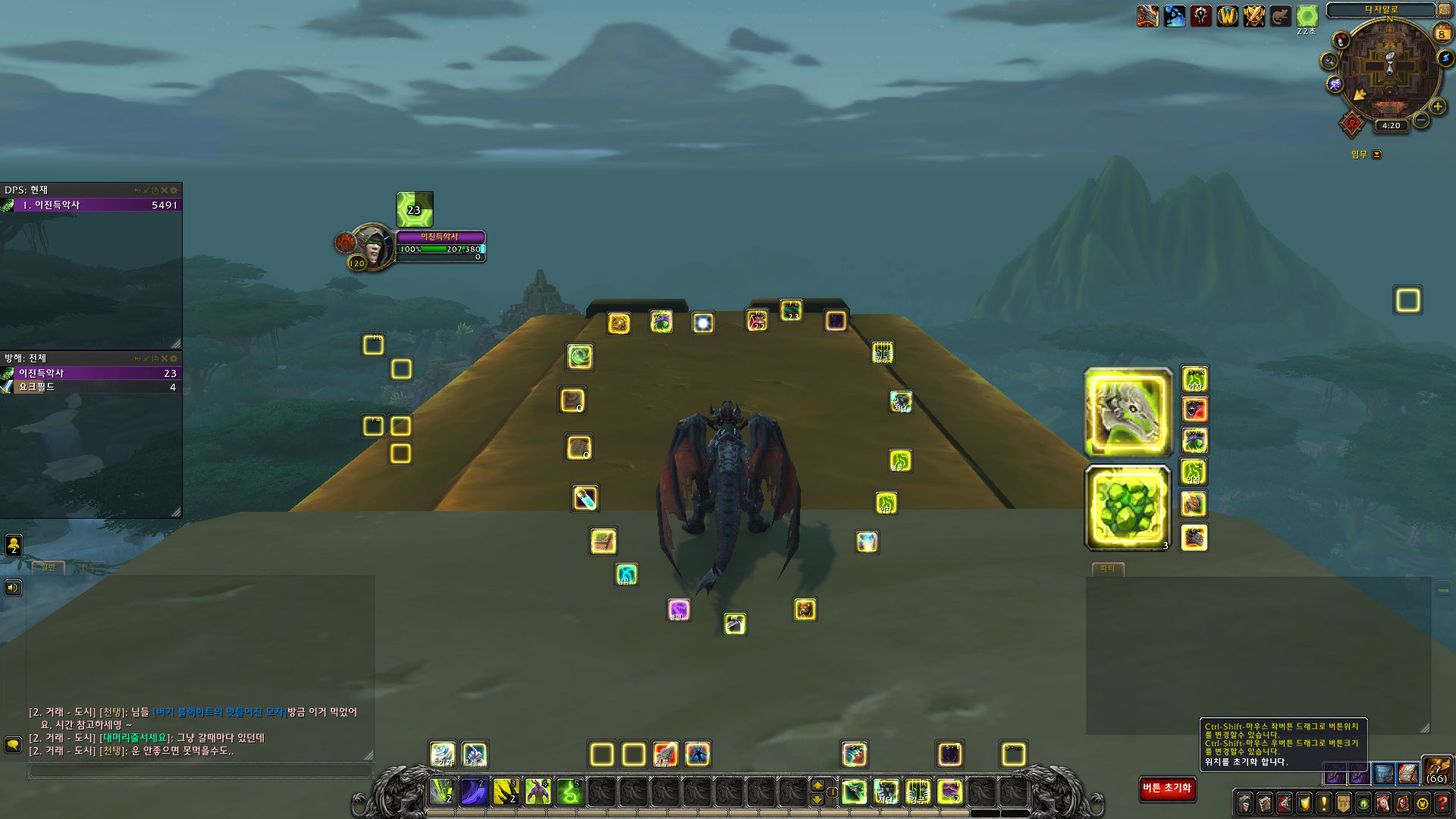
- 화면 오른쪽에 있는 추가행동 단축바 20개를 화면중앙 좌우 각 10개씩 배치합니다.
-Place 20 additional action shortcuts on the right side of the screen, 10 each in the center of the screen.
- [단축키별 기능]
-[Shortcut Key Function]
- Ctrl-Shift : 변경 가능한 버튼이 반짝임 테두리로 표시됩니다.
-Ctrl-Shift: Changeable buttons are displayed with a glistening border.
- Ctrl-Shift-마우스 좌 드레그 : 버튼이동.
Ctrl-Shift-Left Drag: move the button.
- Ctrl-Shift-마우스 우 드레그 : 버튼크기 변경.
Ctrl-Shift-Mouse Right Drag: Changes the button size.
* 버튼위치 및 크기정보는 계정별로 저장되어, 케릭별로 별도 변경하지 않아도 됩니다.
* Button location and size information is stored for each account, you do not need to change for each character.
* 화면 오른쪽 아래에 있는 [버튼 초기화] 버튼은 버튼크기, 위치를 초기 상태로 변경합니다.
* The [Button Reset] button on the bottom right of the screen changes the button size and position to the default state.
[좌표표시 기능]
[Coordinate Display Function]
- 현재맵에서의 좌표(X,Y)를 보여줍니다.
-Show the coordinates (X, Y) on the current map.
- 채팅창 글 입력상태에서, 좌표를 클릭하면 현재 좌표를 입력합니다.
-In chat window text input state, click coordinates to input current coordinates.
- 스킬버튼처럼 이동 및 크기변경 가능합니다.
-Move and resize like a skill button.
[성기사 관련기능]
[Paladin related functions]
* [정의의 방패] 충전수가 2개 이상이고, [고위 천사]를 사용가능한 상태이면, 고위천사 스킬버튼 반짝임
* If the Shield of Justice has 2 or more Charges and [High Angel] is available, High Rank Angel's skill button flashes.
[마법사 관련기능]
[Wizard related functions]
* 마법훔치기 가능한 버프이면 흰색테두리 표현
* If the magic steal buff, white border
[아이템 획득 알림 기능]
[Item acquisition notification function]
* 회색 이상 아이템 획득시 보유갯수 채팅창 및 에러창에 표시
* Number of possessions over gray display in chat window and error window
[악마사냥꾼 관련 기능]
[Demon Hunter Related Features]
* [영혼 파편]이 5개 이상이고, [영혼 폭탄]을 사용가능한 상태이면, 스킬버튼 반짝임.
* If [Soul Fragment] is 5 or more and [Soul Bomb] is enabled, the skill button flashes.
[참고용 마우스오버 차단 매크로-성기사]
- 우선순위 : 마우스오버, 대상, 대상의 대상
- 매크로를 실행할때마다 비난, 심판의 망치, 눈부신 빛이 순차적으로 실행됩니다. 4초 지나면 다시 비난.
[Reference hover block macro-Paladin]
-Priority: mouseover, target, target's target
-Every time you run the macro, the blame, the hammer of judgment, and the dazzling light are executed in sequence. Blame it again after 4 seconds.
#showtooltip
/castsequence [target=mouseover,harm,nodead][harm,nodead][] reset=4 비난, 심판의 망치, 눈부신 빛
[마우스오버 및 대상 시전스킬정보 출력 기능]
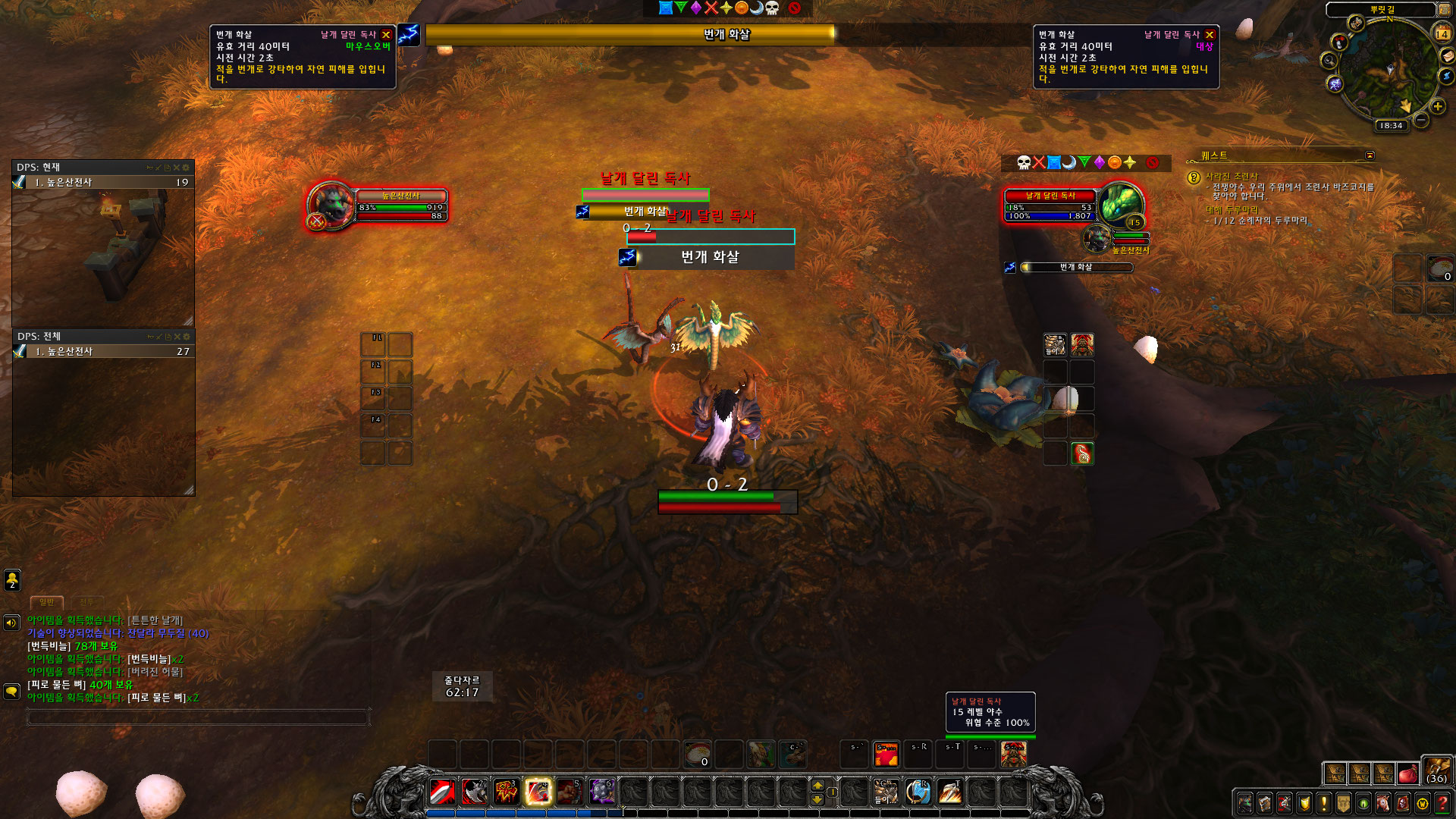
- 마우스오버, 대상의 시전중인 스킬정보를 툴팁 형태로 표현하는 기능.(스샷참조)
마우스오버 : 화면좌상단, 대상 : 화면우상단
툴팁은 좌클릭 드래그로 이동 가능함.(재접속시 원위치).
- 툴팁은 계속 표시하거나, 15초간만 보이도록 설정 가능함.
- 사용 여부 및 자동숨기기 설정변경 기능 추가
[시전바 표현 기능]
- 마우스오버, 대상의 스킬을 시전중일때 시전바를 크게 표현하는 기능.(스샷참조)
- 표현우선순위 : 1. 마우스오버 유닛의 시전중 스킬. 2.대상의 시전중 스킬.
- 아래 차단 매크로를 사용할때, 효과적입니다.
시전바는 좌클릭 드래그로 이동 가능함.(재접속시 원위치).
- 사용 여부 설정변경 기능 추가
- 시전바 왼쪽엔 시전중인 대상을, 오른쪽엔 차단한 케릭명을 표현.
추천 차단 매크로
#showtooltip
/cast [target=mouseover,harm,nodead][harm,nodead][] 차단스킬
The LJDSpellInterrupt Team