Live Location
- By
A World of Warcraft Forever addon for sharing and tracking friends’ and guildmates’ live locations on the world map.
Faction color.png
Class + border.png
No exact location.png
Description
Live Location
See where your friends and guildmates are across Azeroth with location sharing compatible with OpenMap.
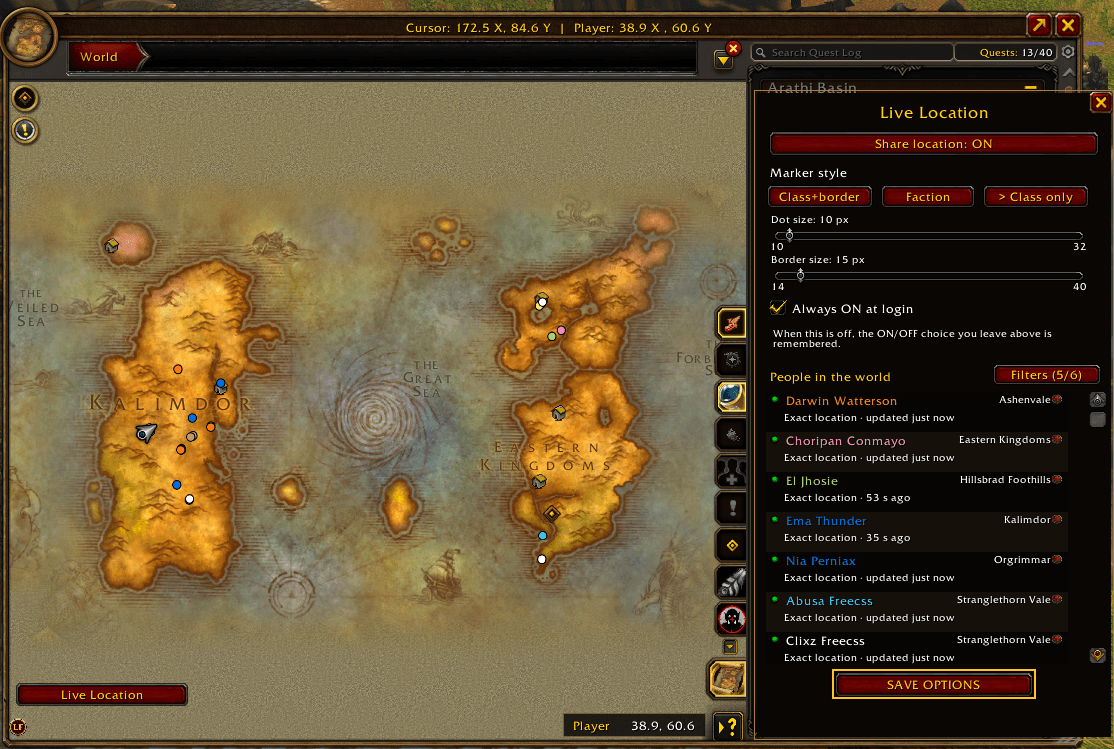
Live Location displays friends and guild members in a single People in the world list and shows their shared locations on the world map. It distinguishes between an exact position and a zone-only location, so you can tell what information is available for each player.
Exact and approximate locations
When a player shares their location, Live Location displays a marker at their reported position. Click their name in the list to open the map centered on that location.
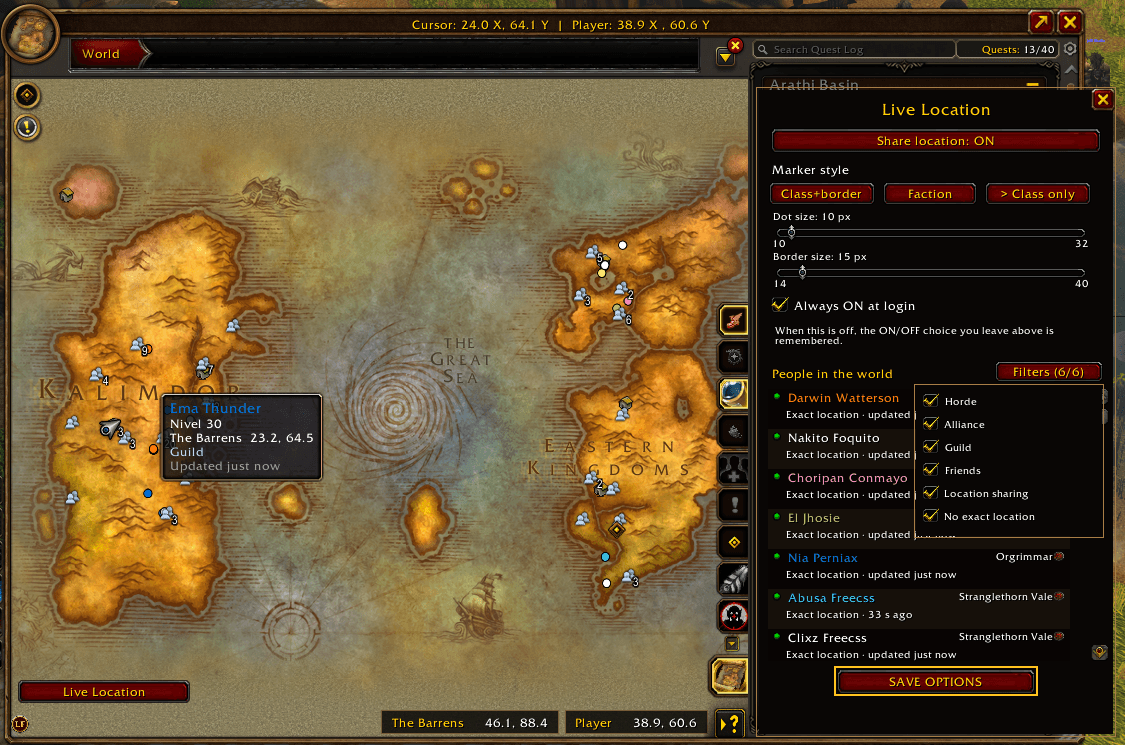
When a player is not sharing an exact location, but their zone is known through OpenMap, Live Location marks the zone on the map instead. This is an approximate zone reference, not the player’s precise position. Clicking their name opens the map for that zone.
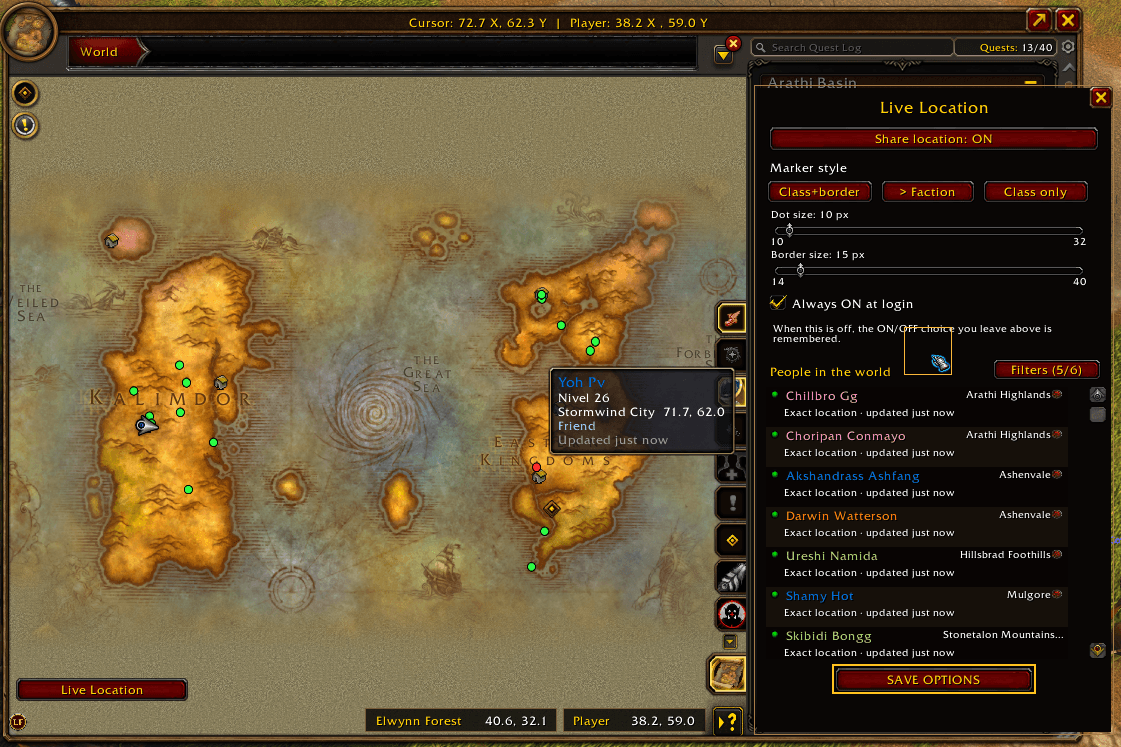
A green indicator beside a name means the player is sharing an exact location. A red indicator means no exact location is currently being shared. The list also shows the player’s zone and when their shared position was last updated.
Marker styles
Choose the map display that works best for you:
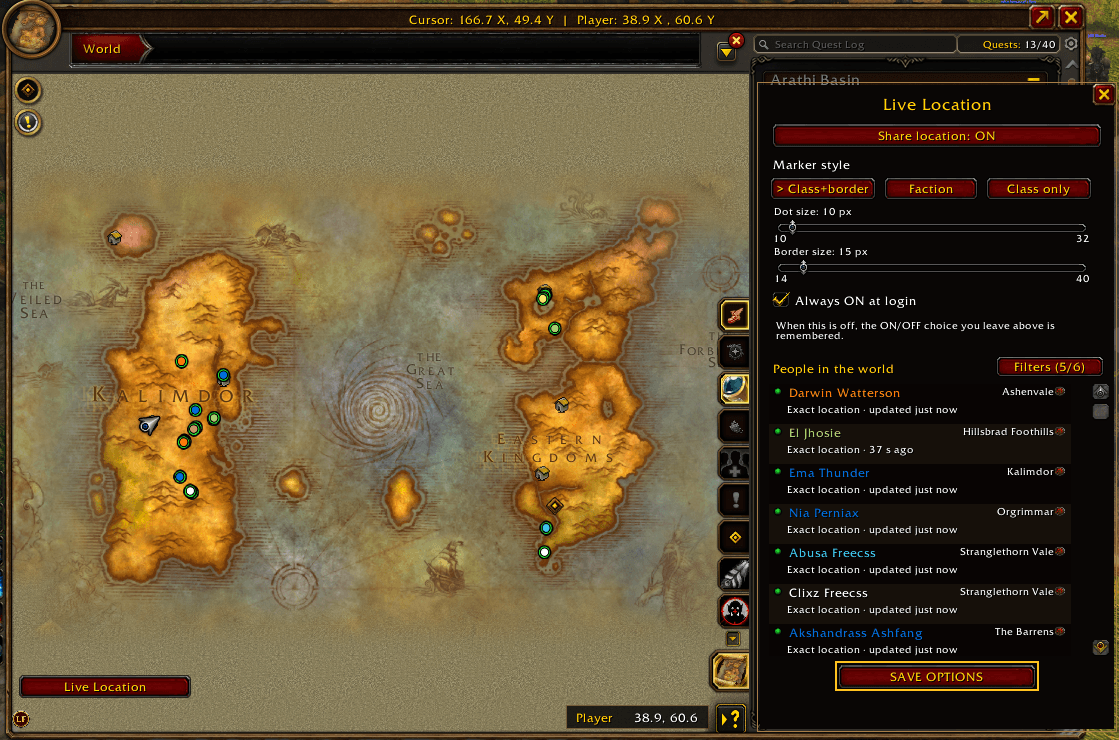
- Class + border: The marker’s center uses the player’s class color. Its outer border shows faction: green for a member of your faction and red for an opposing faction.
- Faction: The marker itself is green for a member of your faction or red for an opposing faction.
- Class only: The marker uses the player’s class color without a faction border.
Dead players appear in gray. You can adjust the marker and border sizes.
World list and filters
The panel always shows People in the world, regardless of which map is open. Combine filters for Horde, Alliance, Guild, Friends, Location sharing, and No exact location. The selected filters apply to both the list and the map markers.
When someone in your party or raid is also listed, Live Location hides its duplicate marker so the game’s native group marker stays visible.
Sharing and settings
Turn your own location sharing on or off, or enable Always ON at login. While moving, shared positions update every two seconds. Your settings and filter selections are saved across reloads and relogging.
Live Location is compatible with location sharing through OpenMap.
Live Location Team